1. Introducció
This manual provides instructions for the AULA F75 Pro Mechanical Keyboard and AULA SC680 Wireless Mouse combo. Please read this manual thoroughly before use to ensure proper operation and to maximize the product's lifespan.
2. Producte acabatview
2.1 AULA F75 Pro Mechanical Keyboard
The AULA F75 Pro is a mechanical keyboard featuring a 75% layout with a knob, multiple connection modes, hot-swappable switches, and RGB backlighting. It is designed for versatility and user customization.

Image: AULA F75 Pro Mechanical Keyboard, showcasing its 75% layout and volume knob.

Imatge: Més deview of AULA F75 Pro keyboard features including BT5.0/2.4G/Wired connectivity, advanced structure, pre-lubed linear switches, RGB backlighting, 4000mAh battery, side-engraved PBT keycaps, hot-swappable design, and 75% layout with knob.
2.2 AULA SC680 Wireless Mouse
The AULA SC680 is a high-performance wireless gaming mouse with tri-mode connectivity, a PAW3395 sensor, and adjustable DPI settings. It is designed for precision and responsiveness.

Imatge: Superior view of the AULA SC680 Wireless Mouse, highlighting its ergonomic design.

Imatge: Més deview of AULA SC680 mouse features including custom macro support, up to 26000 DPI, 58g lightweight design, 8KHz polling rate, tri-mode connection, and PixArt PAW3395 sensor.
3. Configuració i connexió
3.1 Keyboard Connection (AULA F75 Pro)
The AULA F75 Pro keyboard supports three connection modes: Bluetooth 5.0, 2.4GHz wireless, and USB wired.

Image: Diagram illustrating the three connection modes (Bluetooth 5.0, 2.4GHz, USB-C Wired) for the AULA F75 Pro keyboard, compatible with various devices like Switch, Xbox, PlayStation, PC, Laptop, Tablet, and Phone.
- Connexió sense fil de 2.4 GHz:
- Localitza el receptor USB de 2.4 GHz.
- Connecteu el receptor a un port USB disponible de l'ordinador.
- Ensure the keyboard's mode switch is set to 2.4GHz. The keyboard should connect automatically.
- Connexió Bluetooth 5.0:
- Configureu el selector de mode del teclat a Bluetooth.
- Al dispositiu (PC, portàtil, tauleta, telèfon), activa el Bluetooth i cerca dispositius nous.
- Select "AULA F75 Pro" from the list of available devices to pair. The keyboard can connect to up to three Bluetooth devices, switchable via shortcut keys.
- Connexió per cable USB:
- Connecteu el cable USB-C proporcionat al teclat i l'altre extrem al port USB de l'ordinador.
- El teclat funcionarà com un dispositiu amb cable i es carregarà simultàniament.
3.2 Mouse Connection (AULA SC680)
The AULA SC680 mouse also supports three connection modes: USB-C wired, 2.4GHz wireless, and Bluetooth 5.2.
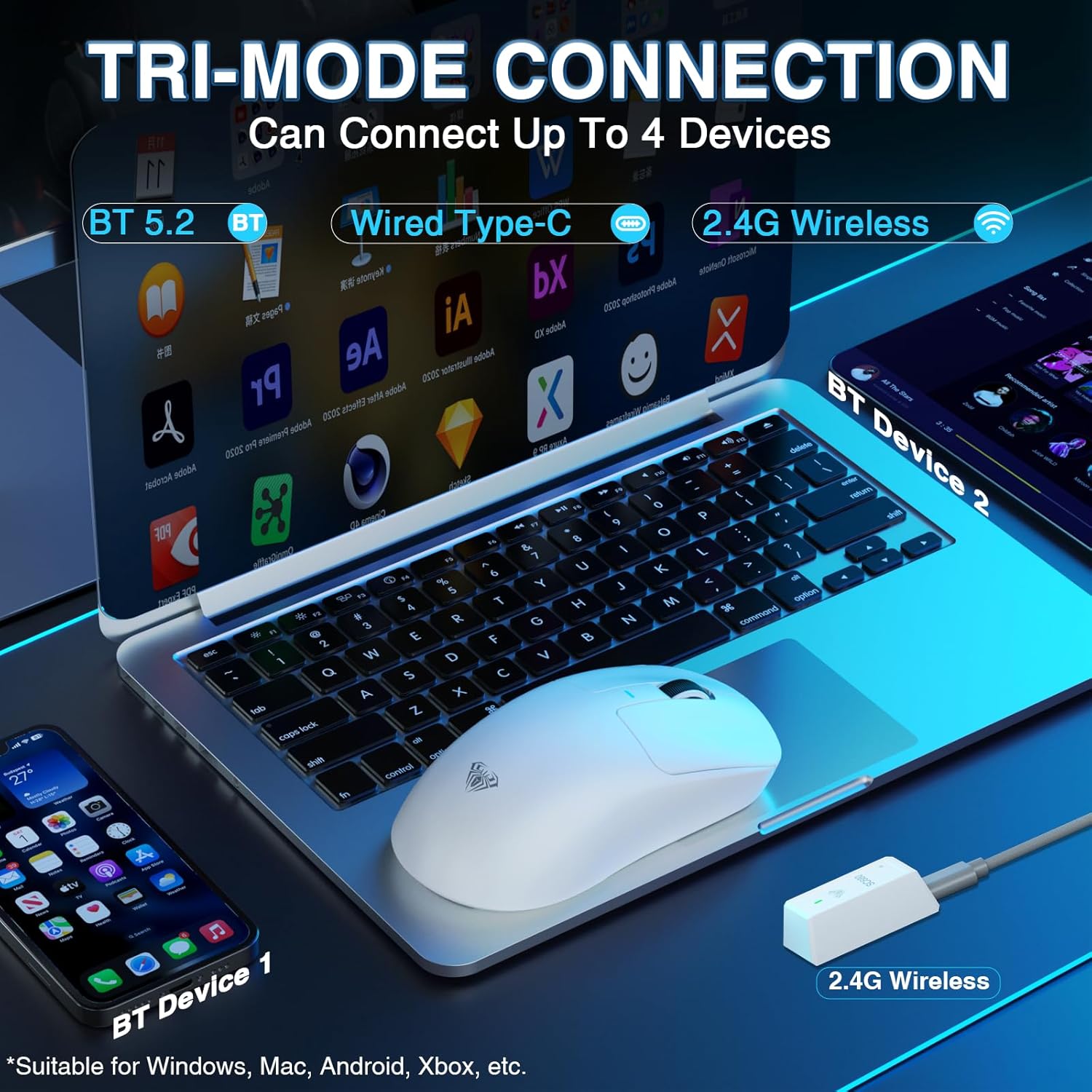
Image: Diagram illustrating the tri-mode connection for the AULA SC680 mouse, showing Bluetooth 5.2, Wired Type-C, and 2.4G Wireless options, compatible with Windows, Mac, Android, and Xbox.
- Connexió sense fil de 2.4 GHz:
- Plug the 2.4GHz USB receiver (usually found with the keyboard's receiver or stored in the mouse) into your computer's USB port.
- Ensure the mouse's mode switch is set to 2.4GHz.
- Connexió Bluetooth 5.2:
- Set the mouse's mode switch to Bluetooth.
- Al dispositiu, activa el Bluetooth i cerca dispositius nous.
- Select "AULA SC680" to pair. The mouse can connect to up to two Bluetooth devices.
- Connexió amb cable USB-C:
- Connect the USB-C cable to the mouse and your computer.
- The mouse will operate in wired mode and charge.
4. Instruccions de funcionament
4.1 Keyboard Functions (AULA F75 Pro)
- Canvi de mode: Use the dedicated switch or shortcut keys to toggle between 2.4GHz, Bluetooth, and Wired modes.
- Bluetooth Device Switching: If connected to multiple Bluetooth devices, use specific key combinations (refer to the quick start guide or keyboard markings) to switch between them.
- Pom de volum: The rotary knob typically controls system volume. Pressing it may mute/unmute.
- Retroil·luminació RGB: Use Fn key combinations to change lighting effects, brightness, and speed.
- Interruptors intercanviables en calent: The keyboard supports 3-pin or 5-pin mechanical switches. To replace switches:
- Power off the keyboard or disconnect it.
- Use the provided switch puller tool to carefully remove the keycap.
- Use the switch puller to gently extract the switch from the PCB.
- Alineeu els pins del nou interruptor amb els forats de la placa de circuit imprès i premeu fermament fins que encaixi al seu lloc.
- Torneu a col·locar la tapa de les tecles.
- Estat de la bateria: The keyboard features a 4000mAh battery. Indicators (usually an LED) will show charging status and low battery warnings. Charge via the USB-C port.
4.2 Mouse Functions (AULA SC680)
- Ajust de DPI: Use the dedicated DPI button (if present) or software to cycle through DPI settings (up to 26000 DPI).
- Taxa de votació: The mouse supports an 8000Hz polling rate for responsive tracking. This setting may be adjustable via software.
- Custom Macros: Programmable buttons and macros can be configured using the official AULA software (downloadable from the AULA weblloc).
- Estat de la bateria: The mouse has an internal rechargeable battery. An indicator light will show charging status and low battery. Charge via the USB-C port.
5. Manteniment
- Neteja: Use a soft, dry cloth to clean the surfaces of the keyboard and mouse. For deeper cleaning, use compressed air to remove dust and debris from between keycaps. Avoid liquid cleaners directly on components.
- Emmagatzematge: Guardeu els dispositius en un lloc fresc i sec, allunyat de la llum solar directa i de temperatures extremes.
- Cura de la bateria: For optimal battery life, avoid fully discharging the devices frequently. Charge them regularly.
6. Solució De Problemes
| Problema | Solució |
|---|---|
| Keyboard/Mouse not connecting wirelessly. |
|
| Connexió amb retard o intermitent. |
|
| Keys not responding / Mouse not tracking. |
|
| La il·luminació RGB no funciona. |
|
7. Especificacions
7.1 AULA F75 Pro Mechanical Keyboard
- Modes de connexió: Bluetooth 5.0, sense fil de 2.4 GHz, USB-C amb cable
- Bateria: 4000 mAh recarregable
- Disseny: 75% with Rotary Knob
- Interruptors: Hot-swappable (3-pin/5-pin compatible), LEOBOG Star Vector Switches (pre-lubricated)
- Tecles de tecles: Side-engraved PBT
- Estructura: Advanced structure with extended integrated silicone pad, PCB single key slotting, five layers of sound-dampmaterial d'elaboració.
- Compatibilitat: PC, Laptops, Tablets, Mobile Phones, PS, XBOX

Imatge: Explosió view of the AULA F75 Pro keyboard's advanced internal structure, detailing components like the metal volume knob, two-color injection molded PBT keycaps, upper cover, rotary encoder, LEOBOG Reaper Switches, slotted PC positioning board, sound-absorbing cotton, IXPE shaft bottom pad, PET voice actor pad, single key slotted PCBA board, PO base cotton, silicone base mat, and bottom shell.
7.2 AULA SC680 Wireless Mouse
- Modes de connexió: Bluetooth 5.2, sense fil de 2.4 GHz, USB-C amb cable
- Sensor: PAW3395 Flagship Sensor
- DPI: 400-26000 (programmable)
- Velocitat IPS: 650
- Acceleració: 50G
- Taxa de votació: 8000 Hz
- Pes: 58 g (aprox.)
- Compatibilitat: Windows 7/8/10, Vista, XP, Mac, Windows 2000, Linux

Imatge: Primer pla view of the PAW3395 flagship sensor in the AULA SC680 mouse, detailing its specifications: DPI Adjustment (400-26000), IPS (650), and Accelerated Speed (50G).
8. Garantia i Suport
AULA products are designed for reliability and performance. For warranty information, technical support, or to download the latest drivers and software, please visit the official AULA weblloc web o poseu-vos en contacte amb el vostre distribuïdor local.
Official AULA Store: AULA Amazon Store


