1. Introducció
This manual provides essential information for the safe and efficient operation of your JIKEFUN CZ26 RC Drone. Please read this manual thoroughly before operating the drone to ensure proper usage and to prevent damage or injury. The CZ26 is a compact quadcopter equipped with an HD camera, optical flow positioning, and various flight modes designed for both indoor and outdoor use.

Figure 1.1: JIKEFUN CZ26 RC Drone with its remote control and packaging.
2. Pautes de seguretat
- Operate the drone in open areas, away from people, animals, and obstacles.
- Mantingueu una distància de seguretat de línies elèctriques, edificis i masses d'aigua.
- No opereu amb vents forts ni condicions meteorològiques adverses.
- Ensure all propellers are securely attached and undamaged before flight.
- Mantingueu els dits i els cabells allunyats de les hèlixs giratòries.
- Es recomana la supervisió d'un adult per a usuaris menors de 14 anys.
- No intenteu modificar el dron ni els seus components.
3. Contingut del paquet
Verifiqueu que tots els elements siguin presents al paquet:
- CZ26 RC Drone (x1)
- Comandament a distància (x1)
- Fulles de recanvi (x4)
- Bateria (x1)
- Cable USB (x1)
- Tornavís (x1)
- Instruccions (x2)
4. Identificació de components
4.1 Components del dron

Figura 4.1: superior view of the CZ26 drone highlighting its LED lights and central body.
- Càmera HD: Located at the front of the drone, capable of capturing photos and videos.
- Hèlixs: Four propellers with protective guards for safe flight.
- Llums LED: Integrated lights for visibility and aesthetic appeal.
- Compartiment de la bateria: Located on the underside of the drone for battery insertion.
- Botó d'encesa: Located on the top surface of the drone for powering on/off.
4.2 Remote Control Components

Figure 4.2: Detailed layout of the remote control functions.
- Joystick esquerre (accelerador/guinyada): Controla l'altitud i la rotació.
- Joystick dret (Pitch/Roll): Controla el moviment endavant/enrere i esquerra/dreta.
- One-Click Takeoff/Landing Button: Inicia l'enlairament o l'aterratge automàtic.
- Interruptor de velocitat: Ajusta la velocitat de vol (baixa, mitjana, alta).
- Botons de foto/vídeo: Captura imatges o inicia/atura la gravació de vídeo.
- 360° Roll Button: Executes a stunt roll.
- Headless Mode/Return Button: Activates headless mode or initiates return-to-home.
- Adjustable Camera Control: Lever to adjust the camera angle.
- Titular del telèfon: Mount for a smartphone to view foo en temps realtage.
5. Configuració
5.1 Càrrega i instal·lació de la bateria
- Charge the drone battery using the provided USB cable. The battery features a USB-C charging port.
- Insert the fully charged battery into the drone's battery compartment until it clicks into place.
- Install 3 AAA batteries (not included) into the remote control's battery compartment.
5.2 Control remot i configuració de l'aplicació
- Attach the phone holder to the remote control.
- Download the dedicated control app to your smartphone.
- Place your smartphone securely in the phone holder.
- Power on the drone by pressing and holding its power button.
- Power on the remote control by sliding the power switch.
- Connect your smartphone to the drone's Wi-Fi network.
- Open the app to establish a connection with the drone for real-time image transmission.

Figure 5.1: Drone and remote control setup for app-controlled flight and real-time image viewing.
6. Funcionament
6.1 Controls bàsics de vol
- Encès: Press and hold the power button on the drone until LED lights illuminate. Turn on the remote control.
- Maridatge: Ensure the drone and remote control are paired. If not, follow the instructions in the manual to pair them.
- Enlairament amb un sol clic: Press the one-click takeoff button on the remote control. The drone will automatically ascend and hover.
- Control d'altitud: Use the left joystick to increase or decrease altitude.
- Control direccional: Use the right joystick to move the drone forward, backward, left, or right.
- Aterratge amb un sol clic: Premeu el botó d'aterratge d'un sol clic. El dron descendirà i aterrarà automàticament.
Video 6.1: Demonstration of the CZ26 RC Quadcopter's basic flight functions, including one-click takeoff and landing.
6.2 Funcionament de la càmera
- Càmera ajustable: Use the dedicated lever on the remote control to adjust the camera's angle (up to 90°).
- Captura de fotos: Press the photo button on the remote control to take a still image.
- Gravació de vídeo: Press the video button to start recording. Press again to stop.
- Real-Time Transmission: View live camera feed on your smartphone via the app.
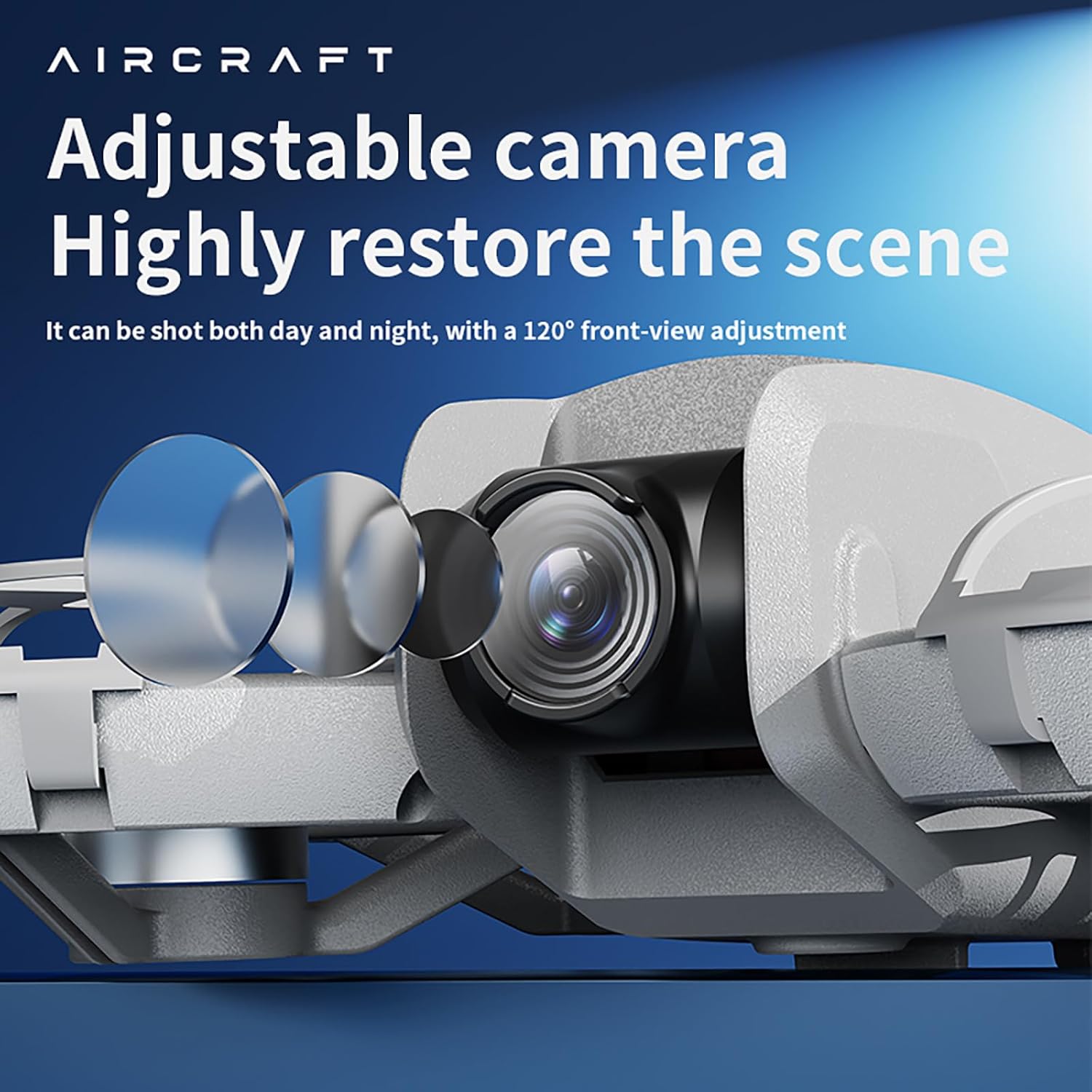
Figure 6.2: The drone features an adjustable camera for varied perspectives.
6.3 Funcions avançades
- Posicionament del flux òptic: Provides stable hovering and precise positioning, suitable for both indoor and outdoor environments.
- Rotlla de 360°: Executa acrobàcies aèries impressionants amb un sol botó.
- Evitació d'obstacles: The drone is equipped with sensors to detect and avoid obstacles, enhancing flight safety.
- Vol de trajectòria: Dibuixa una trajectòria de vol a la pantalla del teu telèfon intel·ligent i el dron la seguirà automàticament.
- Canvi de velocitat multi-engranatge: Select between different speed modes (low, medium, high) for varied flight experiences.
Vídeo 6.3: Acabatview of the drone's advanced features including optical flow positioning, 360° roll, and high-speed flight capabilities.
7. Manteniment
- Neteja: Feu servir un drap suau i sec per netejar el dron i el comandament a distància. Eviteu l'aigua o productes químics agressius.
- Substitució de l'hèlix: If a propeller is damaged, use the provided screwdriver to replace it with a spare blade. Ensure the new blade is securely fastened.
- Cura de la bateria: Guardeu les piles en un lloc fresc i sec. No les sobrecarregueu ni les descarregueu massa.
- Emmagatzematge: When not in use, store the drone and its accessories in the provided carrying case to protect them from dust and damage.
8. Solució De Problemes
- El dron no s'encén: Assegureu-vos que la bateria estigui completament carregada i instal·lada correctament.
- El comandament a distància no es connecta: Check if the remote control batteries are installed correctly and have sufficient charge. Ensure the drone and remote are powered on and within range.
- Vol inestable: Calibrate the drone before flight. Check for damaged propellers and replace if necessary. Ensure optical flow sensors are clean.
- No image on app: Verify that your smartphone is connected to the drone's Wi-Fi network and the app is open.
- Temps de vol curt: Ensure batteries are fully charged. Flight time can vary based on usage and environmental conditions.
9. Especificacions

Figure 9.1: Dimensions of the CZ26 RC Drone.
| Característica | Especificació |
|---|---|
| Nom del model | CZ26 |
| Resolució de captura de vídeo | 4K UHD |
| Canals de control | 2 CANALS |
| Temps de vol | 5 ~ 10 minuts |
| Distància Remota | 80-100 metres |
| Temps de càrrega | Uns 60 minuts |
| Pes del drone | About 123g (4.3 ounces) |
| Dimensions del producte | 6.69 cm de llargada x 5.91 cm d'amplada x 1.57 cm d'alçada |
| Material | Plàstic |
| Tecnologia de connectivitat | Wi-Fi |
| Composició de les cèl·lules de la bateria | Polímer de liti |
| Bateria del controlador | 3*AAA (Not Included) |
| Nivell d'habilitat de l'operador | Principiant, Intermedi |
10. Garantia i Suport
For warranty information, technical support, or service inquiries, please refer to the contact details provided with your purchase or visit the official JIKEFUN weblloc web. Conserveu el comprovant de compra per a qualsevol reclamació de garantia.


