1. Instruccions de seguretat importants
Please read all safety instructions carefully before using this appliance. Failure to follow these instructions may result in electric shock, fire, or serious personal injury.
- Desendolleu sempre el ventilador abans de netejar-lo o fer qualsevol manteniment.
- No introduïu els dits ni cap objecte a través de la reixeta quan el ventilador estigui en funcionament.
- Assegureu-vos que el ventilador estigui col·locat sobre una superfície estable i anivellada per evitar que bolqui.
- Mantingueu el cable d'alimentació lluny de superfícies escalfades.
- No feu funcionar el ventilador amb un cable o un endoll danyats.
- Aquest aparell només és per a ús interior.
2. Contingut del paquet
Verifiqueu que tots els elements estiguin inclosos al vostre paquet:
- 1 × Dreo Poly Fan (DR-HPF007S)
- 1 × adaptador de corrent
- 1 × Remote Control (Battery included)
- 1 × Screw for Base
- 1 × Screwdriver for Base
3. Muntatge i muntatge
Follow these steps to assemble your DREO Smart Fan:
- Traieu amb cura tots els components de l'embalatge.
- Attach the fan body to the pedestal column.
- Secure the base to the bottom of the pedestal column using the provided screw and screwdriver.
- Attach the remote control holder to the pedestal column at a convenient height.
- Plug the power adapter into the fan and then into a power outlet.
Video: PolyFan Assembly and Clean
This video demonstrates the step-by-step assembly process and how to clean the PolyFan. It shows how to attach the base, secure the column, and connect the power adapter. It also covers disassembling parts for cleaning.
Video: Dreo HPF004S Installation Video
This video provides a visual guide for the installation of the Dreo HPF004S fan, which shares similar assembly steps with the DR-HPF007S model.
4. Instruccions de funcionament
Your DREO Smart Fan offers multiple control methods and customizable settings for optimal comfort.
4.1 Mètodes de control
- Controls tàctils: Use the intuitive touch panel on the fan's pedestal.
- Comandament a distància: Operate the fan from a distance with the included remote.
- DREO App: Connect via Wi-Fi for advanced features, scheduling, and voice control.
- Control de veu: Integrate with Alexa or Google Assistant for hands-free operation.
4.2 Fan Speeds and Airflow Modes
- 9 velocitats de ventilador: Adjust airflow intensity from a gentle breeze to powerful circulation.
- 6 Airflow Modes: Choose from Normal, Natural, Sleep, Auto, Custom, and Turbo modes to suit your preference.

Image: Fan Modes and Speeds
The fan's display shows the current speed and selected mode, offering 9 speed levels and 6 distinct airflow modes for personalized comfort.
4.3 Oscil·lació
- Oscil·lació 3D: Enjoy wide-area coverage with 150° horizontal and 120° vertical oscillation.
- Position-based Oscillation: (DREO app exclusive) The fan adjusts its airflow direction based on your movement within the room.

Image: 3D Oscillation
This image illustrates the fan's ability to oscillate both horizontally (150°) and vertically (120°), providing comprehensive air circulation.
Video: Dreo Smart Position-based Oscillation Fan TurboPoly Fan 707S
This video highlights the smart position-based oscillation feature of the fan, demonstrating how it tracks movement to maintain airflow.
4.4 Funció de temporitzador
Configura el ventilador perquè s'apagui automàticament després d'un període especificat:
- Al dispositiu: Fins a 8 hores.
- DREO App: Up to 12 hours for extended control.
4.5 Smart Features via DREO App
- Programació: Program the fan to turn on/off at specific times.
- Temperature Triggers: Set the fan to adjust speed based on ambient temperature.
- Desktop Widgets: Quick access to fan controls from your smartphone home screen.
- Funcionament silenciós: Operates as low as 25dB for undisturbed sleep.
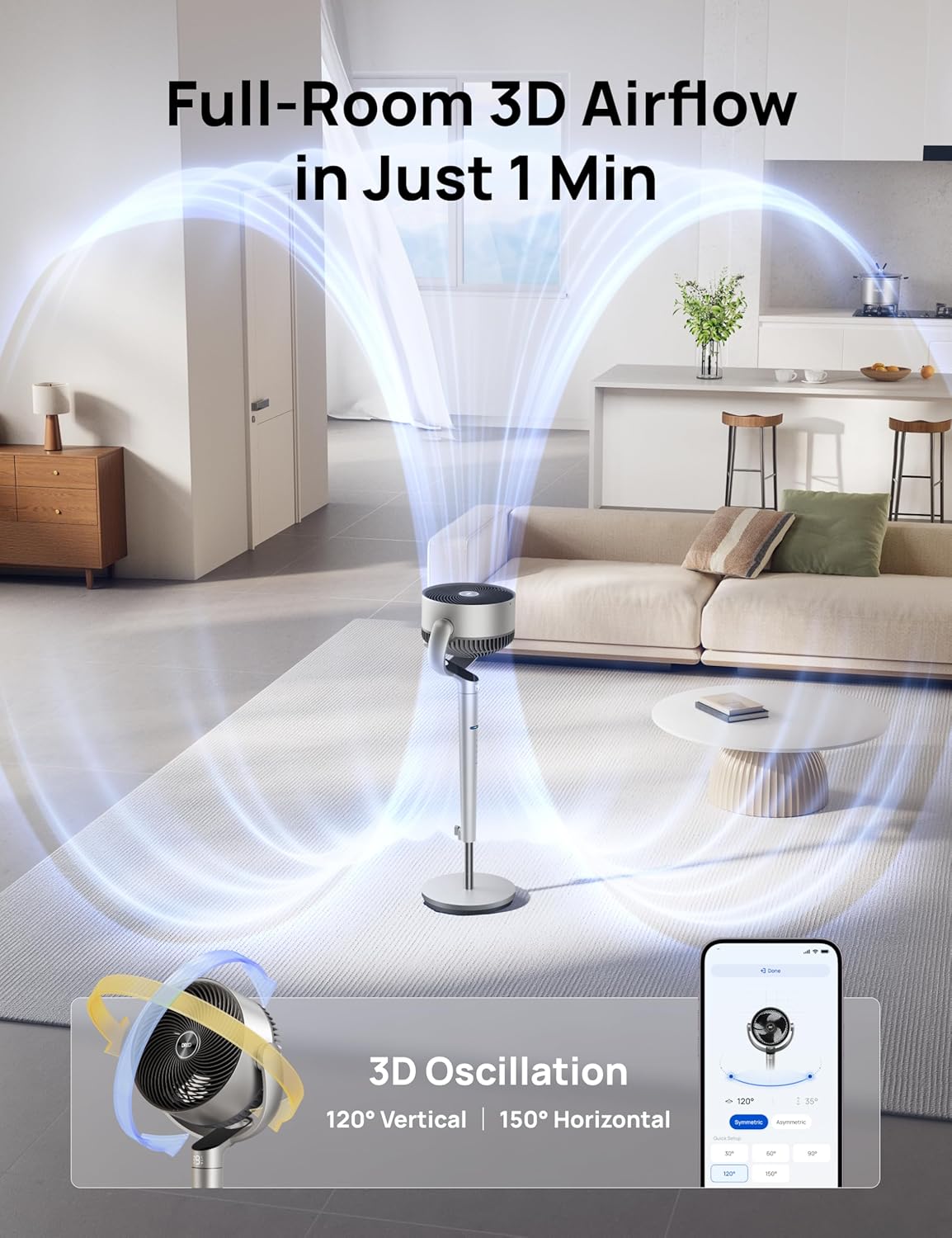
Image: App Control Interface
The DREO app provides comprehensive control over fan settings, including modes, speeds, oscillation, and smart features.
5. Neteja i Manteniment
Una neteja regular garanteix un rendiment òptim i una llarga vida útil del ventilador.
- Desconnecteu sempre el ventilador abans de netejar-lo.
- Netegeu les superfícies exteriors amb un damp tela.
- To clean the fan blades, remove the front grille by rotating it counter-clockwise.
- Rotate the blade cap counter-clockwise to remove it, then carefully take out the blade from the shaft.
- Rinse the cap, blade, and grille under running water. Dry all parts thoroughly before reassembling.
- Reassemble the fan by reversing the disassembly steps.
Video: PolyFan Assembly and Clean
This video demonstrates how to disassemble the fan for cleaning and reassemble it, ensuring proper maintenance.
6. Solució De Problemes
If you encounter any issues with your DREO Smart Fan, refer to the following common solutions:
- El ventilador no s'encén: Ensure the power cord is securely plugged into a working outlet. Check if the power adapter is correctly connected to the fan.
- Flux d'aire feble: Verify that the fan speed is set to an appropriate level. Clean the fan blades and grilles to remove any dust buildup.
- Soroll inusual: Ensure all parts are assembled correctly and securely. Clean the fan to remove any foreign objects that might be causing noise.
- El comandament a distància no funciona: Check the battery in the remote control. Ensure there are no obstructions between the remote and the fan.
- Problemes de connexió Wi-Fi: Ensure your Wi-Fi network is 2.4GHz. Restart your router and the fan, then try connecting again via the DREO app.
7. Especificacions
| Característica | Detall |
|---|---|
| Marca | Dreo |
| Nom del model | DR-HPF007S |
| Dimensions del producte | 13.7 "P x 8.7" W x 42.52" H |
| Font d'alimentació | DC |
| Wattage | 50 watts |
| Voltage | 120 Volts |
| Nivell de soroll | 25 decibels |
| Capacitat de cabal d'aire | 1404 peus cúbics per minut |
| Velocitat | 8 metres per segon |
| Nombre de nivells de potència | 9 |
| Característiques especials | Adjustable Height, Adjustable Tilt, Oscillating, Remote Controlled, Timer, Wi-Fi, Voice Control |
| Mètode de control | Aplicació, comandament a distància, tàctil |
| Ús interior/exterior | Interior |
| Pes de l'article | 17.96 lliures |
| UPC | 810142858212 |
8. Garantia i Suport
For product support, warranty information, or any inquiries, please contact Dreo customer service:
- Weblloc: www.dreo.com
- Correu electrònic: support@dreo.com
- Telèfon: (888) 290-1688 (Mon-Fri, 9:00 AM-5:00 PM PST/PDT)


