1. Introducció
The Akko Mineral 02 is a high-performance mechanical keyboard designed for versatility and customization. Featuring a durable aluminum construction, tri-mode connectivity (Bluetooth, 2.4GHz wireless, and wired USB-C), hot-swappable switches, and customizable RGB lighting via QMK/VIA, this keyboard offers a premium typing and gaming experience. This manual provides essential information for setup, operation, and maintenance.
2. Contingut del paquet
Si us plau, assegureu-vos que tots els elements estiguin presents al paquet:
- Akko Mineral 02 Mechanical Keyboard
- Cable USB-C
- Receptor sense fils de 2.4 GHz
- Extractor de tecles
- Tirador de commutació
- Assembly/Disassembly Tools
- Manual d'usuari (aquest document)
3. Configuració
3.1 Càrrega inicial
Before first use, connect the keyboard to a USB power source using the provided USB-C cable. The keyboard features an 8000mAh battery. The charging indicator will show the charging status.

Image: The keyboard's 8000mAh battery capacity, indicating long-lasting wireless use.
3.2 Modes de connectivitat
The Akko Mineral 02 supports three connection modes: Wired (USB-C), 2.4GHz Wireless, and Bluetooth.

Image: Visual representation of the keyboard's Type-C wired, 2.4GHz wireless, and Bluetooth connectivity options.
3.2.1 Mode amb cable
- Connecteu el cable USB-C al teclat i a l'ordinador.
- Assegureu-vos que el selector de mode del teclat estigui configurat a "Cablejat" o "USB".
- El sistema operatiu reconeixerà automàticament el teclat.
3.2.2 Mode sense fil de 2.4 GHz
- Plug the 2.4GHz wireless receiver into an available USB port on your computer.
- Ajusteu el selector de mode del teclat a "2.4G".
- The keyboard should connect automatically. If not, press and hold Fn + 4 for 3 seconds to initiate pairing.
3.2.3 Mode Bluetooth
El teclat admet fins a tres dispositius Bluetooth.
- Poseu el selector de mode del teclat a "BT".
- To pair a new device, press and hold Fn + 1 (or Fn + 2, Fn + 3 for other slots) for 3 seconds until the indicator light flashes rapidly.
- On your device (PC, tablet, smartphone), search for Bluetooth devices and select 'Akko Mineral 02'.
- Un cop emparellat, l'indicador lluminós deixarà de parpellejar.
- To switch between paired Bluetooth devices, press Fn + 1, Fn + 2, or Fn + 3 briefly.
4. Instruccions de funcionament
4.1 Funcions bàsiques de les tecles
The keyboard features a standard layout with additional function keys accessible via the Fn key. Refer to the keyboard's keycaps for specific legends.
4.2 Control d'il·luminació RGB
The Akko Mineral 02 features customizable RGB lighting. Use the following key combinations to control the lighting effects:
- Fn + \|: Change RGB lighting effect.
- Fn + <: Disminueix la brillantor.
- Fn + >: Augmenta la brillantor.
- Fn + Fletxa amunt: Increase animation speed.
- Fn + Fletxa avall: Decrease animation speed.
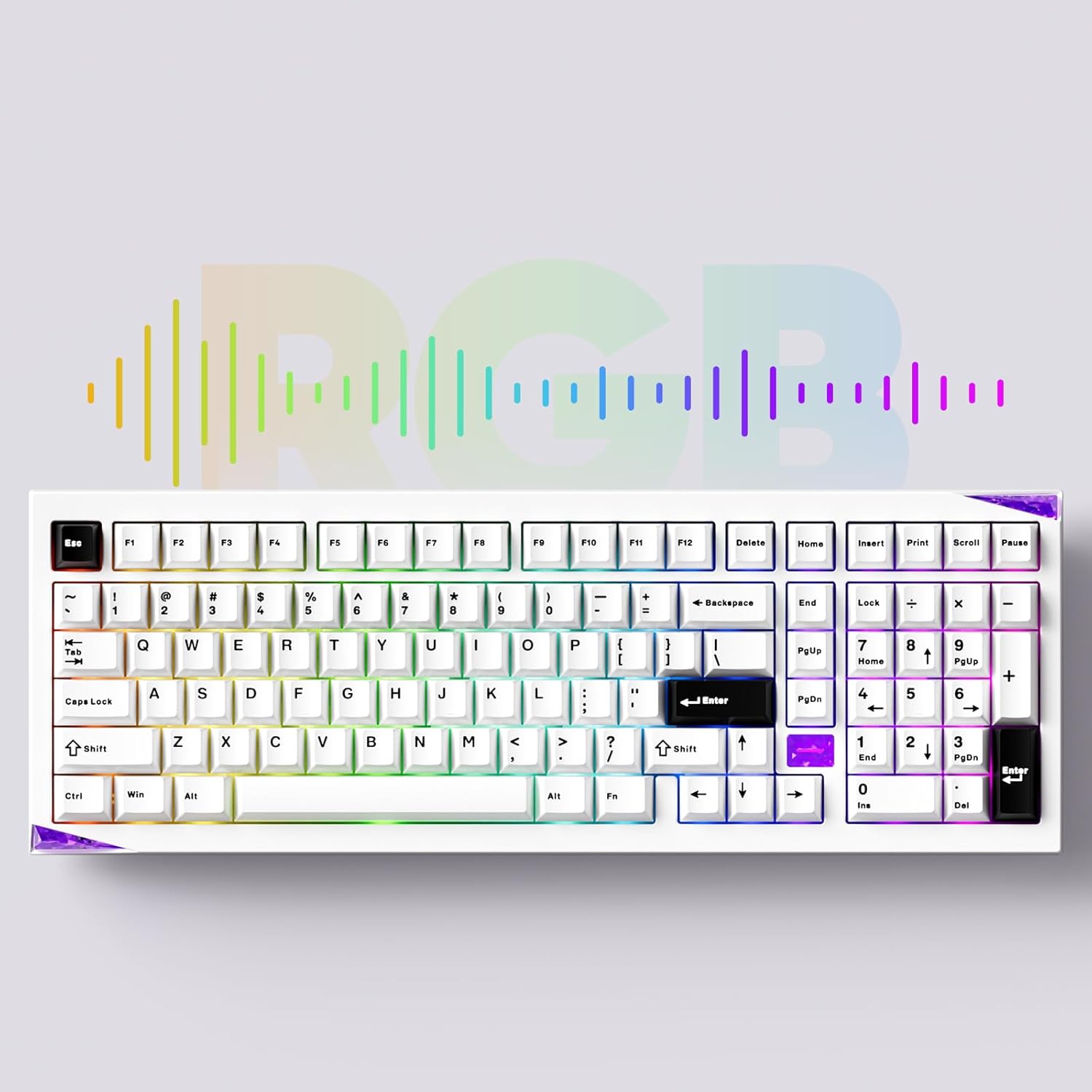
Imatge: La presentació del teclatasing its customizable RGB lighting capabilities.
4.3 Personalització de QMK/VIA
The keyboard supports QMK/VIA for advanced key remapping, macro creation, and lighting customization. Download the VIA software from the official Akko weblloc o caniusevia.com. Connect the keyboard in wired mode to use VIA.
5. Manteniment
5.1 Neteja
To clean the keyboard, disconnect it from all power sources. Use a soft, dry cloth to wipe the surface. For deeper cleaning, remove keycaps using the provided keycap puller and clean with compressed air or a soft brush. Avoid using harsh chemicals or abrasive materials.
5.2 Commutadors intercanviables en calent
The Akko Mineral 02 features hot-swappable switch sockets, allowing you to change switches without soldering. Use the provided switch puller to carefully remove switches. Align new switches with the pins and press gently until they click into place.

Imatge: Un primer pla view of the keyboard's hot-swappable sockets, allowing for easy switch replacement.
5.3 Quick Release Design
The keyboard features a quick-release design for tool-free assembly and disassembly of the aluminum top and bottom case. This facilitates customization and maintenance. Refer to the included assembly/disassembly tools for guidance.
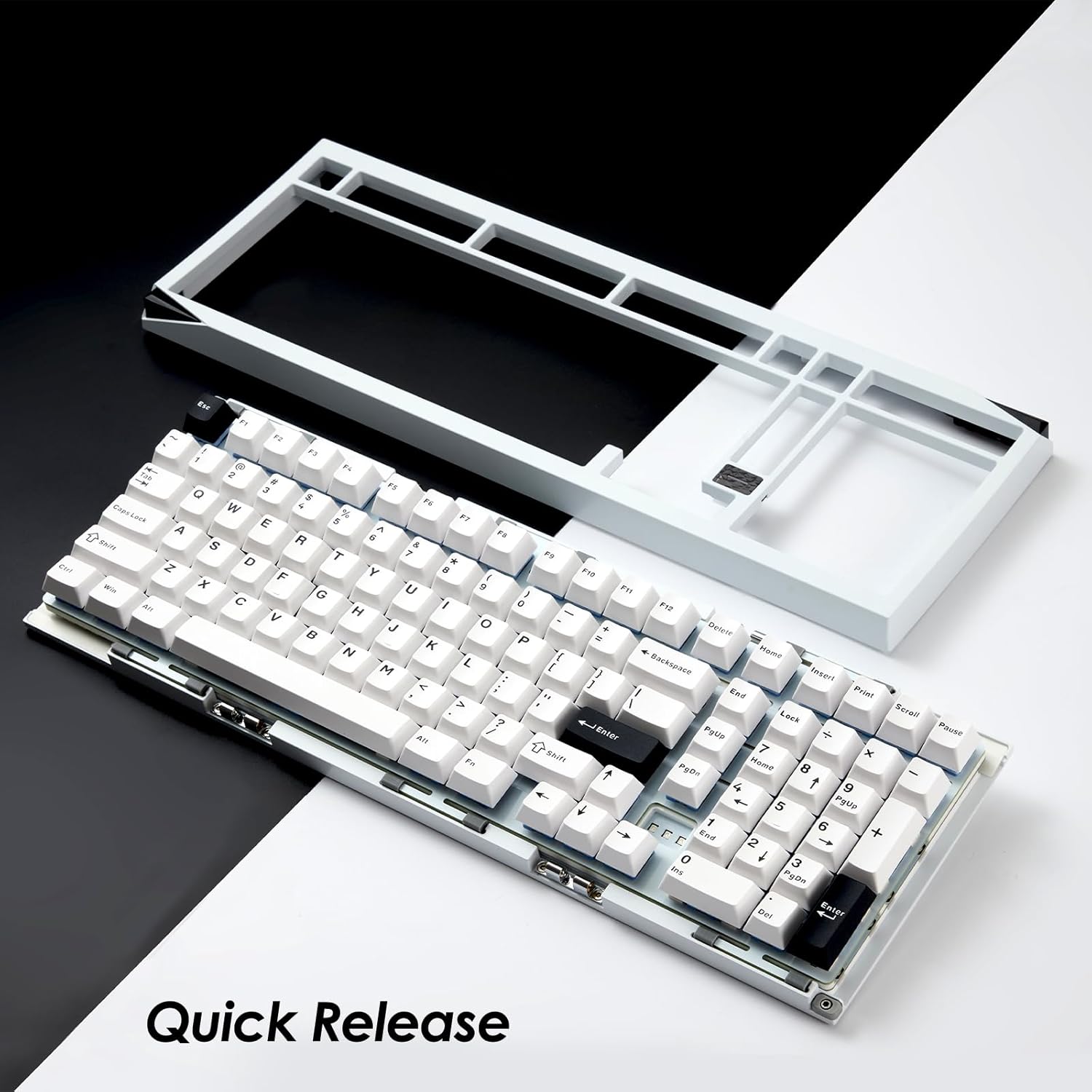
Image: The keyboard with its top case separated, demonstrating the quick-release mechanism for easy customization and maintenance.
6. Solució De Problemes
6.1 El teclat no respon
- Assegureu-vos que el teclat estigui carregat.
- Check the connection mode switch (Wired, 2.4G, BT) matches your intended connection.
- Per al mode amb cable, prova un port USB o cable diferent.
- For 2.4GHz, ensure the receiver is properly plugged in and try re-pairing (Fn + 4 for 3 seconds).
- For Bluetooth, ensure it's paired correctly and try re-pairing (Fn + 1/2/3 for 3 seconds).
- Reinicieu l'ordinador o el dispositiu.
6.2 RGB Lighting Not Working
- Assegureu-vos que el teclat estigui encès.
- Check brightness settings using Fn + < and Fn + >.
- If using VIA, ensure no lighting profiles are conflicting.
6.3 Les claus no es registren
- Remove the keycap and switch for the affected key.
- Inspect the switch pins for bending or damage. Straighten carefully if bent.
- Reinsert the switch firmly. If the issue persists, try replacing the switch with a known working one.
7. Especificacions
| Marca | Akko |
| Model | Mineral 02 |
| Connectivitat | Bluetooth, sense fil de 2.4 GHz, USB-C amb cable |
| Material | Alumini |
| Capacitat de la bateria | 8000 mAh |
| Característiques especials | QMK/VIA Support, Hot-swappable Switches, RGB Lighting, Gasket-mounted Design, Quick Release Case |
| Dispositius compatibles | PC, tauleta, telèfon intel·ligent |
8. Informació de la garantia
Akko products are covered by a limited warranty. Please refer to the official Akko weblloc web o la documentació de compra per conèixer els termes i condicions específics de la garantia. Conserveu el comprovant de compra per a les reclamacions de garantia.
9. Suport
For further assistance, technical support, or inquiries, please visit the official Akko website or contact Akko customer service through the channels provided on their website. Online resources, FAQs, and driver downloads may also be available.


