1. Introducció
The Kawai CX102 Digital Piano is designed to provide an authentic and inspiring musical experience for both new and experienced players. Featuring advanced sound engineering and intuitive controls, this home digital piano offers a rich array of features to enhance your playing and practice sessions.
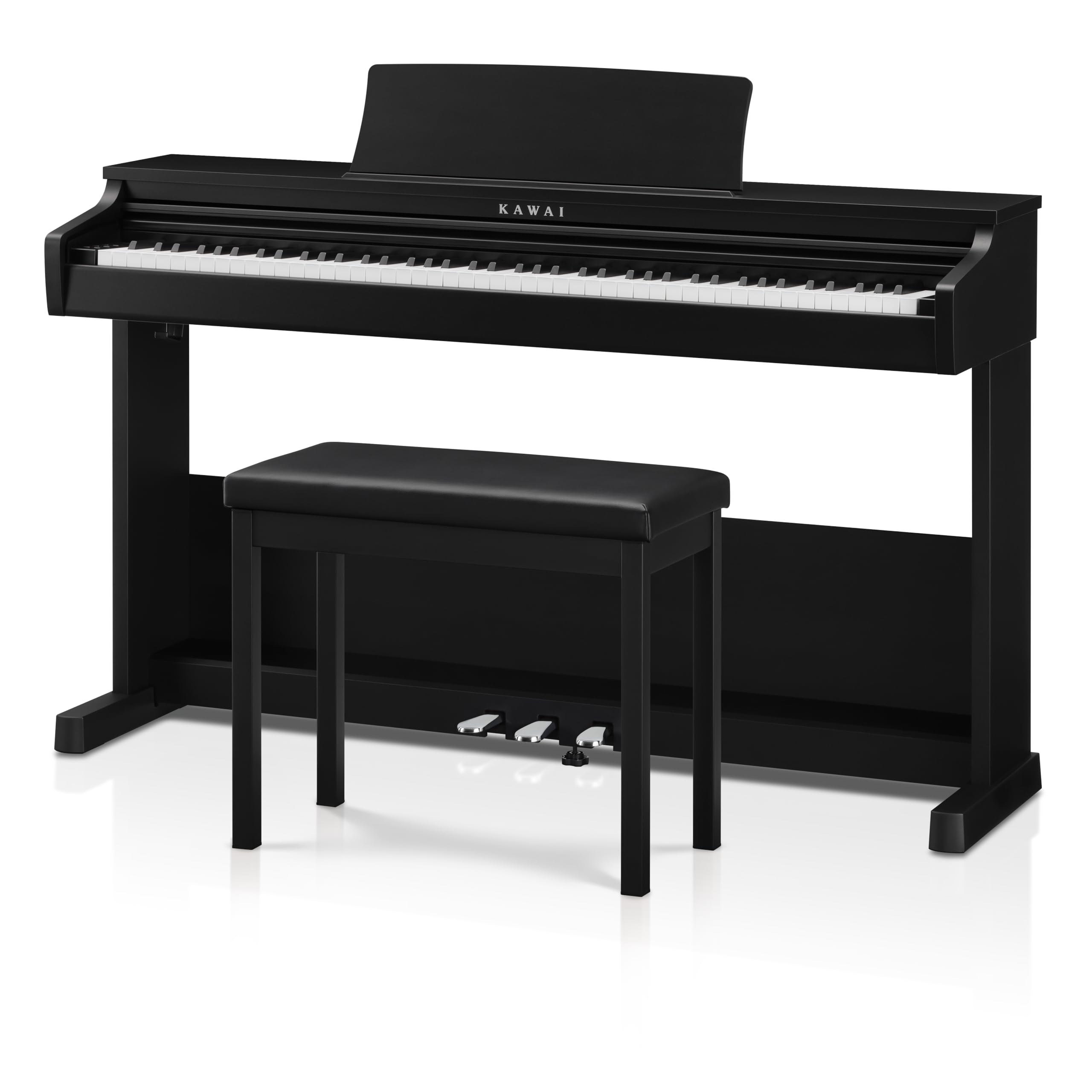
Figure 1: The Kawai CX102 Digital Piano in black, presented with its matching bench and a pair of headphones, ready for use.
Característiques principals:
- Shigeru Kawai SK-EX Concert Grand Piano Sound: Experience the rich, expressive tones of a world-class concert grand piano, meticulously sampled using Harmonic Imaging technology with 192-note polyphony.
- Responsive Hammer Lite (RHL) Action: Enjoy the authentic feel of an acoustic piano with 88 weighted keys, incorporating hammer sensors and key cushioning for realistic touch and response.
- Variety of Instrument Sounds: Explore 17 distinct sounds, including electric piano, organ, strings, harpsichord, and bass, offering versatility for various musical styles.
- Practice-Friendly Functions: Utilize the built-in Metronome, 3-song Recorder with playback, and Lesson functions to support your musical development.
- Flexible Playing Modes: Engage Dual and Split modes for layered or divided keyboard play, and Four Hands mode for duet practice.
- Connectivitat moderna: Connect seamlessly with USB-MIDI and Bluetooth MIDI, and access popular lesson apps like PianoRemote and PiaBookPlayer.
2. Configuració
Carefully unpack all components and ensure all parts are present before beginning assembly. It is recommended to have at least two people for assembly due to the weight and size of the piano.
Passos de muntatge:
- Desembalatge: Remove the main piano unit, stand components, pedals, power adapter, and any accessories from the packaging. Keep all packaging materials until assembly is complete and the piano is confirmed to be working correctly.
- Muntatge de l'estand: Assemble the piano stand according to the included diagrams. Typically, this involves attaching the side panels to the crossbar and securing them with the provided screws.
- Pedal Unit Installation: Attach the pedal unit to the assembled stand. Ensure all connections are secure.
- Placing the Piano Unit: With assistance, carefully lift the main piano unit and place it onto the assembled stand. Align the mounting points on the piano with the stand and secure them using the designated screws.
- Cables de connexió: Connect the pedal unit cable to the corresponding port on the underside of the piano. Plug the power adapter into the DC input port on the piano and then into a wall outlet.
- Music Rest Attachment: Insert the music rest into the slot on the top panel of the piano.

Figure 2: The Kawai CX102 Digital Piano positioned elegantly in a room, showcasing its compact and stylish design suitable for home environments.
3. Instruccions de funcionament
Engegada/Apagada i Volum:
- Potència: Premeu el botó PODER button located on the control panel to turn the piano on or off.
- Volum: Utilitza el VOLUM slider or knob to adjust the overall sound level.

Figura 3: Detall view of the right-side control panel, highlighting the power button and volume slider for easy access and adjustment.
Selecció de so:
The CX102 offers 17 different instrument sounds. Use the dedicated buttons on the control panel to select your desired sound, such as Piano 1, Piano 2, E. Piano, Jazz Organ, Full Organ, Harpsichord, Vibraphone, Chorus, Voice Ensemble, and Strings. Some buttons may cycle through multiple variations with repeated presses.

Figure 4: The left-side control panel, displaying buttons for selecting different instrument sounds and other functions like metronome and recorder.
Característiques de la pràctica:
- Metrònom: Activate the built-in metronome to assist with rhythm and timing during practice. Adjust tempo as needed.
- Gravadora: The 3-song recorder allows you to capture and playback your performances. Refer to the detailed user manual for specific recording and playback instructions.
- Lesson Functions: Utilize integrated lesson functions to aid in learning and skill development.
Modes avançats:
- Mode dual: Layer two different sounds together for a richer, more complex tone.
- Mode dividit: Divide the keyboard into two sections, allowing different sounds to be played on the left and right hands.
- Four Hands Mode: Ideal for teacher-student lessons, this mode splits the keyboard into two identical pitch ranges.
- Transposar: Adjust the pitch of the entire keyboard up or down in semitone steps without changing your fingering.
Connectivitat:
- USB-MIDI: Connect the piano to a computer or other MIDI devices for recording, sequencing, or using music software.
- Bluetooth MIDI: Wirelessly connect to compatible smart devices and applications like PianoRemote and PiaBookPlayer for expanded functionality and interactive learning.
- Preses d'auriculars: Dual headphone jacks allow for private practice or duet sessions without disturbing others.

Figure 5: A musician demonstrating the responsive keyboard action of the Kawai CX102 Digital Piano, emphasizing its authentic feel.
4. Manteniment
Neteja:
- Gabinet: Wipe the piano's cabinet with a soft, dry cloth. For stubborn dirt, use a slightly damp drap i després eixugueu-lo bé. Eviteu productes de neteja o dissolvents abrasius.
- Claus: Netegeu les tecles amb un drap suau i lleugeramentamp cloth. Do not use chemical cleaners, as they may damage the key surfaces.
Emmagatzematge i cura:
- Temperatura i humitat: Avoid exposing the piano to extreme temperature changes or high humidity, which can affect its electronic components and finish.
- Llum solar directa: Do not place the piano in direct sunlight for extended periods, as this can cause discoloration or damage.
- Funda antipols: When not in use, cover the piano with a dust cover to protect the keys and cabinet from dust and debris. The CX102 features a sliding key cover for added protection.

Figura 6: Un pro lateralfile of the Kawai CX102, illustrating its compact design and the integrated sliding key cover that protects the keys when not in use.
5. Solució De Problemes
- Sense so:
- Check if the power adapter is securely connected and the piano is turned on.
- Assegureu-vos que el volum no estigui al mínim ni silenciat.
- Si teniu auriculars connectats, desconnecteu-los per comprovar la sortida de l'altaveu.
- Les tecles no responen:
- Restart the piano.
- Ensure no foreign objects are lodged between the keys.
- So distorsionat:
- Baixa el volum.
- Comproveu totes les connexions dels cables per si hi ha fluïdesa o danys.
- Problemes de connectivitat Bluetooth:
- Ensure Bluetooth is enabled on both the piano and your smart device.
- Move the device closer to the piano to ensure it is within range.
- Restart both the piano and the smart device.
For further assistance, please refer to the comprehensive user manual or contact Kawai customer support.
6. Especificacions
| Marca | Kawai |
| Nom del model | CX102 Satin Black |
| Número de model de l'article | CX102B |
| Color | Negre |
| Estil | Modern |
| Pes de l'article | 84.8 lliures |
| Dimensions del producte | 62.5 x 25.2 x 15.4 polzades |
| Fabricant | Kawai |
7. Garantia i Suport
The Kawai CX102 Digital Piano comes with a manufacturer's warranty. Please refer to the warranty card included in your product packaging for specific terms and conditions. For technical support, service, or inquiries, please contact Kawai customer service through their official weblloc web o la informació de contacte que es proporciona a la documentació del producte.
Additional protection plans may be available for purchase from authorized retailers. These plans typically offer extended coverage beyond the standard manufacturer's warranty.


Figure 7: Icons representing available customer support and return options.
8. Vídeos de productes
Actualment no hi ha vídeos oficials del venedor disponibles per a aquest producte.


