1. Producte acabatview
The SLuB HGD T2 Wireless Earbuds feature advanced Bluetooth 5.4 technology, delivering stable connectivity and high-fidelity audio. Designed for comfort and versatility, these ear-hook style earbuds offer ENC noise cancellation for clear calls, IPX6 water resistance, and intuitive touch controls.

Image: SLuB HGD T2 Wireless Earbuds in their charging case, displaying battery levels on an LED screen.
Característiques clau

Image: Visual representation of the earbuds' key features: Noise Reduction, Bluetooth 5.4, Hi-Fi Sound Quality, Stable Fit, Battery Level Display, and Long Playback Time.
- Tecnologia Bluetooth 5.4: Ensures stable connection, reduced audio delay, and efficient power consumption.
- Hi-Fi Audio Quality: Equipped with high-sensitivity dynamic drivers for balanced sound reproduction, enhanced bass, and immersive audio.
- ENC Noise Cancelling: Effectively reduces ambient noise for clear call quality.
- Ergonomic Ear-Hook Design: Provides a secure and comfortable fit, ideal for sports and extended wear, preventing accidental drops.
- Resistència a l'aigua IPX6: Protects against sweat and rain, suitable for outdoor activities and workouts.
- Controls tàctils intel·ligents: Manage music playback, calls, volume, and activate voice assistants with simple taps.
- Long Battery Life with LED Display: Up to 7 hours of playback per charge, with the charging case providing multiple recharges. The case features an LED display for battery status.
- Single/Dual Earbud Mode: Use either earbud independently or both together.
Contingut del paquet

Image: Illustration of the package contents, including earbuds, charging case, USB Type-C cable, and user manual.
- SLuB HGD T2 Wireless Earbuds (Left and Right)
- Estoig de càrrega
- Cable de càrrega USB tipus C
- Manual d'usuari
2. Guia de configuració
2.1 Càrrega dels auriculars i l'estoig
- Càrrec inicial: Abans del primer ús, carregueu completament els auriculars i l'estoig de càrrega.
- Càrrega de la caixa: Connect the provided USB Type-C cable to the charging port on the case and to a USB power adapter (not included). The LED display on the case will show the charging progress.
- Càrrega dels auriculars: Place the earbuds into the charging case. Ensure they are correctly seated. The LED indicators on the earbuds and the case display will show charging status.
- Indicació de càrrega completa: The LED display will show "100" when the charging case is fully charged. The individual earbud indicators will turn off when fully charged.
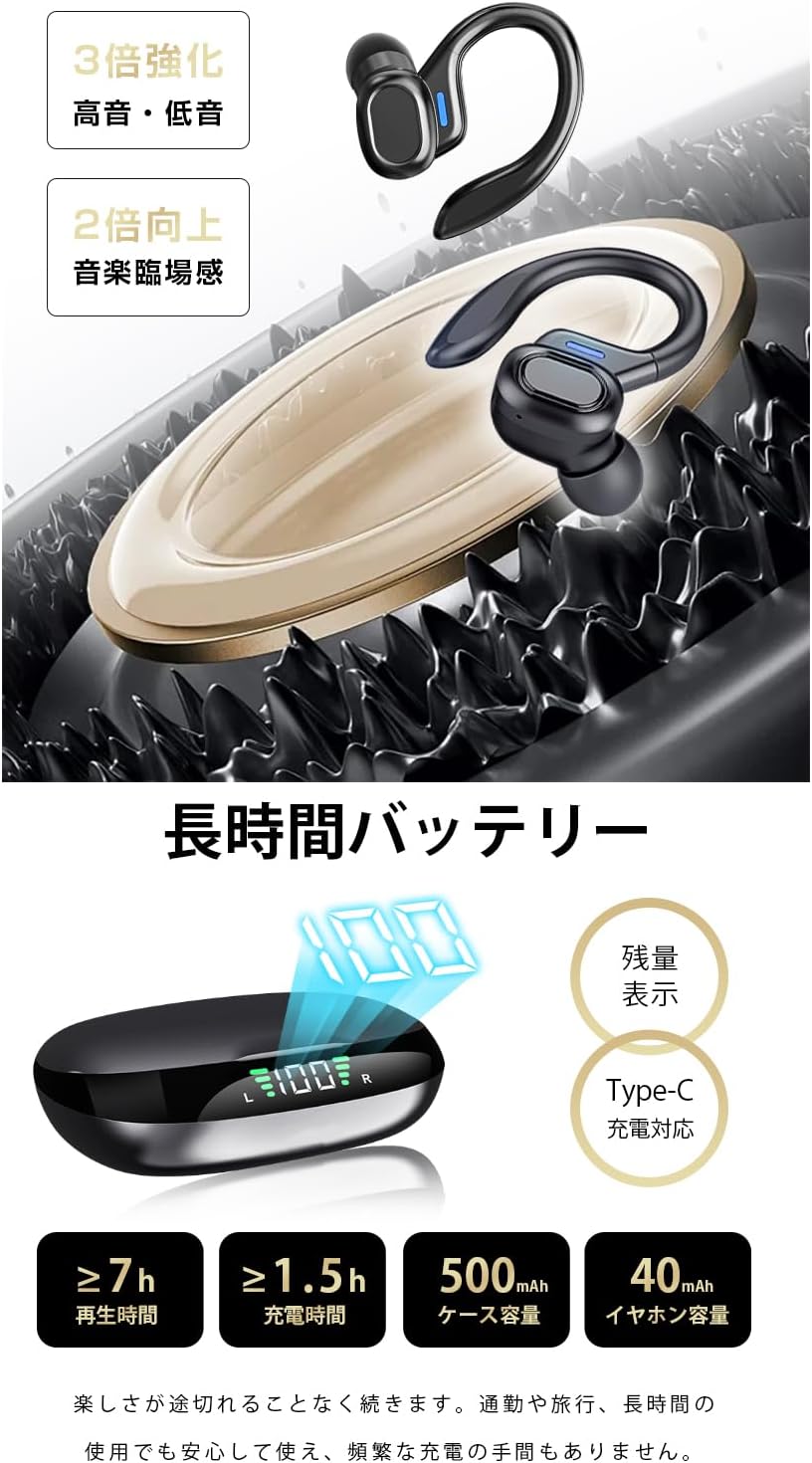
Image: The charging case displaying battery percentagi l'estat de càrrega dels auriculars individuals.
2.2 Emparellament amb el dispositiu
- Primera parella:
- Obre l'estoig de càrrega. Els auriculars entraran automàticament en mode d'emparellament.
- Al dispositiu (telèfon intel·ligent, tauleta, etc.), activeu el Bluetooth.
- Cerca "HGD T2" in the list of available Bluetooth devices and select it to connect.
- Un cop connectat, un missatge de veu confirmarà l'emparellament correcte.
- Reconnexió automàtica: Després de l'emparellament inicial, els auriculars es connectaran automàticament a l'últim dispositiu emparellat quan es treguin de l'estoig de càrrega i el Bluetooth estigui activat al dispositiu.
- Mode auricular únic: You can use either the left or right earbud independently. Simply take one earbud out of the case, and it will connect. The other earbud can remain in the case or be used later.

Image: Illustration showing the automatic connection process when opening the charging case and pairing with a smartphone.
3. Instruccions de funcionament
3.1 Controls tàctils
The SLuB HGD T2 earbuds feature intuitive touch controls on each earbud. The functions are as follows:

Image: Visual guide to the touch controls for music playback, calls, volume adjustment, and voice assistant activation.
| Acció | Auricular esquerre | Auricular dret |
|---|---|---|
| Reproducció/pausa de música | Un sol toc | Un sol toc |
| Pista següent | Fes doble toc | Fes doble toc |
| Pista anterior | Toca tres vegades | Toca tres vegades |
| Puja el volum | N/A | Premsa llarga (1 s) |
| Baixa el volum | Premsa llarga (1 s) | N/A |
| Respondre/Finalitzar la trucada | Un sol toc | Un sol toc |
| Rebutja la trucada | Premsa llarga (2 s) | Premsa llarga (2 s) |
| Activa l'assistent de veu (Siri/Assistent de Google) | Premsa llarga (2 s) | Premsa llarga (2 s) |
4. Manteniment i cura
4.1 Neteja
- Netegeu regularment els auriculars i l'estoig de càrrega amb un drap suau, sec i sense borrissol.
- No utilitzeu netejadors abrasius, dissolvents ni aerosols.
- Assegura't que els contactes de càrrega dels auriculars i de la funda estiguin nets i lliures de residus per mantenir una càrrega correcta.
4.2 Emmagatzematge
- Quan no els utilitzeu, guardeu els auriculars a la seva funda de càrrega per protegir-los i mantenir-los carregats.
- Guardeu el dispositiu en un lloc fresc i sec, allunyat de temperatures extremes i de la llum solar directa.
4.3 Resistència a l'aigua (IPX6)
- The earbuds are rated IPX6, meaning they are resistant to powerful water jets. This makes them suitable for workouts and light rain.
- Important: IPX6 rating does not mean they are waterproof for submersion. Do not submerge the earbuds in water.
- Assegureu-vos que els auriculars estiguin secs abans de tornar-los a col·locar a l'estoig de càrrega per evitar danys als contactes de càrrega.
5. Solució De Problemes
| Problema | Possible solució |
|---|---|
| Els auriculars no s'emparellan/connecten. |
|
| Només funciona un auricular. |
|
| Sense so o amb un volum baix. |
|
| L'estoig de càrrega no es carrega. |
|
6. Especificacions
| Característica | Detall |
|---|---|
| Marca | SLuB |
| Número de model | HGD T2 |
| Versió Bluetooth | 5.4 |
| Pro compatiblefiles | HSP, HFP, A2DP, AVRCP |
| Distància de transmissió | Aprox. 10 metres (33 peus) |
| Banda de freqüència de funcionament | 2.402 GHz ~ 2.480 GHz |
| Capacitat de la bateria dels auriculars | 40 mAh (cada una) |
| Caixa de càrrega Capacitat de la bateria | 500 mAh |
| Temps de reproducció de música | ≥ 7 hores |
| Temps de càrrega (auriculars) | Aprox. 1.5 hores |
| Port de càrrega | Tipus-C |
| Classificació de resistència a l'aigua | IPX6 |
| Dispositius compatibles | Dispositius iOS/Android |
7. Garantia i Suport
For warranty information and customer support, please refer to the documentation included with your purchase or contact SLuB customer service through the retailer where you purchased the product.
SLuB is committed to providing a worry-free experience. If you encounter any issues or have questions regarding your HGD T2 Wireless Earbuds, please do not hesitate to reach out for assistance.


