1. Introducció
Thank you for choosing the ASOMETECH HW186 240W 6-Port GaN USB-C Charging Station. This device is designed to provide efficient and safe charging for multiple electronic devices simultaneously. Please read this manual thoroughly before use to ensure proper operation and to maximize the lifespan of your product.
2. Contingut del paquet
Verifiqueu que tots els elements que s'enumeren a continuació s'inclouen al vostre paquet:
- 1 x ASOMETECH HW186 240W 6-Port GaN USB-C Charging Station
- 1 x 4 ft / 1.2m AC Power Cord
- 1 x suport d'escriptori
- 1 x Manual d'usuari (aquest document)
3. Especificacions
| Model núm. | HW186 |
| Entrada | AC 100-240V / 50-60Hz 2.5A |
| Potència total de sortida | 240 W (màx.) |
| Sortida USB-C1/C2 | PD3.1: 5V/3A, 9V/3A, 12V/3A, 15V/3A, 20V/5A, 28V/5A (140W Max per port) |
| Sortida USB-C3/C4 | PD3.0/PPS/QC4+: 5V/3A, 9V/3A, 12V/3A, 15V/3A, 20V/3.25A (65W Max per port) |
| Sortida USB-A1/A2 | QC3.0: 5V/3A, 9V/3A, 12V/3A, 20V/3A (60W Max per port) |
| Càrrega simultània | C1+C2: 100W+65W; C3+C4: 65W+65W; A1+A2: 15W+15W |
| Dimensions | 4.1 x 1.9 x 3.4 polzades |
| Pes | 11.2 unces |
| Color | Gris |
4. Característiques clau
- Potència total de sortida de 240 W: Proporciona ample power for multiple devices, including high-power laptops.
- Disseny de 6 ports: Equipped with 4 USB-C ports and 2 USB-A ports for versatile charging.
- Advanced GaN Pro Technology: Utilizes Gallium Nitride technology for efficient power delivery, compact size, and enhanced safety.
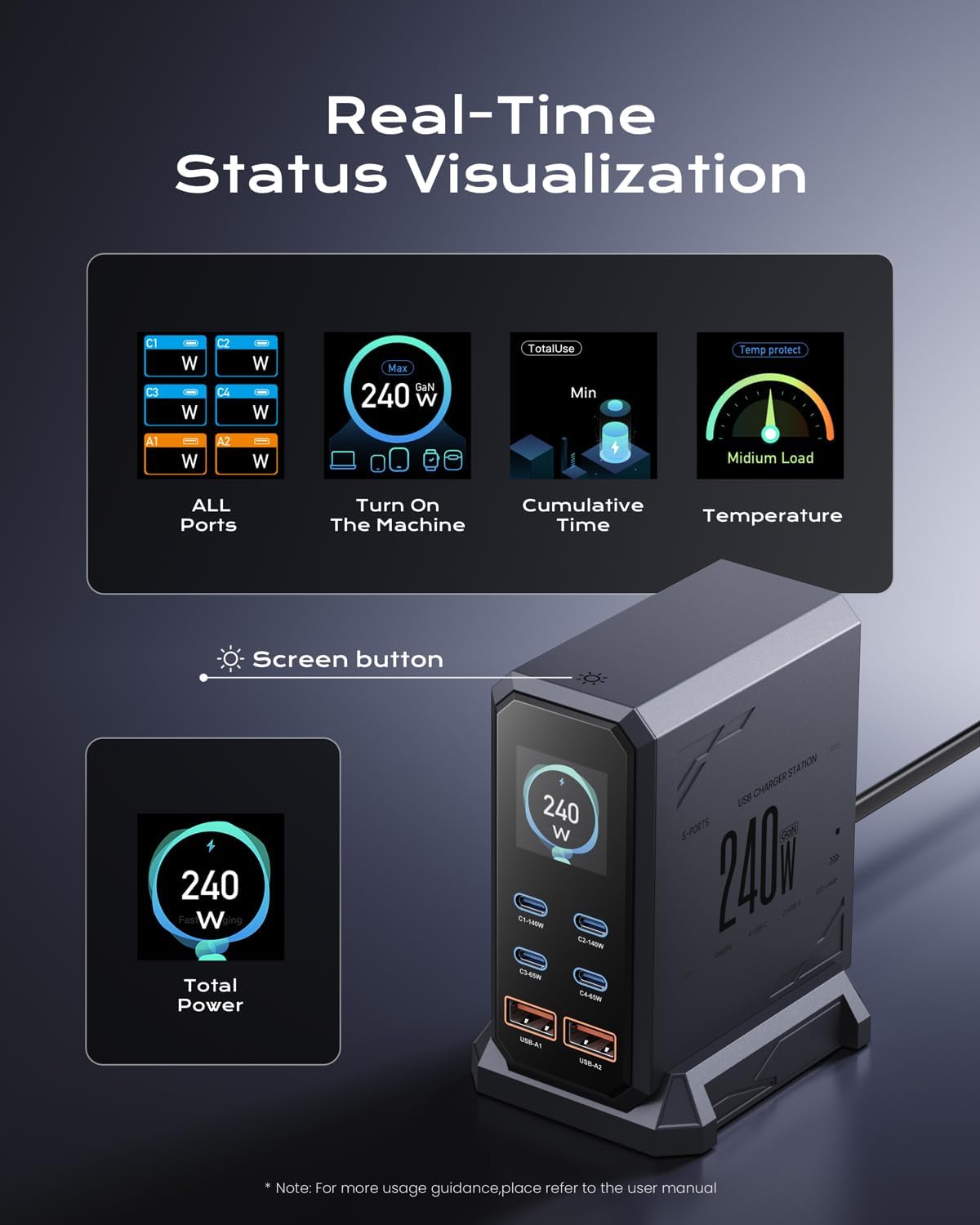
- Pantalla LCD en temps real: Shows individual port power output, total power consumption, temperature, and cumulative charging time. The display can be toggled or turned off via a touch button.
- Àmplia compatibilitat: Supports various fast charging protocols including PD3.1/PD3.0/PPS/QC4+/QC3.0/AFC, FCP, and Samsung 45W Super Fast Charge 2.0.
- Proteccions de seguretat integrals: Built-in safeguards against overcharging, overheating, short circuits, overcurrent, and overvoltage.
5. Instruccions de configuració
- Col·loqueu l'estació de càrrega: Position the charging station on a stable, flat surface. You may use the included desktop stand for vertical orientation.
- Connectar l'alimentació: Insert the 4 ft / 1.2m AC power cord into the AC input port on the back of the charging station. Plug the other end of the power cord into a standard wall outlet (AC 100-240V).
- Encès: The LCD display will illuminate, indicating the device is powered on and ready for use.
6. Instruccions de funcionament
- Connexió de dispositius: Use appropriate USB cables to connect your devices to the available USB-C (C1-C4) or USB-A (A1-A2) ports.
- Càrrega del monitor: The real-time LCD display will show the wattage being delivered to each connected port, as well as the total power output.
- LCD Display Control: A touch button on the top of the charging station allows you to cycle through different display modes (e.g., individual port output, total power, temperature, cumulative time) or to turn the display on/off.
- Càrrega òptima: The charging station intelligently distributes power based on the connected devices' requirements and supported protocols. For PD3.1 140W charging, ensure your cable is PD3.1 compatible.
7. Charging Capabilities
The ASOMETECH HW186 offers flexible power distribution across its ports:
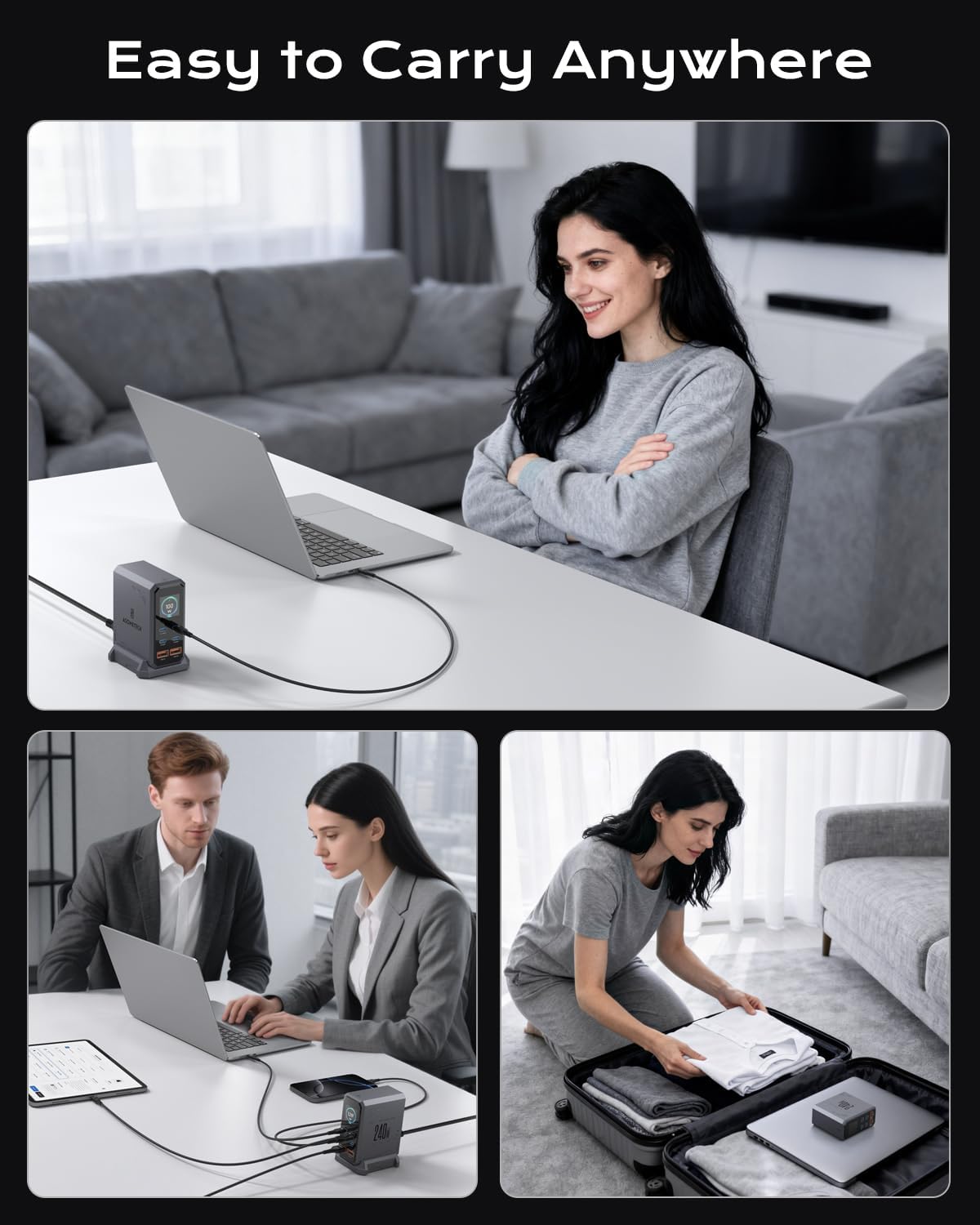
- Single Port High Power: USB-C1 or USB-C2 can deliver up to 140W when used individually, ideal for fast-charging laptops.
- Dual Laptop Charging: When both USB-C1 and USB-C2 are used simultaneously, C1 can provide up to 100W and C2 up to 65W, allowing for concurrent charging of two laptops.
- Càrrega de diversos dispositius: The intelligent power management system ensures optimal charging speeds for all connected devices up to the total 240W output.
8. Característiques de seguretat
The charging station incorporates multiple protection mechanisms:
- Més de voltage Protecció: Evita els danys causats per un volum excessiutage entrada.
- Protecció contra sobreintensitat: Mesures de seguretat contra el flux excessiu de corrent.
- Protecció contra sobretemperatura: Monitors internal temperature to prevent overheating. The LCD can display the device's temperature status.
- Protecció contra curtcircuits: Talla automàticament l'alimentació en cas de curtcircuit.
- Protecció de sobrecàrrega: Prevents devices from being overcharged, extending battery life.
9. Visuals del producte




10. Manteniment i cura
- Neteja: Disconnect the power cord before cleaning. Use a soft, dry cloth to wipe the surface of the charging station. Do not use liquid cleaners or aerosols.
- Emmagatzematge: Guardeu el dispositiu en un lloc fresc i sec, allunyat de la llum solar directa i de temperatures extremes.
- Evita danys: Do not drop, disassemble, or attempt to repair the device yourself. Avoid exposing it to water or excessive humidity.
11. Solució De Problemes
- El dispositiu no es carrega:
- Ensure the charging station is properly plugged into a live power outlet.
- Check that the USB cable is securely connected to both the charging station and your device.
- Try a different USB cable or port to rule out a faulty cable or port.
- Verify that your device is compatible with the charging station's output specifications.
- Càrrega lenta:
- Ensure you are using a high-quality, compatible cable that supports fast charging protocols (e.g., PD3.1 for 140W output).
- If multiple devices are connected, the power distribution may adjust. Disconnect other devices to see if the charging speed improves for a specific device.
- Check your device's charging requirements; some devices may have specific wattage needs for optimal speed.
- La pantalla LCD no funciona:
- Assegureu-vos que l'estació de càrrega estigui encès.
- Tap the touch button on top of the station to cycle through display modes or turn it on.
12. Garantia i Suport
This ASOMETECH product comes with a 12 mesos de garantia from the date of purchase. If you encounter any issues or have questions regarding your product, please refer to the contact information provided in your purchase documentation for customer service. Do not attempt to disassemble or repair the device yourself, as this may void the warranty.


