1. Introducció
This manual provides comprehensive instructions for setting up, operating, and maintaining your UXD A5 10-inch Android Tablet. Please read this manual thoroughly before using your device to ensure optimal performance and longevity.
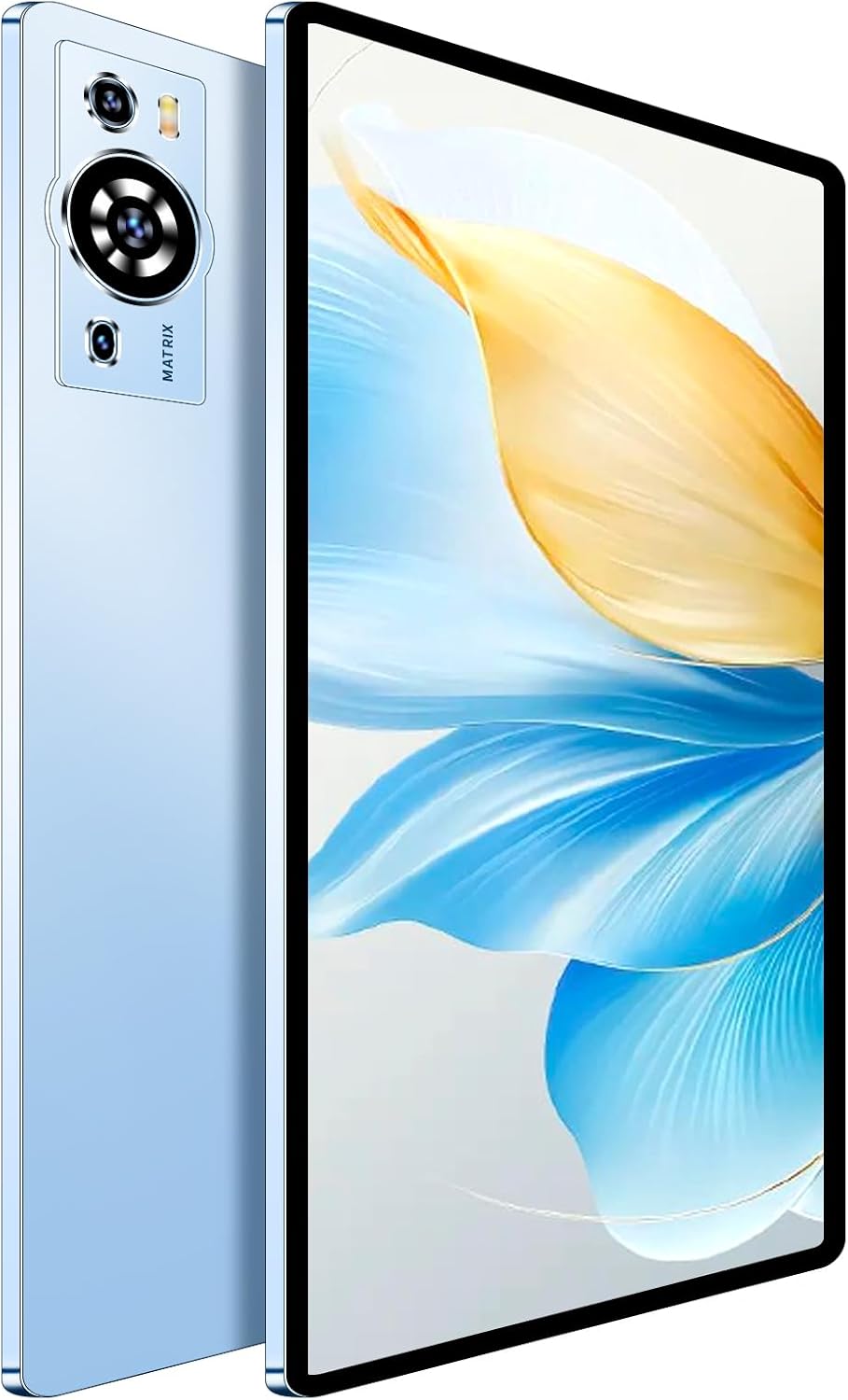
Figure 1: UXD A5 10-inch Android Tablet (Blue), showcasinel seu disseny elegant i el mòdul de càmera.
2. Contingut del paquet
Verifiqueu que tots els elements siguin presents al paquet del producte:
- UXD A5 10-inch Android Tablet
- Teclat desmuntable
- Ratolí de precisió
- Stylus
- Protector de pantalla (preaplicat o inclòs)
- Adaptador OTG
- Estoig plegable
- Cable de càrrega (USB-C)
- Bloc de càrrega
- Manual d'usuari (aquest document)

Figure 2: The tablet is designed for everyday use and comes with a comprehensive set of accessories for enhanced functionality.
3. Configuració inicial
3.1 Càrrega de la tauleta
Before first use, fully charge your tablet. Connect the provided USB-C charging cable to the tablet's charging port and the charging block to a power outlet. The battery indicator on the screen will show charging status.

Figure 3: Charging the tablet. A full charge provides approximately 8 hours of continuous use, with a 30-minute quick charge option.
3.2 Engegada/apagada
- To power on: Press and hold the Power button located on the side of the tablet until the screen illuminates.
- To power off: Press and hold the Power button, then select "Power off" from the on-screen options.
3.3 Configuració inicial
Upon first startup, follow the on-screen prompts to configure your tablet:
- Seleccioneu el vostre idioma.
- Connecteu-vos a una xarxa Wi-Fi.
- Inicia la sessió amb el teu compte de Google o crea'n un de nou.
- Review i acceptar els termes i condicions.
- Configura el bloqueig de pantalla (PIN, patró o contrasenya).
Video 1: Unboxing and initial setup of the UXD A5 tablet, demonstrating power-on and basic navigation.
4. Com utilitzar la tauleta
4.1 Navegació i interfície
The UXD A5 tablet runs on Android 15, offering an intuitive user interface. Swipe down from the top of the screen to access quick settings and notifications. Swipe up from the bottom to access the app drawer.

Figure 4: The tablet supports various activities, from creative tasks to entertainment and productivity.
4.2 Connexió d'accessoris
- Teclat: The detachable keyboard connects via Bluetooth. Enable Bluetooth in settings, pair the keyboard, and attach it to the tablet's magnetic connector.
- Ratolí: The precision mouse also connects via Bluetooth. Follow the same pairing procedure as the keyboard.
- stylus: Use the stylus for precise input, drawing, and navigation.
- Adaptador OTG: Connect USB devices like flash drives using the included OTG adapter.
4.3 Funcions de la càmera
The tablet features a 5MP front camera and a 15MP rear camera. Open the Camera app to capture photos and videos. Tap the camera icon to switch between front and rear cameras.

Figure 5: Key features of the tablet, including its dual-lens camera system for photography and Android 15 operating system.
4.4 Gestió d'emmagatzematge
The tablet comes with 256GB of internal storage, expandable up to 1TB via a microSD card (not included). To manage storage, go to Configuració > Emmagatzematge. Insert a microSD card into the designated slot for expanded storage.
5. Manteniment i cura
- Neteja: Feu servir un drap suau i sense borrissol per netejar la pantalla i la carcassa. Eviteu productes de neteja o dissolvents abrasius.
- Cura de la bateria: To prolong battery life, avoid extreme temperatures and fully discharge and recharge the battery periodically.
- Actualitzacions de programari: Comproveu i instal·leu regularment si hi ha actualitzacions del sistema per garantir un rendiment i una seguretat òptims. Aneu a Configuració > Sistema > Actualització del sistema.
- Emmagatzematge: Netegeu periòdicament els innecessaris files i aplicacions per mantenir el rendiment.
6. Solució De Problemes
- La tauleta no s'encén: Assegureu-vos que la bateria estigui carregada. Connecteu-la al carregador i torneu-ho a provar.
- La pantalla no respon: Perform a forced restart by holding the Power button for 10-15 seconds.
- Problemes de connexió Wi-Fi:
- Check if Wi-Fi is enabled in settings.
- Restart your router and the tablet.
- Oblida't de la xarxa i torna a connectar-te.
- Accessoris que no es connecten: Ensure Bluetooth is enabled on the tablet and the accessory is in pairing mode. Refer to the accessory's individual manual for specific pairing instructions.
- Rendiment lent:
- Tanca les aplicacions no utilitzades.
- Esborra la memòria cau i temporal files.
- Check for available storage space.
7. Especificacions
| Característica | Especificació |
|---|---|
| Model | A5 |
| Mida de la pantalla | 10.1 polzades |
| Resolució de pantalla màxima | 1280x800 Pixels (IPS) |
| Sistema operatiu | Android 15 |
| Processador | CPU d'octa nuclis |
| RAM | 12 GB |
| Emmagatzematge intern | 256GB (Expandable up to 1TB via microSD) |
| Càmera posterior | 15MP |
| Càmera frontal | 5MP |
| Connectivitat | WiFi 6, 4G LTE, Bluetooth 5.0 |
| Capacitat de la bateria | 6000 mAh (fins a 8 hores d'ús) |
| Dimensions (LxWxH) | 9.4 x 6.3 x 2.7 polzades |
| Pes | 3 lliures |

Figura 6: Mésview of the UXD A5 Tablet's technical specifications.
8. Garantia i Suport
For warranty information and customer support, please refer to the warranty card included in your package or visit the official UXD weblloc. Conserveu el rebut de compra per a reclamacions de garantia.
For additional assistance, you may contact UXD customer service through their official channels.


