1. Introducció
Thank you for choosing the KTC H32S5 31.5-inch QHD Curved Gaming Monitor. This manual provides essential information for setting up, operating, and maintaining your monitor to ensure optimal performance and longevity. Please read this manual thoroughly before using the product.
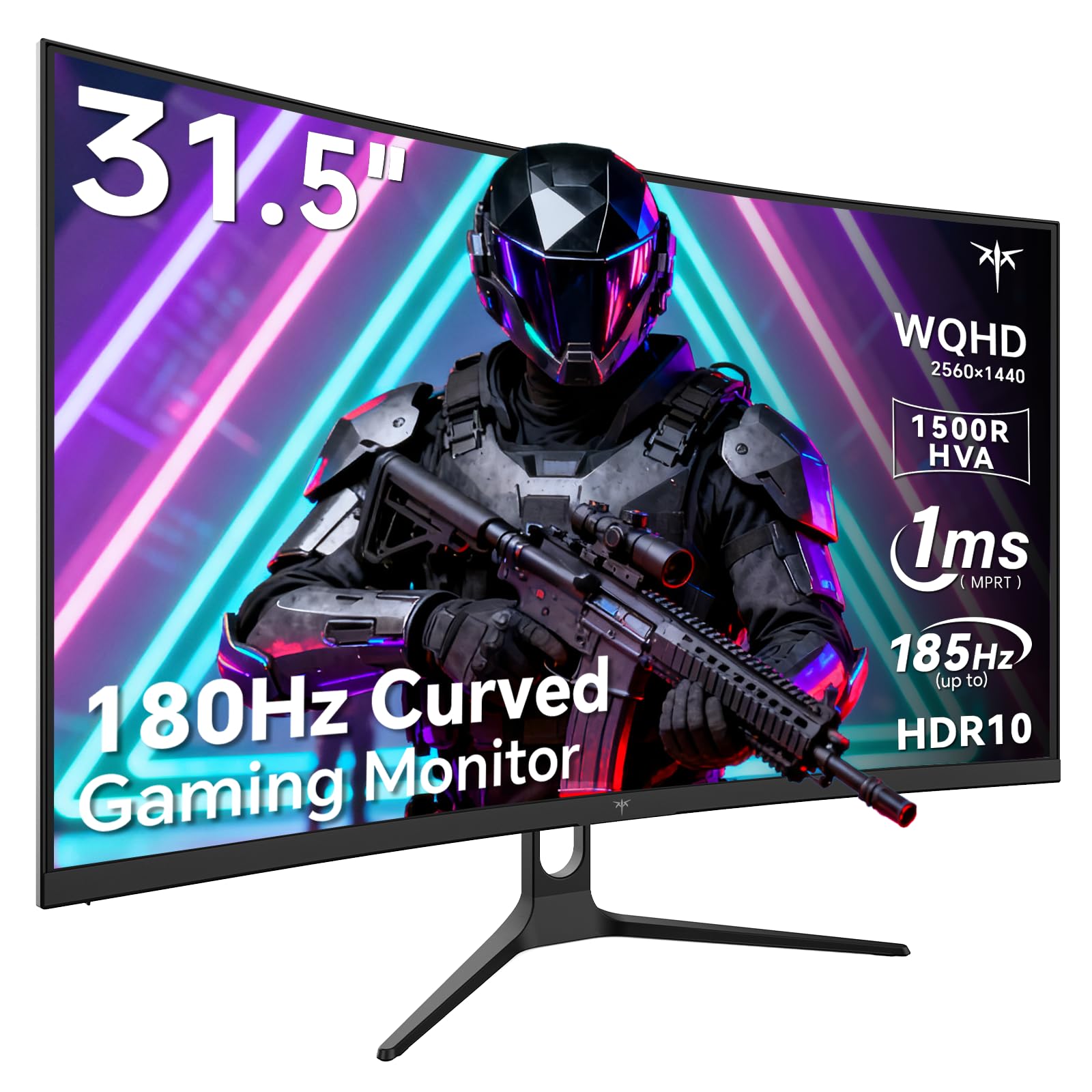
Image 1: KTC H32S5 31.5-inch QHD Curved Gaming Monitor.
2. Contingut del paquet
Verifiqueu que tots els elements siguin presents al paquet:
- 31.5" 2K Curved Monitor x1
- Monitor Stand x1
- Guia d'inici ràpid (QSG) x1
- Cable DP x1
- Adaptador d'alimentació x1
3. Configuració del monitor
3.1 Col·locació del suport
Carefully attach the monitor stand to the back of the monitor following the instructions in the Quick Start Guide. Ensure all screws are tightened securely.
3.2 Instal·lació del suport de paret VESA
The monitor supports VESA 100mm x 100mm mounting. If you prefer to wall-mount the monitor, remove the stand and attach a compatible VESA mount (not included) to the designated holes on the back of the monitor. Ensure the wall mount can support the monitor's weight (approximately 16.87 pounds).

Imatge 2: posterior view of the monitor showing connectivity ports and VESA mount area.
3.3 Connexió a dispositius
Connecteu els vostres dispositius mitjançant els ports disponibles:
- DisplayPort 1.4 (x2): For connecting to PCs and other devices supporting up to 185Hz refresh rate.
- HDMI 2.0 (x2): For connecting to gaming consoles, laptops, and desktops supporting up to 144Hz refresh rate.
- USB 2.0 (x2): For connecting peripherals (upgrade only).
- Auriculars Jack: Per a la sortida d'àudio.
- Entrada d'alimentació de CC: Connecteu l'adaptador de corrent proporcionat.
3.4 Engegada inicial
After connecting all necessary cables, press the power button to turn on the monitor. The monitor will automatically detect the input signal. If no signal is detected, ensure your device is powered on and the correct input source is selected on the monitor.
4. Instruccions de funcionament
4.1 Menú de visualització en pantalla (OSD)
The OSD menu allows you to adjust various monitor settings. Refer to the Quick Start Guide for detailed instructions on navigating the OSD menu using the monitor's control buttons.
4.2 Configuració de la pantalla
- Resolució: The monitor features WQHD (2560 x 1440) resolution for sharp and detailed images.
- Freqüència d'actualització: Enjoy a smooth visual experience with a 180Hz refresh rate, overclockable to 185Hz via DisplayPort.
- Temps de resposta: A 1ms MPRT response time minimizes motion blur, ideal for fast-paced gaming.
- Sincronització adaptativa: Adaptive FreeSync technology eliminates screen tearing and stuttering for fluid gameplay.
- Gamma de colors: Experience vivid and realistic colors with 99% sRGB color gamut coverage, 126% sRGB color volume, and a 5000:1 contrast ratio. HDR10 support provides enhanced contrast and a wider color palette.
- Cura dels ulls: Features like Low Blue Light and Flicker-Free technology help reduce eye strain during extended use.

Image 3: Visual representation of the monitor's high refresh rate for smoother gaming.

Image 4: Demonstration of Adaptive Sync technology eliminating screen tearing.

Image 5: Illustration of the 1500R curved display for an immersive viewexperiència.
4.3 GamePlus Mode
Activate GamePlus mode for in-game enhancements such as a customizable crosshair, on-screen timer, and display modes optimized for FPS (First-Person Shooter) and RTS (Real-Time Strategy) games.

Imatge 6: acabatview of GamePlus features including Crosshair, Timer, FPS, and RTS modes.
5. Manteniment
To ensure the longevity and optimal performance of your KTC H32S5 monitor, follow these maintenance guidelines:
- Neteja de la pantalla: Netegeu suaument la pantalla amb un drap suau i sense borrissol. Per a marques difícils, netegeu suaument.ampen the cloth with water or a mild, non-abrasive screen cleaner. Avoid using alcohol, ammonia, or abrasive cleaners.
- Neteja de l'exterior: Feu servir un drap suau i sec per netejar el monitor casing.
- Manipulació: Avoid touching the screen directly with your fingers or sharp objects. Do not place heavy objects on the monitor.
- Ventilació: Ensure adequate ventilation around the monitor to prevent overheating. Do not block the ventilation openings.
- Apagar: Apagueu sempre el monitor i desendolleu-lo de la presa de corrent abans de netejar-lo o si no l'utilitzareu durant un període prolongat.
6. Solució De Problemes
Si teniu algun problema amb el monitor, consulteu els passos habituals següents per a la resolució de problemes:
- Sense pantalla/Pantalla negra:
- Assegureu-vos que el cable d'alimentació estigui connectat correctament tant al monitor com a la presa de corrent.
- Verifiqueu que el cable de vídeo (DP o HDMI) estigui connectat correctament tant al monitor com a l'ordinador/dispositiu.
- Comproveu si la font d'entrada correcta està seleccionada al monitor mitjançant el menú OSD.
- Reinicieu l'ordinador/dispositiu.
- Imatge parpellejant o distorsionada:
- Comproveu si el cable de vídeo està danyat o si hi ha connexions soltes. Proveu un altre cable si en teniu.
- Ajusta la freqüència d'actualització a la configuració de la pantalla de l'ordinador.
- Ensure Adaptive Sync is enabled in both the monitor's OSD and your graphics card settings.
- Problemes de color:
- Reset the monitor's color settings to factory defaults via the OSD menu.
- Adjust color temperature or gamma settings in the OSD.
- Sense àudio:
- Ensure headphones are properly connected to the headphone jack.
- Check audio settings on your connected device and the monitor's OSD.
Si el problema persisteix després de provar aquests passos, poseu-vos en contacte amb l'atenció al client.
7. Especificacions del producte
| Característica | Especificació |
|---|---|
| Marca | CTC |
| Número de model | H32S5 |
| Mida de la pantalla | 31.5 polzades |
| Resolució | 2560 x 1440 píxels (QHD Wide 1440p) |
| Relació d'aspecte | 16:9 |
| Curvatura | 1500R |
| Freqüència d'actualització | 180Hz (up to 185Hz via DP) |
| Temps de resposta | MPRT d'1 ms |
| Tipus de panell | HVA |
| Gamma de colors | 99% sRGB coverage, 126% sRGB volume |
| Relació de contrast | 5000:1 |
| Brillantor de la imatge | 300 Candela |
| Suport HDR | HDR10 |
| Connectivitat | DisplayPort 1.4 x2, HDMI 2.0 x2, USB 2.0 x2 |
| Àudio | Conector d'auriculars |
| Ajustabilitat | Tilt adjustment (-5° to 20°) |
| Muntatge VESA | 100 mm x 100 mm |
| Dimensions del producte | 5.8 x 27.9 x 20.4 polzades |
| Pes de l'article | 16.87 lliures |
| Voltage | 19 volts (CC) |
8. Informació de la garantia
This product is subject to a 30-day return/replacement policy. For detailed warranty terms and conditions, please refer to the documentation provided with your purchase or contact the seller directly.
9. Atenció al client
For any questions, technical assistance, or support regarding your KTC H32S5 monitor, please contact the seller, KTC-Official, through the Amazon messaging system. They are available to assist you with product inquiries and troubleshooting.
També podeu visitar el Botiga KTC a Amazon per a més informació i productes.
10. Vídeo oficial del producte
Watch this official product video from KTC-Official for a closer look at the KTC 32 Inch 2K 180Hz Curved Gaming Monitor.


