1. Introducció
This manual provides detailed instructions for the installation, operation, and maintenance of your AINAVI 11.5-inch Car Radio Stereo GPS Navigation System. Please read this manual thoroughly before use to ensure proper functionality and to maximize your experience with the device.
2. Producte acabatview
The AINAVI 11.5-inch Car Radio Stereo is an advanced in-dash navigation and entertainment system designed for select Jeep Wrangler JK, Compass, Grand Cherokee, and Dodge Ram models. It features a high-definition QLED touchscreen, integrated GPS navigation, wireless CarPlay and Android Auto compatibility, 5G WiFi, Bluetooth connectivity, and a powerful 8-core CPU with 4GB RAM and 64GB ROM for smooth performance. The system also includes a 1080P rearview camera input and advanced audio equalization options.
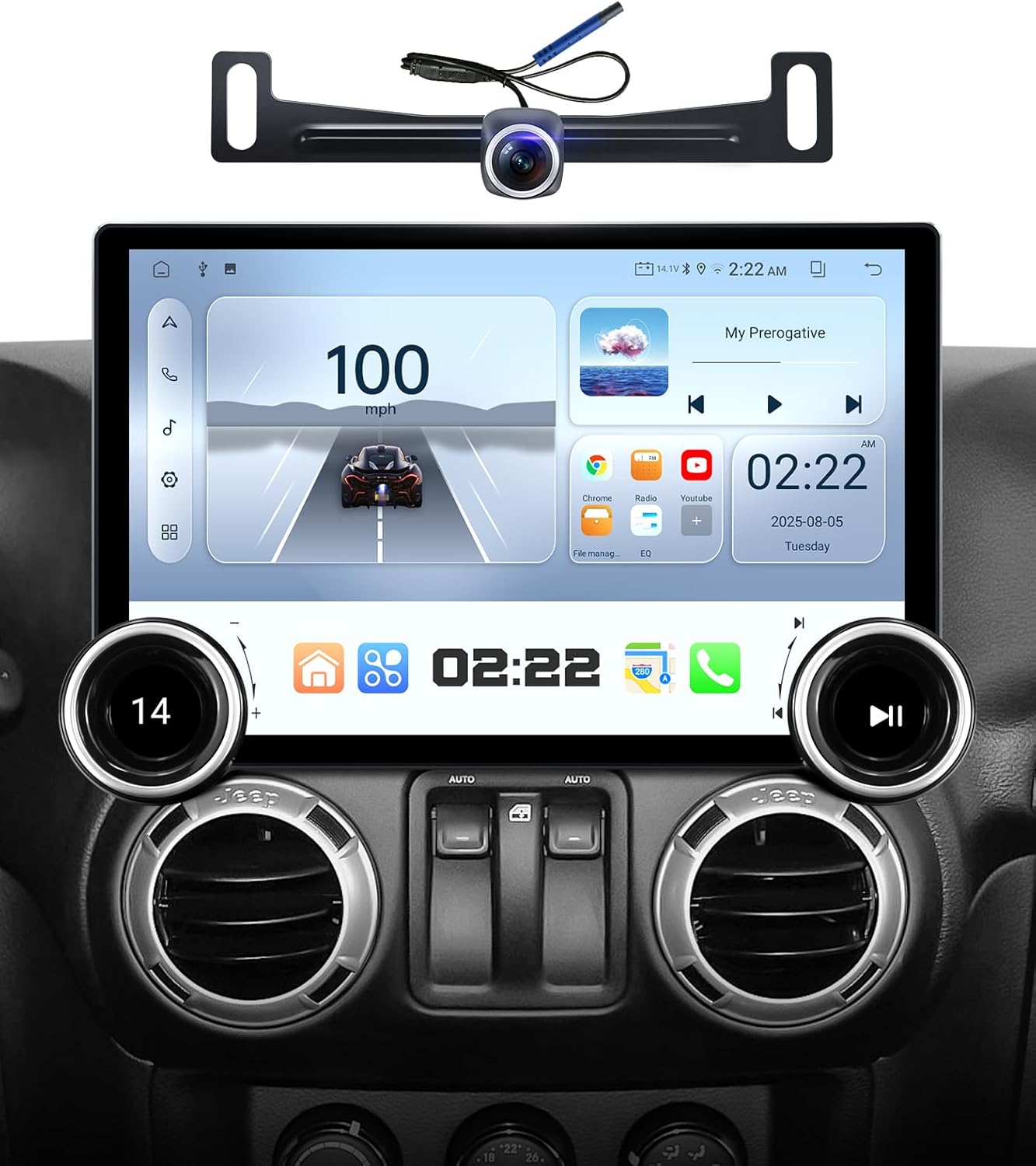
AINAVI 11.5-inch Car Stereo with included rearview càmera.
3. Què s'inclou
Verifiqueu que tots els components siguin presents al paquet:
- Car Head Unit (1280*720) with Frame for Jeep Wrangler JK
- AHD 1080P posterior View Càmera
- Micròfon
- Blue Frame Removal Tool
- Antena GPS
- USB 4Pin Cable
- USB 6Pin Cable
- Manual d'usuari
- Power Cable (some models with CANbus)
- Cable RCA
- Reversing Control Cable

Tots els components inclosos en el paquet del producte.
4. Configuració i instal·lació
Installation of the AINAVI car stereo involves replacing your vehicle's existing head unit. Due to the complexity of automotive electronics, professional installation is recommended. Ensure the vehicle's power is disconnected before beginning installation.
4.1 Compatibilitat
This unit is compatible with Jeep Wrangler JK, Compass, Grand Cherokee, and Dodge Ram models. Verify your vehicle's specific year and model against the product specifications to ensure proper fitment.

The AINAVI car stereo installed in a vehicle dashboard, indicating compatibility with various Jeep and Dodge models.
4.2 Passos d'instal·lació
- Instal·leu el suport: Secure the provided mounting bracket to the car radio position in your vehicle's dashboard.
- Connecteu els cables: Plug in all necessary cables (power, USB, GPS antenna, rearview camera, etc.) to the head unit. Refer to the wiring diagram in the included user manual for specific connections.
- Mount the device: Install the head unit into the bracket, ensuring it is securely fastened and flush with the dashboard.

Three-step visual guide for installing the car stereo.
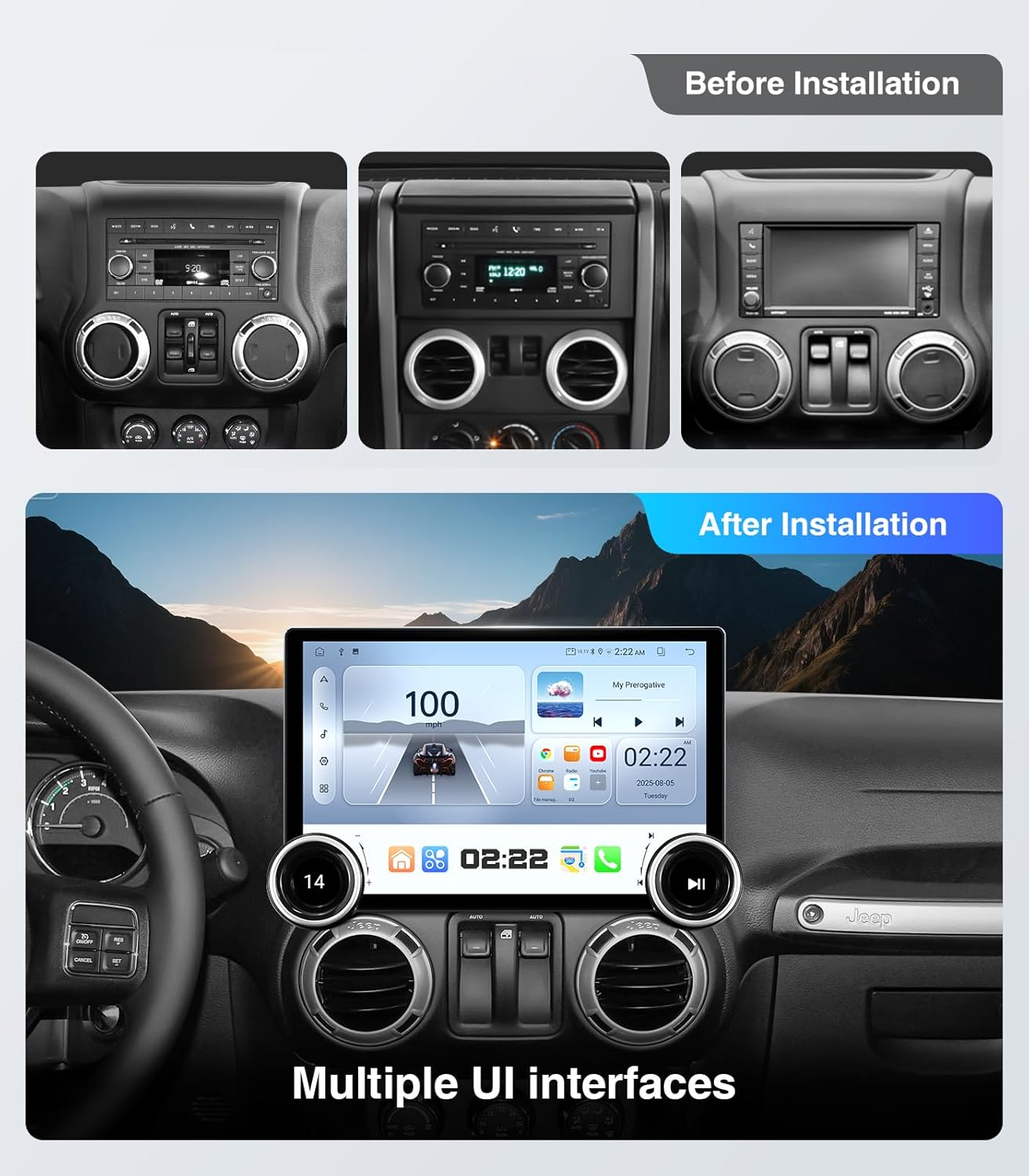
Dashboard before and after installation in a Jeep Wrangler.
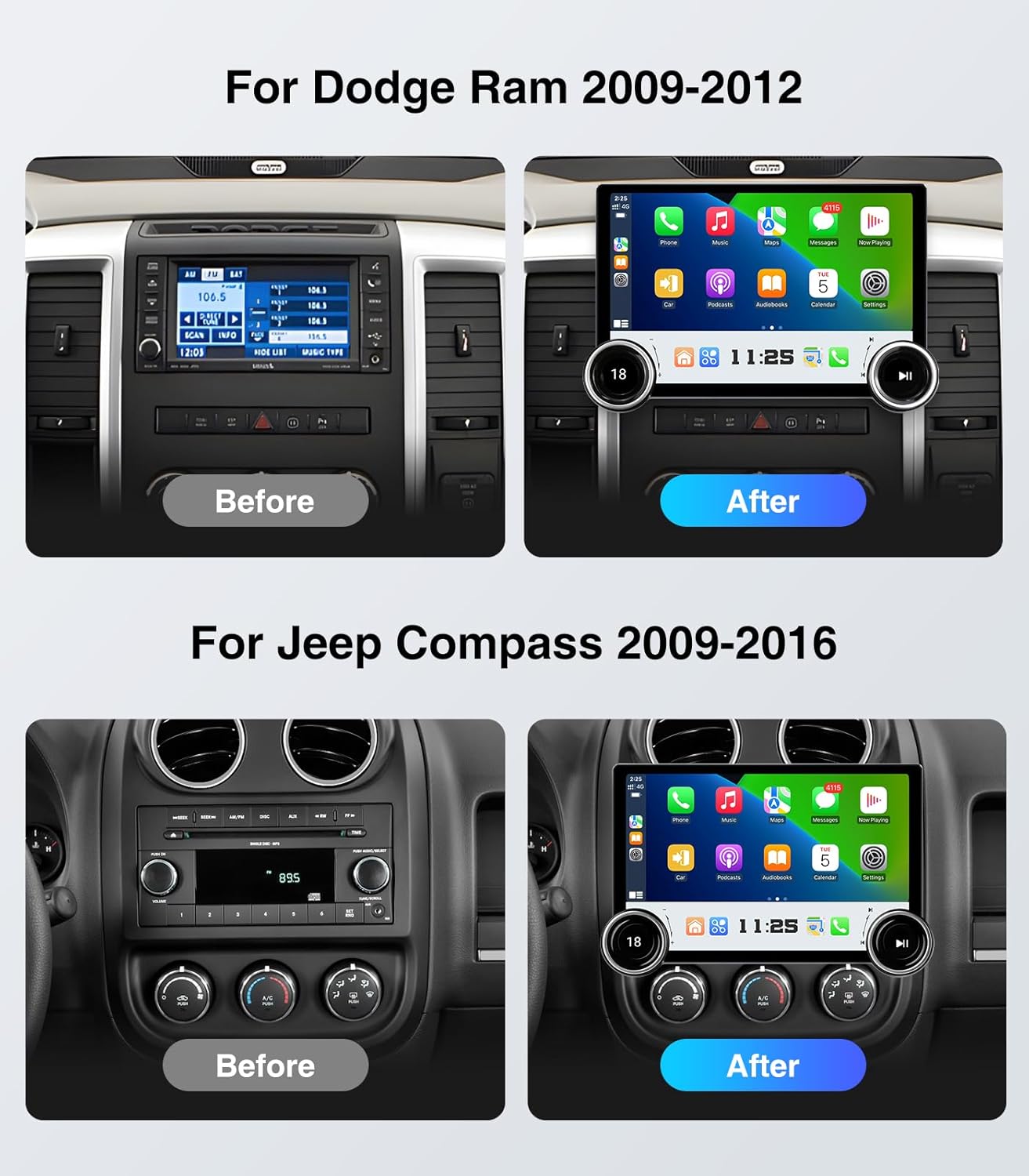
Dashboard before and after installation in a Dodge Ram and Jeep Compass.
5. Instruccions de funcionament
5.1 Controls bàsics
The unit features dual physical knobs and supports steering wheel controls for convenient operation.
- Pom esquerre: Rotate to adjust volume (+/-). Press to mute/unmute audio.
- Pom dret: Rotate for previous/next track or station. Press to play/pause media.
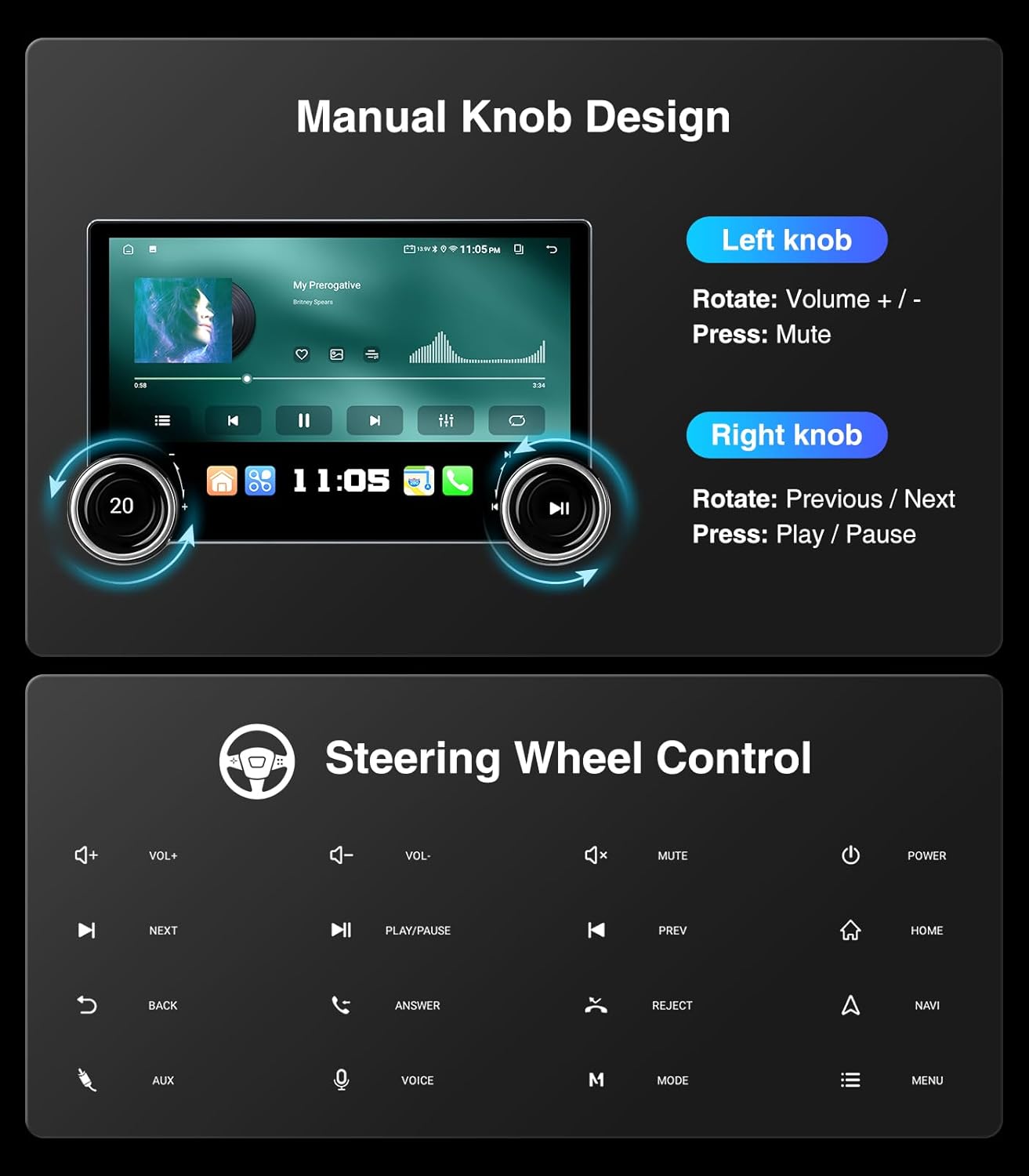
Functions of the dual manual knobs and supported steering wheel controls.
5.2 Navegació GPS
The system supports most satellite services and utilizes 5G WiFi for accurate navigation. Access Google Maps for 2D and 3D perspectives, various route options (driving, cycling, pedestrian), obstacle alerts, and voice guidance.

GPS navigation interface with voice assistant options.
5.3 CarPlay sense fil i Android Auto
Connect your smartphone wirelessly for seamless integration of CarPlay or Android Auto. This allows for hands-free navigation, music playback, messaging, and access to compatible apps directly on the touchscreen.

Side-by-side comparison of iOS CarPlay and Android Auto interfaces.

CarPlay interface with wireless smartphone connectivity.
5.4 Split Screen & Screen Mirroring
Utilize the split-screen function to run two applications simultaneously, such as navigation and music. Screen mirroring allows you to display your smartphone's screen directly onto the head unit.

Split-screen functionality and smartphone screen mirroring.
5.5 Bluetooth & 5G WiFi
Connect your phone via Bluetooth for hands-free calls and music streaming. The integrated 5G WiFi module provides faster network speeds for online applications and real-time traffic updates.

Phone dialer interface, highlighting 5G WiFi and Bluetooth connectivity.

Safe hands-free phone use via Bluetooth.
5.6 Funcions d'àudio
The system includes a professional DSP and 48-band equalizer with voice point touch control. Adjust sound settings for various genres (Normal, Jazz, Pop, Classical, Heavy Metal, Vocal, Soft) and customize surround sound patterns, bass boost, and individual speaker volumes.

Multi-band audio equalization settings.
The unit also supports AM/FM/RDS radio with clear reception for various channels.

AM/FM/RDS radio interface.
5.7 Darrera View Càmera
The included 1080P AHD rearview camera provides a wide 170° view, minimizing blind spots for safer reversing. The display includes astern ruler lines and supports vehicle astern trajectory if your car is equipped with this feature.

1080P rearview Pantalla de càmera amb indicacions d'aparcament.
5.8 USB to RCA Output
The USB to RCA output function allows for independent video playback on multiple screens, providing entertainment for backseat passengers. An adapter (not included) may be required to connect to headrest monitors.
6. Manteniment
- Neteja de pantalla: Feu servir un drap suau i sense borrissol per netejar suaument la pantalla tàctil. Eviteu productes de neteja o dissolvents abrasius.
- Actualitzacions de programari: Periodically check for available software updates to ensure optimal performance and access to new features. Follow the on-screen instructions for any updates.
- Condicions ambientals: Eviteu exposar la unitat a temperatures extremes o a la llum solar directa durant períodes prolongats.
7. Solució De Problemes
- Sense energia: Comproveu totes les connexions d'alimentació i els fusibles. Assegureu-vos que el vehicle estigui engegat.
- Sense so: Verify volume settings, check speaker connections, and ensure the audio source is correctly selected.
- CarPlay/Android Auto Disconnects: Ensure your phone's software is up to date. Try restarting both the head unit and your phone. Check for strong WiFi and Bluetooth signals.
- GPS Inaccurate: Assegureu-vos que l'antena GPS estigui instal·lada correctament i que tingui una vista clara view of the sky. Check for updated map data.
- Els comandaments del volant no funcionen: Access the system settings to configure or re-sync steering wheel controls. Refer to the detailed instructions in the included user manual.
- La pantalla no respon: Perform a soft reset of the unit (refer to the main user manual for instructions). If the issue persists, contact customer support.
8. Especificacions
| Característica | Especificació |
|---|---|
| Número de model | 4+64G |
| Mida de la pantalla | 11.5 polzades |
| Sistema operatiu | Android |
| Memòria (RAM) | 4 GB |
| Emmagatzematge (ROM) | 64 GB |
| Connectivitat | Bluetooth, USB, Wi-Fi (2.4GHz & 5GHz), Wired, Wireless |
| Característiques especials | Bluetooth handsfree, GPS navigation, AM/FM/RDS, CarPlay, Android Auto, Mirror Link, AirPlay, Touch Screen, 48EQ (Sound Point Control), Premium DSP, QLED Display, Split Screen Function, Equalizer |
| Mode de sortida d'àudio | Envoltant estèreo |
| Map Type Support | Europe, North America, South America, Worldwide |
| Pes de l'article | 5.06 lliures |
| Dimensions del paquet | 13.07 x 13.07 x 5.67 polzades |

Internal high-performance chip with 4GB RAM and 64GB ROM.
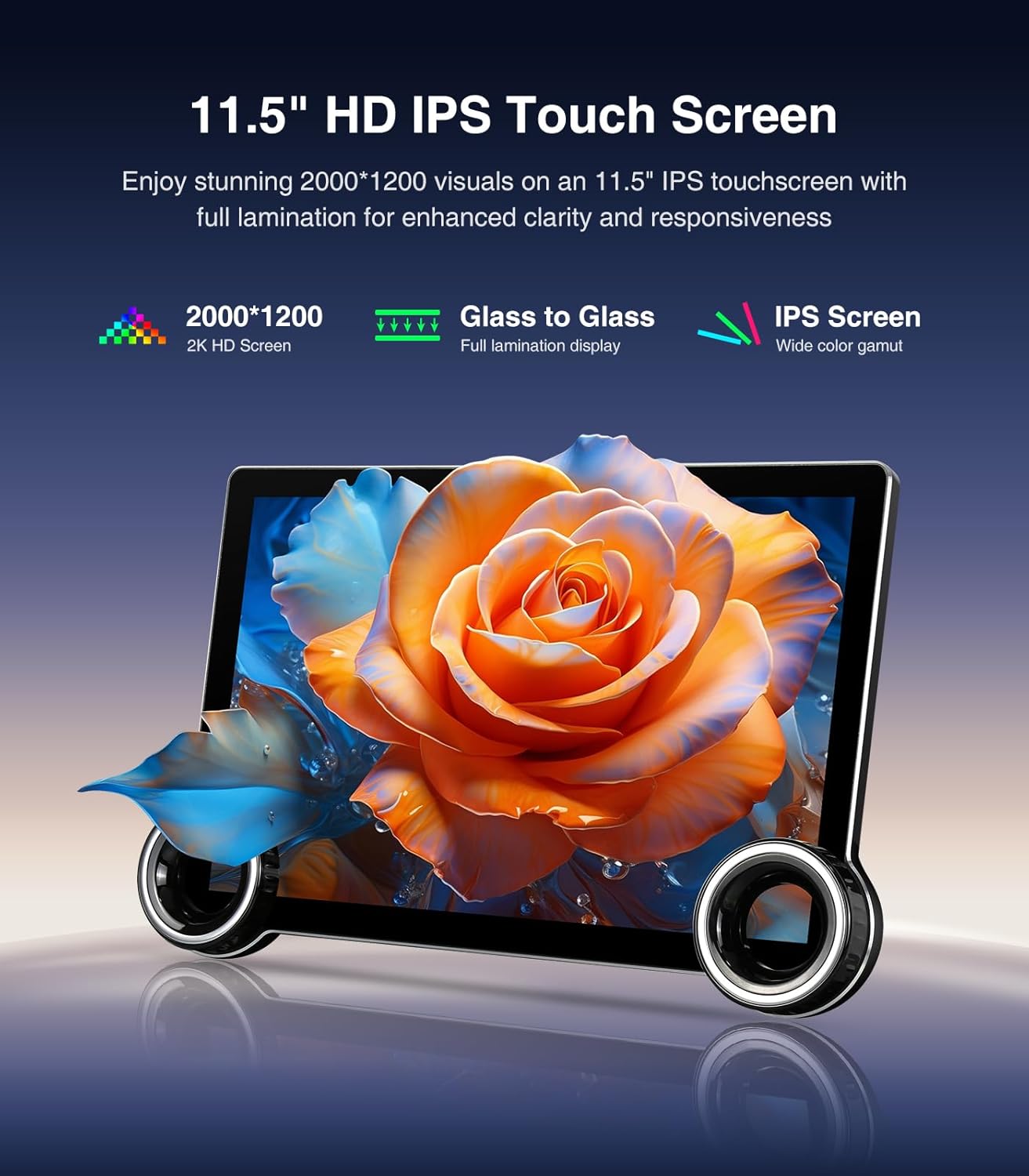
11.5-inch HD IPS touchscreen with enhanced clarity.
9. Informació de la garantia
Aquest producte ve amb un 12 Months Manufacturer Guarantee. Please retain your proof of purchase for warranty claims. For specific terms and conditions, refer to the warranty card included in your package or contact customer support.
10. Atenció al client
For technical assistance, installation support, or any inquiries, please contact AINAVI customer support:
- Telèfon: +1 (833) 858-5016
- Horari de treball: 01:00 PM to 00:00 AM PST
- Correu electrònic: info@ainavi.com
You can also seek help via your order center on Amazon by navigating to the seller's page and using the 'Ask a question' option.

Customer support contact information.

Accessing customer installation support.


