1. Introducció
Welcome to the CHiQ LF32FT 32-inch Full HD Google TV. This manual provides essential information for setting up, operating, and maintaining your new television. Please read it thoroughly to ensure optimal performance and safety.
The CHiQ LF32FT offers a Full HD display with HDR10 for enhanced contrast and vibrant colors. It features the Google TV OS, providing access to a wide range of applications and voice control via Google Assistant. Integrated Dolby Audio and dbx-tv technologies deliver a rich sound experience. Its metallic frameless design ensures a sleek aesthetic suitable for various living spaces.
2. Informació de seguretat
Seguiu sempre aquestes precaucions de seguretat bàsiques quan feu servir el televisor:
- No exposeu el televisor a la pluja ni a la humitat per evitar incendis o descàrregues elèctriques.
- No obriu el televisor casing. Demaneu totes les tasques de manteniment a personal qualificat.
- Assegureu-vos una ventilació adequada. No bloquegeu les obertures de ventilació.
- Col·loqueu el televisor sobre una superfície estable i plana per evitar que caigui.
- Mantingueu el televisor allunyat de fonts de calor com ara radiadors, reixetes de calor, estufes o altres aparells que produeixin calor.
- Desendolleu el televisor durant tempestes o quan no l'utilitzeu durant períodes prolongats.
- Utilitzeu només accessoris/accessoris especificats pel fabricant.
- Netegeu només amb un drap sec.
3. Què hi ha a la caixa
En obrir el paquet, assegureu-vos que hi hagi tots els elements següents:
- CHiQ LF32FT 32-inch Full HD Google TV
- Cable d'alimentació
- Control remot
- Bateries per a comandament a distància
- Suports per a TV (2 peces)
- Manual d'usuari (aquest document)

Image: The CHiQ LF32FT television with its dimensions (718.4mm width, 420.7mm height, 69.2mm depth without stand) and a list of included accessories: power cable, remote control, batteries, stands, and user manual.
4. Configuració
4.1 Fixació dels suports de TV
- Col·loqueu amb cura la pantalla del televisor amb la pantalla cap avall sobre una superfície suau i plana per evitar que es faci malbé.
- Alineeu cada suport amb els forats de cargol corresponents a la part inferior del televisor.
- Fixeu els suports amb els cargols proporcionats.
Alternatively, the TV supports VESA 20x20 cm wall mounting. Ensure to use appropriate wall mount hardware (not included) and follow the wall mount manufacturer's instructions.

Image: The CHiQ LF32FT television placed on a wooden TV stand in a modern living room, showcasing its slim design and stable base.
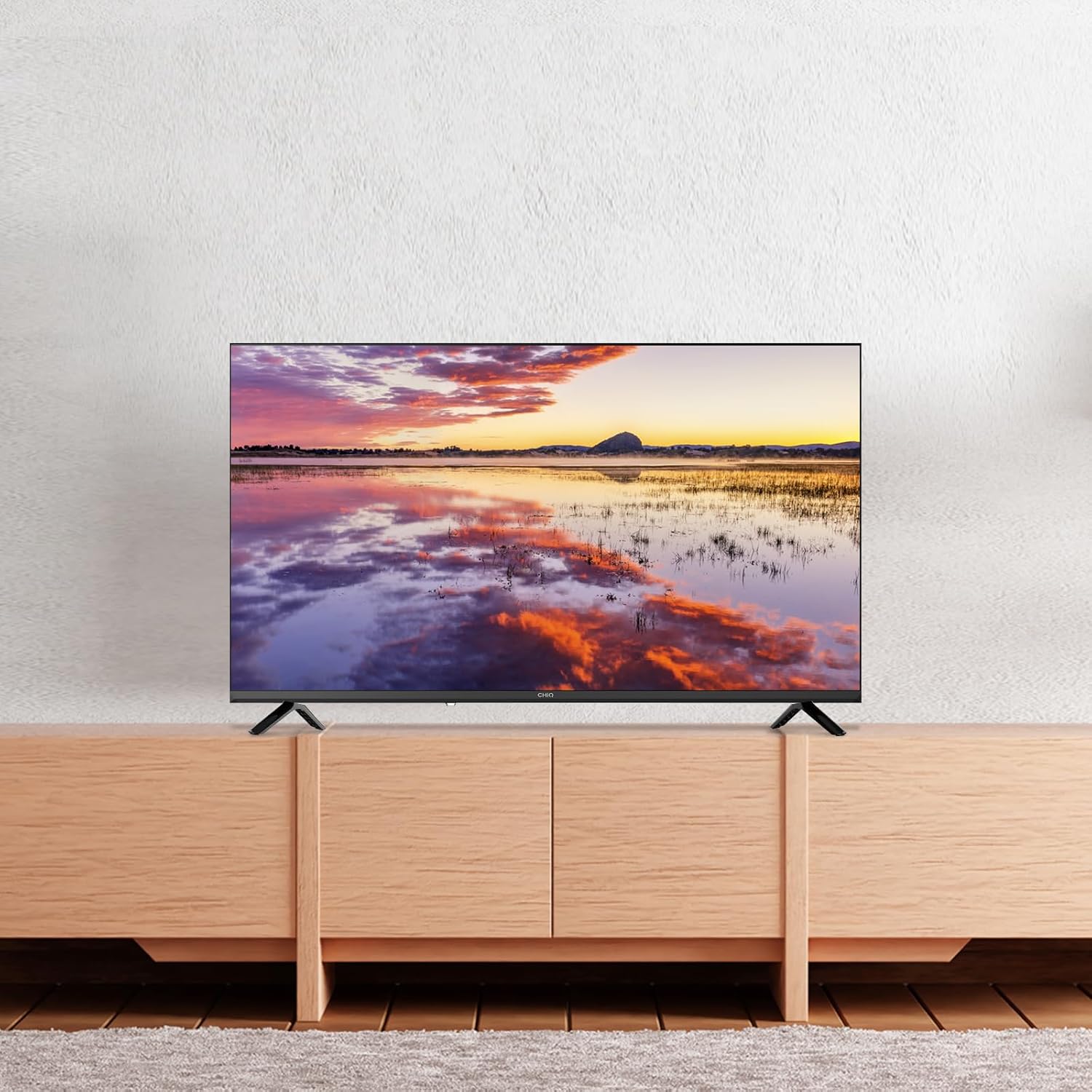
Image: The CHiQ LF32FT television mounted on a wall above a wooden console, demonstrating its suitability for wall installation.
4.2 Connexió de perifèrics
Your CHiQ LF32FT TV offers multiple connectivity options:
- HDMI 1.4 x 3: For connecting devices like Blu-ray players, gaming consoles, or set-top boxes.
- USB 2.0 x 2: For connecting USB drives to play media or for software updates.
- AV IN x 1: Per a dispositius més antics que utilitzen vídeo compost i àudio estèreo.
- LAN x 1: Per a una connexió a Internet per cable.
- Headphone x 1: Per connectar auriculars.
- RF x 1: Per connectar una antena o un cable de televisió.
- CI+ x 1: For Conditional Access Module (CAM) to decrypt pay-TV channels.
- Optical x 1: Per a la sortida d'àudio digital a barres de so o sistemes de cinema a casa.

Imatge: Una imatge detallada view of the rear panel of the CHiQ LF32FT TV, highlighting the available ports including HDMI, USB, AV In, LAN, Headphone, RF, CI+, and Optical connections.
4.3 Engegada inicial i configuració de la xarxa
- Connecteu el cable d'alimentació al televisor i a una presa de corrent.
- Premeu el botó d'engegada del comandament a distància o del televisor.
- Follow the on-screen instructions to select your language, country, and connect to your Wi-Fi network (supports dual-band Wi-Fi).
- Inicia la sessió amb el teu compte de Google per accedir a les funcions de Google TV.
5. Instruccions de funcionament
5.1 Google TV OS and Smart Features
Your CHiQ LF32FT runs on Google TV OS, offering a personalized experience with access to over 10,000 apps including Netflix, Disney+, YouTube, and Prime Video. The interface organizes content from all your streaming services in one place.

Image: The Google TV home screen displaying a variety of streaming application icons such as Netflix, Disney+, YouTube, and Prime Video, indicating a centralized content hub.
5.2 Control per veu amb l'Assistent de Google
Control your TV using your voice with Google Assistant. Simply press the Google Assistant button on your remote and speak your commands. You can search for movies, open apps, get weather updates, and more.

Image: A hand holding a smartphone, demonstrating voice control with Google Assistant to interact with the CHiQ TV, which displays various app icons.
5.3 Chromecast Built-in and Multi-device Connection
With Chromecast built-in, you can easily cast your favorite videos, photos, and apps from your smartphone or tablet directly to the TV. The TV also supports DLNA for media sharing across your home network.

Image: A family watching content on the CHiQ LF32FT TV, with a smartphone in the foreground showing content being cast to the larger screen, illustrating the multi-device connection feature.
5.4 Configuració d'imatge i so
The TV features Full HD resolution, offering double the clarity of standard HD. HDR10 technology enhances contrast, providing deeper blacks and brighter whites for a more immersive viewexperiència.

Image: A split screen comparison on the CHiQ LF32FT TV, showing the enhanced clarity and detail of Full HD (FHD) on the left versus standard HD on the right, with a mountain landscape as the subject.

Image: A split screen comparison on the CHiQ LF32FT TV, illustrating the visual improvement with HDR10 on the left, showing richer colors and deeper contrast in a vibrant aurora borealis scene, compared to a non-HDR image on the right.
For audio, Dolby Audio provides multi-channel cinema-quality sound. dbx-tv offers personalized audio modes (Cinema, News, Sport) for clear dialogues and dynamic bass.

Image: The CHiQ LF32FT TV displaying a violinist, with "Dolby Audio" branding, emphasizing the professional audio tuning capabilities.

Image: The CHiQ LF32FT TV displaying a scenic view, with "dbx-tv" branding and text indicating personalized audio modes like Cinema, News, Night, and Sport, suggesting customizable sound experiences.
5.5 Vídeos oficials de productes
Video: This video from CHiQ showcases the M9 32-inch LED TV, highlighting its features such as direct backlight technology, vibrant colors, and the sleek design. It also demonstrates the Google Play Store and Google Assistant integration.
Video: This CHiQ video highlights the Full HD 40-inch televisions from 2025, emphasizing features like frameless metallic design, HDR10, Dolby Audio, dbx-tv, Google Cast, Google Assistant, and Bluetooth connectivity. It visually demonstrates the enhanced picture and sound quality.
Video: This video from CHIQ - Home Entertainment introduces a 2022 Smart TV with Android 11. It highlights the full-screen design, Google Assistant integration, HDR10, and dbx-tv audio, showcasing a seamless user experience and vibrant display.
6. Manteniment
- Neteja de pantalla: Gently wipe the screen with a soft, lint-free cloth. For stubborn marks, use a screen-specific cleaner applied to the cloth, not directly to the screen.
- CasinNeteja: Feu servir un drap suau i sec per netejar el televisor.asing. Eviteu utilitzar productes de neteja o dissolvents abrasius.
- Ventilació: Assegureu-vos que les obertures de ventilació de la part posterior del televisor no estiguin bloquejades per evitar el sobreescalfament.
- Cable de corrent: Regularly check the power cable for any damage. If damaged, replace it immediately with an approved cable.
7. Solució De Problemes
| Problema | Possible solució |
|---|---|
| Sense poder | Check if the power cable is securely connected to the TV and the power outlet. Ensure the power outlet is working. |
| No hi ha imatge, però hi ha so | Check the input source. Ensure the connected device is powered on and its cables are properly connected. |
| No hi ha so, però hi ha imatge | Check the volume level and mute settings. Ensure external audio devices are properly connected and configured. |
| El comandament a distància no funciona | Canvieu les piles. Assegureu-vos que no hi hagi cap obstacle entre el comandament a distància i el sensor d'infrarojos del televisor. |
| Problemes de connexió Wi-Fi | Restart your router and the TV. Ensure the TV is within range of your Wi-Fi network. Check network settings on the TV. |
8. Especificacions
| Característica | Detall |
|---|---|
| Marca | XiQ |
| Número de model | LF32FT |
| Mida de la pantalla | 32 polzades (81 cm) |
| Tecnologia de visualització | LED |
| Resolució | 1080p (Full HD) |
| Freqüència d'actualització | 60 Hz |
| Característiques especials | HDR10, Google TV OS, Dolby Audio, dbx-tv, Chromecast Built-in, DLNA, Metallic Frameless Design |
| Tecnologia de connectivitat | Bluetooth 5.0, HDMI, USB, Wi-Fi (Dual-band) |
| Relació d'aspecte | 16:9 |
| Dimensions del producte | 18 x 71.84 x 46.67 cm; 3.5 kg |
| Classificació d'eficiència energètica | E |

Image: The energy efficiency label for the CHiQ LF32FT TV, showing an 'E' rating and energy consumption of 26 kWh/1000h.

Image: A product information sheet detailing various technical parameters and specifications for the CHiQ LF32FT TV. For more details, refer to the Base de dades EPREL.
9. Garantia i assistència
Your CHiQ LF32FT television comes with a standard manufacturer's warranty. For specific warranty terms and conditions, please refer to the warranty card included in your product packaging or visit the official CHiQ weblloc.
For technical support, troubleshooting assistance, or service requests, please contact CHiQ customer support through their official channels. Keep your purchase receipt and product serial number handy when contacting support.


