Introducció
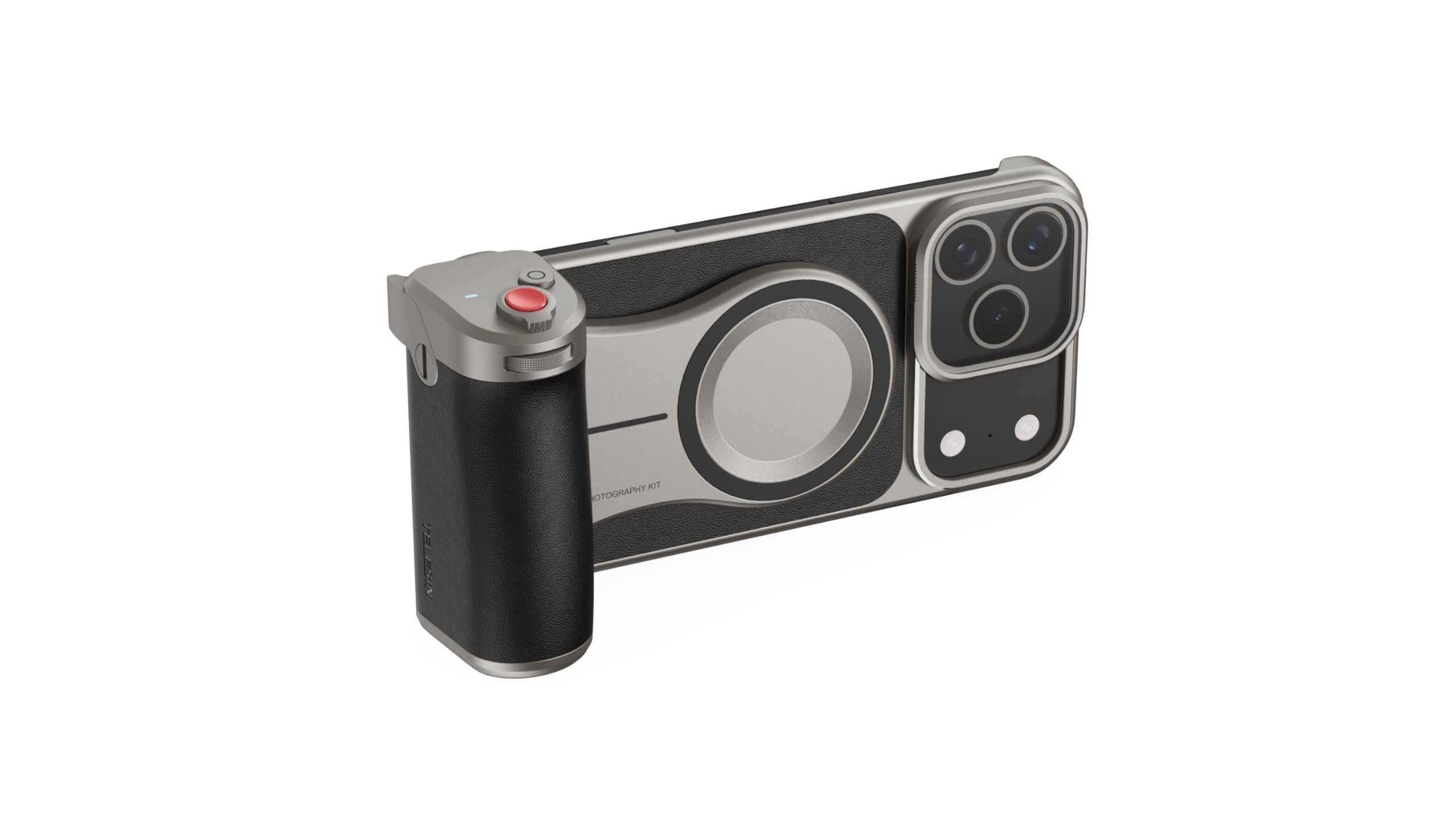
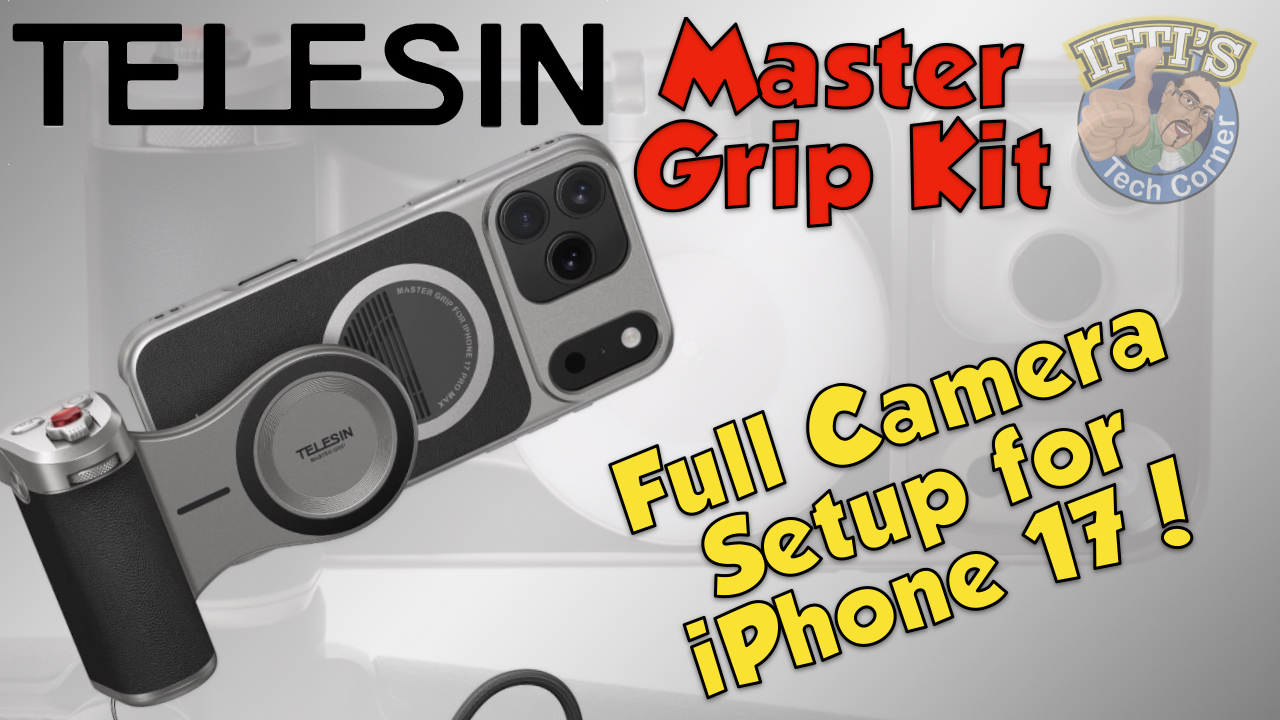
The TELESIN Master Grip is a versatile accessory designed to enhance your smartphone photography and videography experience, specifically tailored for the iPhone 17 Pro Max. This grip provides ergonomic handling, extended battery life, and intuitive controls, transforming your smartphone into a powerful creative tool. It features MagSafe compatibility for secure attachment, a wireless Bluetooth shutter, and multiple mounting options for various shooting scenarios.
Contingut del paquet
Si us plau, verifiqueu que tots els elements que s'enumeren a continuació estiguin inclosos al vostre paquet:
- TELESIN Master Grip (Phone Camera Shutter Grip)
- Phone Case for iPhone 17 Pro Max (with MagSafe compatibility)
- Corretja de canell
- Cable de càrrega (USB-C)
- Filtre UV
- Llum d'ompliment magnètic
- Manual d'instruccions
Configuració
1. Attaching the Phone Case
Carefully place your iPhone 17 Pro Max into the provided phone case. Ensure all buttons and ports align correctly. The case is designed to be rugged and provide protection while allowing full access to phone functions.
2. Attaching the Master Grip
The Master Grip attaches magnetically to the MagSafe-compatible phone case. Align the circular magnetic area on the grip with the corresponding area on the back of the phone case. The strong magnets will securely hold the grip in place. The grip can be attached in both vertical and horizontal orientations.
3. Bluetooth Pairing for Wireless Shutter
- Press and hold the red shutter button on the Master Grip for 2 seconds to power it on. A green indicator light will appear.
- Al vostre iPhone, aneu a Configuració > Bluetooth.
- Look for 'TELESIN_IP' in the list of available devices and tap to connect.
- Once connected, the indicator light on the grip will remain solid.
4. Accessibility Settings for Zoom Control
For full functionality of the zoom control, navigate to your iPhone's Configuració > Accessibilitat > Zoom. Ensure Zoom is turned On. It is recommended to adjust the 'Maximum Zoom Level' to 1.2x to prevent excessive zooming.
5. Attaching the UV Filter
The UV filter slides into the designated guide rails around the camera module on the phone case. Gently push until it latches into place. This provides protection and can enhance image quality.
6. Attaching the Magnetic Fill Light
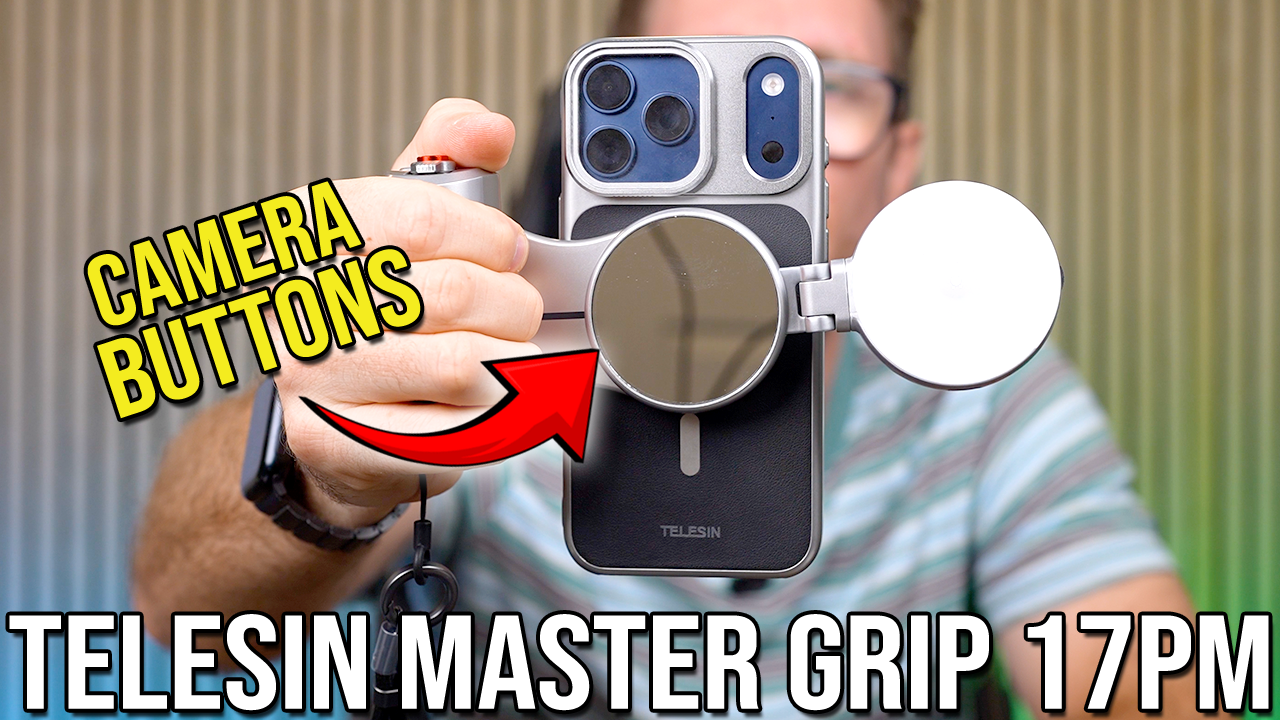
The Magnetic Fill Light attaches magnetically to the outer side of the Master Grip. It can be rotated to face forward (for selfies) or backward (for rear camera subjects). It also features a reflective mirror for easy subject monitoring.
Instruccions de funcionament
1. Ús del botó de l'obturador
The red shutter button on the grip functions like a traditional camera shutter:
- Mitja premsa: Focuses the camera.
- Full-press: Captures a photo or starts/stops video recording (depending on the selected mode).
2. Control del zoom
Use the zoom lever/dial located near the shutter button to adjust the camera's zoom level. Push right to zoom in, push left to zoom out. This allows for precise control over your shot composition.
3. Switching Camera Modes
Rotate the mode dial on the grip to cycle through different camera modes such as Photo, Video, Portrait, and Spatial. Double-clicking the 'Fn' button will take you to the gallery.
4. Switching Front/Rear Cameras
Press the circular button on the grip to quickly switch between your iPhone's front-facing and rear-facing cameras.
5. Using as a Kickstand
The Master Grip can be folded to act as a kickstand, allowing you to prop up your iPhone for hands-free viewing, streaming, or scrolling. This is useful for desktop use or during travel.
6. Muntatge de trípode
The bottom of the Master Grip features a standard 1/4-inch screw thread, allowing you to attach it to any compatible tripod or monopod for stable shots and extended shooting sessions.
7. Charging the Master Grip
The Master Grip has a built-in 3200mAh Lithium Polymer battery. Connect the provided USB-C charging cable to the port on the grip to recharge it. The grip also supports wireless charging for your iPhone via its MagSafe connection.
Manteniment
- Keep the Master Grip clean by wiping it with a soft, dry cloth.
- Eviteu exposar el dispositiu a temperatures o humitat extremes.
- Emmagatzemar en un lloc fresc i sec quan no s'utilitzi.
- Regularly check the charging port and cables for any signs of damage.
Resolució de problemes
1. Grip not connecting via Bluetooth
- Ensure the Master Grip is powered on (green indicator light).
- Check that Bluetooth is enabled on your iPhone.
- Forget the device in your iPhone's Bluetooth settings and attempt to re-pair.
- Ensure the grip's battery is not depleted.
2. Shutter button not responding
- Verifiqueu que la connexió Bluetooth està activa.
- Ensure the camera app is open and active on your iPhone.
3. Wireless charging not working
- Ensure the Master Grip is sufficiently charged.
- Verify your iPhone is correctly aligned with the MagSafe charging area on the grip.
- Ensure your iPhone is MagSafe compatible.
Especificacions
- Nom del model: Master Grip
- Marca: TELESIN
- Dispositius compatibles: Smartphone (iPhone 17 Pro Max)
- Material: Acrilonitril butadiè estirè (ABS)
- Característiques especials: Ergonomic Design, Lightweight, Magnetic, Rechargeable
- Bateria: 1 bateria de polímer de liti (inclosa)
- Pes de l'article: 1.6 lliures
- Dimensions del paquet: 9 x 5 x 3.15 polzades
Garantia i Suport
For detailed warranty information and customer support, please refer to the official documentation included in your product packaging or visit the TELESIN official weblloc web. Conserveu el comprovant de compra per a qualsevol reclamació de garantia.


