1. Introducció
Welcome to the Blackview Link 8 Android 15 Tablet user manual. This guide provides essential information for setting up, operating, and maintaining your device. Please read it carefully to ensure optimal performance and longevity of your tablet.
1.1 Contingut del paquet
Verifiqueu que tots els elements siguin presents al vostre paquet:
- Negreview Link 8 Tablet
- Teclat Bluetooth
- Bolígraf
- Funda per a tauletes
- Protector de pantalla
- Ratolí sense fil
- Charger & Type-C Cable
- Auriculars amb cable

Image: The Blackview Link 8 tablet and its included accessories: Bluetooth keyboard, stylus, tablet case, screen protector, wireless mouse, charger, Type-C cable, and wired earbuds.
2. Configuració inicial
2.1 Engegada/apagada
- Per encendre: Press and hold the Power button until the Blackview apareix el logotip.
- Per apagar: Mantingueu premut el botó d'engegada i, a continuació, seleccioneu "Apagar" de les opcions que apareixen a la pantalla.
- Per reiniciar: Mantingueu premut el botó d'engegada i, a continuació, seleccioneu "Reiniciar" de les opcions.
2.2 Càrrega de la tauleta
Connect the provided Type-C cable to the tablet's charging port and the other end to the charger. Plug the charger into a power outlet. The tablet supports 18W fast charging. A full charge provides approximately 24 hours of average use.
2.3 Configuració inicial
En encendre'l per primera vegada, seguiu les instruccions que apareixen a la pantalla per fer el següent:
- Seleccioneu el vostre idioma.
- Connect to a Wi-Fi network (2.4G/5G WiFi supported).
- Inicia la sessió amb el teu compte de Google o crea'n un de nou.
- Set up security features like PIN, pattern, or password.
3. Funcionament bàsic
3.1 Gestos de pantalla tàctil
El Negreview Link 8 tablet responds to standard Android gestures:
- Toca: Seleccioneu un element o obriu una aplicació.
- Premsa llarga: Accedir a menús contextuals o moure icones.
- Llisca: Navigate through screens, scroll lists, or dismiss notifications.
- Pessiga per fer zoom: Apropar o allunyar les imatges i web pàgines.
3.2 Connecting Accessories (Keyboard, Mouse, Pen)
The tablet comes with a Bluetooth keyboard, wireless mouse, and stylus pen for enhanced productivity.
- Bluetooth Keyboard/Mouse: Turn on the accessory and enable Bluetooth on your tablet (Settings > Connected devices > Bluetooth). Select the accessory from the list to pair.
- Bolígraf: The stylus pen is typically ready for use upon activation or may require a simple pairing process via Bluetooth if it's an active stylus. Refer to the pen's specific instructions if pairing is needed.

Image: The Blackview Link 8 tablet shown with its accompanying Bluetooth keyboard, wireless mouse, and stylus pen, illustrating its versatility as a 2-in-1 device.
3.3 Ús de les càmeres
The tablet features a 16MP rear camera, a 2MP depth sensor, and a 13MP front camera. Open the Camera application to capture photos and videos.
- Càmera posterior: Ideal for high-resolution photos and document scanning.
- Càmera frontal: Optimized for video calls and selfies.
- Sensor de profunditat: Enhances portrait mode effects.
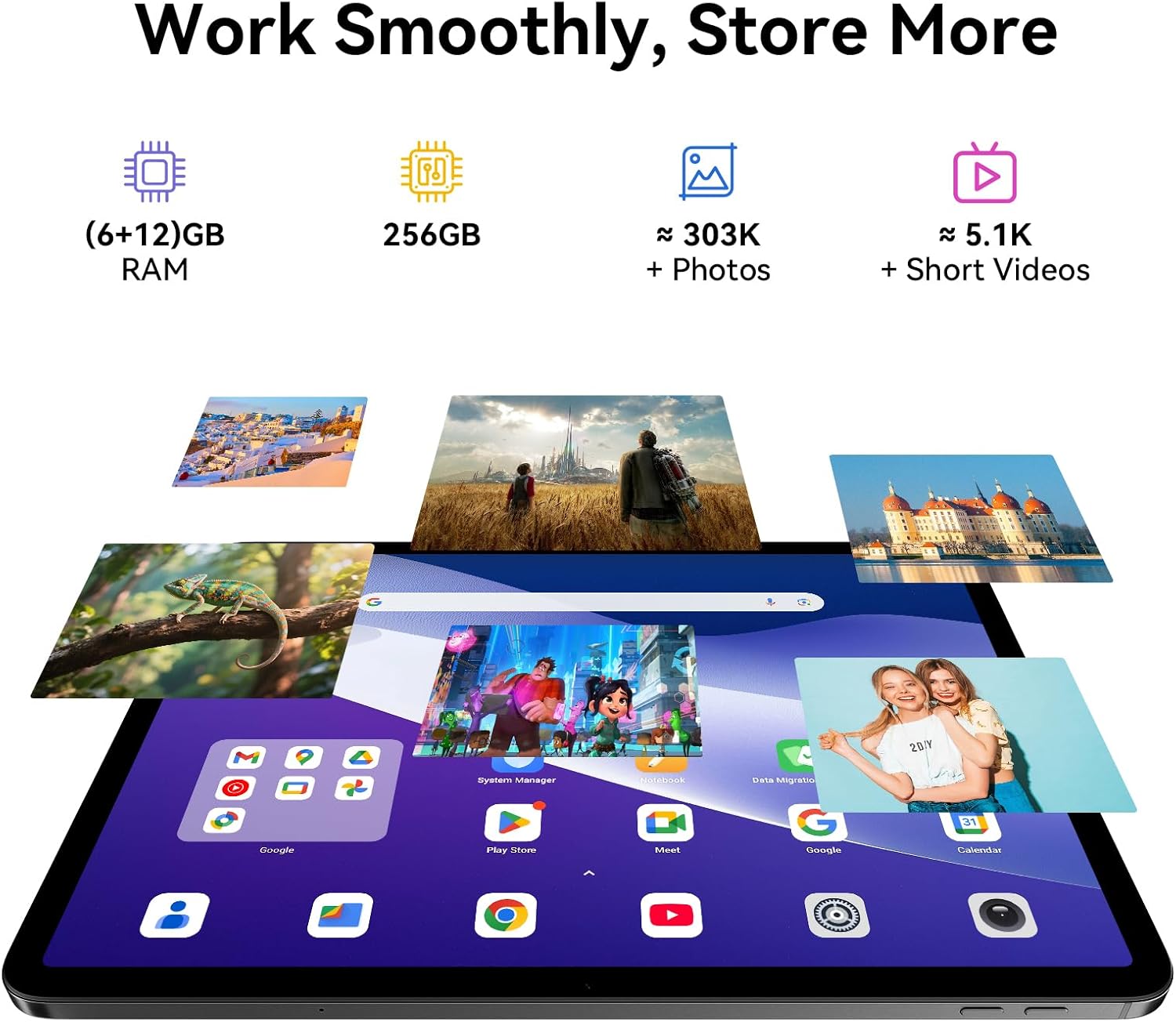
Image: A split image demonstrating the Blackview Link 8 tablet's camera capabilities, showing a person on a video call using the 13MP front camera and an illustration of the 16MP rear and 2MP depth cameras.
3.4 Característiques de productivitat
- Split-Screen 2.0: Allows you to run two applications side-by-side for multitasking. Activate by long-pressing the recent apps button or dragging an app to the side of the screen.
- WPS Office: Preloaded for document creation, editing, and viewing.
4. Característiques clau
4.1 Pantalla immersiva
El Negreview Link 8 features a 12.7-inch 2K+ (2160×1600) IPS display with a 90Hz refresh rate and 300 nits brightness. It supports Widevine L1 for high-definition streaming content. Four Smart-PA speakers provide cinematic surround sound.

Image: A family watching a movie on the Blackview Link 8 tablet, illustrating its 2K+ display, Widevine L1 support, 90Hz refresh rate, and 4-speaker audio for an immersive experience.
4.2 Rendiment
Powered by the 6nm Helio G100 octa-core processor (2.2GHz), the tablet offers smooth multitasking and enhanced gaming performance. An intelligent cooling system helps maintain stable operation during intensive tasks.

Image: Hands holding the Blackview Link 8 tablet while playing a racing game, demonstrating the smooth gaming performance powered by the Helio G100 processor.
4.3 Memòria i emmagatzematge
The tablet is equipped with 6GB physical RAM, expandable with 12GB virtual RAM (total 18GB), and 256GB of internal storage (ROM). This provides ampespai per a aplicacions, fotos i vídeos.
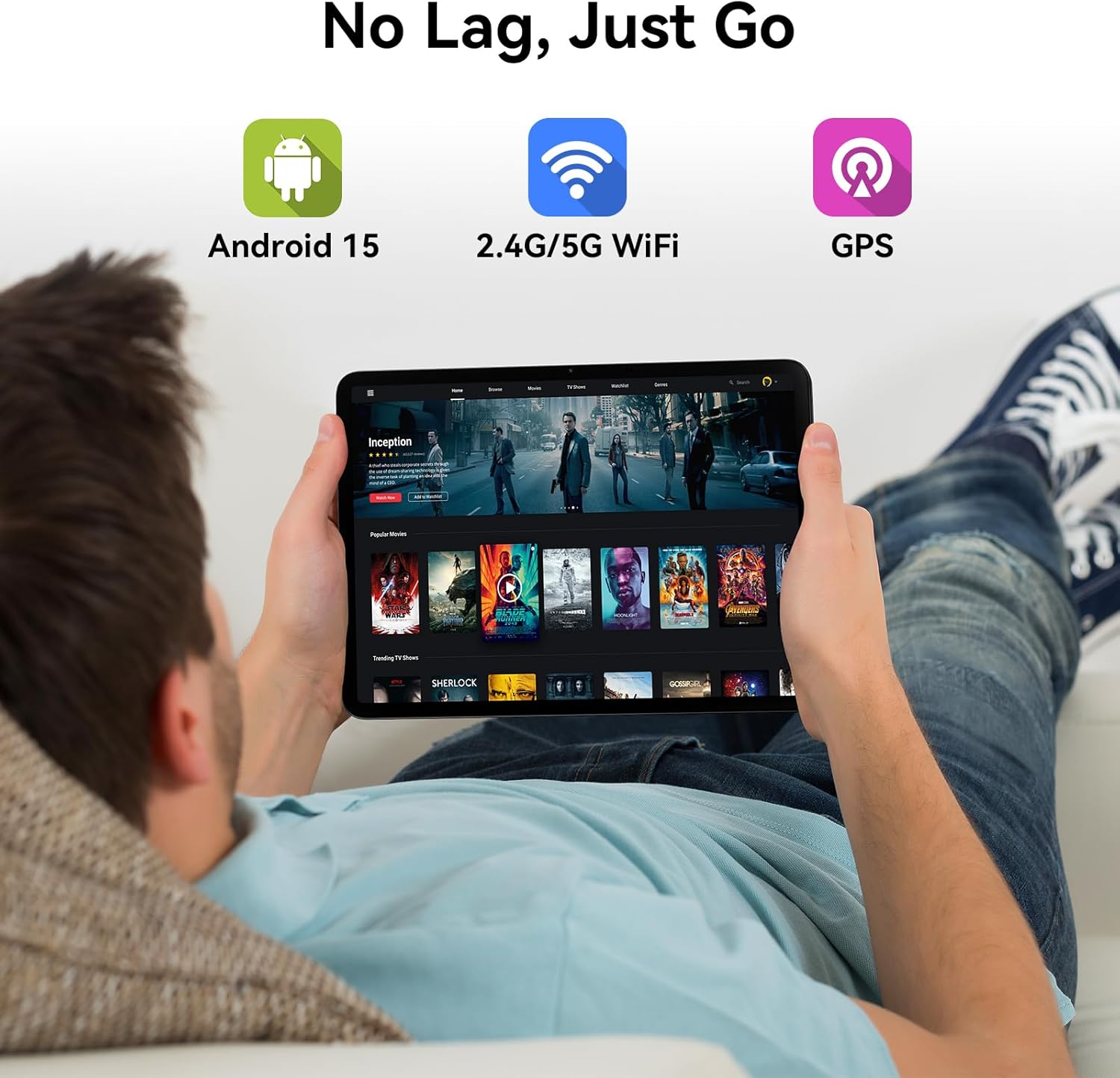
Image: Various apps and images displayed on the Blackview Link 8 tablet screen, representing smooth operation with 18GB RAM and ample 256GB storage for photos and videos.
4.4 Operating System and Connectivity
The tablet runs on Android 15 with DokeOS_P 4.2, offering a refined user interface, enhanced privacy tools, and AI optimization. Connectivity options include dual-band 2.4G/5G WiFi, Bluetooth 5.0, and comprehensive GPS support (GPS/GLONASS/Beidou/Galileo).

Image: A person relaxing on a couch, holding the Blackview Link 8 tablet displaying streaming content, emphasizing Android 15, 5G WiFi, and GPS capabilities.
4.5 Eye-Friendly Modes
El Negreview Link 8 is TÜV Rheinland certified for low blue light emission. It includes dedicated modes to reduce eye strain:
- Mode de lectura: Adjusts the screen to a paper-like clarity.
- Mode de llum nocturna: Redueix la llum blava per a una comoditat més gran viewamb poca llum.
- Mode de confort ocular: Optimizes screen settings to minimize eye fatigue.

Image: Three panels showing the Blackview Link 8 tablet in Reading Mode, Night Light Mode, and Dark Mode, with a TÜV Rheinland certified logo, highlighting its eye-friendly features.
5. Manteniment
5.1 Neteja de la tauleta
Feu servir un drap suau i sense borrissol per netejar la pantalla i el cos de la tauleta. Per a taques difícils, fregueu lleugerament.ampRenta el drap amb aigua o una solució netejadora de pantalles. Evita productes químics agressius o materials abrasius.
5.2 Cura de la bateria
- Eviteu les temperatures extremes, que poden reduir la durada de la bateria.
- No deixeu la tauleta completament descarregada durant períodes prolongats.
- For long-term storage, charge the battery to around 50% and power off the device.
5.3 Actualitzacions de programari
Regularly check for system updates (Settings > System > System update) to ensure your tablet has the latest features, security patches, and performance improvements.
6. Solució De Problemes
Si teniu problemes amb el vostre Blackview Link 8 tablet, refer to the following common solutions:
| Problema | Solució |
|---|---|
| La tauleta no s'encén | Assegureu-vos que la bateria estigui carregada. Connecteu el carregador i espereu uns minuts abans d'intentar tornar-lo a engegar. Si no respon, feu un reinici forçat mantenint premut el botó d'engegada durant 10-15 segons. |
| Problemes de connexió Wi-Fi | Reinicieu el router Wi-Fi i la tauleta. Oblideu-vos de la xarxa a la configuració de la tauleta i torneu a connectar-vos. Assegureu-vos que esteu dins de l'abast del senyal Wi-Fi. |
| Rendiment lent o bloquejos de l'aplicació | Close unnecessary background apps. Clear cache for problematic apps (Settings > Apps > [App Name] > Storage > Clear cache). Restart the tablet. Ensure sufficient free storage space. |
| La pantalla no respon | Restart the tablet. If the issue persists, ensure the screen is clean and free of debris. Remove any screen protectors that might be interfering. |
7. Especificacions tècniques
| Característica | Especificació |
|---|---|
| Nom del model | Enllaç 8 |
| Sistema operatiu | Android 15 (DokeOS_P 4.2) |
| Mida de la pantalla | 12.7 polzades |
| Resolució de pantalla | 2160x1600 Pixels (2K+) |
| Processador | MediaTek Helio G100 Octa-core (2.2 GHz, 6nm) |
| RAM | 6GB + 12GB Virtual RAM (18GB Total) |
| Emmagatzematge | 256 GB |
| Càmera posterior | 16MP Main + 2MP Depth |
| Càmera frontal | 13MP |
| Capacitat de la bateria | 8400 mAh |
| Carregant | 18W Fast Charge, OTG Support |
| Connectivitat sense fil | 802.11ac (2.4G/5G WiFi), Bluetooth 5.0 |
| Navegació | GPS/GLONASS/Beidou/Galileo |
| Dimensions (LxWxH) | 8 x 11.1 x 0.33 polzades |
| Pes de l'article | 4.77 lliures |
8. Garantia i Suport
8.1 Informació de la garantia
El Negreview Link 8 tablet comes with a 2 any de garantia. This warranty covers manufacturing defects and ensures high-quality performance. Please retain your proof of purchase for warranty claims.
8.2 Atenció al client
For technical assistance, troubleshooting beyond this manual, or warranty inquiries, please contact Blackview customer service. Refer to the official Blackview website or your purchase documentation for the most current support contact information.


