1. Introducció
Thank you for choosing the ATTACK SHARK R11 Ultra 8K Carbon Fiber Wireless Gaming Mouse. This manual provides detailed instructions for setting up, operating, maintaining, and troubleshooting your new gaming mouse. Please read this manual thoroughly before use to ensure optimal performance and longevity of your device.
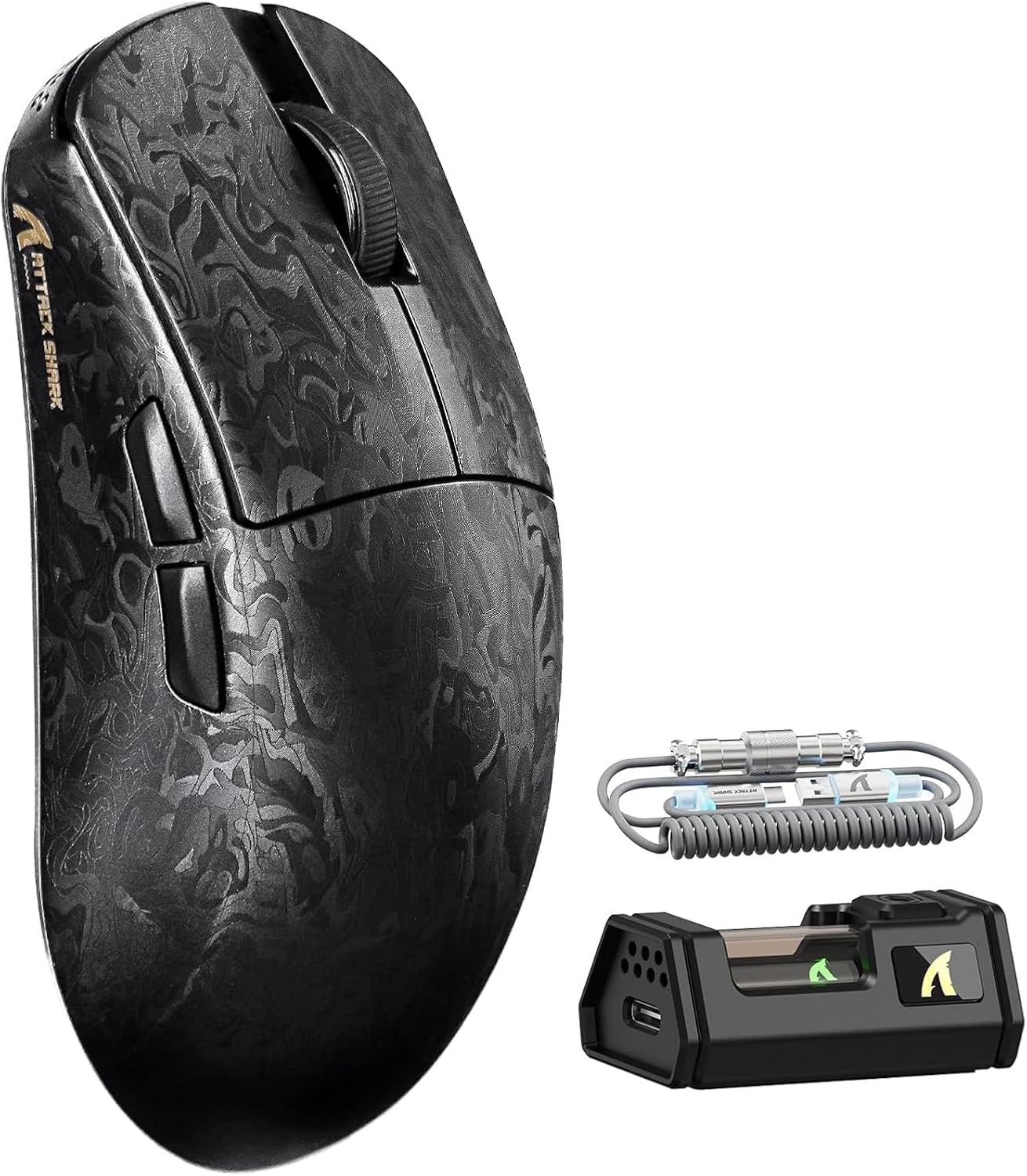
Image 1.1: The ATTACK SHARK R11 Ultra mouse with its 8K receiver and coiled cable.
2. Contingut del paquet
Verifiqueu que tots els elements siguin presents al vostre paquet:
- ATTACK SHARK R11 Ultra Wireless Gaming Mouse
- Receptor sense fil 8K
- USB-C to USB-A Coiled Cable
- Manual d'usuari (aquest document)
- Additional PTFE Mouse Feet (optional)
- Grip Tape (optional)
3. Producte acabatview
The ATTACK SHARK R11 Ultra is a high-performance gaming mouse designed for precision and speed. It features a lightweight carbon fiber composite shell, a PixArt PAW3950MAX sensor, and a Nordic 52840 MCU for stable, low-latency connectivity across multiple modes.

Image 3.1: Front, top, and side views of the R11 Ultra mouse, highlighting its unique carbon fiber pattern.
Característiques principals:
- Disseny ultralleuger: Weighs approximately 49g ± 3g, constructed from injection-molded carbon fiber composite material.
- Sensor d'alta precisió: Equipped with PixArt PAW3950MAX sensor, offering up to 42,000 DPI, 50G acceleration, and 750 IPS tracking speed.
- Connectivitat avançada: Triple-mode connectivity (2.4GHz wireless with 8K polling rate, Bluetooth, and wired mode with 1K polling rate).
- Interruptors duradors: Features premium F-switch encoder for scroll wheel (rated 2 million rotations) and Omron optical microswitches for buttons (rated 70 million clicks).
- Bateria de llarga durada: Integrated 300mAh battery with low power consumption management.
- Personalització: Supports AI-enhanced cloud driver and downloadable software for DPI, polling rate, button mapping, and macro customization.

Imatge 3.2: Un sobreview of the R11 Ultra's core technologies and design elements.
4. Instruccions de configuració
4.1 Càrrega del ratolí
Before first use, it is recommended to fully charge the mouse. Connect the USB-C end of the coiled cable to the mouse and the USB-A end to a powered USB port on your computer or a USB charger. The transparent 8K receiver has an LED indicator that shows the battery status.

Imatge 4.1: Interna view of the R11 Ultra's 300mAh battery, illustrating its power management system.
4.2 Modes de connectivitat
The R11 Ultra supports three connection modes: 2.4GHz Wireless, Bluetooth, and Wired. A switch on the bottom of the mouse allows you to select the desired mode.

Image 4.2: The bottom of the mouse, indicating the mode selection switch and DPI button.
Mode sense fil de 2.4 GHz:
- Insert the 8K wireless receiver into an available USB-A port on your computer.
- Slide the mode switch on the bottom of the mouse to the '2.4G' position.
- The mouse should automatically connect. The receiver's LED will indicate connection status.
Mode Bluetooth:
- Slide the mode switch on the bottom of the mouse to the 'BT' position.
- A l'ordinador o dispositiu, navega fins a la configuració de Bluetooth i cerca dispositius nous.
- Select 'ATTACK SHARK R11 Ultra' from the list of available devices to pair.
Mode per cable:
- Connect the USB-C end of the coiled cable to the mouse and the USB-A end to your computer.
- El ratolí canviarà automàticament al mode amb cable i començarà a carregar-se.
5. Instruccions de funcionament
5.1 Ajust de DPI
The mouse features a dedicated DPI button on its underside (refer to Image 4.2). Press this button to cycle through preset DPI levels. For fine-tuning and a wider range of DPI settings (up to 42,000 DPI), use the official software.
5.2 Taxa de sondeig
The 2.4GHz wireless mode supports an 8KHz polling rate for ultra-low latency. Wired mode operates at 1KHz. Polling rate can be adjusted via the software.

Image 5.1: Visual representation of the 8000Hz polling rate capability.
5.3 Personalització de botons i macros
The R11 Ultra's buttons are programmable. Utilize the dedicated software to remap buttons, assign macros, and configure other advanced settings to suit your preferences.
6. Programari i controladors
The ATTACK SHARK R11 Ultra mouse utilizes an AI-enhanced cloud driver or downloadable software for comprehensive customization. This intuitive interface allows you to:
- Adjust DPI settings in increments of 50.
- Modify polling rates.
- Customize button assignments.
- Create and manage macros.
- Configure other sensor and performance settings.
The software automatically detects your device and provides access to these settings. Refer to the official ATTACK SHARK website for the latest software downloads and cloud driver access.
Video 6.1: An official product video demonstrating the features and performance of the ATTACK SHARK R11 Ultra 8K Wireless Gaming Mouse, including its high DPI capabilities and responsiveness.
7. Manteniment
7.1 Neteja
Per mantenir el rendiment i l'aspecte del ratolí:
- Feu servir un drap suau i sec per netejar la superfície del ratolí.
- Per a la brutícia persistent, lleugerament dampNetegeu el drap amb aigua o una solució de neteja suau. Eviteu productes químics agressius.
- Clean the optical sensor regularly with a cotton swab to ensure accurate tracking.
7.2 Emmagatzematge
When not in use, store the mouse in a cool, dry place away from direct sunlight and extreme temperatures. Avoid placing heavy objects on the mouse.
8. Solució De Problemes
If you encounter issues with your ATTACK SHARK R11 Ultra mouse, refer to the following common problems and solutions:
| Problema | Causa possible | Solució |
|---|---|---|
| El ratolí no respon | Low battery, incorrect mode, connection issue | Charge the mouse. Ensure the mode switch is set correctly (2.4G, BT, or Wired). Re-pair Bluetooth or re-insert 8K receiver. |
| Lag or stuttering | Interference, low battery, outdated firmware | Ensure receiver is close to mouse. Charge mouse. Update mouse firmware via software. Avoid other 2.4GHz devices nearby. |
| Els DPI no canvien | DPI button malfunction, software conflict | Try adjusting DPI via software. Reinstall software if necessary. |
| Els botons no funcionen | Software configuration, physical damage | Check button assignments in software. If issue persists, contact customer support. |
If the problem persists after attempting these solutions, please contact ATTACK SHARK customer support for further assistance.
9. Especificacions
| Característica | Especificació |
|---|---|
| Model | R11 Ultra |
| Sensor | PixArt PAW3950MAX Optical Sensor |
| Rang de DPI | Fins a 42,000 DPI (ajustable en increments de 50 DPI) |
| Taxa de votació | 8000Hz (2.4GHz Wireless), 1000Hz (Wired) |
| Acceleració | 50G |
| Velocitat de seguiment | 750 IPS |
| Velocitat de fotogrames | 20,000 FPS |
| Connectivitat | Wired (USB-C), 2.4GHz Wireless, Bluetooth |
| MCU | Nordic 52840 Chipset |
| Interruptors | Omron Optical Microswitches (70 million clicks) |
| Codificador | F-switch encoder (2 million rotations) |
| Capacitat de la bateria | 300 mAh |
| Pes | Approx. 49g ± 3g |
| Dimensions | 6.81 x 4.17 x 2.91 polzades (dimensions del paquet) |
| Revestiment | Nano-metallic ice-cool coating |
10. Garantia i Suport
ATTACK SHARK products are designed for quality and performance. For warranty information, technical support, or service inquiries, please refer to the warranty card included with your product or visit the official ATTACK SHARK weblloc web. Conserveu el comprovant de compra per a reclamacions de garantia.
Vídeo 10.1: Presentació oficial del producte en vídeoasing the ATTACK SHARK R11 Ultra 8K Carbon Fiber Wireless Gaming Mouse in action, highlighting its design and responsiveness.


