Introducció
Welcome to the user manual for your RCA Wave-88 AI Translation Earbuds. These earbuds are designed to provide real-time language translation, high-definition audio for music and calls, and a comfortable open-ear listening experience. This manual will guide you through the setup, operation, maintenance, and troubleshooting of your device.
Contingut del paquet
- 2 x RCA Wave-88 AI Translation Earbuds
- 1 x funda de càrrega
- 1 x cable de càrrega USB
- 1 x Manual d'usuari (aquest document)
Producte acabatview

Image: The RCA Wave-88 AI Translation Earbuds resting inside their white charging case, which is open to reveal the earbuds. The case features an LED display on the front.
The RCA Wave-88 earbuds are designed for versatile use, combining real-time translation, audio playback, and call management. They feature an open-ear design for comfort and situational awareness. The charging case includes an LED display to indicate battery status.
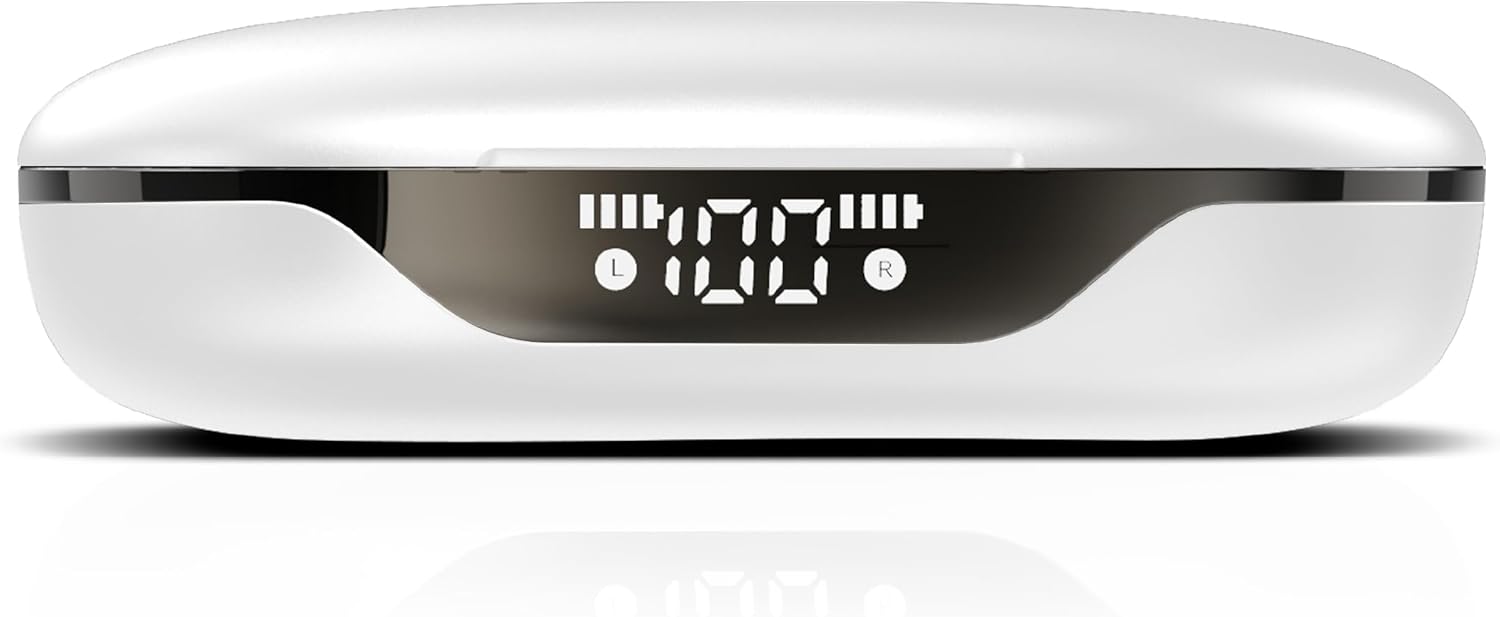
Imatge: Un primer pla view of the RCA Wave-88 charging case, highlighting its front LED display which shows battery levels for both the case and individual earbuds (L and R).
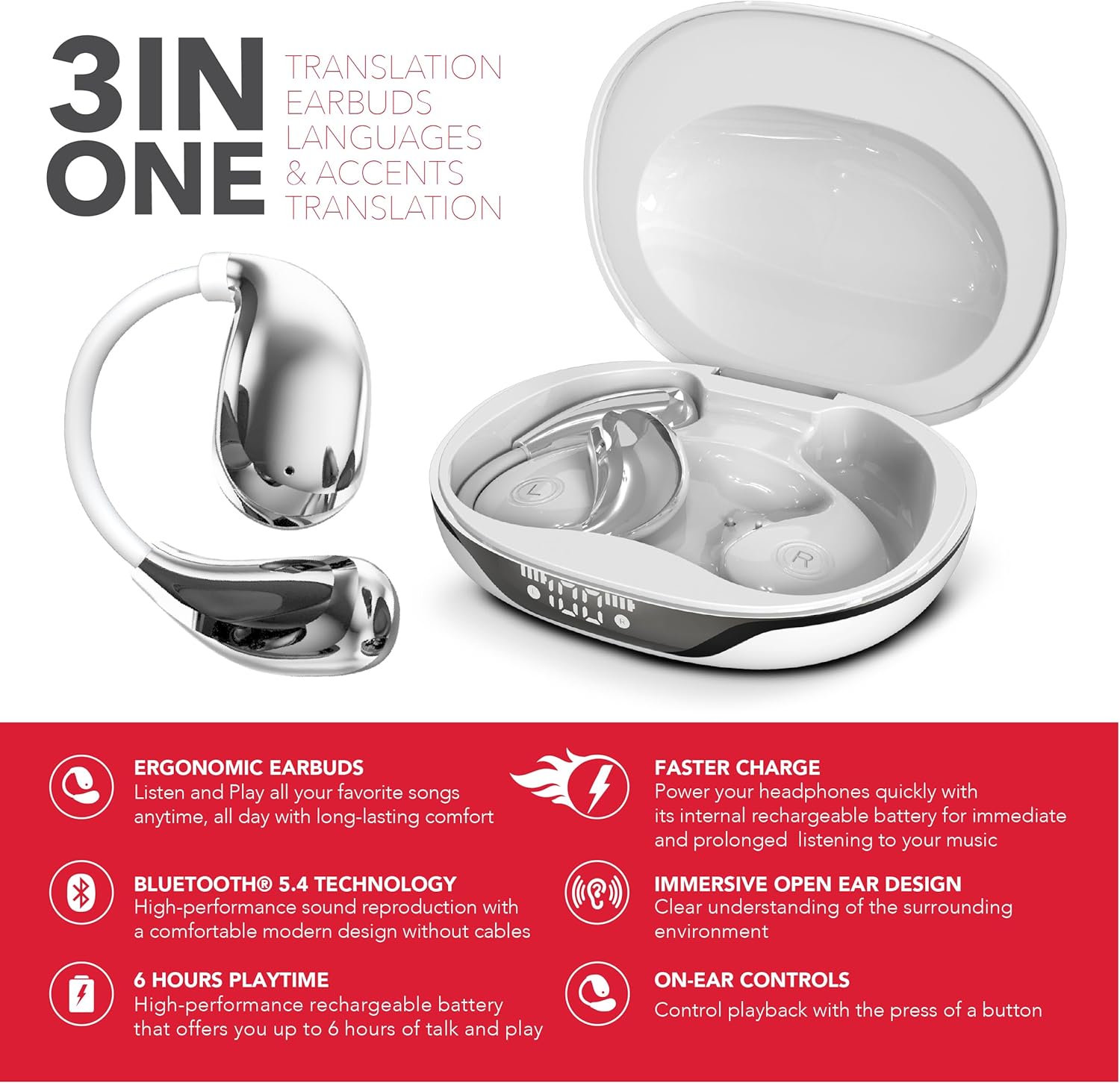
Image: A graphic highlighting the "3-in-1" functionality of the RCA Wave-88 earbuds, emphasizing their capabilities for translation, music, and calls.
Característiques principals:
- Real-Time AI Translation (144 languages & accents)
- 3-in-1 Functionality: Translation, Music, Calls
- Open-Ear Ergonomic Design with Silicone Hooks
- Connectivitat Bluetooth 5.4
- HD Audio with Noise Cancelling
- Classificació impermeable IPX7
- Extended Battery Life (up to 60 hours with charging case)
- Controls tàctils intel·ligents
Configuració
1. Càrrega dels auriculars i l'estoig
- Col·loca els auriculars a l'estoig de càrrega. Assegura't que estiguin correctament col·locats.
- Connect the charging case to a power source using a USB charging cable.
- The LED display on the case will indicate the charging status. A full charge provides up to 10 hours of earbud use, with the case offering an additional 50 hours.
- A quick 5-minute charge can provide approximately 1 hour of use.
2. Emparellament amb el dispositiu
- Obre l'estoig de càrrega. Els auriculars s'encendran automàticament i entraran en mode d'emparellament.
- On your smartphone, tablet, or laptop (iOS, Android, etc.), navigate to the Bluetooth settings.
- Cerca available devices and select "RCA Wave-88" from the list.
- Once connected, you will hear an audio confirmation, and the earbuds will be ready for use.
3. Instal·lació de l'aplicació
For full translation functionality, download the companion application.
- Cerca "NebulaBuds" in the Google Play Store (for Android devices) or the Apple App Store (for iOS devices).
- Install the application and follow the on-screen instructions to connect your earbuds.

Image: The RCA Wave-88 earbuds and charging case displayed alongside logos for NebulaBuds, Google Store, and App Store, indicating app compatibility.
Instruccions de funcionament
1. Encendre/apagar
- Encès: Obriu la funda de càrrega i els auriculars s'encendran automàticament.
- Apagar: Torneu a col·locar els auriculars a l'estoig de càrrega i tanqueu la tapa. S'apagaran automàticament i començaran a carregar-se.
2. Posar-se els auriculars
The Wave-88 earbuds feature an open-ear design with soft silicone hooks for a secure and comfortable fit.
- Identifiqueu els auriculars esquerre (L) i dret (R).
- Gently place each earbud over your ear, ensuring the silicone hook rests securely behind your ear.
- Adjust for optimal comfort and sound.
3. Controls tàctils intel·ligents
The earbuds are equipped with intuitive touch controls for managing various functions. Specific gestures may vary slightly; refer to the NebulaBuds app for detailed customization.
- Reproduir/pausar música: Un sol toc a qualsevol dels auriculars.
- Pista següent: Toqueu dues vegades l'auricular dret.
- Pista anterior: Toqueu dues vegades l'auricular esquerre.
- Respondre/Finalitzar la trucada: Un sol toc a qualsevol dels auriculars.
- Rebutja la trucada: Prem i mantén premut qualsevol dels auriculars.
- Activa l'Assistent de veu: Toqueu tres vegades en qualsevol dels auriculars (per exemple, Siri, Google Assistant).
- Control de volum: Specific gestures for volume control may be available or customizable via the app.

Image: A diagram illustrating various features of the RCA Wave-88 earbud, such as touch control, built-in microphones, hands-free calling, and volume control.
4. Translation Functionality
The RCA Wave-88 earbuds offer 3-in-1 functionality, allowing seamless switching between music, calls, and real-time translation.
- Activate Translation Mode: Open the NebulaBuds app on your connected device.
- Selecciona idiomes: Within the app, choose your native language and the target language for translation (supports 144 languages and accents).
- Real-Time Translation:
- Earbud Mode: Speak into your earbud's microphone. Your words will be translated and played through the other person's phone speaker, or vice-versa if they are also using an earbud.
- Mode de telèfon: Hold your phone to the other person, and their speech will be translated and played through your earbuds. Your speech will be translated and played through your phone's speaker.
- Mode altaveu: Both parties can hear translations through the phone's speaker.
- The AI-driven translation provides ultra-low latency for smoother conversations.

Image: An illustration demonstrating the translation capability of the RCA Wave-88 earbuds, showing a person speaking English into the earbud and the translation appearing in Spanish on a phone screen.

Imatge: Una imatge detallada view of a smartphone screen displaying the translation interface, showing English input being translated into Spanish, with the RCA Wave-88 charging case visible below.

Image: A person wearing RCA Wave-88 earbuds, looking at a smartphone displaying a translation, suggesting use in a real-world conversation or meeting.
Manteniment
1. Neteja
- Netegeu suaument els auriculars i l'estoig de càrrega amb un drap suau, sec i sense borrissol.
- No utilitzeu netejadors abrasius, alcohol ni dissolvents químics.
- Assegureu-vos que els contactes de càrrega dels auriculars i de la funda estiguin nets i lliures de residus.
2. Emmagatzematge
- Quan no els utilitzeu, guardeu els auriculars a la seva funda de càrrega per protegir-los i assegurar-vos que es mantinguin carregats.
- Emmagatzemar en un lloc fresc i sec, lluny de la llum solar directa i de temperatures extremes.
3. Resistència a l'aigua (IPX7)
The RCA Wave-88 earbuds have an IPX7 waterproof rating, meaning they are protected against temporary immersion in water (up to 1 meter for 30 minutes).
- This rating protects against sweat and splashes, making them suitable for workouts and outdoor activities.
- No submergiu els auriculars ni l'estoig de càrrega a l'aigua intencionadament.
- La funda de càrrega no és impermeable.
- Ensure earbuds are completely dry before placing them back in the charging case to prevent damage.
Resolució de problemes
| Problema | Causa possible | Solució |
|---|---|---|
| Els auriculars no s'encenen. | Bateria baixa. | Col·loca els auriculars a l'estoig de càrrega i carrega'ls completament. |
| No es pot emparellar amb el dispositiu. | El Bluetooth està desactivat; els auriculars no estan en mode d'emparellament; el dispositiu està massa lluny. | Ensure Bluetooth is enabled on your device. Open the charging case to activate pairing mode. Keep earbuds within Bluetooth range (up to 33 feet). |
| No hi ha so o hi ha mala qualitat de so. | Earbuds not properly connected; volume too low; debris in earbud speaker. | Check Bluetooth connection. Adjust volume on your device. Clean earbud speakers gently. |
| Translation not working correctly. | App not connected; incorrect language selection; poor internet connection. | Ensure the NebulaBuds app is open and connected. Verify correct source and target languages. Translation requires an active internet connection. |
| Els auriculars no es carreguen. | Charging cable faulty; charging contacts dirty; case battery depleted. | Try a different USB cable and power adapter. Clean charging contacts. Charge the case fully. |
Especificacions
| Nom del model | Onada 88 |
| Marca | RCA |
| Tecnologia de connectivitat | Sense fil (Bluetooth 5.4) |
| Col·locació de l'orella | On Ear (Open-Ear Design) |
| Factor de forma | True Wireless |
| Idiomes de traducció | 144 languages & accents |
| Classificació impermeable | IPX7 |
| Temps de reproducció de l'auricular | Fins a 10 hores per recàrrega |
| Temps de reproducció total (amb estoig) | Fins a 60 hores |
| Càrrega ràpida | 1 hour use from 5 minutes charge |
| Pes de l'article | 5 unces |
| UPC | 810185790357 |
Garantia i Suport
Per obtenir informació sobre la garantia i l'assistència al client, consulteu la pàgina oficial de RCA. website or contact their customer service directly. Specific warranty terms and conditions may vary by region and retailer.
Conserva el comprovant de compra per a qualsevol reclamació de garantia.


