1. Introducció
Welcome to the user manual for your new ASUS Vivobook S16 laptop. This guide provides essential information for setting up, operating, maintaining, and troubleshooting your device. The ASUS Vivobook S16 is a high-performance laptop designed for creators, designers, business professionals, and general users, featuring an Intel Core Ultra 9 285H processor, a vibrant 16-inch 2.8K OLED 120Hz display, 32GB of RAM, and a 1TB SSD, running on Windows 11 Pro.
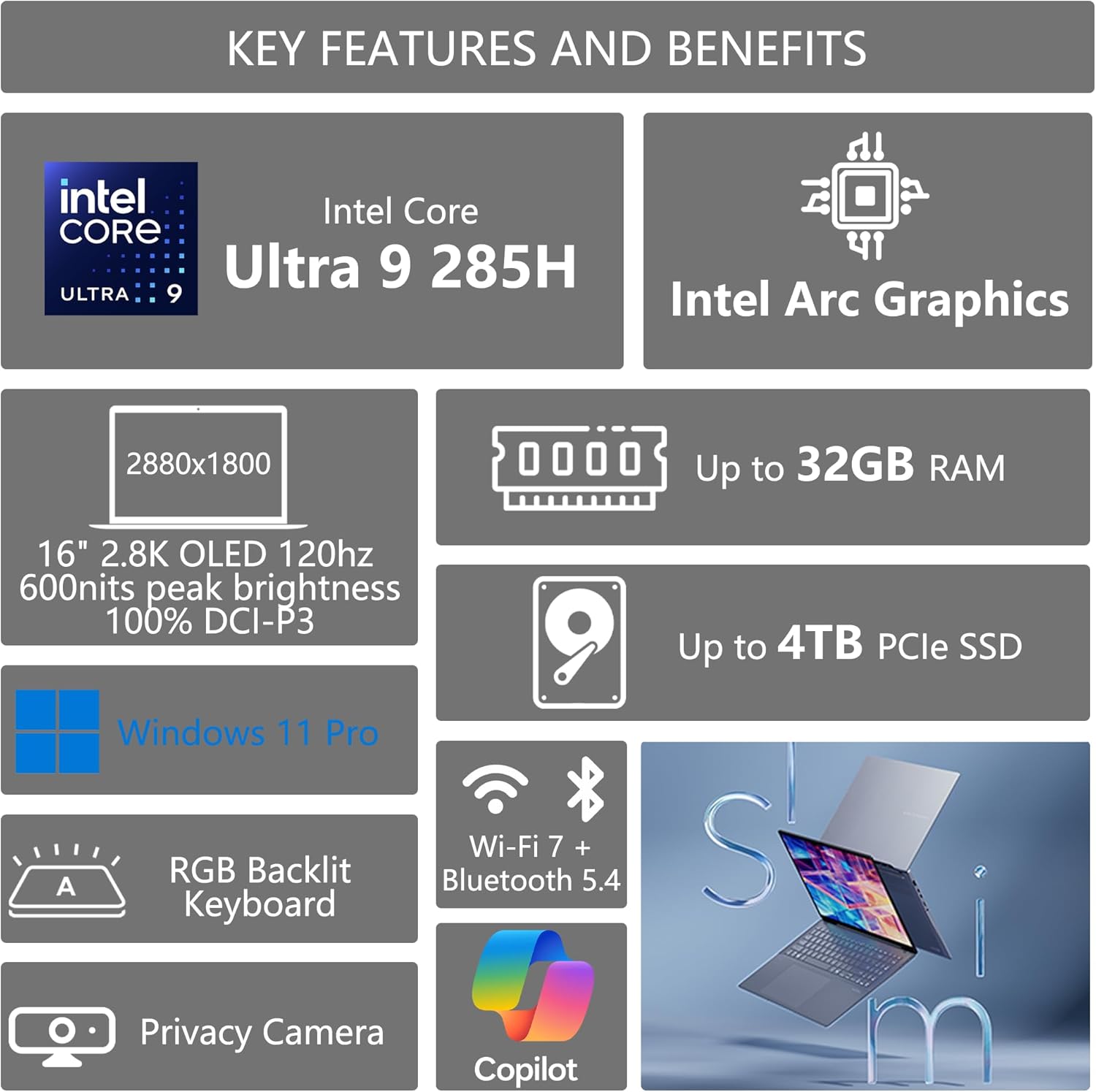
Imatge: Acabatview of ASUS Vivobook S16 key features, including Intel Core Ultra 9, Intel Arc Graphics, 16" 2.8K OLED 120Hz display, up to 32GB RAM, up to 4TB PCIe SSD, Windows 11 Pro, RGB Backlit Keyboard, Privacy Camera, Wi-Fi 7 + Bluetooth 5.4, and Copilot integration.
2. Configuració
2.1 Desembalatge i inspecció inicial
Carefully remove your laptop and all accessories from the packaging. Inspect for any signs of damage. Retain the packaging for future transport or service needs.
2.2 Connexió de l'adaptador de corrent
- Connect the AC adapter to the power jack on your laptop.
- Connecteu el cable d'alimentació a una presa de corrent.
- Allow the battery to charge fully before first use, though you can begin using the laptop immediately.
2.3 Engegada inicial i configuració del Windows
Press the power button to turn on your laptop. Follow the on-screen instructions to complete the Windows 11 Pro setup, including language selection, network connection, and user account creation.
2.4 Connexió d'accessoris
Your ASUS Vivobook S16 includes various ports for connecting external devices. Refer to the port diagram below for locations.
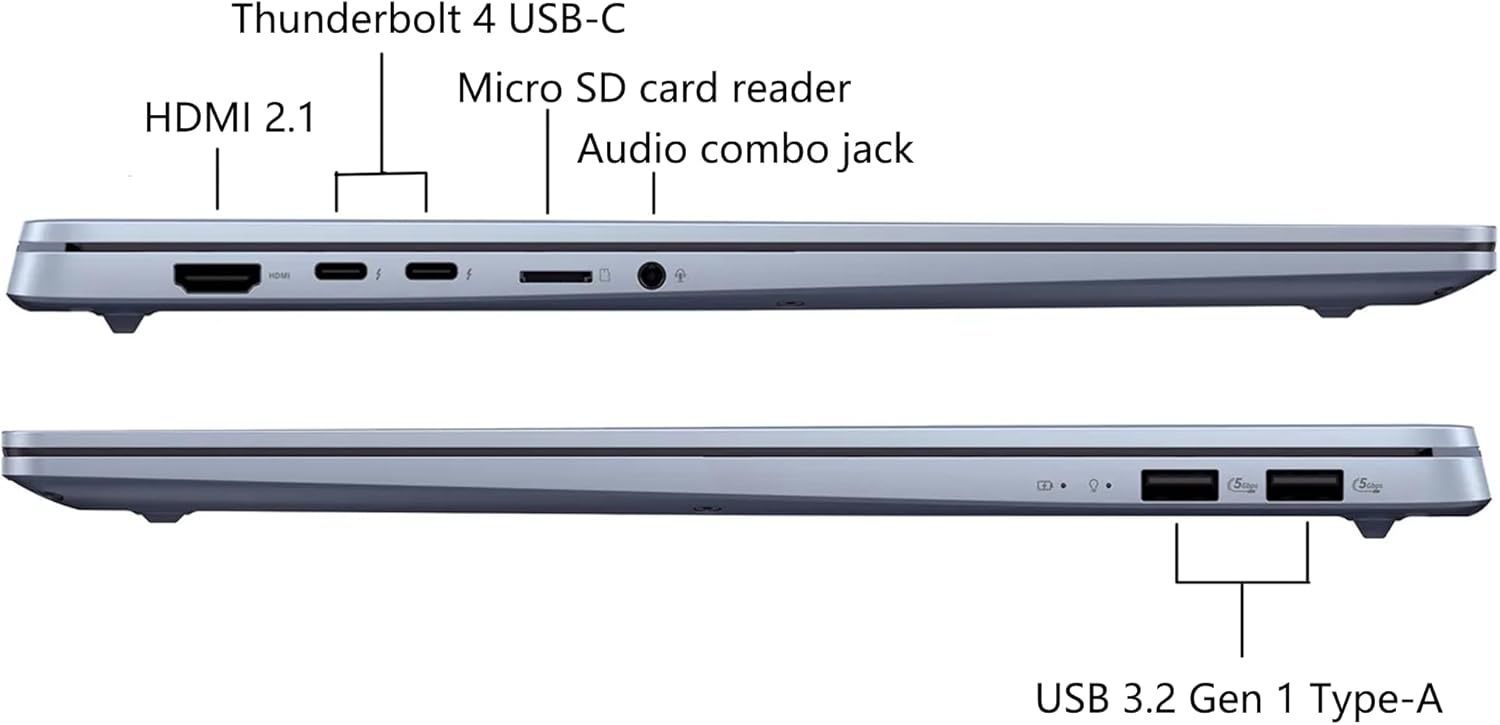
Imatge: Diagram illustrating the ports on the ASUS Vivobook S16, including HDMI 2.1, Thunderbolt 4 USB-C, Micro SD card reader, Audio combo jack, and USB 3.2 Gen 1 Type-A ports.
The laptop also comes with a DLCA Accessory, which is a Delca Type-C to USB-A 3-in-1 cable for safe and fast data transfer. Connect this accessory to a compatible USB-C port on your laptop as needed.

Imatge: Packaging for the Delca Type-C to USB-A 3-in-1 Cable, an included accessory for data transfer.
3. Instruccions de funcionament
3.1 Gestió de l'energia
- Encès: Premeu el botó d'engegada que es troba al teclat.
- Mode de repòs: Tanqueu la tapa o premeu breument el botó d'engegada.
- Apagar: Feu clic al botó Inici, després a Engegada i seleccioneu "Apagar".
- Reinicia: Feu clic al botó Inici, després a Engegada i seleccioneu "Reinicia".
3.2 Característiques de visualització
The ASUS Vivobook S16 features a 16-inch 2.8K (2880x1800) OLED display with a 120Hz refresh rate, 600 nits peak brightness, and 100% DCI-P3 color gamut for ultra-vivid colors and smooth visuals. Adjust display settings via Windows Settings > System > Display.

Imatge: Visual representation of the ASUS Vivobook S16's OLED display capabilities, highlighting ultra-vivid colors, 120 Hz refresh rate, 600 nits peak brightness, and 100% DCI-P3 color gamut.
3.3 Teclat i touchpad
The laptop is equipped with an RGB Backlit Keyboard with a Num-key. You can customize the backlight settings through the ASUS software or Windows settings.

Imatge: Illustration of the single-zone RGB backlit keyboard on the ASUS Vivobook S16, showing customizable lighting options.
3.4 Sistema d'àudio
Experience immersive audio with Dolby Atmos sound, enhanced by Harman/Kardon speakers, Smart Amplifier, and ASUS Audio Booster technology. Adjust volume and sound profiles via Windows settings or the MyASUS application.
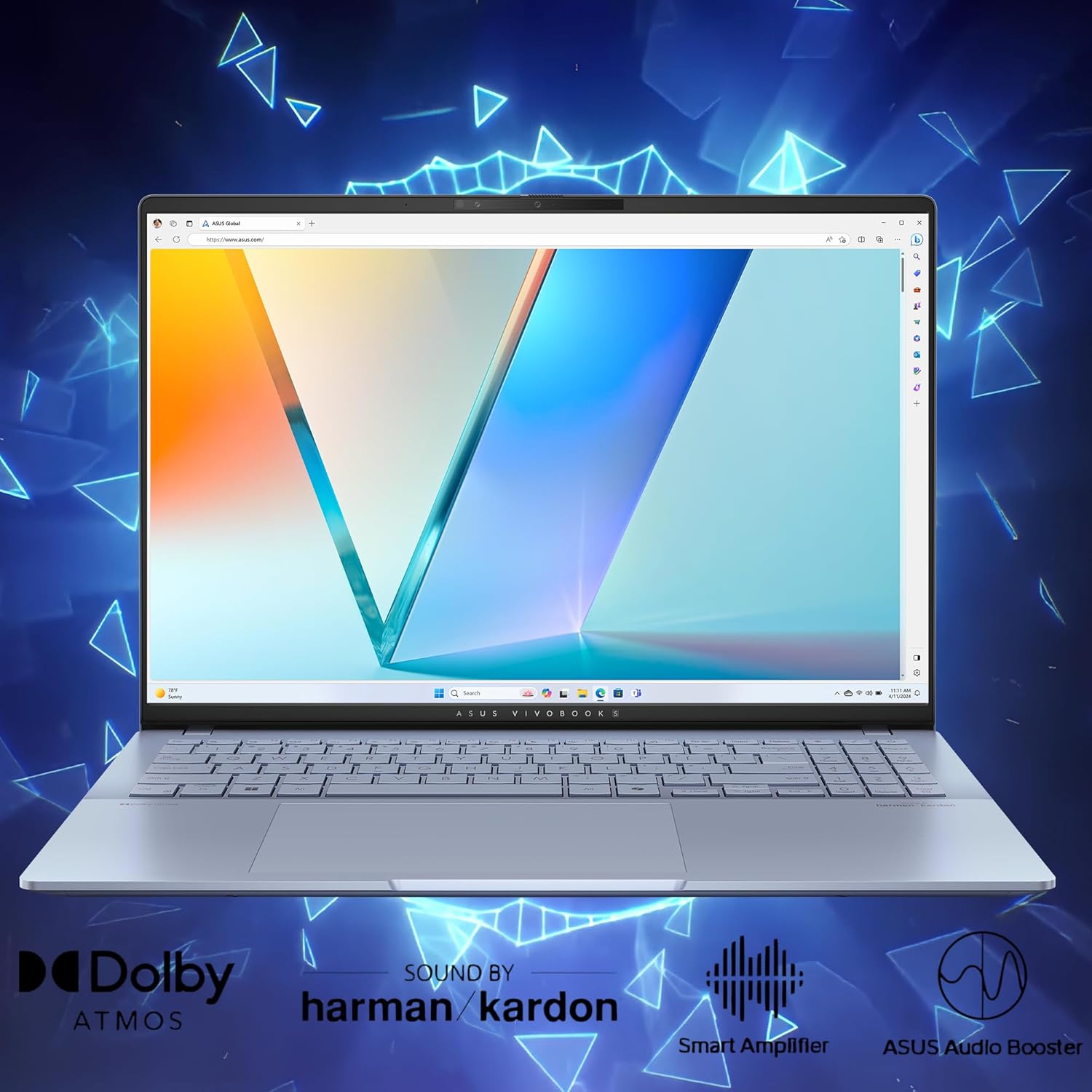
Imatge: Visual highlighting of the audio features of the ASUS Vivobook S16, including Dolby Atmos, Harman/Kardon sound, Smart Amplifier, and ASUS Audio Booster.
3.5 Camera and Privacy
The integrated 1080P FHD IR Camera includes a physical privacy shutter. Slide the shutter to cover the camera lens when not in use to ensure your privacy.
3.6 Connectivitat
The laptop supports Wi-Fi 7 for high-speed wireless internet and Bluetooth 5.4 for connecting wireless peripherals. Manage these connections through the Windows Action Center or Settings.
4. Manteniment
4.1 Neteja del portàtil
- Pantalla: Utilitzeu un drap suau i sense pelusa lleugerament dampNetegeu amb aigua o un netejador de pantalles. Eviteu productes químics agressius.
- Xassís i teclat: Wipe with a soft, dry cloth. For stubborn dirt, use a cloth slightly dampened with isopropyl alcohol. Avoid spraying liquids directly onto the laptop.
- Reixetes: Periodically use compressed air to clear dust from the cooling vents to ensure optimal airflow.
4.2 Cura de la bateria
- Eviteu descarregar completament la bateria amb freqüència.
- Store the laptop in a cool, dry place if not used for extended periods, with the battery charged to about 50%.
- Use only the original ASUS power adapter.
4.3 Actualitzacions de programari
Regularly check for and install updates for Windows 11 Pro and ASUS drivers/utilities to ensure optimal performance and security. Access Windows updates via Settings > Windows Update. Use the MyASUS application for driver and utility updates.
4.4 Durabilitat
The ASUS Vivobook S16 is built to US Military Grade MIL-STD 810H standards, undergoing multiple tests for durability against factors like high/low temperatures, shock, vibration, and altitude. While robust, handle your laptop with care to prevent damage.

Imatge: Graphic illustrating the US Military Grade MIL-STD 810H certification for the ASUS Vivobook S16, showing tests for high temperature, low temperature, shock, vibration, and altitude.
5. Solució De Problemes
5.1 Problemes comuns i solucions
- El portàtil no s'encén: Assegureu-vos que l'adaptador de CA estigui ben connectat i que la presa de corrent funcioni. Intenteu mantenir premut el botó d'engegada durant 15-20 segons per dur a terme un restabliment complet.
- Problemes de visualització (no hi ha imatge, parpelleig): Connect an external monitor to check if the issue is with the laptop's display or graphics output. Restart the laptop. Update graphics drivers.
- Problemes de connectivitat Wi-Fi o Bluetooth: Check if Wi-Fi/Bluetooth is enabled in Windows settings. Restart your router/modem. Update wireless drivers.
- Keyboard backlight readability: Some users may find the RGB keyboard backlight difficult to read in certain lighting conditions due to the keycap design. Try adjusting the backlight brightness or color settings. In well-lit environments, turning off the backlight might improve readability.
- Rendiment lent: Check for background applications consuming resources. Ensure sufficient free storage space. Run a virus scan. Update Windows and drivers.
5.2 Restauració del sistema
Windows 11 Pro offers recovery options to refresh or reset your PC. Access these via Settings > System > Recovery. Back up your data before performing any system recovery.
6. Especificacions
| Característica | Detall |
|---|---|
| Nom del model | ASUS Vivobook S16 |
| Processador | Intel Core Ultra 9 285H (2.9 GHz, up to 5.4 GHz, 16 cores, 16 Threads) with Intel AI Boost NPU (up to 13TOPS) |
| Gràfics | Gràfics integrats d'Intel Arc |
| Mostra | 16" 2.8K WQXGA+ (2880x1800) 16:10 OLED, 120Hz, 600nits HDR peak brightness, 100% DCI-P3, Glare |
| Memòria | 32GB LPDDR5X SDRAM |
| Emmagatzematge | SSD de 1 TB |
| Sistema operatiu | Windows 11 Professional |
| Ports | 2x USB 3.2 Gen 1 Type-A, 2x Thunderbolt 4 (Display/Power Delivery), 1x HDMI 2.1, 1x 3.5mm Combo Audio Jack, 1x Micro SD card reader |
| Connectivitat sense fil | Wi-Fi 7, Bluetooth 5.4 |
| Càmera | 1080P FHD IR Camera with Privacy Shutter |
| Àudio | Dolby Atmos, Harman/Kardon, Smart Amplifier, ASUS Audio Booster |
| Teclat | RGB Backlit Keyboard with Num-key |
| Dimensions (LxWxH) | 13.92" x 9.72" x 0.55" ~ 0.63" |
| Pes | Aproximadament 3.31 lliures |
| Color | Blau Boira |

Imatge: Detallada view of the Intel Core Ultra 9 285H processor, highlighting its 16-core, 16-thread architecture and up to 5.4 GHz clock speed for powerful performance.
7. Garantia i Suport
7.1 Garantia del producte
Your ASUS Vivobook S16 laptop is covered by a limited warranty. Please refer to the warranty card included in your product packaging or visit the official ASUS support weblloc web per obtenir informació detallada sobre els termes i condicions de garantia específics de la vostra regió.
7.2 Suport tècnic
For technical assistance, driver downloads, FAQs, and further support, please visit the official ASUS support weblloc: www.asus.com/support/També hi podeu trobar recursos útils i fòrums comunitaris.
7.3 Included Accessory
The DLCA Accessory (Delca Type-C to USB-A 3-in-1 Cable) is provided by Delca Electronics. For support related to this specific accessory, please refer to any documentation provided with the accessory or contact Delca Electronics directly if needed.


