1. Introducció
This manual provides essential instructions for setting up, operating, and maintaining your BLU Bold N4 5G smartphone. The BLU Bold N4 5G is an unlocked device designed for seamless communication and entertainment, featuring a large 6.78-inch curved main display, a secondary 1.74-inch rear display, a powerful 50MP camera system, and running on Android 15.

Imatge 1.1: Davant i darrere view of the BLU Bold N4 5G smartphone, showcasing its dual display design and camera module.
2. Què hi ha a la caixa
Verifiqueu que tots els elements estiguin presents a l'embalatge del producte:
- BLU Bold N4 5G Smartphone
- Caixa resistent i transparent
- Guia ràpida
- Auriculars
- Cable USB-C
- Charger (66W Ultra Charger)
- SIM Key
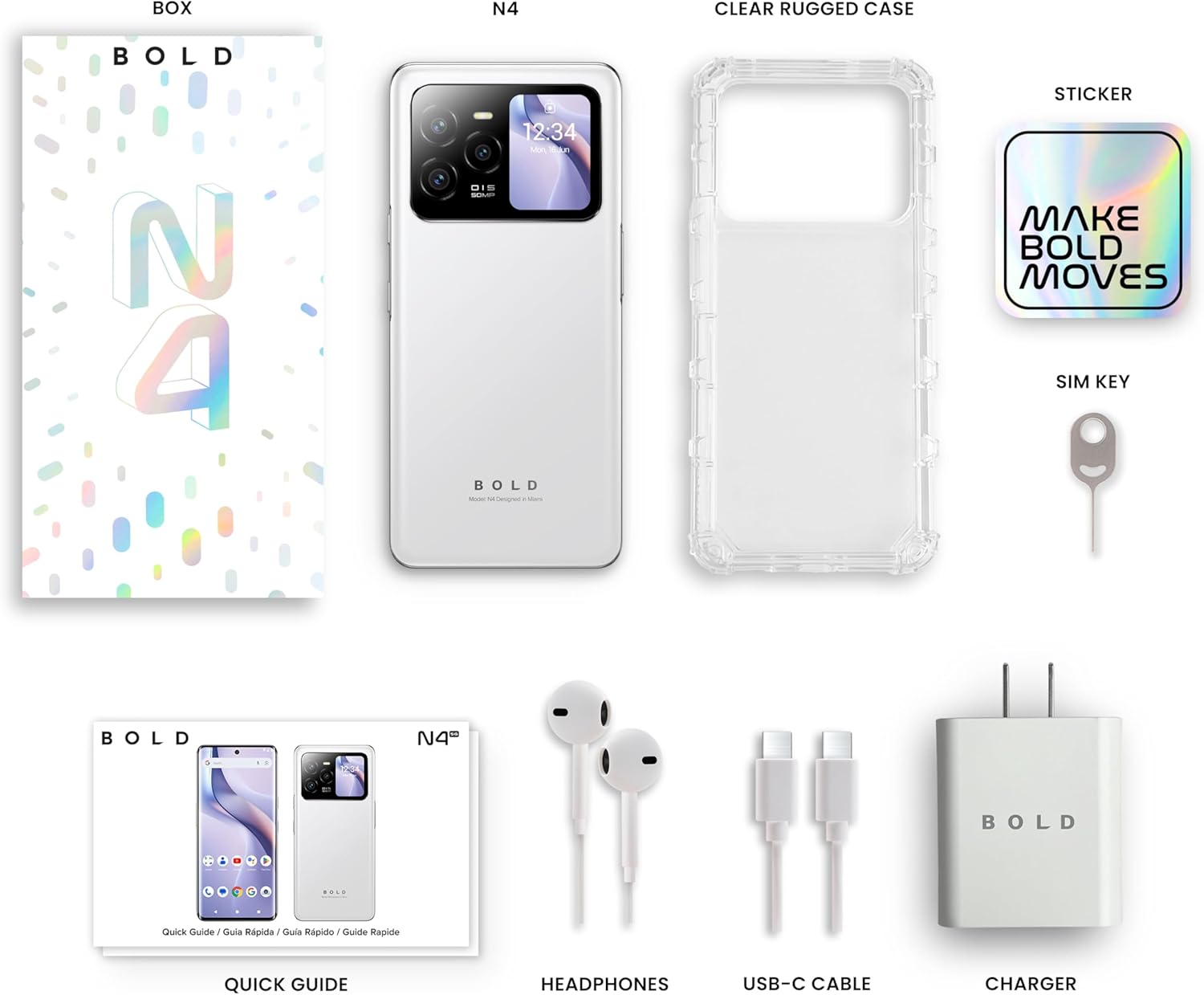
Image 2.1: All included accessories and the BLU Bold N4 5G phone as found in the retail packaging.
3. Configuració
3.1. Instal·lació de la targeta SIM
- Localitza la safata de la targeta SIM al lateral del dispositiu.
- Insert the provided SIM key into the small hole on the SIM tray to eject it.
- Col·loqueu la targeta o targetes nano-SIM a la safata amb els contactes daurats cap avall.
- Torneu a inserir amb cura la safata de la targeta SIM al telèfon.
Nota: This device is GSM Unlocked and compatible with carriers such as T-Mobile and Metro PCS. It is not compatible with AT&T/Cricket or CDMA networks like Verizon and Sprint. Please consult your service provider for network availability.
3.2. Engegada i configuració inicials
- Press and hold the Power button (located on the right side) until the BLU logo appears.
- Segueix les instruccions que apareixen a la pantalla per seleccionar l'idioma, connectar-te a la Wi-Fi i configurar el teu compte de Google.
3.3. Càrrega del dispositiu
Before first use, it is recommended to fully charge your device. Use the provided 66W Ultra Charger and USB-C cable for optimal charging speed.
- Connecteu el cable USB-C al port de càrrega de la part inferior del telèfon.
- Connect the other end of the cable to the 66W charger, then plug the charger into a power outlet.
- The device supports 66W quick charge technology, allowing it to charge from 0% to 100% in approximately 20 minutes.
4. Funcionament del vostre dispositiu
4.1. Main Display (6.78" Curved Display)
The 6.78-inch FHD+ 3D AMOLED Infinity Curved Display offers a 120Hz refresh rate and 1200 x 2652 resolution for a fluid visual experience. Navigate by tapping, swiping, and pinching on the screen.

Image 4.1: The main 6.78-inch curved display of the BLU Bold N4 5G, displaying the home screen with various application icons.
4.2. Rear Display (1.74" Secondary OLED Display)
The 1.74-inch secondary OLED display on the back of the phone provides quick access to functions without needing to open the main screen. It can be used for:
- Selfies: Frame your selfies using the main camera.
- Notificacions: View missatges i alertes entrants.
- Controls de música: Manage media playback.
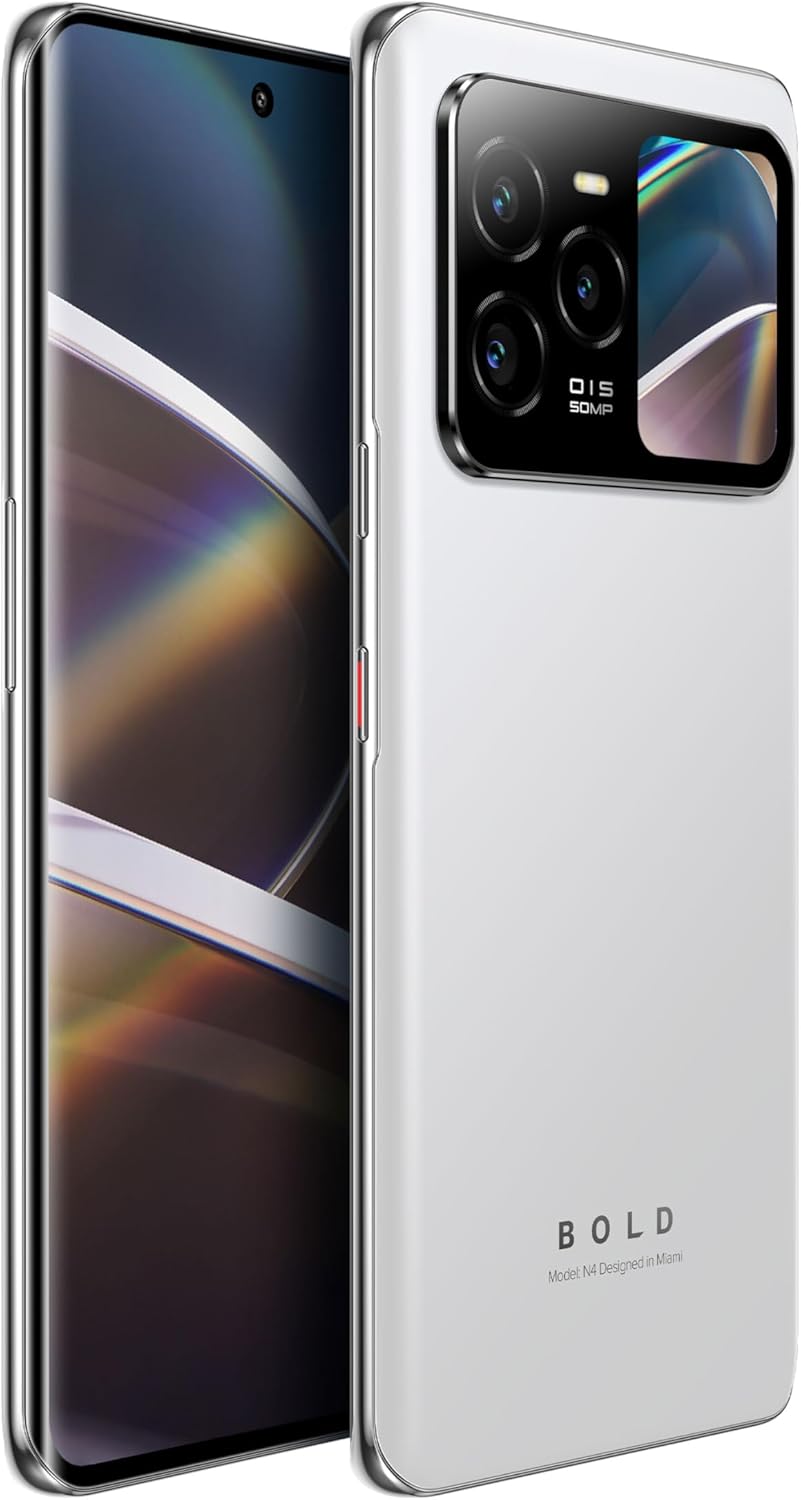
Image 4.2: The BLU Bold N4 5G's rear display actively showing a selfie preview, demonstrating its utility for photography.
4.3. Ús de la càmera
The BLU Bold N4 5G features a versatile camera system:
- Càmera posterior triple: 50MP AI Super HDR main sensor, 8MP Wide Angle, and 8MP Telephoto lens.
- Càmera frontal: Càmera per a selfies de 16 MP.
- Admet l'enregistrament de vídeo 4K.
To take a photo or record a video, open the Camera app and select your desired mode. Use the rear display for high-quality selfies with the main camera.
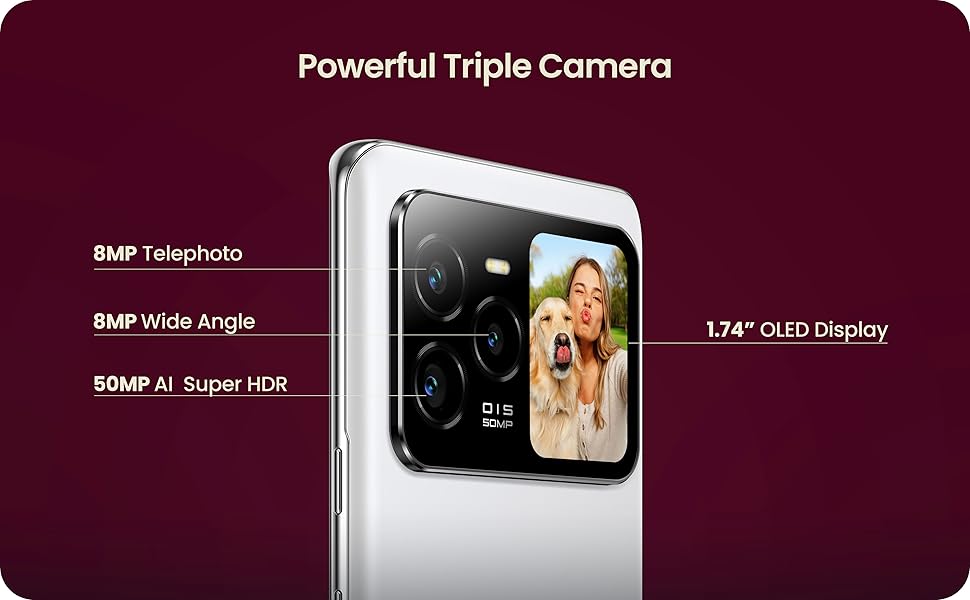
Image 4.3: Close-up of the BLU Bold N4 5G's triple camera module, highlighting the 50MP AI Super HDR, 8MP Wide Angle, and 8MP Telephoto lenses, along with the 1.74" OLED display.
4.4. Característiques de seguretat
Unlock your device securely and conveniently:
- Sensor d'empremtes dactilars a la pantalla: Register your fingerprint(s) in the Security settings for quick and secure unlocking.
- Desbloqueig facial: Set up face recognition for an alternative biometric unlock method.
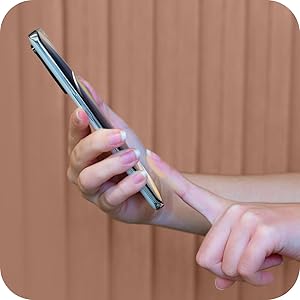
Image 4.4: A hand interacting with the in-display fingerprint sensor on the BLU Bold N4 5G for secure authentication.
4.5. NFC (Comunicació de camp proper)
The BLU Bold N4 5G is NFC enabled, allowing for tap-to-pay functionality and quick pairing with other NFC-compatible devices.
- To use tap-to-pay, ensure NFC is enabled in your phone's settings and set up your preferred payment app.
- Hold the back of your phone near a compatible payment terminal to complete transactions.
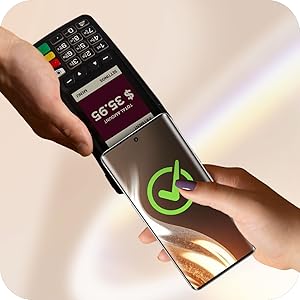
Image 4.5: The BLU Bold N4 5G being used for a contactless payment via NFC at a point-of-sale terminal.
4.6. Sistema operatiu Android 15
Your device runs on Android 15, offering the latest features, security updates, and a user-friendly interface. Explore the Google Play Store for a wide range of applications.

Image 4.6: The official logo for the Android 15 operating system.
5. Manteniment
5.1. Cura de la bateria
El dispositiu està equipat amb una bateria de 5,000 mAh. Per maximitzar la durada de la bateria:
- Eviteu temperatures extremes.
- Use the original BLU charger and cable.
- Avoid frequently draining the battery completely or charging it to 100% for extended periods.
5.2. Actualitzacions de programari
Comproveu i instal·leu regularment si hi ha actualitzacions de programari per assegurar-vos que el dispositiu tingui les darreres funcions, pegats de seguretat i millores de rendiment. Normalment podeu trobar aquesta opció a Configuració > Sistema > Actualització del sistema.
5.3. Neteja del dispositiu
Feu servir un drap suau i sense borrissol per netejar la pantalla i la carcassa del telèfon. Eviteu utilitzar productes químics agressius o materials abrasius.
5.4. Gestió de l'emmagatzematge
Your device comes with 512GB of internal storage. Regularly manage your files, photos, and videos to ensure optimal performance. You can offload data to cloud storage or a computer if needed.
6. Solució De Problemes
6.1. El dispositiu no s'encén
- Assegureu-vos que la bateria estigui carregada. Connecteu el carregador i espereu uns minuts abans d'intentar engegar-lo.
- Mantingueu premut el botó d'engegada durant almenys 10-15 segons per realitzar un reinici forçat.
6.2. Problemes de connectivitat de xarxa
- Verifiqueu que la targeta SIM estigui inserida correctament.
- Check your carrier's network coverage in your area.
- Ensure your device is compatible with your carrier (GSM Unlocked, T-Mobile, Metro PCS compatible; not AT&T/Cricket or CDMA networks).
- Reinicieu el vostre dispositiu.
6.3. Problemes de càrrega
- Ensure the charger and USB-C cable are securely connected to both the phone and the power outlet.
- Proveu d'utilitzar una presa de corrent diferent.
- Inspeccioneu el port de càrrega per detectar qualsevol residu.
7. Especificacions
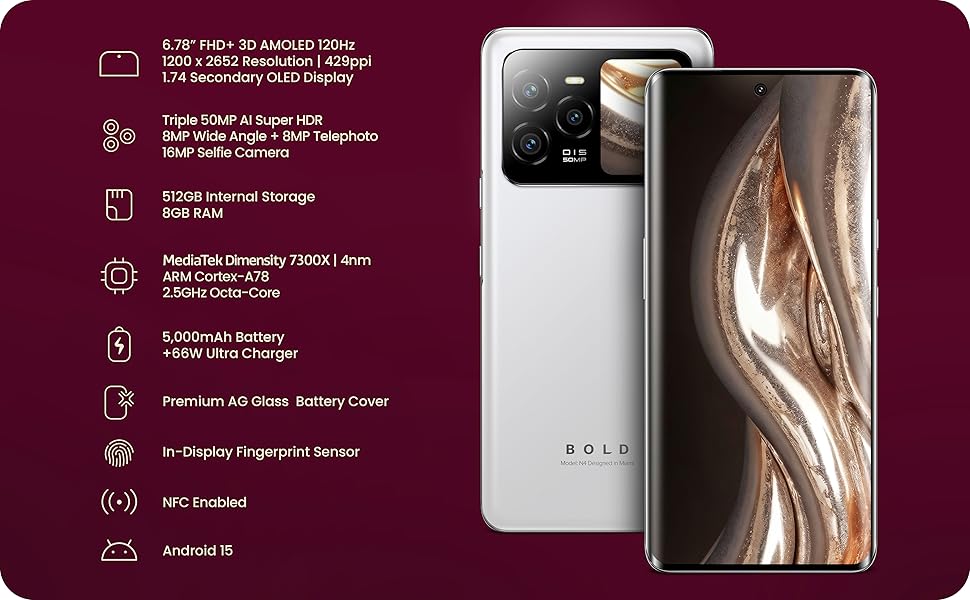
Image 7.1: A visual summary of the BLU Bold N4 5G's key technical specifications.
| Característica | Especificació |
|---|---|
| Número de model | N0090WW |
| Sistema operatiu | Android 15 |
| Pantalla principal | 6.78" FHD+ 3D AMOLED, 120Hz, 1200 x 2652 Resolution, 429ppi |
| Pantalla posterior | 1.74" Secondary OLED Display |
| Processador | MediaTek Dimensity 7300X | 4nm ARM Cortex-A78 2.5GHz Octa-Core |
| Emmagatzematge intern | 512 GB |
| RAM | 8 GB |
| Càmera posterior | Triple 50MP AI Super HDR + 8MP Wide Angle + 8MP Telephoto |
| Càmera Selfie | 16MP |
| Bateria | 5000 mAh amb càrrega ràpida de 66 W |
| Connectivitat | 5G Cellular Technology, NFC Enabled, USB Type C |
| Seguretat | Sensor d'empremtes dactilars en pantalla, desbloqueig facial |
| Dimensions | 7.32 x 3.94 x 2.05 polzades (paquet) |
| Pes de l'article | 1.23 lliures |
8. Garantia i Suport
Your BLU Bold N4 5G comes with a US Warranty. For specific warranty terms and conditions, please refer to the warranty card included in your product packaging or visit the official BLU weblloc.
For technical support, troubleshooting assistance, or any other inquiries, please contact BLU customer service. You can find contact information on the official BLU weblloc web o a través de la botiga BLU a Amazon: Visit the BLU Store.


