1. Producte acabatview
The Bewinner MP3 Music Player with Camera is a portable multimedia device designed for music playback, photo and video recording, and other entertainment functions. It features a responsive touchscreen, Bluetooth connectivity, and expandable storage.

Imatge 1.1: Frontal view of the Bewinner MP3 Player displaying time and date, alongside its USB-C charging cable.
Característiques principals:
- 2.01-inch IPS HD Touchscreen Display
- Built-in 720P Digital Camera with 90-degree rotating lens
- Connectivitat Bluetooth 5.4
- Expandable Storage up to 128GB (via memory card)
- Support for multiple audio formats (MP3, WMA, WAV, APE, FLAC, AAC LC, M4A, OGG)
- Integrated Speaker and Voice Recorder
- Additional functions: FM Radio, E-book reader, Photo viewer, Alarms, Stopwatch
2. Guia de configuració
2.1 Càrrega del dispositiu
- Connect the provided USB-C cable to the charging port on the MP3 player.
- Connecteu l'altre extrem del cable USB-C a un adaptador de corrent USB compatible (no inclòs) o al port USB d'un ordinador.
- The device will indicate charging status on the screen. A full charge typically takes approximately 2 hours.
2.2 Instal·lació d'una targeta de memòria
The device supports memory card expansion up to 128GB. A memory card is required for storing a large number of songs, photos, and videos.
- Locate the memory card slot on the side of the MP3 player.
- Introduïu suaument la targeta de memòria a la ranura fins que encaixi al seu lloc. Assegureu-vos que la targeta estigui orientada correctament.
- Per treure-la, empenyeu suaument la targeta cap a dins fins que surti.
2.3 Engegada/apagada
- Per encendre: Premeu i manteniu premut el botó d'engegada fins que la pantalla s'il·lumini.
- Per apagar: Press and hold the Power button until the power-off prompt appears, then confirm on the touchscreen.
3. Instruccions de funcionament
3.1 Navegació per la interfície
The MP3 player features a 2.01-inch touchscreen for navigation. Swipe left/right or tap icons to access different functions.
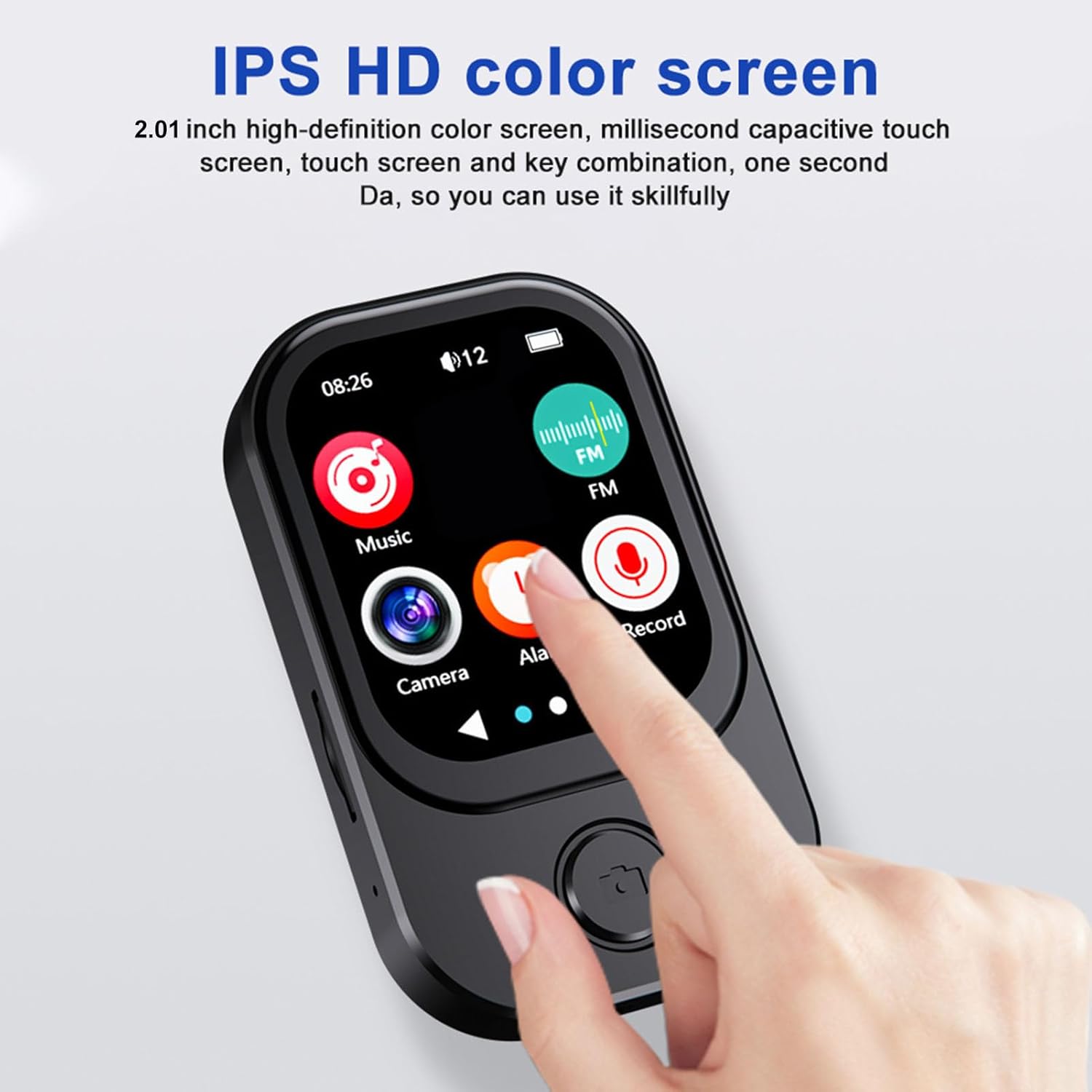
Image 3.1: A finger interacting with the responsive touchscreen interface of the MP3 player.
3.2 Reproducció de música
- From the main menu, tap the 'Music' icon.
- Navega per la teva biblioteca musical per artista, àlbum, gènere o carpeta.
- Toca una cançó per començar la reproducció.
- Use the on-screen controls for play/pause, skip tracks, and volume adjustment.
3.3 Ús de la càmera
The integrated camera allows for both photo and video recording.
- From the main menu, tap the 'Camera' icon.
- The camera lens can be rotated 90 degrees for flexible shooting angles.
- Toqueu la pantalla per fer una foto o canviar al mode de gravació de vídeo.
- Recorded photos and videos are saved to the memory card.

Image 3.2: The MP3 player highlighting its rotating camera lens and various recording functions.
3.4 Connectivitat Bluetooth
- From the main menu, navigate to 'Settings' and then 'Bluetooth'.
- Activa el Bluetooth i busca els dispositius disponibles.
- Select your desired headphones or speaker from the list to pair.
3.5 Altres funcions
- Ràdio FM: Access the FM Radio app to scan for and listen to local radio stations.
- Gravadora de veu: Use the built-in microphone to record voice memos.
- Llibres electrònics: Transfer compatible e-book files to the device and read them using the e-book reader.
- Reproducció de vídeo: Videos may require format conversion before playback on the device. Refer to the device's software for compatible formats.
4. Manteniment
4.1 Neteja
- Feu servir un drap suau, sec i sense borrissol per netejar la pantalla i la carcassa del dispositiu.
- Avoid using abrasive cleaners, solvents, or aerosol sprays, as these can damage the device.
4.2 Emmagatzematge
- Guardeu el dispositiu en un lloc fresc i sec, allunyat de la llum solar directa i de temperatures extremes.
- When not in use for extended periods, ensure the battery is partially charged (around 50%) to prolong its lifespan.
5. Solució De Problemes
5.1 El dispositiu no s'encén
- Assegureu-vos que el dispositiu estigui completament carregat. Connecteu-lo a una font d'alimentació i espereu uns minuts abans d'intentar tornar-lo a encendre.
- Si la bateria està completament esgotada, el dispositiu pot trigar uns minuts a carregar-se abans que respongui.
5.2 Cannot Connect to Bluetooth Device
- Ensure Bluetooth is enabled on both the MP3 player and the target device.
- Make sure both devices are within the effective Bluetooth range (typically 10 meters).
- Prova de desvincular i tornar a vincular els dispositius.
5.3 Mala qualitat d'àudio
- Comproveu l'àudio file format and ensure it is supported.
- If using wired headphones, ensure they are fully plugged into the 3.5mm audio port.
- If using Bluetooth, ensure a stable connection and that the volume is appropriately set on both devices.
5.4 Storage Issues / Memory Card Not Detected
- Ensure the memory card is correctly inserted into the slot.
- Try removing and reinserting the memory card.
- Verify that the memory card is not damaged and is formatted correctly (e.g., FAT32).
6. Especificacions
| Característica | Especificació |
|---|---|
| Número de model | Bewinner6rb3g52470-13 |
| Dimensions | Aprox. 67.5 x 41 x 13.5 mm (2.7 x 1.6 x 0.5 polzades) |
| Pes | 3.74 unces |
| Color | Negre |
| Bateria | Bateria de ions de liti integrada de 500 mAh |
| Pantalla | Pantalla IPS de 2.01 polzades |
| Versió Bluetooth | BT 5.4 |
| Resolució fotogràfica | 1280 x 720 |
| Resolució de gravació de vídeo | 1280 x 720 |
| Port de càrrega | Tipus C |
| Port d'àudio | 3.5 mm |
| Suport per a targetes de memòria | Fins a 128 GB |
| Formats d'àudio compatibles | MP3, WMA, WAV, APE, FLAC, AAC LC, M4A, OGG |
7. Garantia i Suport
For warranty information and customer support, please refer to the documentation provided at the time of purchase or contact your retailer. You may also visit the official Bewinner weblloc per obtenir més ajuda.


