1. Configuració i instal·lació
This section provides instructions for installing your Ossuret car radio in an Opel Meriva B (2009-2014) vehicle.
1.1 Contingut del paquet
Abans de començar la instal·lació, comproveu que hi hagi tots els components:
- Ossuret 9-inch Android 13 Car Radio Unit
- Cable USB
- RCA Harness
- Antena GPS
- Descodificador Canbus
- Power Cables and Connectors
1.2 Procés d'instal·lació
The Ossuret car radio is designed for direct installation in compatible Opel Meriva B models (2009-2014). It is recommended that installation be performed by a qualified technician.
- Preparació: Assegureu-vos que el vehicle estigui apagat i que la bateria estigui desconnectada abans de començar la instal·lació.
- Eliminar la ràdio original: Carefully remove the existing car radio and trim from the dashboard.
- Connecteu el cablejat: Connect the provided power cables, RCA harness, USB cable, GPS antenna, and Canbus decoder to the corresponding ports on the new Ossuret unit and the vehicle's wiring harness. Ensure all connections are secure.
- Funcionalitat de prova: Before fully securing the unit, temporarily reconnect the battery and turn on the ignition to test basic functions such as power, audio, and display.
- Unitat segura: Once tested, carefully mount the Ossuret car radio into the dashboard opening and secure it with the appropriate fasteners. Reinstall any removed trim pieces.
- Comprovació final: Reconnect the battery fully and perform a comprehensive check of all features.

Image: Comparison of the Opel Meriva B dashboard before and after the Ossuret car radio installation, demonstrating the integrated fit.
2. Instruccions de funcionament
This section details the various functions and features of your Ossuret car radio.
2.1 Funcionament bàsic
- Encès/apagat: The unit powers on automatically with the vehicle's ignition. To manually power off, press and hold the power button (if available) or use the software interface.
- Interfície de pantalla tàctil: The 9-inch capacitive touchscreen allows for intuitive control of all functions. Tap, swipe, and pinch gestures are supported.
- Control de volum: Adjust the audio volume using the on-screen controls or the vehicle's steering wheel controls.
2.2 Control del volant
The unit supports the vehicle's factory steering wheel controls. This allows for safe adjustment of tracks, channels, and volume without taking your hands off the wheel.

Image: Display showing the configuration options for mapping vehicle steering wheel buttons to radio functions.
2.3 Wireless Carplay / Android Auto
The car radio is compatible with Wireless Apple Carplay and Android Auto. The Zlink application is pre-installed and activated for this functionality.
- Connexió: Connect your smartphone via Wi-Fi or Bluetooth. Once paired, Carplay or Android Auto will launch automatically.
- Característiques: Access navigation, music, calls, messages, and other compatible smartphone applications directly on the car radio screen.

Image: The car radio screen showing both Apple Carplay and Android Auto interfaces, along with examples of voice commands for navigation and music playback.
2.4 Funcionalitat Bluetooth
The integrated Bluetooth module allows for hands-free calling and wireless music streaming.
- Trucades mans lliures: Pair your phone to make and receive calls. The built-in microphone captures your voice, and the car speakers provide clear audio.
- Phonebook Sync: Download your phone's contacts to the radio for easy access.
- Transmissió d'àudio: Play music wirelessly from your smartphone or other Bluetooth-enabled devices.
2.5 Navegació GPS
The unit includes GPS navigation capabilities. Ensure the GPS antenna is properly installed for optimal signal reception.
- Map Software: The system comes with pre-installed map software. You can also download other navigation applications from the Google Play Store.
- Guia de ruta: Follow voice prompts and on-screen directions for turn-by-turn navigation.

Image: A digital map displaying a red pin icon, symbolizing GPS navigation functionality.
2.6 Ràdio FM
Access local and regional radio stations using the built-in FM tuner.
- Cerca d'emissores: Use the touchscreen to scan for available stations or manually tune to a specific frequency.
- Presets: Desa les teves emissores preferides per accedir-hi ràpidament.

Image: The car radio screen showing the FM radio interface, including frequency display and a list of available stations.
Pantalla dividida 2.7
La funció de pantalla dividida permet executar dues aplicacions simultàniament, com ara la navegació i la reproducció de música.
- Activació: Refer to the Android operating system's instructions for activating split-screen mode.
- Ús: Drag compatible apps to either side of the screen to use them concurrently.

Image: The car radio dashboard screen displaying a split-screen view, with navigation on one side and music playback controls on the other.
2.8 Connexió USB
The unit supports USB connections for various peripherals.
- Reproducció multimèdia: Connect a USB flash drive to play audio or video files.
- Dispositius externs: Support for DVR, DAB+, and TPMS devices via USB.
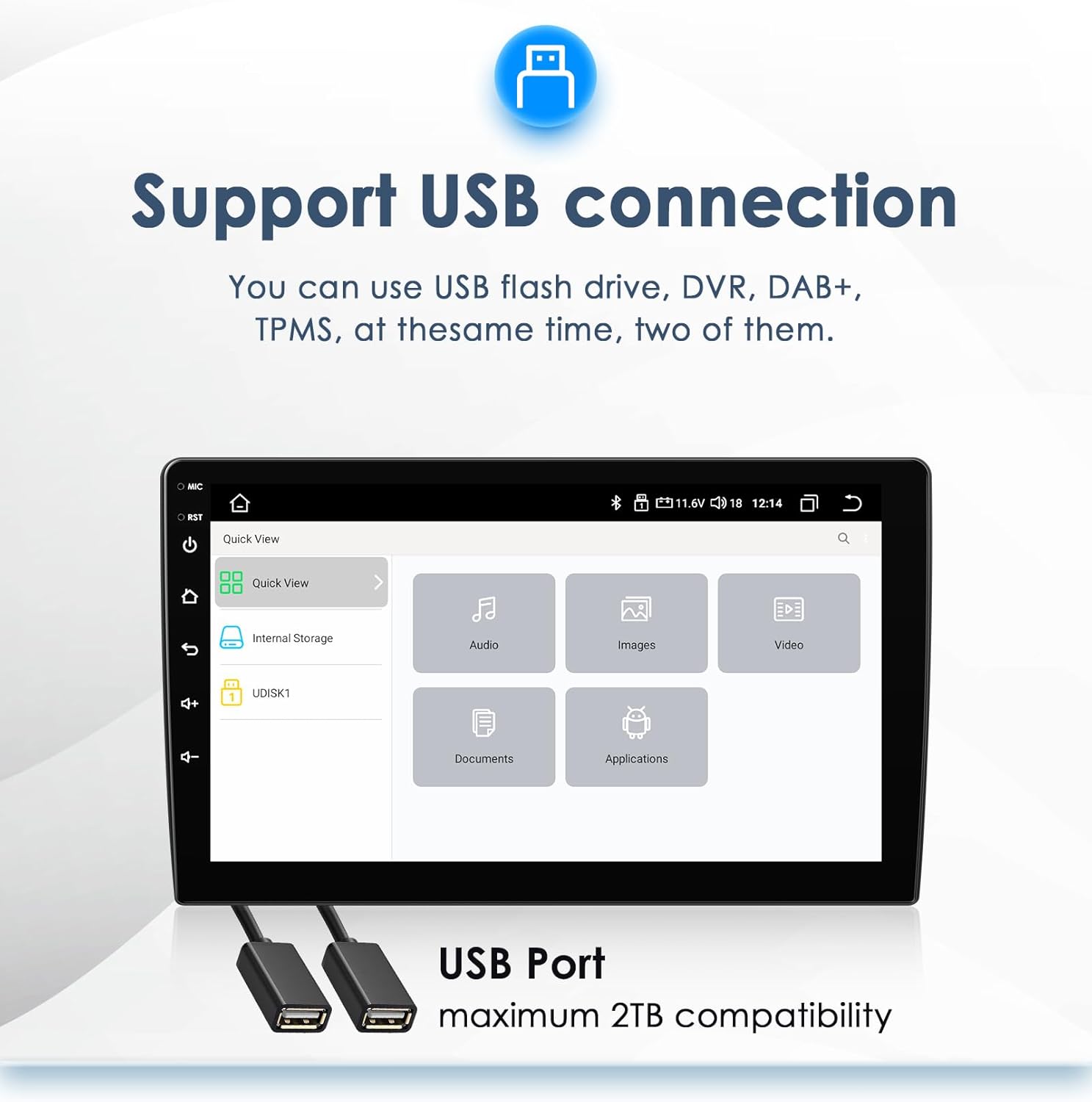
Image: The car radio interface displaying options for accessing media from internal storage or a connected USB drive, with two USB ports shown below.
2.9 Darrera View Entrada de càmera
El sistema admet una part posterior view camera input, enhancing safety during reversing maneuvers.
- Visualització automàtica: When the vehicle is shifted into reverse, the screen automatically switches to the rear camera view.
- Blind Spot Reduction: Proporciona un clar view of the area behind the vehicle, helping to avoid obstacles.

Image: The car radio screen displaying a rear view camera feed with adjustable parking guidelines, indicating support for a backup camera system.
2.10 Control de veu
Utilize voice commands for various functions, improving convenience and safety while driving.
- Activació: Activate voice control through the system settings or by using a dedicated button (if available).
- Ordres: Issue commands for navigation, music playback, making calls, and more.
3. Manteniment
Proper maintenance ensures the longevity and optimal performance of your Ossuret car radio.
3.1 Neteja
- Pantalla: Use a soft, lint-free cloth specifically designed for electronic screens. Do not use abrasive cleaners or solvents.
- Exterior de la unitat: Netegeu l'exterior amb un suau, damp drap. Eviteu que entri humitat a les obertures.
3.2 Actualitzacions de programari
Periodically check for software updates to ensure your system has the latest features and performance improvements. Updates can typically be found through the system settings or the manufacturer's official weblloc.
4. Solució De Problemes
This section addresses common issues you might encounter with your car radio.
| Problema | Causa possible | Solució |
|---|---|---|
| Sense poder | Connexió d'alimentació fluixa, fusible fundit, problema amb la bateria del vehicle. | Check power cables and fuses. Ensure vehicle battery is charged. |
| Sense so | Volume too low, incorrect audio source, loose speaker connections. | Increase volume. Select correct audio source. Check speaker wiring. |
| Pèrdua de senyal GPS | GPS antenna obstruction or disconnection. | Assegureu-vos que l'antena GPS tingui una visió clara view del cel i està connectat de manera segura. |
| Error d'emparellament Bluetooth | Device not in pairing mode, incorrect password, interference. | Ensure both devices are in pairing mode. Re-enter password. Try pairing in a different location. |
| La pantalla tàctil no respon | Error de programari, danys a la pantalla. | Restart the unit. If issue persists, contact support. |
If you encounter problems not listed here or if the suggested solutions do not resolve the issue, please contact customer support.
5. Especificacions
Key technical specifications for the Ossuret 9-inch Android 13 Car Radio:
- Mida de la pantalla: 9 polzades
- Sistema operatiu: Android 13
- Memòria: 2GB RAM + 32GB Internal Storage
- Connectivitat: Bluetooth, USB, Wi-Fi
- Característiques especials: Wireless Carplay/Android Auto, GPS Navigation, Rear Camera Input, Steering Wheel Control
- Mode de sortida d'àudio: estèreo
- Touchscreen Type: Capacitiva
- Components inclosos: USB Cable, RCA harness, GPS antenna, Canbus
- Dimensions del paquet: 30 x 25 x 13 cm
- Pes: 1.8 kg
6. Garantia i Suport
For warranty information, please refer to the documentation provided with your purchase or contact the seller directly. Ossuret is committed to providing quality products and customer satisfaction.
6.1 Atenció al client
If you require technical assistance, have questions about product functionality, or need to report an issue, please contact the seller or Ossuret customer support through the contact information provided at the point of purchase or on the official Ossuret weblloc.