1. Introducció
This manual provides essential information for the NIMO 15.6" Gaming Laptop (Model N159). It covers product features, setup procedures, operating instructions, maintenance guidelines, troubleshooting tips, and detailed specifications. Please read this manual thoroughly before using your new laptop to ensure optimal performance and longevity.

Image: The NIMO 15.6" Gaming Laptop, showcasing its display and key features like fingerprint unlock, Type-C PD charger, and backlit keyboard.
2. Què hi ha a la caixa
Verifiqueu que tots els elements estiguin presents a l'embalatge:
- 1 x Portàtil NIMO N159
- 1 x Carregador ràpid tipus C 100 W PD
- 1 x Manual d'usuari (aquest document)
- Windows 11 Home Operating System (pre-installed)
- Informació de garantia (2 anys de garantia, 90 dies de devolució)
3. Producte acabatview
3.1 Característiques clau
- Processador: AMD Ryzen 7 7735HS (8 nuclis, 16 fils de treball, fins a 4.75 GHz)
- Gràfics: Integrated AMD Radeon 680M GPU
- Visualització: 15.6" Full HD (1920x1080) IPS Anti-Glare Display
- Memòria: 16GB DDR5 RAM (upgradeable)
- Emmagatzematge: 1TB PCIe 4.0 SSD (upgradeable)
- Càrrega: 100W Type-C PD Fast Charger
- Seguretat: Fingerprint Reader for secure unlock
- Teclat: Teclat retroil·luminat amb teclat numèric
- Àudio: Dual 2W stereo speakers, dual beamforming microphones
- Weblleva: 2MP with physical camera shutter
- Sistema operatiu: Windows 11 Home

Image: An illustration detailing the AMD Ryzen 7 7735HS processor, highlighting its 8 cores, 16 threads, and integrated Radeon 680M graphics for balanced performance.
3.2 Ports i connectors
Familiarize yourself with the available ports on your NIMO laptop:

Image: A detailed diagram illustrating the location and type of ports on the NIMO laptop, including USB 2.0, USB 3.2 Gen1, Type-C Gen2 (multifunction), HDMI 2.0, Audio Jack, Micro SD Reader, and Kensington Lock.
- Port USB 2.0: Per connectar dispositius USB més antics.
- USB 3.2 Gen1 Ports (x4): Per a la transferència de dades d'alta velocitat amb dispositius USB compatibles.
- Type-C Gen2 Ports (x2, Multifunction): Supports data transfer, video output, and power delivery (100W PD fast charging).
- Port HDMI 2.0: Per connectar a pantalles o televisors externs.
- Jack d'àudio: Per connectar auriculars o altaveus externs.
- Micro SD Reader: For reading Micro SD memory cards.
- Ranura de bloqueig Kensington: For securing your laptop with a compatible lock.
4. Configuració
4.1 Encès inicial
- Desembaleu el portàtil i tots els accessoris de la caixa.
- Connect the 100W Type-C PD Fast Charger to one of the Type-C ports on the laptop and then to a power outlet.
- Obriu la tapa del portàtil. És possible que el portàtil s'encengui automàticament o que hàgiu de prémer el botó d'engegada.
- Seguiu les instruccions que apareixen a la pantalla per completar la configuració del Windows 11 Home, inclosa la selecció d'idioma, la connexió de xarxa i la creació d'un compte d'usuari.
4.2 Càrrega de la bateria
Before first use, it is recommended to fully charge the laptop battery. The 100W Type-C PD Fast Charger can provide approximately 5 hours of usage time with just 1 hour of charging.

Image: A visual representation of the 100W Type-C lightning-fast charger connected to the NIMO laptop, demonstrating its ability to charge quickly and efficiently.
5. Instruccions de funcionament
5.1 Engegada/Apagada i Mode de repòs
- Encès: Premeu el botó d'engegada que es troba al teclat.
- Apagar: Feu clic al botó Inici del Windows i, a continuació, seleccioneu Energia > Apagar.
- Mode de repòs: Feu clic al botó Inici i, a continuació, seleccioneu Energia > Repòs o tanqueu la tapa del portàtil.
5.2 Using the Fingerprint Unlock
The fingerprint reader is integrated into the touchpad for quick and secure access.
- During Windows setup or later in Windows Settings, configure your fingerprint for login.
- To unlock, simply place your registered finger on the fingerprint reader on the touchpad.
5.3 Adjusting the Backlit Keyboard
The keyboard backlight can be adjusted for comfortable typing in various lighting conditions.

Image: A visual guide demonstrating the fingerprint unlock feature on the touchpad and the functionality of the backlit keyboard, including how to cycle through brightness settings using the F9 key.
- Premeu el botó F9 key to cycle through backlight settings:
- 1 Tap: Light (Temporary)
- 2 Taps: Light (Temporary)
- 3 Taps: Light (Constant)
- 4 Taps: Off
5.4 Utilitzant el WebObturador de càmera
For privacy, the laptop includes a physical camera shutter.
- Slide the shutter to the left to open the camera.
- Slide the shutter to the right to close and cover the camera lens.

Image: A visual guide demonstrating the physical camera shutter, showing both the 'Camera Open' and 'Camera Close' statuses for enhanced privacy.
6. Manteniment
6.1 Neteja del portàtil
- Always power off the laptop and disconnect the charger before cleaning.
- Utilitzeu un drap suau i sense pelusa lleugerament dampNetegeu la pantalla amb aigua o amb un netejador de pantalles.
- Per al teclat i el xassís, feu servir un drap suau i sec. Eviteu productes químics agressius o materials abrasius.
- Use compressed air to clear dust from vents periodically.
6.2 Cura de la bateria
- Eviteu descarregar completament la bateria amb freqüència.
- Guardeu el portàtil en un lloc fresc i sec si no el feu servir durant períodes prolongats.
- No exposeu el portàtil a temperatures extremes.
6.3 Actualitzacions de programari
Comproveu i instal·leu regularment si hi ha actualitzacions del sistema operatiu i dels controladors per garantir un rendiment i una seguretat òptims.
7. Solució De Problemes
| Problema | Causa possible | Solució |
|---|---|---|
| El portàtil no s'encén. | Problema amb la bateria baixa o l'adaptador de corrent. | Connect the charger and wait a few minutes before attempting to power on. Ensure the charger is properly connected to both the laptop and the power outlet. |
| La pantalla està en blanc o negra. | Laptop in sleep mode, display settings issue, or hardware problem. | Press any key or the power button to wake from sleep. Try connecting an external monitor to check if the display output works. Restart the laptop. |
| La retroiluminació del teclat no funciona. | Backlight turned off or at lowest setting. | Premeu el botó F9 key repeatedly to cycle through brightness levels and turn on the backlight. |
| Fingerprint unlock not working. | Finger not properly placed, or sensor issue. | Ensure your finger is clean and dry and covers the sensor completely. Re-register your fingerprint in Windows Settings if the issue persists. |
| Rendiment lent. | Too many applications running, insufficient storage, or outdated drivers. | Close unnecessary applications. Check available storage space. Update Windows and device drivers. |
If you encounter issues not listed here or require further assistance, please contact NIMO customer support.
8. Especificacions
| Marca | NIMO |
| Nom del model | NIMO N159B |
| Mida de la pantalla | 15.6 polzades |
| Resolució de pantalla | 1920 x 1080 píxels (FHD IPS) |
| Processador | AMD Ryzen 7 7735HS (8 Cores, 4.75 GHz Max Turbo) |
| RAM | 16 GB de DDR5 (4800 MHz) |
| Disc dur | 1024 GB SSD (PCIe 4.0) |
| Coprocessador gràfic | AMD Radeon 680M (integrada) |
| Sistema operatiu | Windows 11 Home |
| Tipus sense fil | 802.11a/b/g/n/ac |
| Ports USB 2.0 | 1 |
| Ports USB 3.0 | 4 |
| Durada mitjana de la bateria | 5 Hours (54Wh, 11.4V/4700mAh) |
| Pes de l'article | 3.8 lliures |
| Dimensions del producte | 14.07 x 8.98 x 0.76 polzades |
| Color | Blau |
| posterior WebResolució de la càmera | 2 MP |
| Característiques especials | Teclat retroil·luminat, lector d'empremtes dactilars, àudio HD, teclat numèric |
9. Garantia i Suport
9.1 Garantia del fabricant
Your NIMO N159 laptop is covered by a comprehensive Garantia del fabricant de 2 anys from Nimo Direct Inc. This warranty covers defects in materials and workmanship under normal use. For warranty claims, please contact customer support.

Image: A technician working on a laptop's internal components, representing the 2-year support provided for Nimo products.
9.2 Política de devolució
Nimo Direct Inc. offers a 90-Day Hassle-Free Return Policy. You may return any Nimo product for any reason within 90 days of purchase. Please refer to your purchase documentation for specific return procedures.
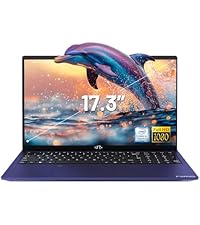
Image: A delivery person handing a package to a customer, illustrating the 90-day return policy for Nimo products.
9.3 Atenció al client
For any product-related questions, technical assistance, or warranty claims, please contact our professional after-sales service team. Our dedicated support team is available to resolve issues or facilitate replacements.
- Correu electrònic: service@nimopc.com
- En línia: Visita el NIMO oficial website or product page for contact options.

Image: Customer service representatives wearing headsets, indicating professional customer assistance available via phone and live chat.


