1. Introducció
This manual provides essential information for setting up, operating, and maintaining your NIMO N151 15.6" FHD Laptop. Please read this guide thoroughly before using your device to ensure optimal performance and longevity.
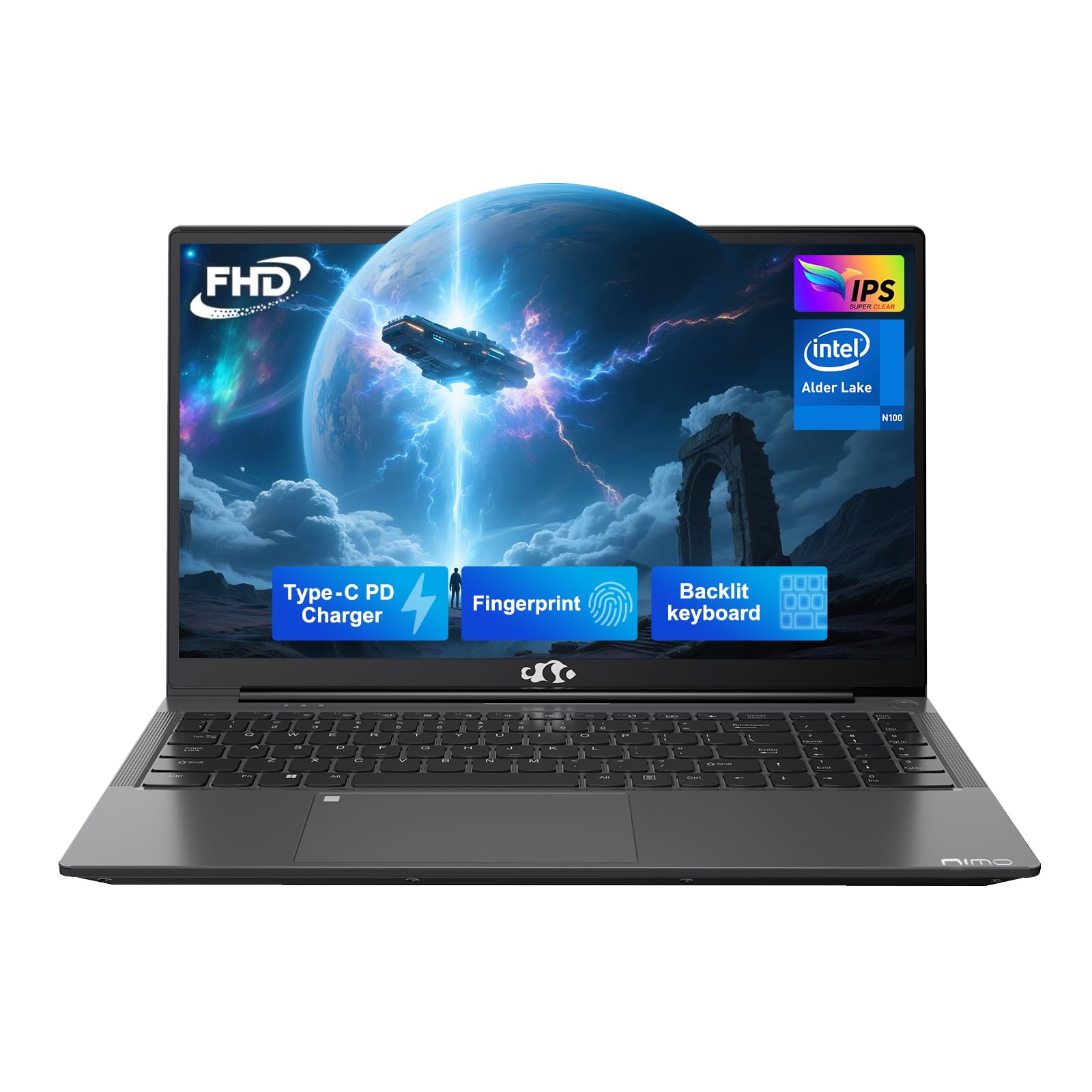
Figure 1: NIMO N151 Laptop, closed.
2. Contingut del paquet
Verifiqueu que tots els elements siguin presents al paquet:
- 1 x Portàtil NIMO N151
- 1 x Carregador ràpid tipus C 65 W PD
- 1 x Manual d'usuari
- Windows 11 Home (pre-installed)
3. Guia de configuració
3.1 Encès inicial
- Unpack the laptop and charger from the box.
- Connect the Type-C 65W PD Fast Charger to the laptop's Type-C port and a power outlet.
- Open the laptop lid. The laptop may power on automatically or require you to press the power button. The power button is typically located on the top right of the keyboard or on the side.
- Follow the on-screen instructions to complete the Windows 11 Home setup. This includes selecting your region, language, and connecting to a Wi-Fi network.
3.2 Connexió a Wi-Fi
During the initial Windows setup, you will be prompted to connect to a Wi-Fi network. If you need to connect later:
- Feu clic a Xarxa icon (usually a Wi-Fi symbol) in the taskbar.
- Seleccioneu la xarxa Wi-Fi que vulgueu de la llista.
- Enter the network password if prompted and click Connecta't.
4. Funcionament del vostre ordinador portàtil NIMO N151
4.1 Pantalla
The NIMO N151 features a 15.6-inch Full HD (1920x1080) IPS anti-glare display. This display is designed to reduce eye strain and provide clear visuals.
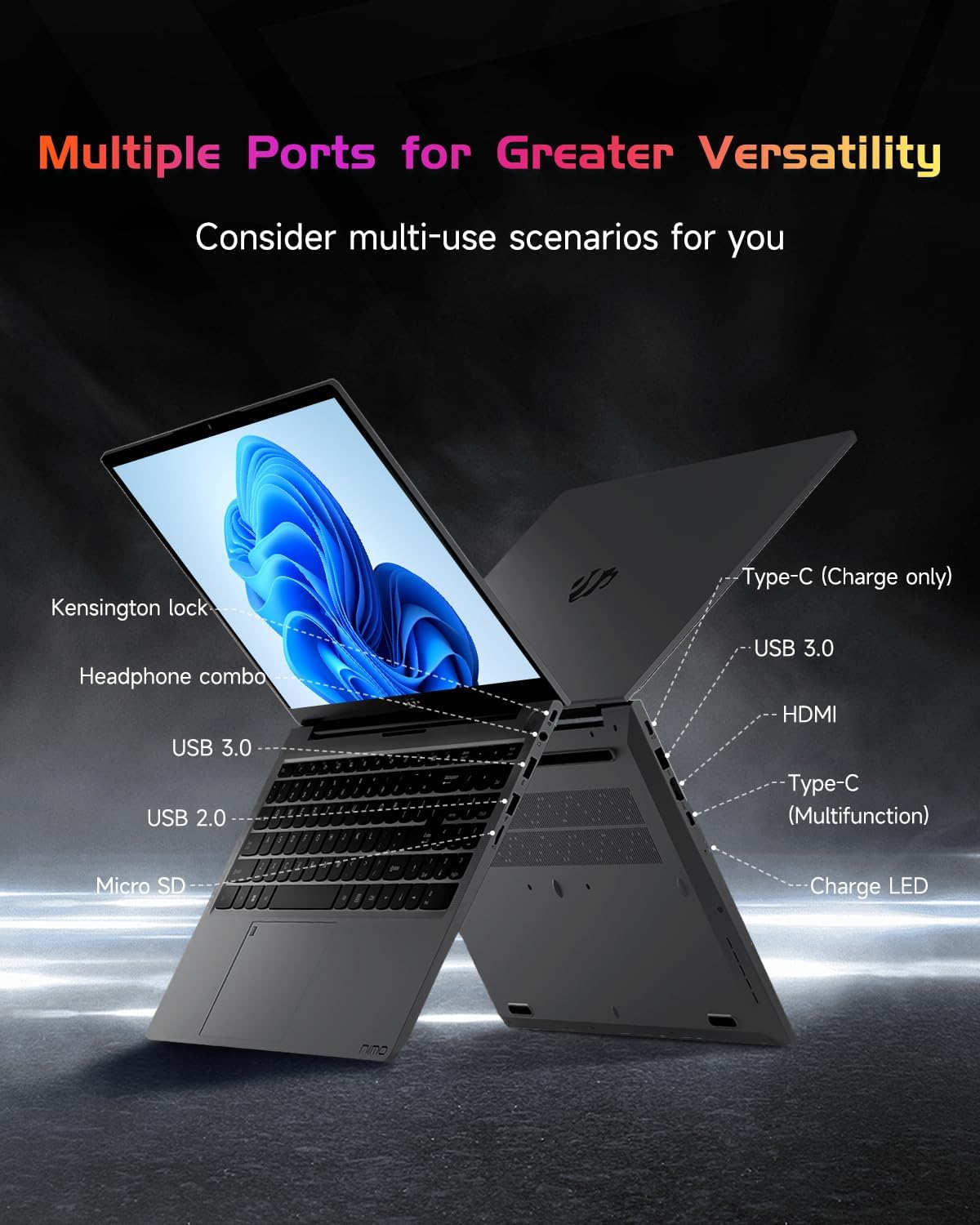
Figure 2: The 15.6" FHD IPS display provides clear visuals.
4.2 Teclat i lector d'empremtes dactilars
The laptop is equipped with a backlit keyboard for comfortable typing in various lighting conditions. The integrated fingerprint reader on the touchpad allows for secure and quick login.
- Teclat retroil·luminat: Use the dedicated function key (Fn + Fx, where Fx is the backlight key) to toggle the backlight on/off and adjust brightness levels.
- Lector d'empremtes digitals: To set up, navigate to Windows Settings > Accounts > Sign-in options > Fingerprint recognition (Windows Hello Fingerprint). Follow the prompts to register your fingerprint.

Figure 3: Backlit keyboard and integrated fingerprint reader.
4.3 Weblleva
The laptop includes a 2MP webcam, suitable for video calls and online meetings. A physical privacy switch is available to disable the webcam when not in use, enhancing your privacy.

Figura 4: Webcam with privacy switch for enhanced security.
4.4 Ports i connectivitat
The NIMO N151 offers various ports for connecting peripherals and external devices:
- Ports USB 3.0: Per a la transferència de dades d'alta velocitat.
- Port USB 2.0: Per connectar dispositius USB estàndard.
- Port HDMI: Per connectar pantalles o projectors externs.
- Type-C Ports: One for charging (65W PD) and another for multi-function use (data transfer, display output).
- Lector de targetes Micro SD: Per ampliar l'emmagatzematge o transferir files de targetes de memòria.
- Headphone Combo Jack: Per connectar auriculars o cascos.
- Ranura de bloqueig Kensington: For securing your laptop with a compatible lock.

Figure 5: Available ports on the NIMO N151 laptop.
Wireless connectivity includes Wi-Fi 6 for stable, high-speed internet and Bluetooth 5.2 for connecting wireless accessories.
4.5 Àudio
The laptop provides integrated audio for multimedia consumption and communication.
4.6 Bateria i càrrega
The NIMO N151 is powered by a 53.58Wh rechargeable battery, offering up to 8 hours of usage. It comes with a 65W PD (Power Delivery) Type-C fast charger. A 15-minute charge can provide up to 2 hours of use.
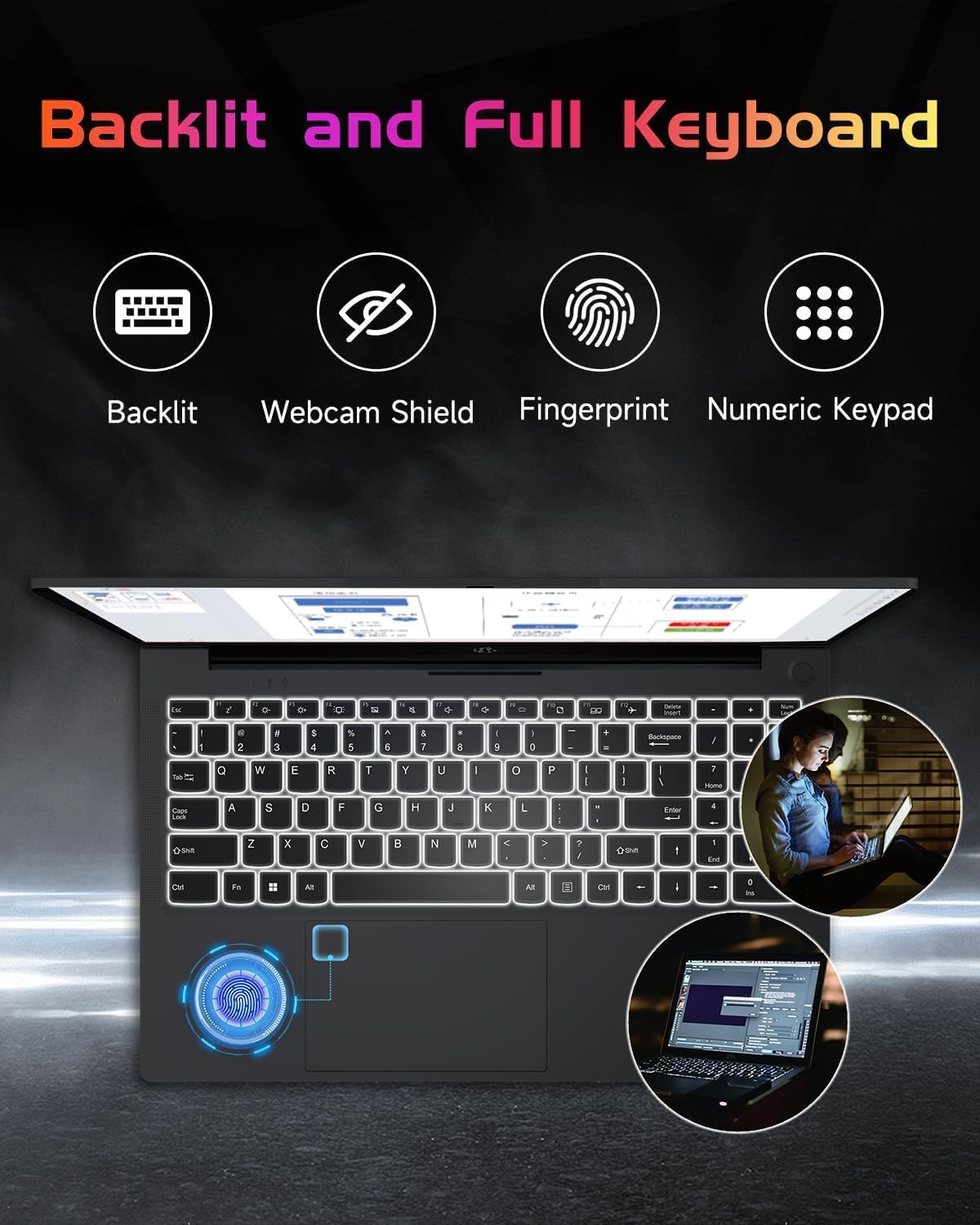
Figure 6: The included 65W Type-C PD Fast Charger.

Figure 7: Laptop usage demonstrating battery capacity.
4.7 Processor, RAM, and Storage
The laptop is equipped with a 12th Gen Intel Alder Lake-N100 processor (up to 3.4GHz boost), 4GB DDR4 RAM, and a 128GB PCIe SSD. Both the RAM and SSD are upgradable to meet future demands.

Figure 8: Intel Alder-Lake N100 processor overview.
5. Manteniment
5.1 Atenció general
- Keep the laptop clean by wiping surfaces with a soft, dry cloth. Avoid liquid cleaners directly on the screen.
- Protect the screen from scratches by closing the lid gently and avoiding placing objects on the keyboard.
- Assegureu-vos d'una ventilació adequada no bloquejant les sortides d'aire.
- Eviteu les temperatures extremes i la llum solar directa.
5.2 Upgrading RAM and SSD
The NIMO N151 laptop allows for user upgrades of both RAM and SSD. Consult a qualified technician or refer to detailed online guides for safe upgrade procedures. Improper installation may void your warranty.
6. Solució De Problemes
6.1 Problemes comuns i solucions
| Problema | Possible solució |
|---|---|
| El portàtil no s'encén | Ensure the charger is properly connected and the power outlet is functional. Try a different outlet. |
| Rendiment lent | Close unnecessary applications, check for background updates, or consider upgrading RAM/SSD. |
| Problemes de connectivitat Wi-Fi | Reinicieu el router i el portàtil. Comproveu la configuració del Wi-Fi i assegureu-vos que els controladors estiguin actualitzats. |
| La bateria no es carrega | Verify charger connection. Try a different Type-C port or charger if available. |
For further assistance, refer to the support section or contact NIMO customer service.
7. Especificacions
Key technical specifications for the NIMO N151 laptop:
| Característica | Detall |
|---|---|
| Mida de la pantalla | 15.6 polzades |
| Resolució de pantalla | 1920 x 1080 píxels (FHD) |
| Processador | Intel Pentium Quad Core N100 (up to 3.4 GHz) |
| RAM | 4 GB DDR4 (Upgradable) |
| Disc dur | 128 GB PCIe SSD (Upgradable) |
| Sistema operatiu | Windows 11 Home |
| Coprocessador gràfic | Gràfics integrats |
| Tipus sense fil | Wi-Fi 6 (802.11a/b/g/n/ac) |
| Bluetooth | Bluetooth 5.2 |
| Ports USB | 3x USB 3.0, 1x USB 2.0 |
| Altres ports | HDMI, Type-C (charging), Type-C (multifunction), Micro SD, Headphone Combo, Kensington Lock |
| Durada de la bateria | Up to 8 hours (53.58Wh) |
| Pes de l'article | 3.75 lliures |
| Dimensions del producte | 14.07 x 8.98 x 0.76 polzades |
| Característiques especials | Backlit Keyboard, Fingerprint Reader, HD Audio, Memory Card Slot, Numeric Keypad |
8. Garantia i Suport
Your NIMO N151 laptop comes with a comprehensive 2-year manufacturer's warranty and a 90-day hassle-free return policy. For any product-related questions, technical support, or warranty claims, please contact our dedicated support team.
- Suport per correu electrònic: service@nimopc.com
- Període de garantia: 2 Anys
- Política de devolució: 90 dies

Figure 9: NIMO customer support and warranty details.
9. Vídeos de productes
Watch these official videos for a visual guide to your NIMO N151 laptop:
9.1 NIMO 15.6 Laptop Comprehensive Introduction
Vídeo 1: Un resum detallatview of the NIMO 15.6" laptop's features and design.
9.2 Efficiency Meets Convenience: Nimo Laptop
Video 2: Highlights the efficiency and convenience aspects of the NIMO laptop for daily use.