1. Introducció
Welcome to the iScooter Electric Scooter user manual. This document provides essential information for the safe and efficient operation, assembly, maintenance, and troubleshooting of your new electric scooter. Please read this manual thoroughly before using the product to ensure a safe and enjoyable experience.
2. Informació de seguretat
La vostra seguretat és primordial. Seguiu sempre les directrius següents:
- Portar un casc: Porteu sempre un casc homologat i l'equip de seguretat adequat (genolleres, colzeres) quan aneu en bicicleta.
- Límit de pes: Do not exceed the maximum weight limit of 220 pounds (approximately 100 kg).
- Franja d'edat: This scooter is designed for both kids and adults. Ensure riders are within the appropriate age and skill level for safe operation.
- No Passengers: Do not carry passengers on the scooter. It is designed for single-rider use only.
- Condicions de la carretera: Ride on smooth, dry surfaces. Avoid wet, uneven, or slippery terrain.
- Normativa local: Always comply with local traffic laws and regulations regarding electric scooter use.
- Comprovació prèvia a la conducció: Before each ride, inspect the brakes, tires, and all moving parts to ensure they are in good working order.
3. Contingut del paquet
En desembalar, comproveu que hi hagi tots els elements:
- Electric Scooter (main unit)
- Carregador (x1)
- LED Screen Silicone Case (x1)
- Clau hexagonal (x3)
- Cargols (x4)
- English User Manual (x1)
4. Muntatge i muntatge
Follow these steps to assemble your iScooter Electric Scooter:
- Desembalar: Carefully open the package and remove all components.
- Fixar el manillar: Attach the handlebar to the stem. Ensure it is aligned correctly.
- Secure Handlebar: Use the provided hexagonal wrench and screws to tighten the handlebar onto both sides of the stem.
- Comprovació inicial d'energia: After assembly, long-press the power button to ensure the scooter powers on correctly.

Video 1: This video demonstrates the unboxing and initial assembly process of the iScooter. It shows how to remove the scooter from its packaging, attach the handlebar to the stem, and secure it with screws, concluding with a power-on check.
5. Instruccions de funcionament
Familiarize yourself with the scooter's controls and functions:
5.1 Power On/Off and Speed Modes
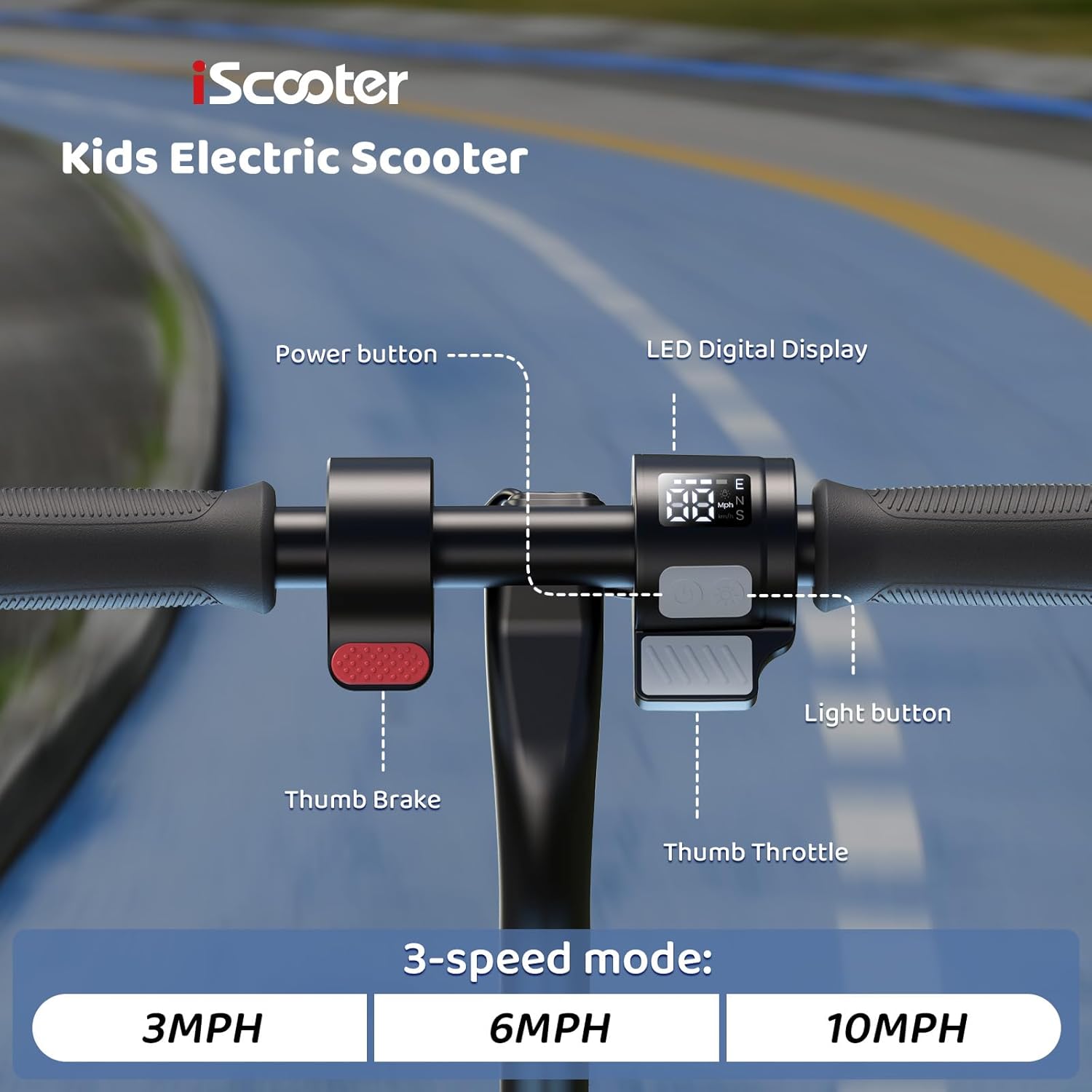
- Encès: Long-press the power button on the display to turn on the scooter.
- Engranatges de velocitat: Double-click the power button to cycle through three speed gears: Eco (economy), D (drive), and S (sport).
- Apagar: Long-press the power button to turn off the scooter.
5.2 Fars
- Activar/Desactivar: Click the power button once to turn the headlights on or off.
5.3 Acceleració
The scooter offers two methods for acceleration:
- Push-Off Start: Push off with your foot to gain initial momentum, then press the accelerator lever.
- Direct Acceleration: Press the accelerator lever directly to begin moving.
5.4 Control de creuer
To activate cruise control, maintain a consistent speed for a few seconds. You will hear a ticking sound, indicating that cruise control is active. To deactivate, press the brake or accelerator.
5.5 Frenades
The scooter features a dual braking system for reliable stopping power:
- Fre de mà: Squeeze the handbrake lever on the left handlebar to engage the brake. The brake light will illuminate.
- Footbrake: For additional stopping power, you can also use the footbrake located on the rear fender.
5.6 pantalles LED
The smart LED display provides real-time information:
- Velocitat: Mostra la velocitat actual en MPH.
- Nivell de bateria: Indica la càrrega restant de la bateria.
- Mode de velocitat: Shows the active speed gear (Eco, D, or S).
- Indicador de fars: Illuminates when headlights are active.
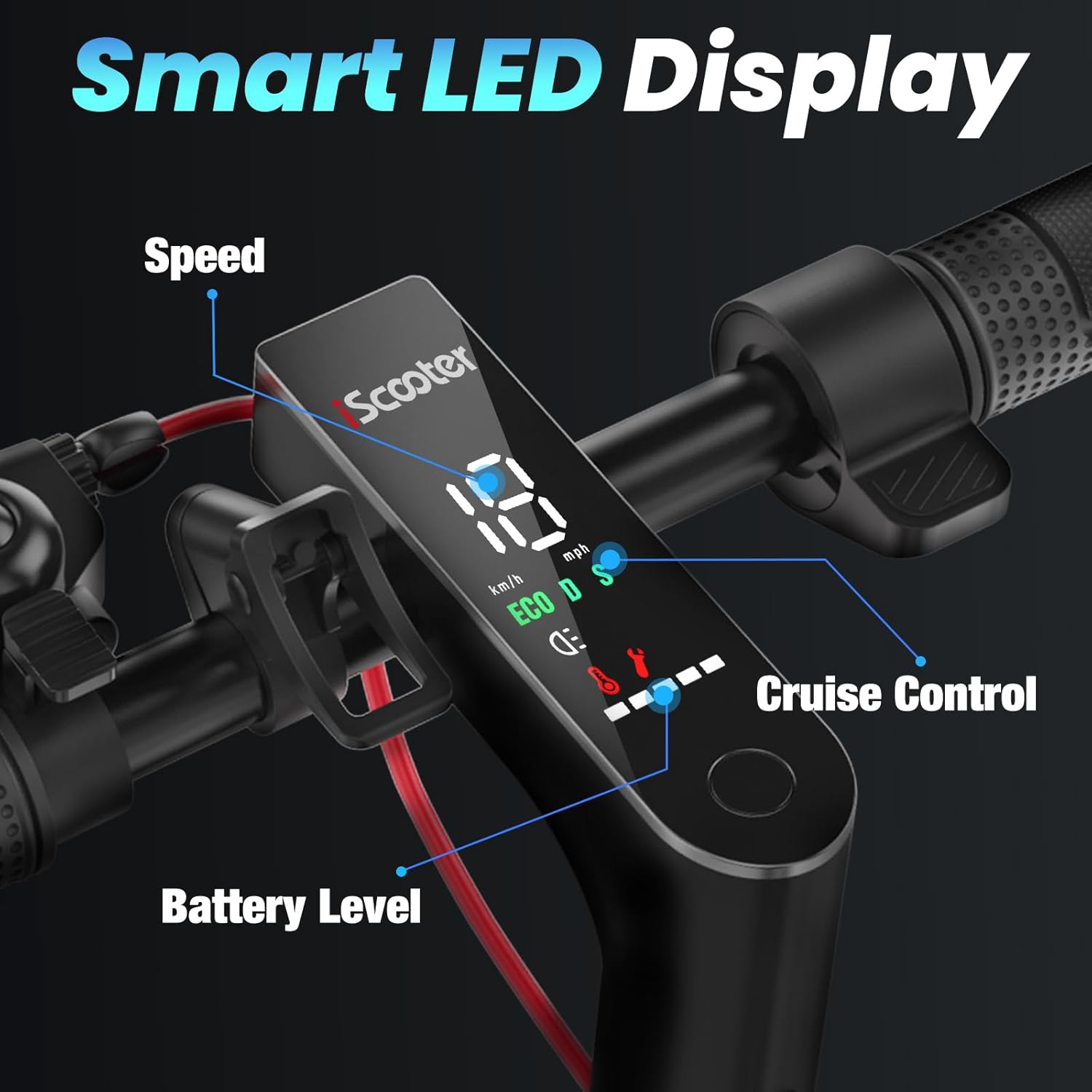
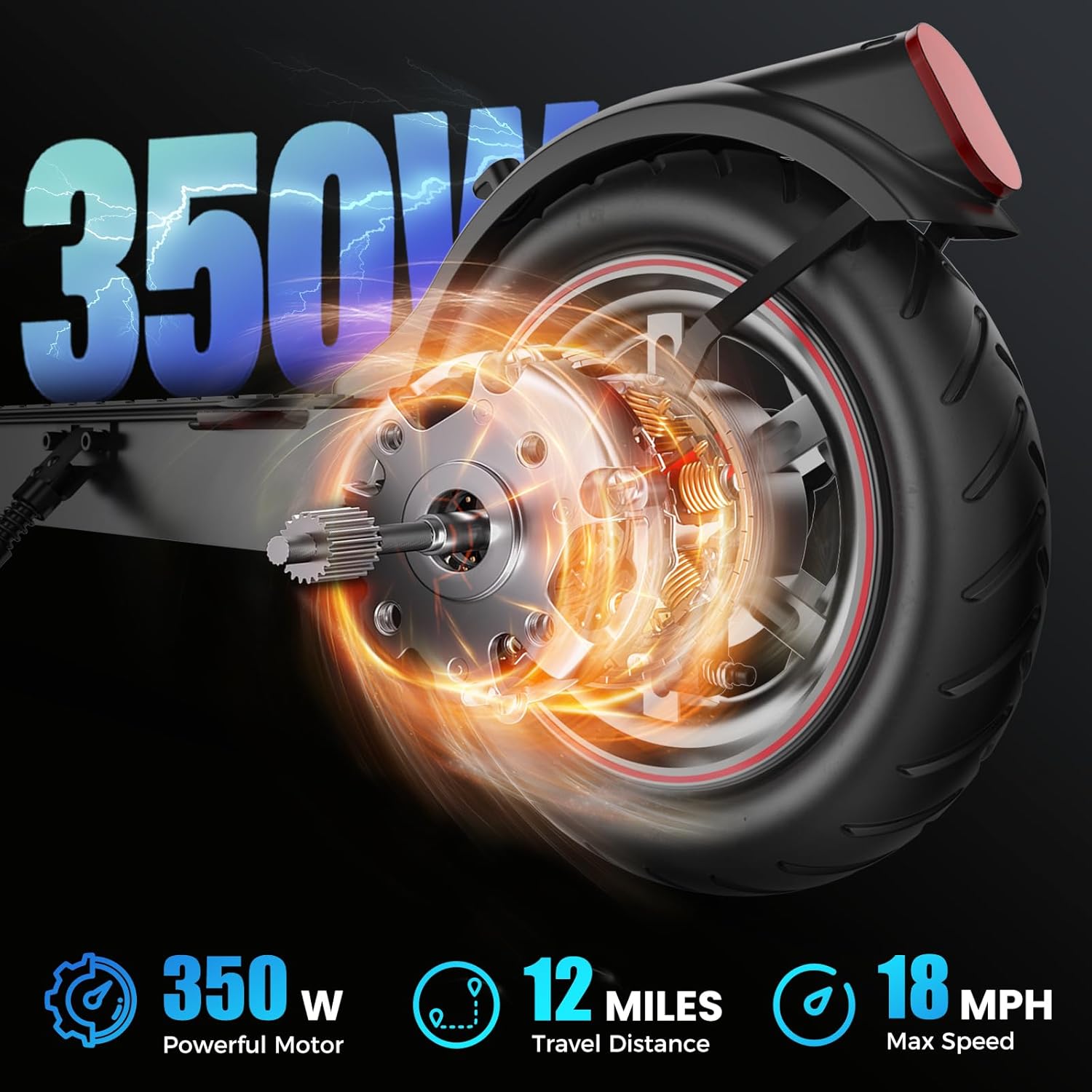
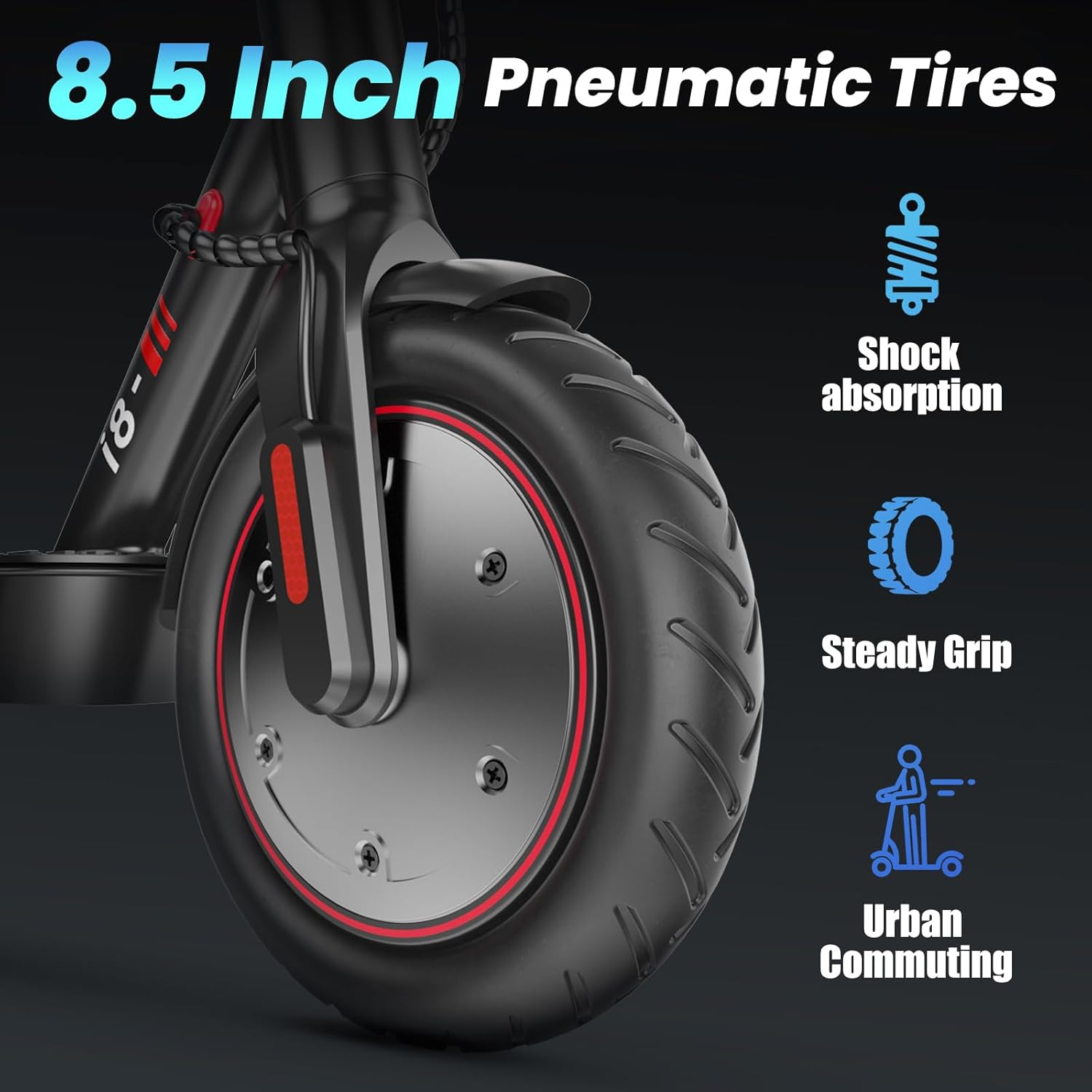
Video 2: This video demonstrates the basic operational features of the iScooter, including how to power it on, switch between speed modes (Eco, D, S), activate headlights, engage cruise control, and use the handbrake. It provides a visual guide to the scooter's controls.
6. Plegament i portabilitat
The iScooter features a one-step folding mechanism for easy storage and transport:
- Palanca d'alliberament: Locate the release lever at the base of the handlebar stem. Pull it down to unlock the folding mechanism.
- Fold Down: Gently fold the handlebar stem downwards until it aligns with the rear fender.
- Segur: Use the clip on the handlebar to secure it to the fixing frame on the rear fender. This locks the scooter in its folded position.
Once folded, the scooter is compact and easy to carry, making it convenient for commuting or storage.
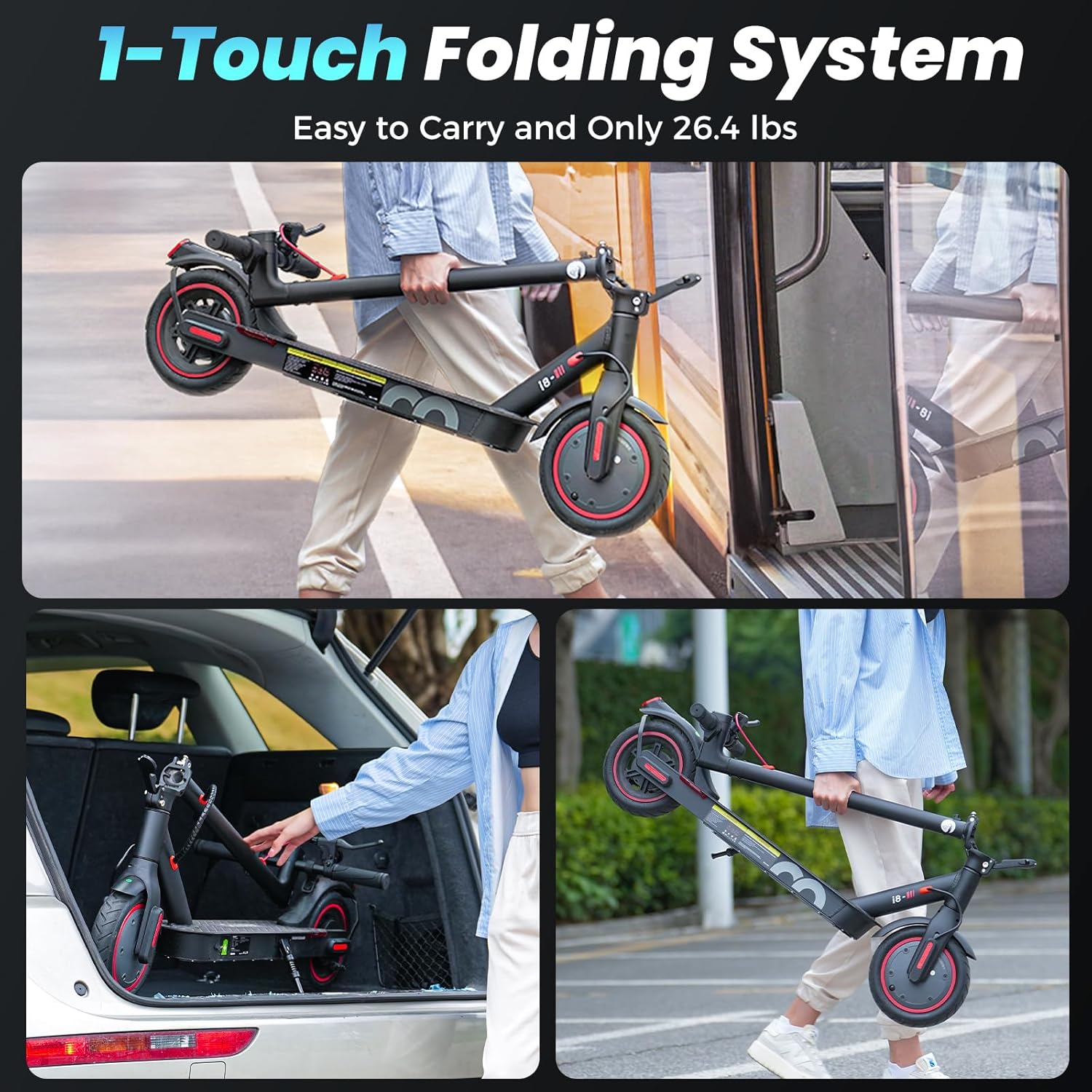
Video 3: This segment of the video demonstrates the folding mechanism of the iScooter. It shows how to release the lever, fold the handlebar stem, and secure it for easy carrying and storage.
7. Manteniment
Regular maintenance ensures the longevity and optimal performance of your scooter:
- Càrrega: Charge the scooter for 5-6 hours using the provided charger. The kids' version features a convenient magnetic charging design.
- Pneumàtics: Regularly check the 8.5-inch rubber tires for wear and proper inflation (if pneumatic). The kids' version uses 6-inch solid tires.
- Frens: Inspect the dual braking system (handbrake and footbrake) for responsiveness and wear. Adjust as needed.
- Neteja: Netegeu el patinet amb anunciamp cloth. Avoid using high-pressure water or harsh chemicals.
- Emmagatzematge: Guardeu el patinet en un lloc sec i fresc, allunyat de la llum solar directa i de temperatures extremes.



8. Solució De Problemes
If you encounter issues with your iScooter, refer to the following common problems and solutions:
| Problema | Causa possible | Solució |
|---|---|---|
| El patinet no s'encén | Low battery; Loose connection | Carregueu la bateria; comproveu totes les connexions dels cables. |
| Abast/velocitat reduïts | Baixa pressió dels pneumàtics; Sobrecàrrega; Degradació de la bateria | Check tire pressure; Ensure rider weight is within limits; Contact support if battery issue persists. |
| Brakes not responsive | Brake cable loose; Brake pads worn | Adjust brake cable tension; Replace worn brake pads. |
| Sorolls inusuals | Components solts; deixalles a les rodes | Inspect all parts for tightness; Clean wheels and motor area. |
If the issue persists after attempting these solutions, please contact customer support for further assistance.
9. Especificacions
Key technical specifications for the iScooter Electric Scooter:
| Característica | Especificació |
|---|---|
| Marca | iScooter |
| Model (Parent ASIN) | B0FNW3JBMV |
| Color | Negre |
| Interval d'edat (descripció) | Kids+Adults |
| Característica especial | Double Braking Systems |
| Límit de pes | 220 lliures |
| Nombre de rodes | 2 |
| Material de la roda | Cautxú |
| Material del marc | Alumini |
| Tipus de manillar | Ajustable |
| Mida de la roda | 8.5 Inches (Adults), 6 Inches (Kids) |
| Tipus de roda | Sòlid |
| Tipus de grip | Cautxú |
| Estil de fre | Sistema de doble frenada |
| Temps de càrrega | 5-6 hores |
| Usos recomanats | Urban commuting |
| Abast màxim de distància | 12 Miles (Adults), 60-80 minutes (Kids) |
| Potència del motor | 350W (Adults), 150W (Kids) |
| Velocitat màxima | 18 MPH (Adults), 10 MPH (Kids) |
10. Garantia i Suport
The iScooter Electric Scooter comes with a limited warranty. Specific warranty periods may vary for different parts (e.g., 360-day or 180-day warranty). Please refer to your purchase documentation for detailed warranty terms and conditions.
For technical support, warranty claims, or any other inquiries, please contact the manufacturer or your retailer. Keep your proof of purchase handy when contacting support.


