1. Introducció
The VEWIOR ClearAir-A12 Air Purifier is designed to improve indoor air quality by effectively removing airborne contaminants. Featuring a 3-stage filtration system, real-time air quality monitoring, and multiple operating modes, this device provides a cleaner and more comfortable living environment. This manual provides essential information for the safe and efficient use of your air purifier.

Image: The VEWIOR ClearAir-A12 Air Purifier in a modern home environment, illustrating its sleek design and integration.
2. Informació de seguretat
Please read all safety instructions before using this appliance to prevent injury or damage. Keep this manual for future reference.
- Desendolleu sempre el purificador d'aire abans de moure'l, netejar-lo o fer-ne cap manteniment.
- No feu servir l'aparell amb un cable o un endoll danyats.
- Mantingueu l'entrada i sortida d'aire lliures d'obstruccions.
- No utilitzeu l'aparell en mullat o damp ambients.
- Aquest aparell no està pensat per ser utilitzat per persones (inclosos nens) amb capacitats físiques, sensorials o mentals reduïdes, o amb manca d'experiència i coneixements, tret que hagin rebut la supervisió o instruccions sobre l'ús de l'aparell per una persona responsable de la seva seguretat.
- Les declaracions sobre suplements dietètics no han estat avaluades per la FDA i no tenen la intenció de diagnosticar, tractar, curar o prevenir cap malaltia o afecció de salut.
3. Contingut del paquet
Verifiqueu que tots els elements siguin presents al paquet:
- VEWIOR ClearAir-A12 Air Purifier Unit (x2)
- H13 HEPA Washable Filter (pre-installed in each unit)
- Adaptador de corrent (x2)
- Aromatherapy Pads (pre-installed in each unit, with extras)
- Manual d'usuari
4. Producte acabatview
Familiarize yourself with the components and control panel of your VEWIOR ClearAir-A12 Air Purifier.
4.1. Unitat principal
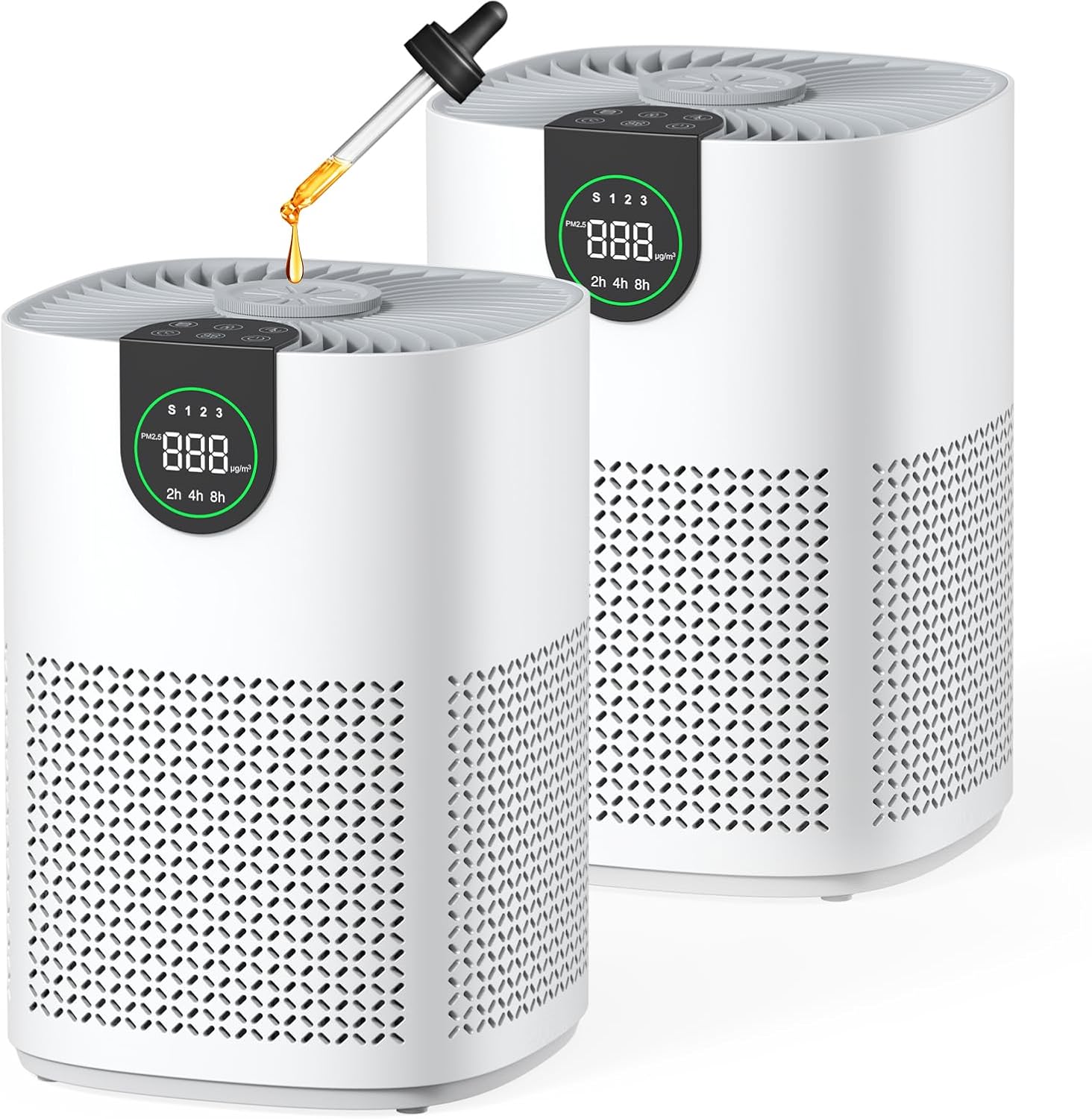
Image: Two VEWIOR ClearAir-A12 Air Purifiers, showcasing their compact design and the aromatherapy feature.
4.2. Control Panel & Display

Imatge: Una imatge detallada view of the air purifier's top control panel, featuring touch buttons and a digital PM2.5 display.
- Botó d'encesa: Encén/apaga la unitat.
- Botó de velocitat del ventilador: Cycles through Sleep, Level 1, Level 2, and Level 3 fan speeds.
- Botó de mode automàtic: Activates automatic fan speed adjustment based on air quality.
- Botó del temporitzador: Sets the operating time for 2, 4, or 8 hours.
- Botó de bloqueig infantil: Bloqueja el tauler de control per evitar canvis accidentals.
- Indicador de reinici del filtre: Lights up when filter maintenance is required.
- Pantalla PM2.5: Shows real-time particulate matter levels and air quality indicator (Green: Good, Blue: Moderate, Red: Poor).
5. Configuració
Follow these steps for initial setup of your air purifier:
- Desempaquetar la unitat: Traieu amb cura el purificador d'aire del seu embalatge.
- Eliminar l'embalatge del filtre: Unscrew the bottom cover of the air purifier by turning it counter-clockwise. Remove the H13 HEPA filter and discard its plastic packaging.
- Reinstal·la el filtre: Place the unwrapped filter back into the unit.
- Secure Bottom Cover: Replace the bottom cover and turn it clockwise to secure it.
- Connectar l'alimentació: Connecteu l'adaptador de corrent al purificador d'aire i després a una presa de corrent adequada.

Image: Visual guide for replacing the HEPA 13 filter, including unscrewing the base, removing the old filter, inserting the new one, and securing the base.
Vídeo de configuració
Video: A short demonstration of the air purifier's setup and display features, highlighting its automatic air quality monitoring.
6. Instruccions de funcionament
Learn how to use the various functions of your air purifier.
6.1. Encendre/apagar
Premeu el botó Botó d'engegada once to turn the unit on. Press it again to turn it off.
6.2. Ajust de la velocitat del ventilador
Premeu el botó Botó de velocitat del ventilador to cycle through different fan speeds:
- Sleep Mode (S): Operates at the lowest speed with minimal noise (as low as 15 dB) and the display darkens.
- Level 1, 2, 3: Progressively higher fan speeds for increased purification.

Image: Illustration of the four fan speed modes, including a quiet sleep mode and three progressively stronger purification levels.
6.3. Mode automàtic
Premeu el botó Botó de mode automàtic to activate. The air purifier will automatically adjust its fan speed based on real-time air quality detected by its built-in sensor. The PM2.5 display and indicator light will reflect the current air quality (Green: Good, Blue: Moderate, Red: Poor).

Image: A visual representation of the Auto Mode, showing how the fan speed changes in response to decreasing o incrementasing air quality.
6.4. Funció de temporitzador
Premeu el botó Botó del temporitzador to set the operating time for 2, 4, or 8 hours. The unit will automatically turn off after the selected duration.
6.5. Bloqueig infantil
Manteniu premut el botó Botó de bloqueig infantil for 3 seconds to activate or deactivate the child lock. When active, the control panel buttons will be unresponsive to prevent accidental changes.

Image: The Child Lock feature is depicted, ensuring customized purification settings remain uninterrupted, ideal for homes with children and pets.
6.6. Aromatherapy
Add a few drops of your favorite essential oil to the aromatherapy pad located on top of the air purifier. The fan will diffuse the scent throughout the room along with purified air.

Image: An essential oil dropper adding oil to the aromatherapy pad on the air purifier, illustrating the scent diffusion feature.
7. Manteniment
Un manteniment regular garanteix un rendiment òptim i allarga la vida útil del purificador d'aire.
7.1. Filter Structure

Imatge: Un diagrama que il·lustra les 3-stage filtration system: Pre-filter (captures dust, lint, pet fur), Efficient HEPA Filter (filters mold, pollen, pet dander), and Activated Carbon Filter (neutralizes smoke, fumes, odors).
7.2. Cleaning the Washable Pre-Filter
The pre-filter is washable and can be cleaned to maintain efficiency and extend filter life. When the filter indicator lights up, it's time for maintenance.
- Unscrew the bottom cover and remove the filter.
- Gently vacuum the pre-filter to remove loose debris.
- Alternatively, rinse the pre-filter with soapy water. Ensure it is completely dry before reinstallation.
- Reinstall the filter and secure the bottom cover.
- Press and hold the Filter Reset button for 3-5 seconds to reset the filter reminder.

Image: A user demonstrating how to clean the washable pre-filter under running water, emphasizing its reusability and cost-saving benefit.
8. Solució De Problemes
If you encounter any issues with your air purifier, refer to the following common problems and solutions:
- La unitat no s'encén: Ensure the power adapter is securely plugged into both the unit and a working electrical outlet. Check if the filter's plastic packaging has been removed.
- Reducció del flux d'aire o de la purificació: The filter may be dirty. Clean or replace the filter as described in the Maintenance section. Ensure air inlets and outlets are not blocked.
- Soroll inusual: Check if the filter is correctly installed and the bottom cover is securely fastened. Ensure no foreign objects are inside the unit.
- L'olor persisteix: The activated carbon layer of the filter may be saturated. Replace the filter.
Si el problema persisteix, poseu-vos en contacte amb l'atenció al client.
9. Especificacions
| Marca | VEWIOR |
| Número de model | ClearAir-A12 |
| Dimensions del producte | 6.89 "P x 8.66" W x 13.77" H |
| Pes de l'article | 5.5 lliures |
| Font d'alimentació | AC/DC |
| Color | Blanc |
| Fabricant | VEWIOR |
10. Garantia i assistència
For warranty information or technical support, please refer to the contact details provided with your purchase documentation or visit the official VEWIOR weblloc web. Conserveu el rebut de compra com a comprovant de compra.


