Introducció
Thank you for choosing the Vandlion V11B Digital Voice Recorder. This manual provides detailed instructions on how to set up, operate, and maintain your device. Please read it carefully to ensure optimal performance and longevity of your recorder.

Image: The Vandlion V11B Digital Voice Recorder, a compact device shown held in a hand, highlighting its portable design.
Què hi ha a la caixa
Verifiqueu que tots els elements siguin presents al paquet:
- 1 x Digital voice recorder
- 1 cable de dades USB-C
- 1 x Auriculars
- 1 x Manual d'usuari (aquest document)

Image: A visual representation of the package contents, including the digital voice recorder, USB-C cable, headphones, lanyard, and user manual.
Dispositiu acabatview
Familiarize yourself with the physical components of your Vandlion V11B recorder.

Imatge: Una imatge detallada view of the Vandlion V11B digital voice recorder, showing its display, control buttons (REC, SAVE, POWER, RESET), and integrated carabiner clip.

Image: The Vandlion V11B digital voice recorder shown attached to a backpack and a belt loop, illustrating its compact size and ease of carrying.
Les característiques clau inclouen:
- Pantalla de visualització: Shows recording status, time, battery level, and file informació.
- REC/SAVE Switch: Llisca cap amunt per començar a gravar i cap avall per desar.
- Botó d'encendre: Manteniu premut per activar/desactivar.
- Botó de reset: Small pinhole button for factory reset if needed.
- Port USB-C: Per a càrrega i transferència de dades.
- Auriculars Jack: 3.5mm port for audio playback.
- Clip integrat: Per a una fàcil portabilitat.
Configuració
1. Càrrega del dispositiu
Before first use, fully charge the recorder. Connect the supplied USB-C cable to the device's USB-C port and the other end to a computer or a USB power adapter (not included).
- Una càrrega completa triga aproximadament 1.5 hores.
- A fully charged device provides up to 20 hores of continuous recording.
- La pantalla indicarà l'estat de càrrega.

Image: The Vandlion V11B digital voice recorder connected to a laptop via its USB-C port for charging and data transfer.
2. Encès / apagat
- Per engegar: premeu i manteniu premut el botó PODER botó fins que la pantalla s'il·lumini.
- Per apagar: premeu i manteniu premut el botó PODER botó fins que la pantalla s'apagui.
Instruccions de funcionament
1. Enregistrament amb un sol botó
The device features a simple slide switch for quick recording.
- To start recording: Slide the REC/SAVE switch upwards to the "REC" position. The device will begin recording immediately.
- To save recording: Slide the REC/SAVE switch downwards to the "SAVE" position. The current recording will be saved, and the device will stop recording.

Image: An illustration demonstrating the one-button recording function, showing a finger sliding the REC/SAVE switch to initiate recording.
2. Reducció de soroll de la IA
The Vandlion V11B incorporates an advanced AI chip to enhance audio clarity by reducing background noise.
- This feature automatically identifies and minimizes distracting sounds, focusing on human speech.
- It is active during recording to provide high-fidelity voice capture.

Image: A graphic illustrating how AI noise reduction works, showing various types of noise (wind, static, hum) being filtered out to produce clear sound.
3. Enregistrament activat per veu (VOR)
The Voice Activated Recording function allows the device to record only when sound is detected, conserving memory and battery life.
- To enable VOR: Access the device's menu by long pressing the Reproduir/Pausa/Confirmar button when not recording, then navigate to the VOR settings. Set VOR to "ON".
- Once enabled, slide the REC/SAVE button to "REC". The recorder will start recording when sound above a set threshold (e.g., >65dB) is detected and pause when sound falls below the threshold (e.g., <65dB).
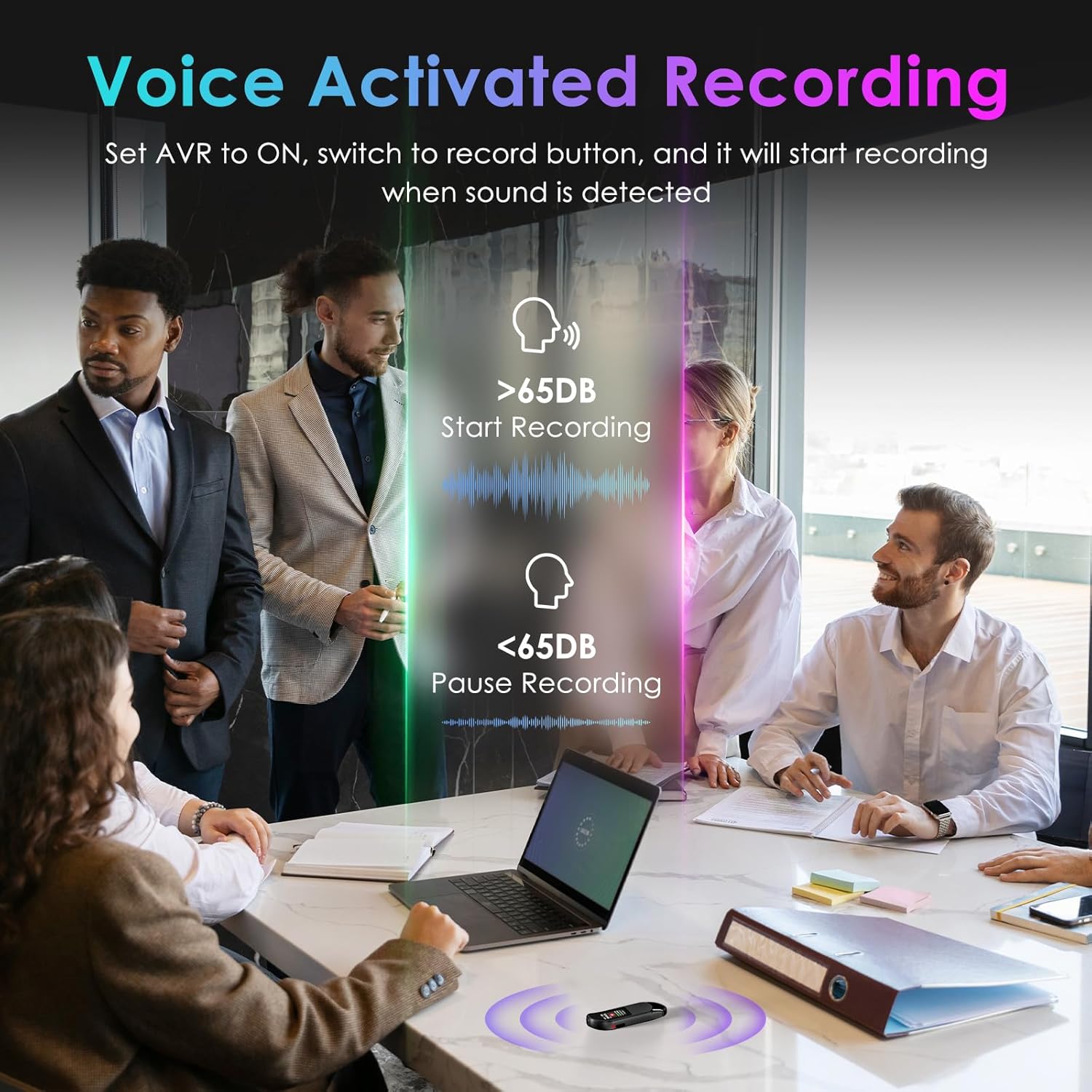
Image: A visual demonstrating voice-activated recording in a meeting, showing the device starting to record when sound is above 65dB and pausing when below.
4. Reproducció
You can listen to your recordings directly from the device using headphones or by transferring files to a computer or Android phone.
- Ús d’auriculars: Connect the included headphones to the 3.5mm jack. Use the control buttons (Vol+, Vol-, Previous, Next, Play/Pause/Confirm) on the headphone cable to navigate and play recordings.
- Connecting to Computer/Phone: Transferència files as described in the "File Management" section below.

Image: A diagram showing various playback methods: using wired headphones, connecting to a computer, and connecting to an Android phone. The image also illustrates the control buttons on the headphone cable for navigation.
5. Protecció amb contrasenya
To protect your recordings, you can set a 4-digit password.
- To set a password: Access the device's menu (long press the Reproduir/Pausa/Confirmar button when not recording) and navigate to the "Password" settings. Follow the on-screen prompts to set your 4-digit code.
- Once enabled, the password will be required to access the device's files.

Image: A visual representation of the password protection feature, showing the device screen prompting for a 4-digit password.
6. File Management and Transfer
Recordings are saved with timestamps for easy organization. You can transfer files to a computer (Windows/Mac) or an Android phone.
- Connect the device to your computer or Android phone using the supplied USB-C cable.
- El dispositiu apareixerà com una unitat d'emmagatzematge extraïble.
- You can then drag and drop recording files (MP3 or WAV format) to your desired location.
- Nota: This device is not compatible with iPhones for direct file transferència.

Image: The Vandlion V11B connected to a laptop via USB-C, demonstrating file transfer and showing example filenames with timestamps.
Manteniment
- Mantingueu el dispositiu sec i allunyat de temperatures extremes.
- Netegeu el dispositiu amb un drap suau i sec. No utilitzeu netejadors líquids.
- Eviteu deixar caure el dispositiu o sotmetre-lo a forts impactes.
- Regularly back up your recordings to prevent data loss.
- If the device becomes unresponsive, use a small pin to press the RESET botó.
Resolució de problemes
| Problema | Causa possible | Solució |
|---|---|---|
| El dispositiu no s'encén. | Bateria baixa. | Carregueu el dispositiu durant almenys 1.5 hores. |
| No es pot gravar. | Memory full; device frozen. | Transferència files to a computer to free up space. Press the RESET button. |
| Mala qualitat d'àudio. | Microphone obstructed; excessive background noise. | Ensure microphone is clear. Use AI Noise Reduction in appropriate environments. |
| No es pot transferir files to iPhone. | Device is not compatible with iPhone for direct transfer. | Transferència files to a computer (Windows/Mac) or Android phone instead. |
| He oblidat la contrasenya. | Contrasenya perduda. | Contact customer support for assistance. A factory reset might be required, which will erase all data. |
Especificacions
| Característica | Detall |
|---|---|
| Número de model | V11B |
| Capacitat d'emmagatzematge de memòria | 64 GB (up to 900 hours of recording) |
| Format d'enregistrament | Àudio MP3, WAV |
| Qualitat d'àudio | 1536Kbps Crystal Audio |
| Reducció de soroll | Cancel·lació de soroll AI |
| Durada de la bateria (enregistrament) | Fins a 20 hores |
| Temps de càrrega | Aprox. 1.5 hores |
| Dispositius compatibles | Personal Computer (Windows/Mac), Smartphone (Android) |
| Interfície del maquinari | USB tipus C |
| Factor de forma del micròfon | Integrat |
| Conector d'auriculars | 3.5 mil·límetres |
| Dimensions del producte | 0.39" de profunditat x 0.86" d'amplada x 2.99" d'alçada (10 mm x 22 mm x 76 mm) |
| Pes de l'article | 1.41 unces (40 grams) |
| Diagonal de pantalla visible | 1" / 3 cm |
Garantia i Suport
Vandlion products are built for performance and durability. For warranty information or technical support, please refer to the contact details provided with your purchase or visit the official Vandlion weblloc.
For common issues, please consult the Troubleshooting section of this manual.
Fabricant: Vandlion
Notes importants
- Always ensure the device is fully charged before important recording sessions.
- Regularly transfer and back up your recordings to avoid data loss.
- The device does not have a built-in speaker; headphones or external playback devices are required to listen to recordings.


