Introducció
This manual provides detailed instructions for the operation and maintenance of your ZAQE M4 128GB MP3 Player. Please read this manual thoroughly before using the device to ensure proper functionality and to maximize your user experience.
The ZAQE M4 is a portable, multifunctional music player featuring a 2.4-inch full touchscreen, 128GB of internal storage, Bluetooth 5.4 connectivity, and a built-in speaker. It also includes functions such as FM radio, voice recorder, e-book reader, video player, and alarm clock.
Producte acabatview
Components inclosos
- ZAQE 128GB MP3 Player
- Manual d'usuari
- Auriculars
- Cable USB-Type C
- Funda protectora de silicona
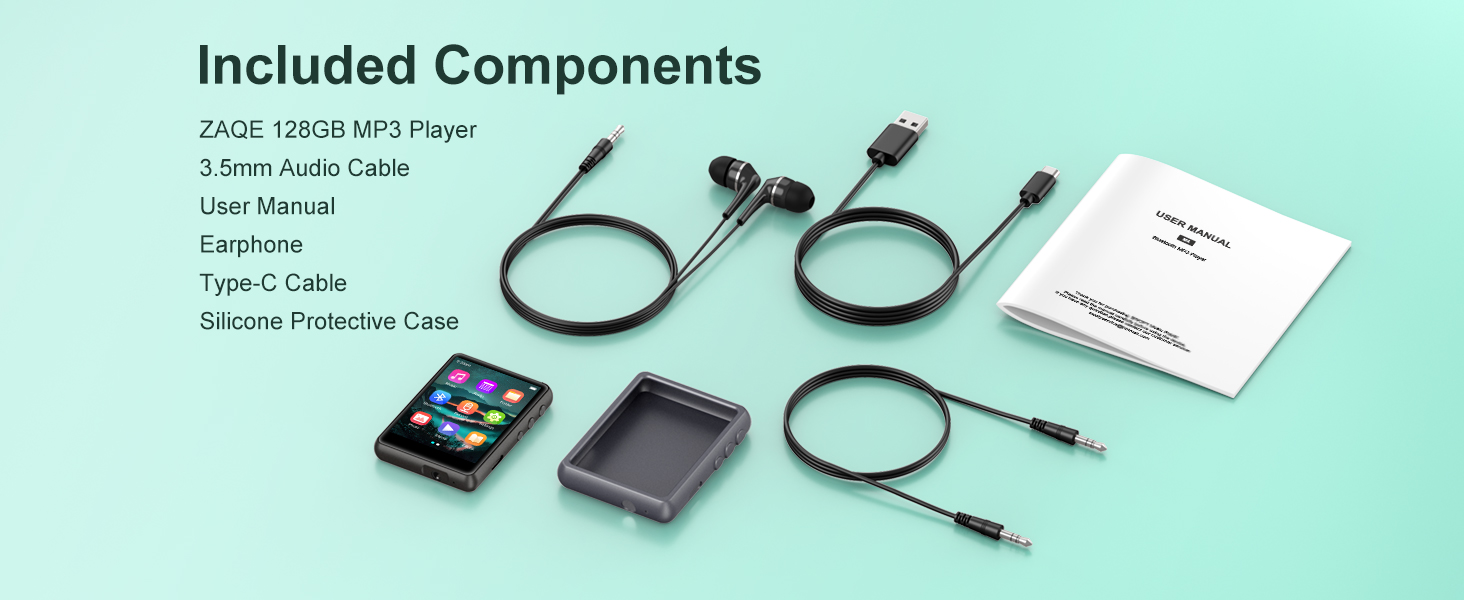
Image: All items included in the ZAQE M4 MP3 Player package.
Característiques del dispositiu
- Emmagatzematge: 128GB internal memory, capable of storing approximately 16,000 songs.
- Visualització: 2.4-inch full color touchscreen for intuitive navigation.
- Connectivitat: Bluetooth 5.4 for stable wireless audio connections.
- Sortida d'àudio: Built-in speaker and 3.5mm headphone jack.
- Port de càrrega: USB tipus C.
- Funcions: Music player, FM radio, voice recorder, e-book reader, video player, alarm clock.
- Formats d'àudio: Supports MP3, WAV, FLAC, AAC, WMA, APE.

Image: The ZAQE M4 MP3 Player displaying its main menu interface.
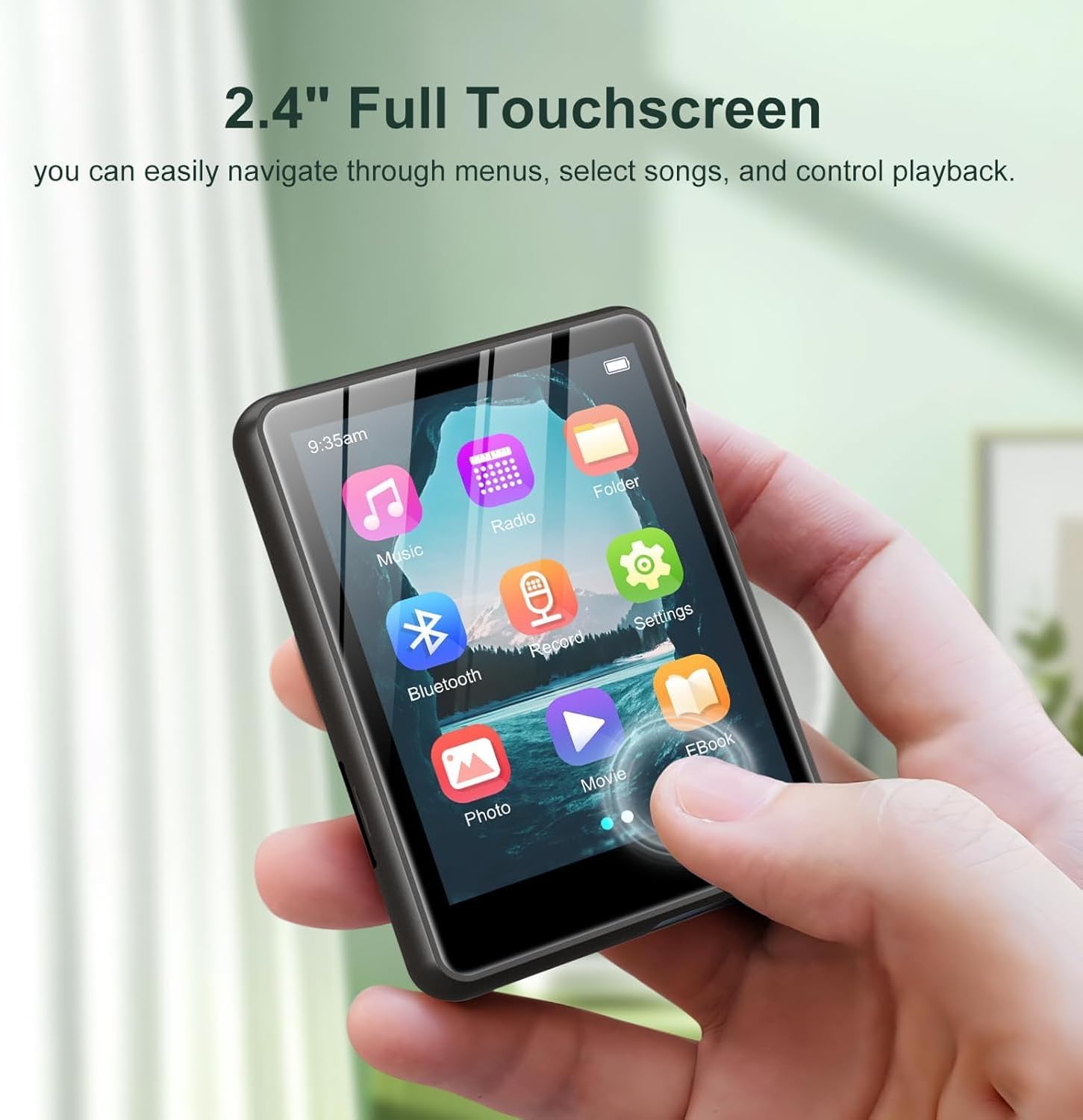
Image: A user interacting with the 2.4-inch full touchscreen of the ZAQE M4 MP3 Player.

Image: The ZAQE M4 MP3 Player playing music via its built-in speaker.
Configuració
1. Càrrega del dispositiu
Before first use, fully charge the MP3 player. Connect the included USB Type-C cable to the device's charging port and the other end to a USB power adapter (not included) or a computer's USB port. The battery indicator on the screen will show charging status.

Image: The 3.5mm audio jack and Type-C charging port on the ZAQE M4 MP3 Player.
2. Transferència Files
Connect the MP3 player to your computer using the USB Type-C cable. The device will appear as a removable disk drive. You can drag and drop music, video, e-book, and other compatible files directly into the device's folders.
3. Connexió dels auriculars
Insert the 3.5mm jack of the included earphones (or your preferred earphones) into the headphone port located on the bottom of the device.
Instruccions de funcionament
Navegació bàsica
The ZAQE M4 features a full touchscreen interface. Tap icons to select functions, swipe to navigate menus, and use the back button (if present on-screen) or physical buttons on the side for navigation.
Reproducció de música
- From the main menu, tap the Música icona.
- Navega per la teva biblioteca musical per artista, àlbum, gènere o totes les cançons.
- Toca una cançó per començar la reproducció.
- During playback, you can control volume, play/pause, skip tracks, and access playback modes (Single Loop, List Loop, Sequential Play, Random Play) via the on-screen controls.

Image: Music playback screen showing various loop and play modes.

Image: The ZAQE M4 MP3 Player displaying music playback and supported audio formats.
Connectivitat Bluetooth
- From the main menu, tap the Bluetooth icon or navigate to Configuració > Bluetooth.
- Turn Bluetooth On.
- Assegureu-vos que els vostres auriculars o altaveu Bluetooth estiguin en mode d'emparellament.
- El reproductor MP3 buscarà els dispositius disponibles. Seleccioneu el dispositiu de la llista per emparellar-lo.
- Un cop emparellat, l'àudio es redirigirà a través del dispositiu Bluetooth connectat.

Image: The ZAQE M4 MP3 Player demonstrating Bluetooth 5.4 connectivity with external audio devices.
Ràdio FM
- Connect wired earphones to the 3.5mm jack; they act as the antenna.
- From the main menu, tap the Ràdio icona.
- Feu servir els controls en pantalla per cercar emissores o sintonitzar manualment una freqüència.

Image: The FM Radio function of the ZAQE M4 MP3 Player.
Gravadora de veu
- From the main menu, tap the Registre icona.
- Tap the record button to start recording.
- Tap the stop button to end and save the recording.
Lector de llibres electrònics
- From the main menu, tap the Llibre electrònic icona.
- Select an e-book file (TXT format is typically supported).
- Use the touchscreen to turn pages.
Image: The ZAQE M4 MP3 Player displaying an e-book.
Reproducció de vídeo
- From the main menu, tap the Pel·lícula icona.
- Seleccioneu un vídeo file (compatible formats may vary, typically AVI, AMV).
- The video will play on the 2.4-inch screen.

Image: The ZAQE M4 MP3 Player displaying video content on its 2.4-inch color touchscreen.
Rellotge despertador
- Des del menú principal, navegueu fins a Settings > Alarm Clock.
- Set the desired time and alarm sound.
- Ensure the alarm is enabled.

Image: The alarm clock function of the ZAQE M4 MP3 Player.
Manteniment
Neteja
Wipe the device with a soft, dry, lint-free cloth. Avoid using harsh chemicals or abrasive materials, as they may damage the screen or casing.
Cura de la bateria
To prolong battery life, avoid fully discharging the battery frequently. Charge the device regularly, and if storing for an extended period, ensure it has at least a 50% charge.
Actualitzacions de programari
Consulteu periòdicament la informació oficial del fabricant website for any available firmware updates. Follow the provided instructions carefully to update the device's software.
Resolució de problemes
| Problema | Causa possible | Solució |
|---|---|---|
| El dispositiu no s'encén | Bateria baixa; Fallada del sistema | Charge the device; Press and hold the power button for 10-15 seconds to force restart. |
| No es pot connectar al dispositiu Bluetooth | Bluetooth not enabled; Device not in pairing mode; Interference | Ensure Bluetooth is on and the external device is in pairing mode. Move closer to the device. Restart both devices. |
| No sound from headphones/speaker | Volume too low; Faulty headphones/speaker; Incorrect output selected | Increase volume. Test with different headphones/speaker. Ensure Bluetooth is connected or headphones are fully plugged in. |
| Fileno es transfereix | Loose USB connection; Incompatible file format; Full storage | Check USB cable connection. Ensure files are compatible. Delete unnecessary files per alliberar espai. |
Especificacions
- Nom del model: M4
- Marca: ZAQE
- Capacitat d'emmagatzematge de memòria: 128 GB
- Mida de la pantalla: 2.4 polzades
- Tecnologia de connectivitat: Bluetooth 5.4
- Característica especial: Altaveu incorporat
- Dispositius compatibles: Auriculars
- Bateries: 1 bateria (inclosa)
- Pes de l'article: 6.4 unces
- Dimensions del paquet: 5.83 x 5.79 x 0.75 polzades
- Data de primera disponibilitat: 30 d'agost de 2025

Image: The ZAQE M4 MP3 Player highlighting its 128GB internal memory.
Garantia i Suport
Informació de la garantia
The ZAQE M4 MP3 Player comes with a warranty of up to 24 months from the date of purchase. This warranty covers manufacturing defects under normal use. Please retain your proof of purchase for warranty claims.
Atenció al client
For any questions, technical assistance, or warranty claims, please contact ZAQE customer support. Refer to the contact information provided on the product packaging or the official ZAQE weblloc web per obtenir els detalls d'assistència més actualitzats.


