1. Introducció
This manual provides detailed instructions for the operation and maintenance of your ZAQE Clip MP3 Player X20. Please read this manual thoroughly before using the device to ensure proper function and to maximize your user experience. Keep this manual for future reference.
2. Què hi ha a la caixa
Upon opening your ZAQE Clip MP3 Player X20 package, please verify that all the following items are included:
- ZAQE Clip MP3 Player X20
- Cable de càrrega USB
- Auriculars per cable
- Manual d'usuari (aquest document)
Si falta algun element o està malmès, poseu-vos en contacte amb l'atenció al client.

Image: Contents of the ZAQE Clip MP3 Player X20 package, including the player, charging cable, earphones, and user manual.
3. Producte acabatview
3.1 Disseny del dispositiu
The ZAQE Clip MP3 Player X20 features a compact design with intuitive controls and a secure clip for portability.
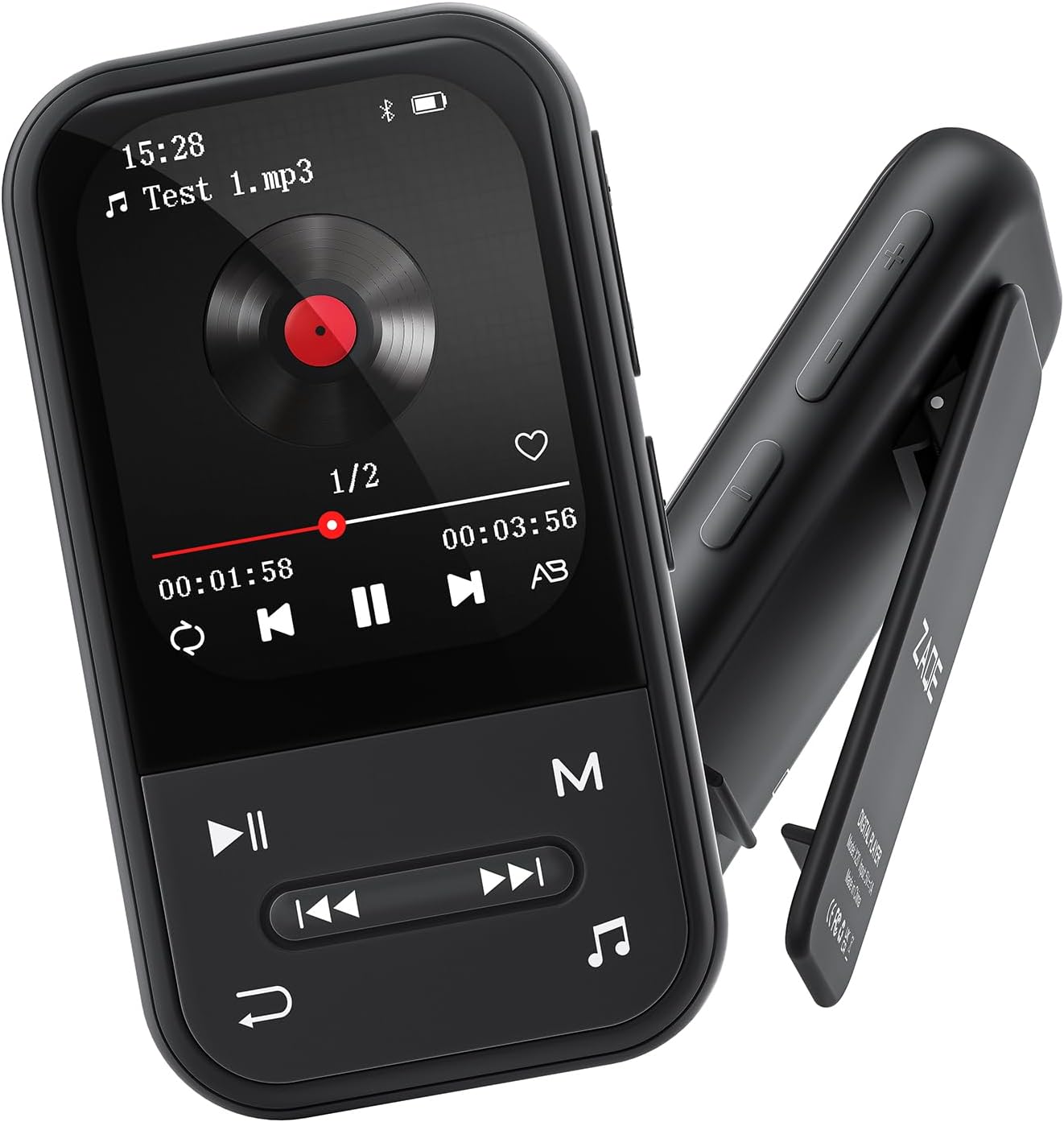
Imatge: Frontal i lateral view of the ZAQE Clip MP3 Player X20, highlighting its compact design and rear clip.
3.2 Interfície de visualització
The device features a 2.0-inch TFT color display with a user-friendly interface for easy navigation through its various functions.
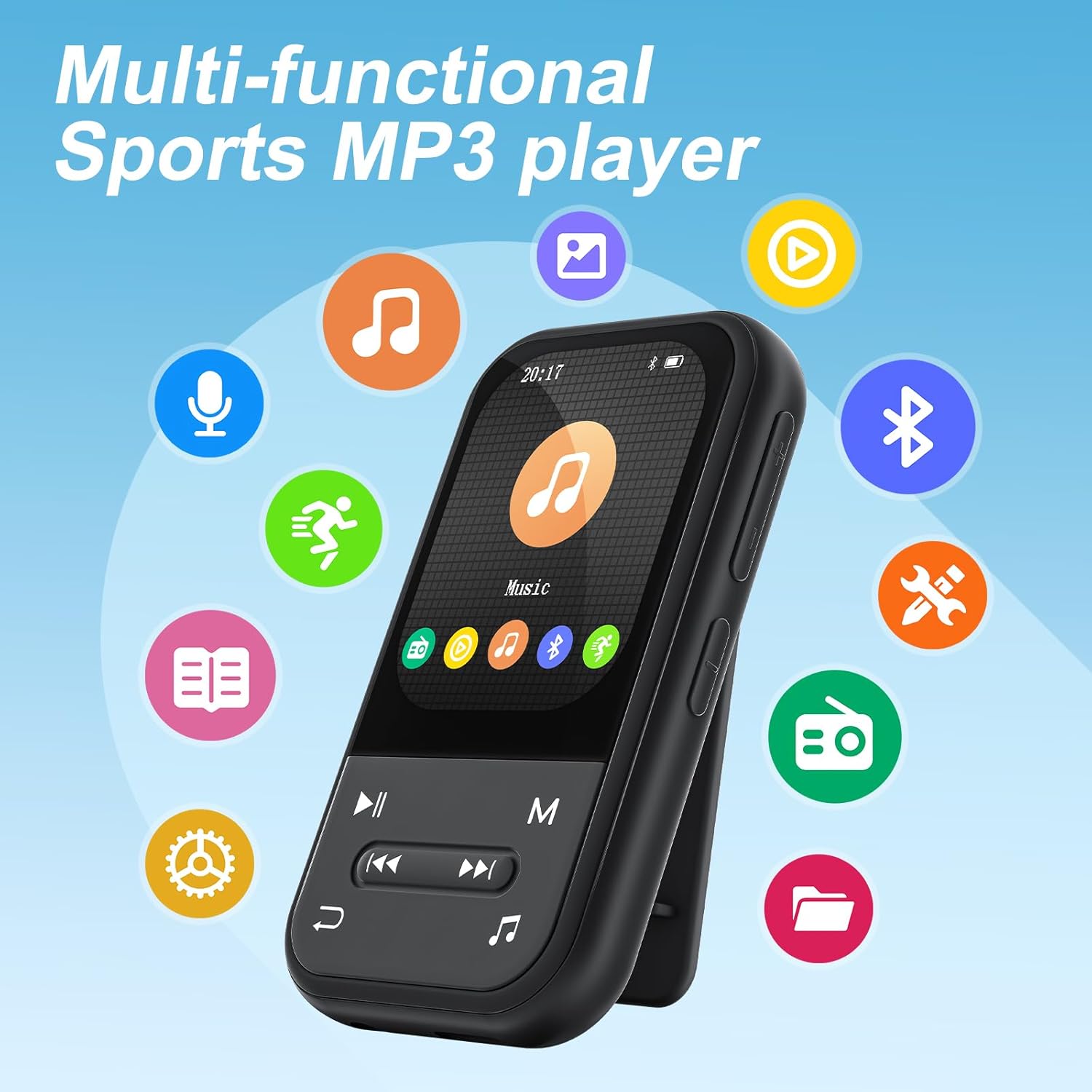
Image: The ZAQE Clip MP3 Player X20 displaying its main interface, surrounded by icons representing its various functions such as music, video, Bluetooth, FM radio, and pedometer.
4. Primers passos
4.1 Càrrega del dispositiu
Before first use, fully charge the MP3 player. Connect the provided USB charging cable to the device's charging port and to a USB power adapter (not included) or a computer's USB port. The battery indicator on the screen will show charging status.
4.2 Engegada/apagada
- Per encendre: Premeu i manteniu premut el botó d'engegada fins que la pantalla s'il·lumini.
- Per apagar: Press and hold the Power button until the power-off prompt appears, then confirm.
4.3 File Transferència
To transfer music, videos, or other files al teu reproductor MP3:
- Connecteu el reproductor MP3 a l'ordinador amb el cable USB.
- The device will appear as a removable disk on your computer.
- Arrossegueu i deixeu anar el que vulgueu files into the appropriate folders on the MP3 player (e.g., 'Music' for audio files).
- Expulseu el dispositiu de l'ordinador de manera segura abans de desconnectar el cable USB.

Image: The ZAQE Clip MP3 Player X20 supports 128GB internal storage and expandable memory.
4.4 Inserció d'una targeta MicroSD
The ZAQE Clip MP3 Player X20 supports expandable storage up to 128GB via a MicroSD card (not included). Locate the MicroSD card slot on the device and gently insert the card until it clicks into place. Ensure the card is inserted in the correct orientation.
5. Instruccions de funcionament
5.1 Navegació bàsica
Use the physical buttons on the device to navigate through menus and select options. The central button typically acts as 'Enter' or 'Confirm', while directional buttons allow movement. The 'Back' button returns to the previous screen.
5.2 Reproducció de música
From the main menu, select the 'Music' icon to access your audio library. You can browse by artist, album, genre, or all songs. During playback, controls for play/pause, skip track, and volume adjustment are available.
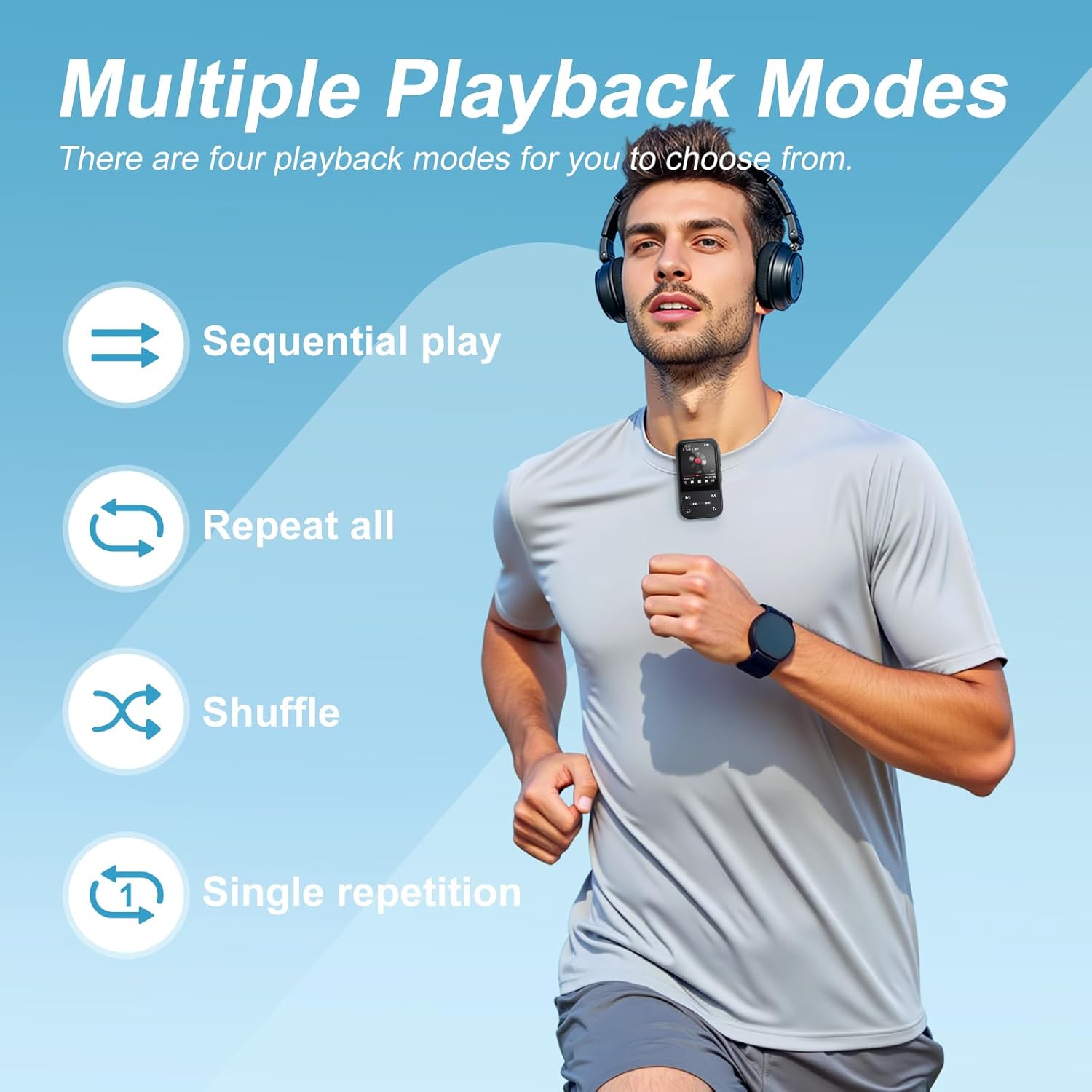
Image: The ZAQE Clip MP3 Player X20 offers multiple playback modes for music.

Image: Quick access to the music interface on the ZAQE Clip MP3 Player X20.
5.3 Connectivitat Bluetooth
The device features Bluetooth 5.3 for wireless audio streaming.
- Navigate to the 'Bluetooth' menu from the main screen.
- Turn on Bluetooth and select 'Cerca devices'.
- Assegureu-vos que els vostres auriculars o altaveu Bluetooth estiguin en mode d'emparellament.
- Seleccioneu el dispositiu de la llista per emparellar-lo.
Nota: This device cannot pair with smartphones or tablets.
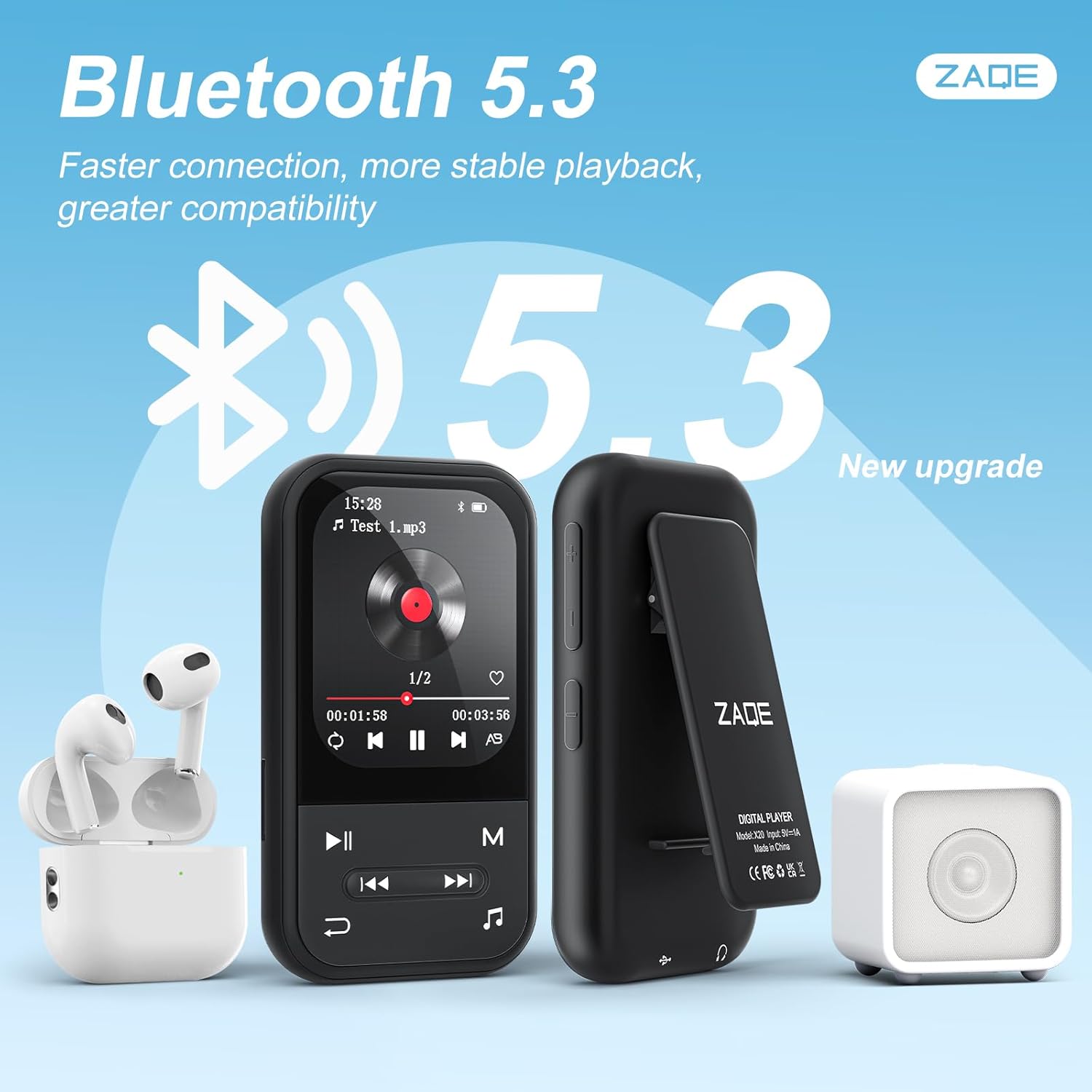
Image: ZAQE Clip MP3 Player X20 connected to Bluetooth headphones and speaker.
5.4 Ràdio FM
To use the FM Radio function, plug in the wired earphones (included) as they act as the antenna. Navigate to the 'FM Radio' icon, then scan for available stations.
5.5 Gravadora de veu
Select the 'Voice Recorder' icon to access the recording function. You can start, pause, and save recordings. Recorded files are typically saved in WAV or MP3 format.
5.6 Funció del podòmetre
The built-in pedometer tracks your steps. Access this feature via the 'Pedometer' icon. Ensure the device is securely clipped to your clothing for accurate tracking.

Image: The ZAQE Clip MP3 Player X20 is ideal for sports and activities.
Lector de llibres electrònics 5.7
The device supports e-book reading. Transfer compatible text files to the 'E-Book' folder on the player. Select the 'E-Book' icon to browse and read your files.
5.8 Eines addicionals
The ZAQE Clip MP3 Player X20 includes several useful tools:
- Despertador: Estableix alarmes per a recordatoris o trucades de despertador.
- Calendari: View the current date and manage simple schedules.
- Cronòmetre: Use for timing activities or workouts.
6. Manteniment
- Mantingueu el dispositiu sec. La humitat pot danyar els components electrònics.
- Netegeu la pantalla i el cos amb un drap suau i sec. Eviteu productes de neteja abrasius.
- Eviteu temperatures extremes.
- No deixeu caure ni sotmeti el dispositiu a impactes forts.
- És important fer còpies de seguretat regularment files per evitar la pèrdua de dades.
7. Solució De Problemes
| Problema | Causa possible | Solució |
|---|---|---|
| El dispositiu no s'encén. | Bateria baixa. | Carregueu el dispositiu durant almenys 30 minuts. |
| No es pot transferir files. | Connexió USB incorrecta o problema amb el controlador. | Assegureu-vos que el cable USB estigui ben connectat. Proveu un altre port USB o ordinador. |
| El dispositiu Bluetooth no s'està emparellant. | Device not in pairing mode or too far. | Ensure your Bluetooth device is in pairing mode and within range. Restart both devices. |
| No sound from FM Radio. | Earphones not connected or not functioning as antenna. | Ensure wired earphones are properly plugged in. They serve as the antenna. |
| No es reconeix la targeta MicroSD. | Card improperly inserted or incompatible format. | Reinsert the card. Ensure it is formatted to FAT32 or exFAT. |
8. Especificacions
| Marca | ZAQE |
| Model | X20 (Clip Player) |
| Capacitat d'emmagatzematge de memòria | 128 GB (Internal) + Expandable via Micro SDHC |
| Mida de la pantalla | 2.0 polzades |
| Tecnologia de visualització | TFT |
| Versió Bluetooth | 5.3 |
| Formats d'àudio compatibles | MP3, OGG, APE, FLAC, WAV, AAC, ACELP |
| Durada de la bateria | Up to 40 Hours (audio playback) |
| Pes de l'article | 1 grams (0.035 unces) |
| Dimensions del paquet | 4.72 x 4.69 x 0.94 polzades |
9. Garantia i Suport
ZAQE products are designed for reliability and performance. For warranty information, technical support, or customer service inquiries, please refer to the contact details provided on the product packaging or visit the official ZAQE weblloc.
Conserveu el vostre comprovant de compra per a reclamacions de garantia.


