1. Introducció
This manual provides detailed instructions for the proper use and maintenance of your LIGE Smart Watch FV6-B2. Please read this manual thoroughly before using the device to ensure optimal performance and longevity.
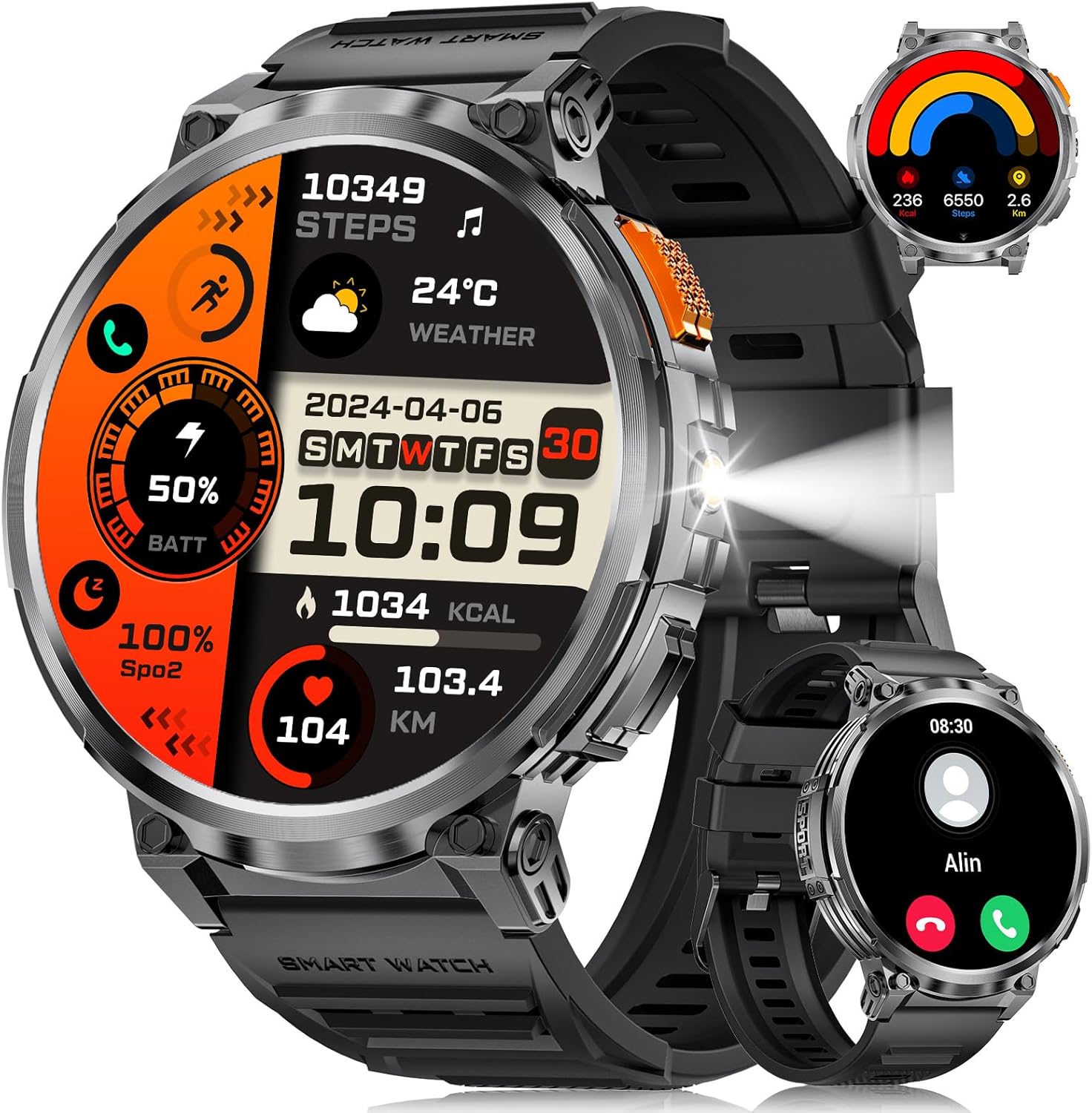
Imatge 1.1: LIGE Smart Watch FV6-B2 displaying various health and activity metrics.
2. Contingut del paquet
Verifiqueu que tots els elements siguin presents al paquet:
- 1 x LIGE Smart Watch FV6-B2
- 1 x Watch Strap (pre-installed or separate)
- 1 x cable de càrrega
- Accessories and Extension Tools (for strap adjustment, if applicable)
- 1 x Manual d'usuari (aquest document)
3. Guia de configuració
3.1 Càrrega inicial
Before first use, fully charge your smartwatch. Connect the provided charging cable to the watch and a compatible USB power source. A full charge typically takes approximately 2.5 hours. The watch features a 730mAh battery, providing extended usage time.

Imatge 3.1: Smartwatch connected to its charging cable, highlighting the 730mAh battery.
3.2 Instal·lació i emparellament de l'aplicació
To unlock the full functionality of your LIGE Smart Watch FV6-B2, download and install the companion application on your smartphone. The watch is compatible with Android 4.4 and iOS 8.0 or above. Refer to the quick start guide or packaging for the specific app name and QR code.
- Scan the QR code provided in the watch packaging or search for the app in your smartphone's app store.
- Instal·la l'aplicació al teu telèfon intel·ligent.
- Obriu l'aplicació i seguiu les instruccions a la pantalla per crear un compte o iniciar sessió.
- Activa el Bluetooth al teu telèfon intel·ligent.
- Within the app, search for your LIGE Smart Watch FV6-B2 and initiate the pairing process.
- Confirma la sol·licitud d'emparellament tant al teu telèfon intel·ligent com al rellotge intel·ligent.
For visual guidance, a connection video may be available. Check the product page or manufacturer's weblloc per obtenir més informació.
4. Instruccions de funcionament
4.1 Navegació per la interfície
The LIGE Smart Watch FV6-B2 features a 1.85-inch HD display with a 360x360 resolution and a highly responsive touch interface. Navigate through menus and functions with simple swipes and taps.
- Llisca cap amunt/avall: Scroll through notifications or menu options.
- Llisca cap a l'esquerra/dreta: Accedeix a widgets ràpids o a diferents esferes de rellotge.
- Toca: Seleccioneu un element o obriu una aplicació.
- Botó lateral: Typically used to return to the home screen, power on/off, or access the app list.

Imatge 4.1: Detallada view of the 1.85-inch HD display.
4.2 Trucades i notificacions per Bluetooth
Once paired with your smartphone, the watch supports Bluetooth calling and displays notifications.
- Fer/Respondre trucades: Use the built-in microphone and speaker to handle calls directly from your wrist. Access the dial keypad or call records on the watch.
- Notificacions de missatges: Receive alerts for incoming messages from various applications (e.g., SMS, social media).

Imatge 4.2: Bluetooth calling and notification features on the smartwatch.
4.3 Vigilància de la salut
The watch utilizes advanced biosensor technology for continuous health tracking.
- Monitorització de la freqüència cardíaca: Measures your heart rate throughout the day.
- Monitorització de la pressió arterial: Proporciona lectures de la pressió arterial.
- Monitorització del son: Tracks your sleep patterns, including deep and light sleep stages. View detailed sleep reports in the companion app.

Imatge 4.3: Sleep monitoring interface on the smartwatch.
4.4 Sports Modes and Activity Tracking
The watch supports over 120 sports modes to track your physical activities.
- Built-in Modes: Access over 20 pre-installed exercise modes.
- Modes personalitzats: Add over 100 additional sports modes via the app (e.g., running, badminton, baseball).
- Tracking Metrics: Records training history, speed, rhythm, heart rate, and steps to help plan and improve exercise efficiency.

Imatge 4.4: Acabatview of multiple sports tracking modes.
4.5 Funcions addicionals
The LIGE Smart Watch FV6-B2 includes several utility features:
- Previsió meteorològica
- Assistent de veu
- Rellotge despertador
- Cronòmetre
- Podòmetre
- Music Control Playback
- Control de fotografies
- Recordatori d'aigua potable
- Multi-language Switching
- Women's Health Tracking
- Ajust de brillantor
- Mode No Molestis
- Estableix una contrasenya
- Raise Hand to Turn On Screen
- Built-in Flashlight (range up to 20m)

Imatge 4.5: Multifunctional interface showing various features.
Over 200 watch desktop faces can be downloaded and switched. You can also customize the watch face with your favorite pictures.
5. Manteniment
5.1 Resistència a l'aigua
The LIGE Smart Watch FV6-B2 has an IP68 waterproof rating. This means it is protected against dust ingress and can withstand immersion in water up to 1.5 meters for up to 30 minutes. It is suitable for use in rainy conditions, during sweating, or while showering. However, it is not recommended for diving or high-pressure water activities.

Imatge 5.1: Smartwatch demonstrating its IP68 waterproof capability.
5.2 Neteja i cura
- Netegeu regularment el rellotge i la corretja amb un drap suau i sec.amp tela.
- Eviteu utilitzar productes químics agressius, netejadors abrasius o dissolvents, ja que poden danyar l'acabat i els segells del rellotge.
- Assegureu-vos que els contactes de càrrega estiguin nets i secs abans de carregar-los per evitar la corrosió.
- Guardeu el rellotge en un lloc fresc i sec quan no l'utilitzeu.
6. Solució De Problemes
6.1 Watch Will Not Turn On
- Carregueu el rellotge amb el cable subministrat durant almenys 10 minuts.
- If it still does not turn on, press and hold the side button for 10 seconds to force a restart.
- If the issue persists, charge the watch fully for 2.5 hours.
- If the watch still does not power on after these steps, contact customer support.
6.2 Watch Stopped Working Suddenly
- Restart the watch by pressing and holding the side button for 10 seconds.
- Ensure the watch is sufficiently charged.
- If the problem continues, consider resetting the watch via the settings menu: Configuració > Sistema > Restablir. Note that a reset will erase all data on the watch.
- Si el problema persisteix, poseu-vos en contacte amb el servei d'atenció al client.
6.3 Problemes de connectivitat (Bluetooth)
- Ensure Bluetooth is enabled on both your smartphone and the smartwatch.
- Make sure the watch is within the Bluetooth range of your smartphone (typically 10 meters or 33 feet).
- Reinicieu tant el telèfon intel·ligent com el rellotge intel·ligent.
- Unpair and re-pair the watch through the companion app.
- Check if the companion app is running in the background and has necessary permissions.
7. Especificacions
| Característica | Detall |
|---|---|
| Número de model | FV6-B2 |
| Mida de la pantalla | 1.85 polzades |
| Resolució de visualització | 360 x 360 píxels |
| Capacitat de la bateria | 730 mAh (polímer de liti) |
| Temps de càrrega | Aprox. 2.5 hores |
| Durada típica de la bateria | 15+ dies |
| Standby Battery Life | 50+ dies |
| Classificació de resistència a l'aigua | IP68 |
| Connectivitat | Bluetooth |
| Sistema operatiu compatible | Android 4.4 i posterior, iOS 8.0 i posterior |
| Sistema operatiu | AsteroidOS |
| Capacitat d'emmagatzematge de memòria | 128 MB |
| Pes de l'article | 8.8 unces |
| Dimensions del paquet | 8.07 x 3.78 x 0.87 polzades |
8. Garantia i Suport
8.1 Informació de la garantia
Specific warranty details are not provided in the available product information. Please refer to the warranty card included in your product packaging or contact the manufacturer directly for comprehensive warranty terms and conditions.
8.2 Atenció al client
Should you encounter any issues or have questions regarding your LIGE Smart Watch FV6-B2, please contact our customer support team. We aim to respond to all inquiries within 24 hours.
For support, please visit the official LIGE weblloc web o consulteu la informació de contacte que es proporciona a l'embalatge del producte.
9. Vídeos oficials de productes
No official product videos from the seller were found in the provided data for this model. Please check the product's online listing or the manufacturer's weblloc web per a tots els recursos de vídeo disponibles.


