Introducció
This manual provides detailed instructions for the setup, operation, maintenance, and troubleshooting of your Compaq Qtab PRO Tablet. Please read this manual thoroughly before using your device to ensure proper functionality and to maximize your user experience.
Contingut del paquet
En obrir el paquet, comproveu que tots els elements enumerats a continuació hi siguin presents i estiguin en bon estat:
- Compaq Qtab PRO Tablet (10.95 inches)
- Funda protectora
- Cable de càrrega USB-C
- User Manual / Quick Start Guide (this document)
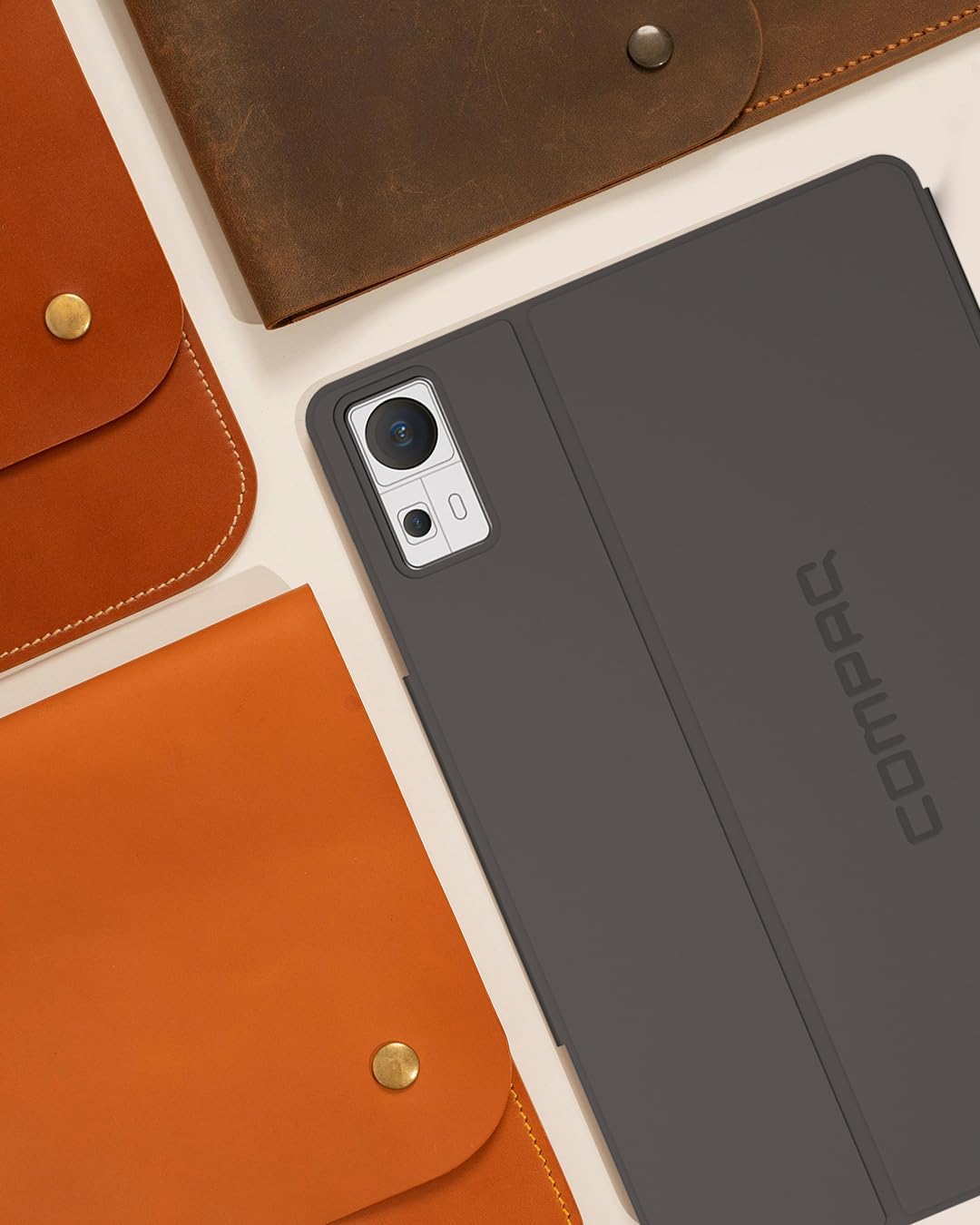
Image: The Compaq Qtab PRO Tablet shown with its protective case. The tablet is dark gray, and the case provides coverage for the back and edges, with a cutout for the camera module.
Configuració
1. Càrrega inicial
Before first use, fully charge the tablet using the provided USB-C charging cable and a compatible power adapter (not included). The tablet supports 18W PD fast charging. A full charge ensures optimal battery performance.
2. Encès / apagat
- Per encendre: Press and hold the Power button located on the side of the tablet until the Compaq logo appears on the screen.
- Per apagar: Press and hold the Power button until a menu appears. Select "Power off" from the options.
- Per reiniciar: Press and hold the Power button until a menu appears. Select "Restart" from the options.
3. Assistent de configuració inicial
Upon first power-on, the Android 15 setup wizard will guide you through essential configurations:
- Seleccioneu el vostre idioma.
- Connecteu-vos a una xarxa Wi-Fi.
- Inicia la sessió amb el teu compte de Google o crea'n un de nou.
- Configura el bloqueig de pantalla (PIN, patró, contrasenya).
- Review i acceptar els termes i condicions.
4. Instal·lació de targetes SIM i MicroSD
The Compaq Qtab PRO supports Dual 4G LTE for cellular connectivity and expandable storage via a MicroSD card.
- Localitza la safata de la targeta SIM/MicroSD al lateral de la tauleta.
- Introduïu l'eina d'expulsió de la SIM proporcionada al forat petit que hi ha al costat de la safata i premeu suaument fins que la safata surti.
- Col·loqueu la targeta (o targetes) Nano-SIM i/o la targeta MicroSD a les ranures designades de la safata, assegurant-vos que l'orientació sigui correcta.
- Torneu a inserir la safata a la tauleta amb cura fins que encaixi al seu lloc.

Image: The back of the Compaq Qtab PRO Tablet, featuring the Compaq logo centrally and the camera module in the upper right corner. This view helps locate physical features like the SIM/MicroSD tray.
Instruccions de funcionament
1. Navegació bàsica (Android 15)
La tauleta funciona amb Android 15. Els gestos habituals inclouen:
- Toca: Selecciona un element o obre una aplicació.
- Llisca: Navigate between home screens, scroll through lists, or open notification/quick settings panels.
- Pessiga per fer zoom: Ampliar o reduir el contingut de la pantalla.
- Premsa llarga: Accediu als menús contextuals o moveu les icones de les aplicacions.
2. Connectivitat
- Wi-Fi: Access 5G Wi-Fi by navigating to Configuració > Xarxa i Internet > Wi-Fi. Select your network and enter the password.
- Bluetooth: Pair with Bluetooth 5.0 devices (headphones, keyboards) via Configuració > Dispositius connectats > Bluetooth.
- 4G LTE: With a valid SIM card, cellular data can be enabled in Configuració > Xarxa i Internet > Xarxa mòbil.
- GPS: Location services are enabled by default. Manage GPS settings in Configuració> Ubicació.
3. Pantalla i àudio
The 11-inch Full HD IPS display (1920x1080 pixels) provides clear visuals. Adjust brightness and display settings in Configuració > Pantalla. The tablet features four stereo speakers for immersive audio. Volume controls are located on the side of the device.

Image: The Compaq Qtab PRO Tablet positioned in its protective case, displaying a video on its screen. This illustrates the tablet's display capabilities and how the case can function as a stand.
4. Funcionalitat de la càmera
The tablet is equipped with a 13MP triple camera system. Open the Camera app to capture photos and videos. Various modes and settings are available within the app interface.
5. Emmagatzematge i rendiment
With 8GB RAM and 256GB internal storage, the tablet offers ample space and smooth multitasking. The Qualcomm Snapdragon 685 Octa-Core processor ensures efficient performance. Storage can be expanded using a MicroSD card (up to specified maximum, check product specifications for details).
Manteniment
1. Neteja de la tauleta
To clean the tablet, power it off and disconnect all cables. Use a soft, lint-free cloth slightly dampened with water or a screen cleaner. Avoid harsh chemicals, abrasive materials, or excessive moisture.
2. Actualitzacions de programari
Comproveu i instal·leu regularment si hi ha actualitzacions de programari per garantir un rendiment òptim, seguretat i accés a noves funcions. Navegueu a Configuració > Sistema > Actualització del sistema.
3. Cura de la bateria
- Eviteu temperatures extremes.
- No deixeu que la bateria es descarregui completament amb freqüència.
- Feu servir només els cables i adaptadors de càrrega proporcionats o certificats.
- Per a l'emmagatzematge a llarg termini, carregueu la bateria al 50% aproximadament i apagueu el dispositiu.
4. Gestió de l'emmagatzematge
Periòdicament review i gestiona l'emmagatzematge de la tauleta. Elimina el contingut innecessari files, desinstal·leu les aplicacions que no feu servir i moveu suports multimèdia grans files to cloud storage or an external MicroSD card to maintain performance. Access storage information in Configuració > Emmagatzematge.
Resolució de problemes
This section addresses common issues you might encounter with your Compaq Qtab PRO Tablet.
El dispositiu no s'encén
- Assegureu-vos que la bateria estigui carregada. Connecteu la tauleta a un carregador durant almenys 30 minuts.
- Perform a forced restart: Press and hold the Power button for 10-15 seconds.
Screen Unresponsive or Lagging
- Reinicieu la tauleta.
- Close background applications that may be consuming resources.
- Assegureu-vos que la pantalla estigui neta i lliure de residus.
- Si feu servir un protector de pantalla, assegureu-vos que estigui aplicat correctament i que no interfereixi amb la sensibilitat tàctil.
Problemes de connectivitat Wi-Fi o Bluetooth
- Toggle Wi-Fi/Bluetooth off and on in Quick Settings or Configuració.
- Reinicieu el vostre encaminador/mòdem per solucionar problemes de Wi-Fi.
- Forget the network/device and reconnect/re-pair.
- Ensure the tablet is within range of the Wi-Fi network or Bluetooth device.
Apps Crashing or Not Responding
- Force close the app: Configuració > Aplicacions > Veure totes les aplicacions > [Nom de l'aplicació] > Forçar l'aturada.
- Esborra la memòria cau de l'aplicació: Configuració > Aplicacions > Veure totes les aplicacions > [Nom de l'aplicació] > Emmagatzematge i memòria cau > Esborra la memòria cau.
- Actualitza l'aplicació des de Google Play Store.
- Desinstal·leu i torneu a instal·lar l'aplicació.
Restabliment de fàbrica
Si els problemes persisteixen, un restabliment de fàbrica els pot resoldre. Avís: Això esborrarà totes les dades de la tauleta. Fes una còpia de seguretat de les dades importants abans de continuar.
- Vés a Configuració > Sistema > Opcions de restabliment.
- Seleccioneu Esborra totes les dades (restabliment de fàbrica).
- Confirmeu la vostra decisió i introduïu el vostre PIN/contrasenya si se us demana.
- La tauleta es reiniciarà i començarà el procés de restabliment.
Especificacions
Key technical specifications for the Compaq Qtab PRO Tablet:
| Característica | Especificació |
|---|---|
| Nom del model | PRO LTE |
| Sistema operatiu | Android 15 |
| Processador | Qualcomm Snapdragon 685 Octa-Core (up to 2 GHz) |
| RAM | 8 GB |
| Emmagatzematge intern | 256 GB |
| Emmagatzematge ampliable | Suport per a targetes MicroSD |
| Mida de la pantalla | 11 polzades |
| Resolució de visualització | 1920 x 1080 píxels (Full HD IPS) |
| Càmeres | 13MP Triple Camera System (Rear), Front Camera (details not specified, assumed for video calls) |
| Capacitat de la bateria | 7000 mAh |
| Carregant | 18W PD Fast Charging (USB-C) |
| Connectivitat | Dual 4G LTE, 5G Wi-Fi (802.11ax), Bluetooth 5.0, GPS |
| Dimensions (LxWxH) | 10.16 x 0.31 x 6.41 polzades |
| Pes | 3.08 lliures (uns 493 grams) |

Image: The screen of the Compaq Qtab PRO Tablet displaying a vibrant, abstract image with gradients of purple, orange, and yellow, highlighting the Full HD IPS display quality.
Informació de la garantia
The Compaq Qtab PRO Tablet comes with a standard manufacturer's warranty. For specific details regarding warranty coverage, duration, and terms, please refer to the warranty card included in your product packaging or visit the official Compaq website. Additional protection plans may be available for purchase separately.
Suport
Per a més ajuda, suport tècnic o per a view frequently asked questions, please visit the official Compaq support website or contact customer service. You can also visit the Compaq Store on Amazon per a informació i actualitzacions del producte.


