1. Introducció
This manual provides essential information for setting up, operating, maintaining, and troubleshooting your Motorola Razr 60 5G smartphone. Please read this guide thoroughly to ensure optimal performance and longevity of your device.
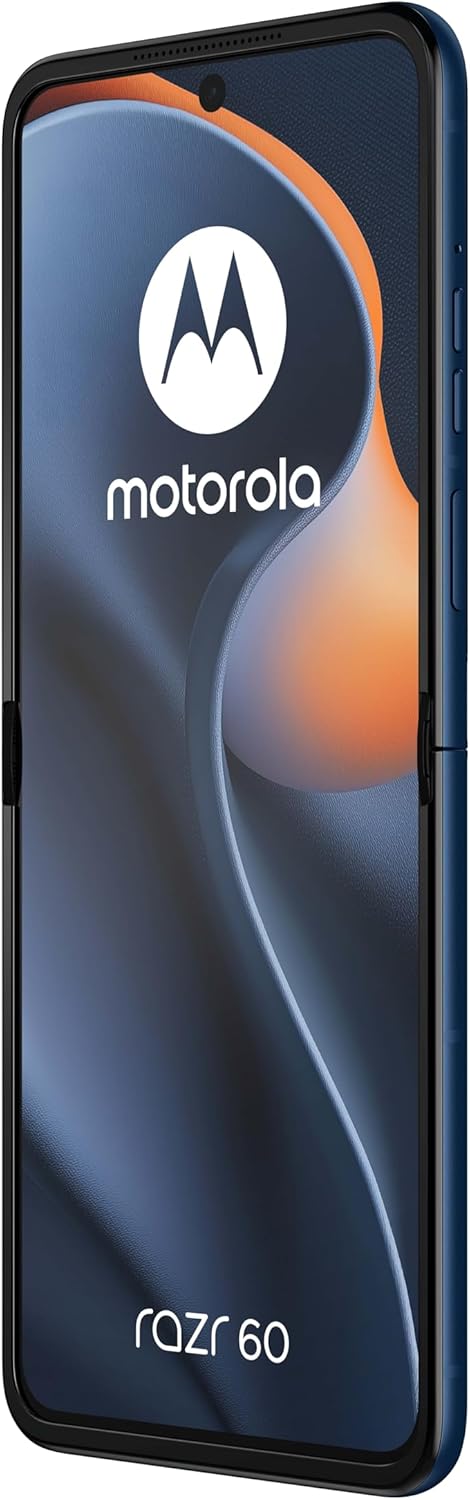
Figure 1: Motorola Razr 60 in unfolded state, displaying the main screen.
2. Configuració
2.1. Unboxing i Inspecció Inicial
Traieu amb cura tots els components de l'embalatge. Verifiqueu que hi hagi els elements següents:
- Motorola Razr 60 Smartphone
- Cable USB
- Guia d'inici ràpid (si s'inclou)
Inspeccioneu el dispositiu per detectar qualsevol dany visible abans de continuar.
2.2. Inserció de targetes SIM
The Motorola Razr 60 supports Dual SIM functionality. To insert your SIM cards:
- Localitza la safata de la targeta SIM al lateral del dispositiu.
- Use a SIM ejector tool (not included, typically comes with new phones) to open the tray.
- Place your nano-SIM cards into the designated slots, ensuring the gold contacts face downwards.
- Torneu a inserir amb cura la safata de la targeta SIM al dispositiu.

Figura 2: lateral view of the Motorola Razr 60, indicating the location of the SIM tray and power/volume buttons.
2.3. Carregant la bateria
Before first use, it is recommended to fully charge the device. Connect the provided USB cable to the phone's USB-C port and the other end to a compatible power adapter (sold separately) or a computer's USB port.

Figura 3: A baix view of the Motorola Razr 60, highlighting the USB-C charging port.
2.4. Engegada i configuració inicial
Press and hold the Power button (located on the side) until the Motorola logo appears. Follow the on-screen prompts to select your language, connect to a Wi-Fi network, and set up your Google account.
3. Funcionament del vostre dispositiu
3.1. Foldable Screen Operation
The Motorola Razr 60 features a foldable display. Gently unfold the device to access the main 6.9-inch screen. When finished, you can fold the device to a compact form factor for portability and to utilize the external display.
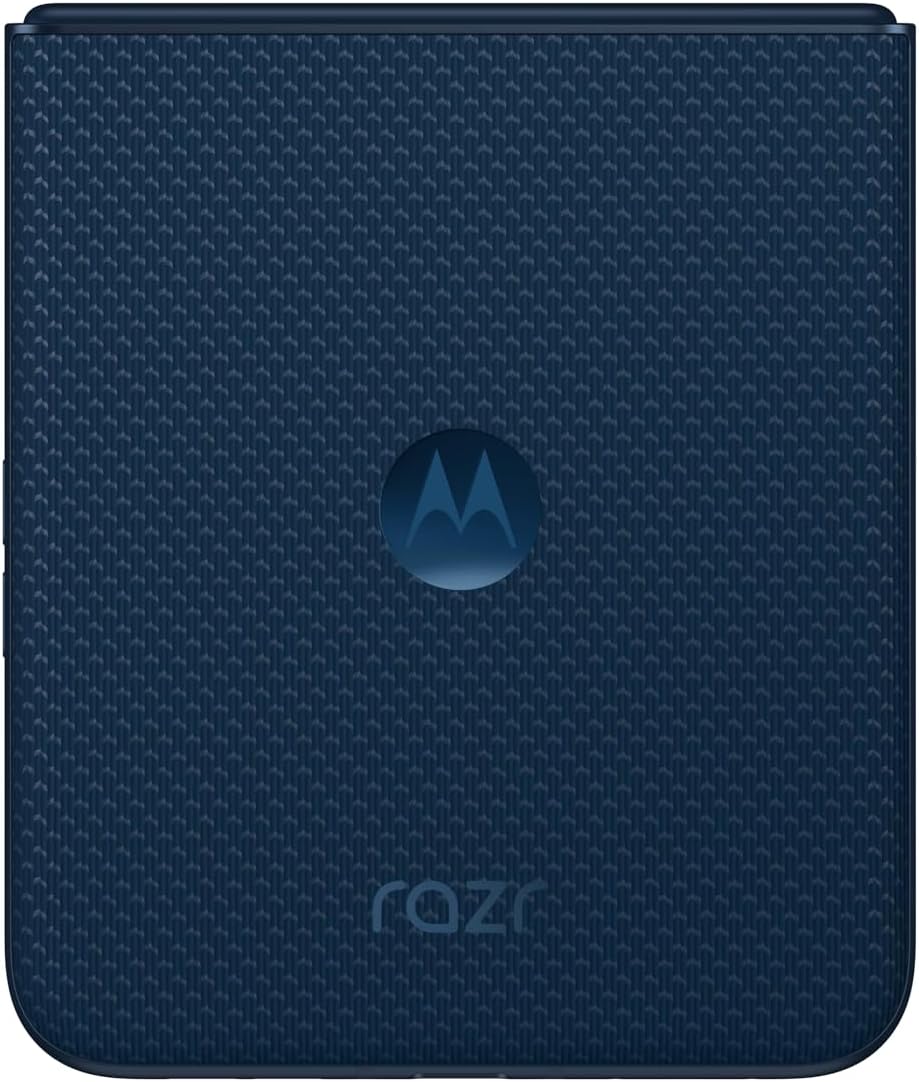
Figure 4: Motorola Razr 60 in its folded, compact state.

Figure 5: Motorola Razr 60 partially folded, showcasing the external display and camera module.
3.2. Sistema operatiu Android 15
Your device runs on Android 15. Navigate through the interface using gestures and taps. Swipe up from the bottom to access the app drawer, swipe down from the top for notifications and quick settings.
3.3. Connectivitat
The Razr 60 supports 5G connectivity for high-speed mobile data. Ensure your SIM card is provisioned for 5G service. The device also features Wi-Fi for internet access and Bluetooth for connecting accessories.
3.4. Funcionalitat de doble SIM
With Dual SIM support, you can use two different phone numbers or carriers simultaneously. Manage your SIM preferences for calls, messages, and mobile data through the Settings menu under "Network & internet" > "SIMs".
4. Manteniment
4.1. Neteja del dispositiu
To clean your Motorola Razr 60, use a soft, lint-free cloth. For stubborn smudges, slightly dampen the cloth with water. Avoid using harsh chemicals, abrasive materials, or aerosol sprays, as these can damage the screen and finish.
4.2. Cura de la bateria
The device is equipped with a 4500 mAh battery. To prolong battery life:
- Eviteu temperatures extremes.
- No deixeu el dispositiu completament carregat ni completament descarregat durant períodes prolongats.
- Feu servir només accessoris de càrrega aprovats.
4.3. Actualitzacions de programari
Comproveu i instal·leu regularment si hi ha actualitzacions de programari per assegurar-vos que el dispositiu tingui les darreres funcions, pegats de seguretat i millores de rendiment. Aneu a Configuració> Sistema> Actualitzacions del sistema per comprovar si hi ha actualitzacions disponibles.
5. Solució De Problemes
If you encounter issues with your Motorola Razr 60, try the following steps:
5.1. El dispositiu no respon
Si el dispositiu no respon, premeu i manteniu premut el botó d'engegada durant aproximadament 10-15 segons per forçar un reinici.
5.2. Problemes de connectivitat de xarxa
- Ensure Airplane Mode is off (Configuració > Xarxa i Internet).
- Check that your SIM cards are properly inserted.
- Reinicieu el dispositiu.
- Contact your mobile carrier to verify service status.
5.3. La bateria s'esgota ràpidament
- Redueix la brillantor de la pantalla.
- Tanca les aplicacions no utilitzades que s'executen en segon pla.
- Disable unnecessary features like GPS or Bluetooth when not in use.
- Comprova l'ús de la bateria a Configuració > Bateria per identificar les aplicacions que consumeixen energia.
5.4. Restabliment de fàbrica
As a last resort, if software issues persist, you may perform a factory data reset. This will erase all data from your phone. Fes una còpia de seguretat de les teves dades abans de continuar. Vés a Configuració > Sistema > Opcions de restabliment > Esborra totes les dades (restabliment de fàbrica).
6. Especificacions
Below are the key technical specifications for the Motorola Razr 60:
| Característica | Especificació |
|---|---|
| Nom del model | Motorola Razr 60 |
| Sistema operatiu | Android 15 |
| Model de CPU | Còrtex |
| Velocitat de la CPU | 2.8 GHz |
| Mida instal·lada de la memòria RAM | 8 GB |
| Emmagatzematge intern | 256 GB |
| Mida de la pantalla | 6.9 polzades (pantalla principal) |
| Resolució | 1080 x 2640 |
| Tecnologies de connectivitat | 5G |
| Característiques especials | Dual SIM, Foldable Screen |
| Potència nominal de la bateria | 4500 milionsamp Hores |
| Dimensions del producte | 6.74 x 0.29 x 2.91 polzades |
| Pes de l'article | 7.1 unces (200 grams) |
| Jack d'àudio | Sense presa per a auriculars |
| Color | Pantone Gibraltar Sea |
7. Garantia i Suport
7.1. Informació de la garantia
Your Motorola Razr 60 is covered by a limited warranty. For detailed warranty terms and conditions, please refer to the warranty card included with your device or visit the official Motorola support website. This product is listed as "Renewed," which may affect warranty terms; consult your seller for specific details regarding renewed product warranties.
7.2. Atenció al client
Per a més ajuda, assistència tècnica o consultes de servei, visiteu el lloc web oficial d'assistència de Motorola. website or contact their customer service. You can typically find contact information on the manufacturer's weblloc web o a la documentació que s'inclou amb el dispositiu.
For issues related to the "Renewed" status or purchase, please contact your seller directly.


