1. Introducció
This manual provides essential information for setting up, operating, maintaining, and troubleshooting your NIMO N158 15.6-inch laptop. Please read this manual thoroughly before using your device to ensure optimal performance and longevity.
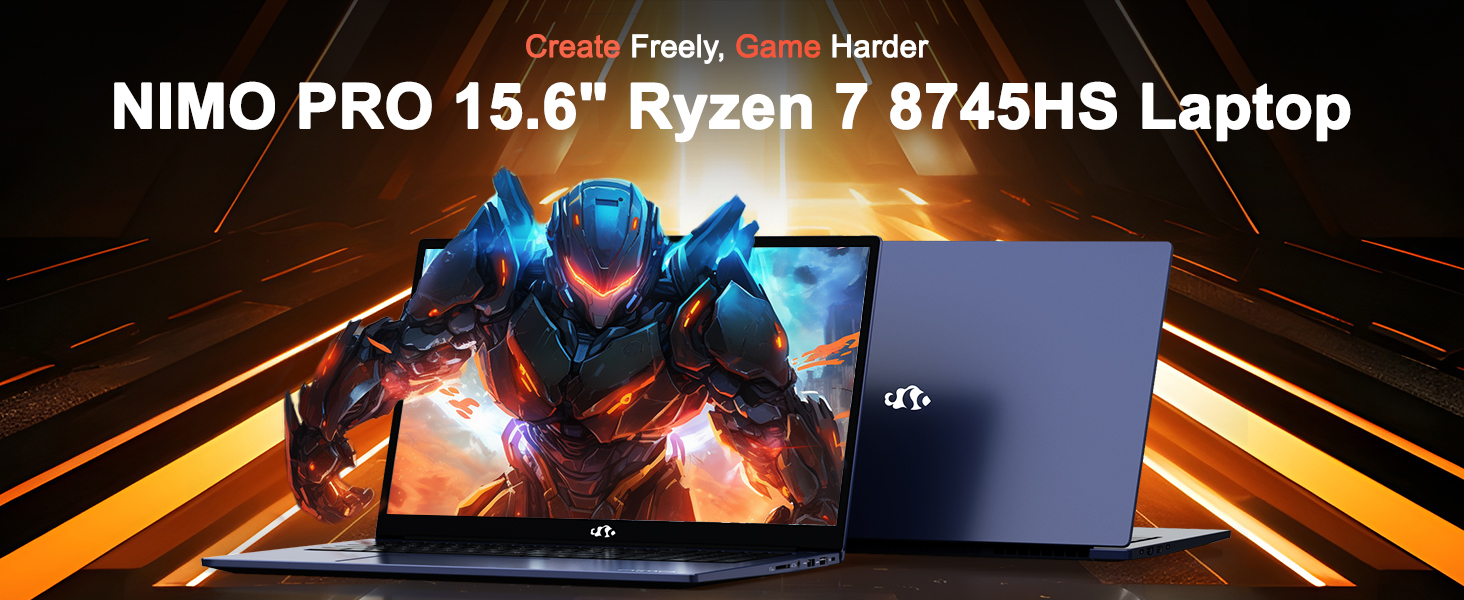
Image: The NIMO N158 15.6-inch laptop, showcasinel seu disseny i les seves característiques principals.
2. Producte acabatview
The NIMO N158 is a high-performance laptop designed for productivity and entertainment. It features an AMD Ryzen 7 8745HS processor, 64GB DDR5 RAM, and a 1TB PCIe 4.0 SSD.
2.1 Components clau
- Processador: AMD Ryzen 7 8745HS (8 nuclis, 16 fils de treball, fins a 4.9 GHz)
- Gràfics: AMD Radeon 780M Integrated Graphics
- Memòria: 64 GB de memòria RAM DDR5 (4800 MHz)
- Emmagatzematge: 1TB PCIe 4.0 SSD
- Visualització: Pantalla IPS antireflexos Full HD de 15.6 polzades (1920 x 1080)
- Sistema operatiu: Windows 11 Home
- Bateria: 75Wh Lithium Polymer
2.2 Ports i interfícies
The NIMO N158 laptop offers a variety of ports for connectivity:

Image: Diagram illustrating the various ports and interfaces on the NIMO N158 laptop.
- 1 x port USB 2.0
- 3 x ports USB 3.0
- 1 x USB 4.0 Type-C Port (with 100W PD fast charging support)
- 1 port HDMI
- 1 x presa d'auriculars
- 1 x Lector de targetes SD
- 1 x ranura de bloqueig Kensington
3. Configuració
3.1 Engegada i càrrega inicials
- Unpack the laptop and the included 100W Type-C PD Fast Charger.
- Connect the charger to the USB Type-C port on the laptop and to a power outlet. The Charger LED will illuminate.
- Deixeu que el portàtil es carregui durant almenys 30 minuts abans del primer ús o fins que l'indicador de la bateria mostri una càrrega suficient.
- Premeu el botó d'encesa per encendre l'ordinador portàtil.

Image: The NIMO N158 laptop connected to its 100W Type-C fast charger, illustrating the charging process.
3.2 Configuració del sistema operatiu
Upon first boot, you will be guided through the Windows 11 Home setup process. Follow the on-screen instructions to configure your language, region, network connection, and user account.
3.3 Configuració del lector d'empremtes dactilars
For enhanced security, set up the integrated fingerprint reader during the Windows 11 setup or later via Windows Settings > Accounts > Sign-in options. This allows for quick and secure login.
4. Instruccions de funcionament
4.1 Teclat i touchpad
- Teclat retroil·luminat: The keyboard features backlighting for comfortable typing in low-light conditions. Use the designated function key (Fn + F key combination, typically) to adjust brightness or toggle the backlight.
- Teclat numèric: A dedicated numeric keypad is included for efficient data entry.
- Precision Gesture Touchpad: El touchpad admet gestos multitàctils per a la navegació. Consulteu la configuració de Windows per personalitzar els gestos del touchpad.

Image: A user interacting with the NIMO N158 laptop, highlighting the backlit keyboard and fingerprint reader on the touchpad.
4.2 Pantalla
The 15.6-inch Full HD IPS anti-glare display provides clear and vibrant visuals. Adjust display settings (resolution, brightness, color) through Windows Display Settings.

Image: The NIMO N158 laptop displaying a vibrant image on its 15.6-inch Full HD IPS screen, emphasizing visual quality.
4.3 Weblleva
The laptop includes a 2MP webcam. For privacy, a physical webcam shield or switch is integrated. Ensure the webcam is open when in use and closed when not needed.

Image: A visual representation of the NIMO N158 laptop's privacy-focused camera, showing the open and closed states of the webcam switch.
4.4 Rendiment i multitasca
The AMD Ryzen 7 8745HS processor and 64GB DDR5 RAM provide robust performance for demanding tasks, content creation, and gaming. The 1TB PCIe 4.0 SSD ensures fast boot times and application loading.

Image: A close-up of the AMD Ryzen 7 8745HS processor chip, highlighting its core specifications.
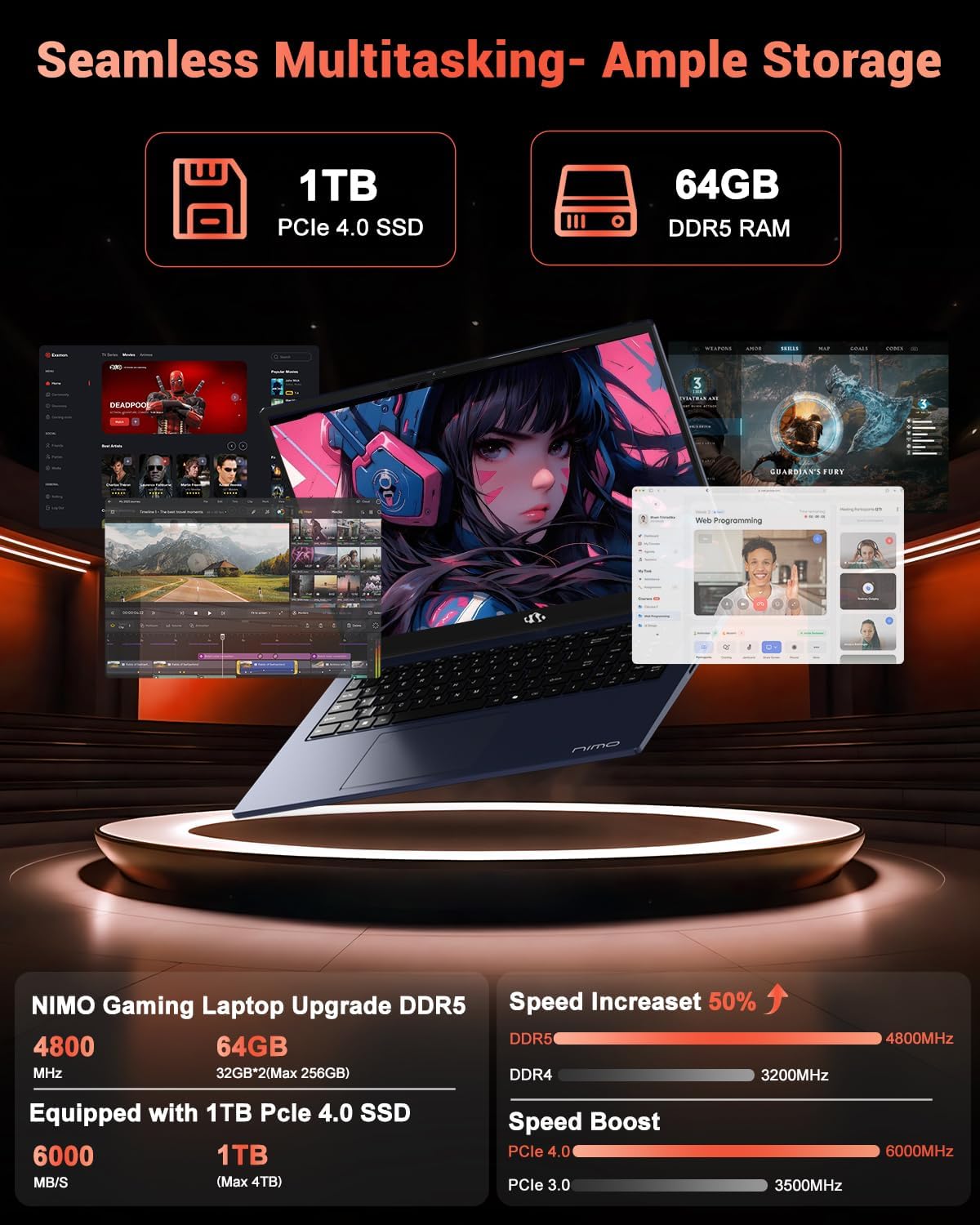
Image: The NIMO N158 laptop displaying multiple applications open, demonstrating its multitasking capabilities with 64GB RAM and 1TB SSD.
5. Manteniment
5.1 Atenció general
- Mantingueu el portàtil net netejant les superfícies amb un drap suau i sec.
- Eviteu exposar el portàtil a temperatures extremes, llum solar directa o humitat.
- No col·loqueu objectes pesats sobre el portàtil.
- Assegureu-vos d'una ventilació adequada no bloquejant les sortides d'aire.
5.2 Actualització
The NIMO N158 features an upgradable design, allowing for expansion of memory (RAM) and storage (SSD). Consult a qualified technician or refer to official NIMO support resources before attempting any internal upgrades to avoid voiding your warranty.
6. Solució De Problemes
If you encounter issues with your NIMO N158 laptop, consider the following basic troubleshooting steps:
- Sense energia: Ensure the charger is securely connected and the power outlet is functional. Try a different outlet.
- Problemes de visualització: Check external display connections if using one. Adjust screen brightness. Restart the laptop.
- Rendiment lent: Tanqueu les aplicacions innecessàries. Comproveu si hi ha actualitzacions en segon pla. Assegureu-vos que hi hagi prou espai d'emmagatzematge lliure.
- Problemes de connectivitat: Restart your Wi-Fi router. Reconnect to the Wi-Fi network. Update network drivers.
- El sistema es congela: Mantingueu premut el botó d'engegada durant 10-15 segons per forçar l'apagada i, a continuació, reinicieu-lo.
For persistent issues, refer to the NIMO support weblloc o contacteu amb el servei d'atenció al client.
7. Especificacions
| Característica | Especificació |
|---|---|
| Marca | NIMO |
| Nom del model | NIMO N158B |
| Mida de la pantalla | 15.6 polzades |
| Resolució de pantalla | 1920 x 1080 píxels (FHD IPS) |
| Processador | AMD Ryzen 7 8745HS (up to 4.9 GHz) |
| RAM | 64 GB de DDR5 (4800 MHz) |
| Disc dur | 1024 GB SSD (PCIe 4.0) |
| Coprocessador gràfic | AMD Radeon 780M |
| Sistema operatiu | Windows 11 Home |
| Tipus sense fil | 802.11a/b/g/n/ac (Wi-Fi 6E) |
| Ports USB 2.0 | 1 |
| Ports USB 3.0 | 3 |
| Ports USB 4.0 tipus C | 1 |
| Durada mitjana de la bateria | 15.5 hores |
| Pes de l'article | 3.8 lliures |
| Dimensions del producte | 14.07 x 8.98 x 0.76 polzades |
| Característiques especials | Teclat retroil·luminat, lector d'empremtes dactilars, àudio HD, teclat numèric |
8. Garantia i Suport
NIMO is committed to providing excellent customer service and product support.
8.1 Informació de la garantia
El teu portàtil NIMO N158 inclou un 2 any de garantia des de la data de compra. Aquesta garantia cobreix defectes de fabricació i avaries de maquinari en condicions d'ús normal. Conserveu el comprovant de compra per a reclamacions de garantia.

Image: A technician performing maintenance on a laptop, representing the 2-year support provided by NIMO.
8.2 Política de devolució
NIMO offers a Política de devolució sense complicacions de 90 dies. If you are not satisfied with your purchase, you may return the product within 90 days from the date of purchase. Please refer to the official NIMO return policy for detailed terms and conditions.

Image: A delivery person handing a package to a customer, illustrating the 90-day return policy.
8.3 Atenció al client
Our dedicated support team is available to assist you with any questions or issues. You can reach us via:
- Correu electrònic: service@nimopc.com
- En línia: Visita el NIMO oficial weblloc web per a preguntes freqüents i recursos de suport.
We strive to provide quick solutions and a worry-free experience.

Image: Customer service representatives wearing headsets, representing professional customer assistance.


