1. Introducció
Gràcies per la compraasing the GOBOULT Bassbox X20 Bluetooth Speaker. This manual provides essential information for setting up, operating, and maintaining your device. Please read it carefully before use to ensure optimal performance and longevity.

Imatge 1.1: Frontal view of the GOBOULT Bassbox X20 Bluetooth Speaker.
2. Contingut del paquet
Ensure all items are present in the package. If any item is missing or damaged, please contact customer support.
- GOBOULT Bassbox X20 Soundbar
- Manual d'usuari (aquest document)
- Targeta de garantia
- Cable de càrrega (tipus C)
Note: The product features integrated bass drivers, referred to as 'Subwoofer' in some listings, which are part of the main soundbar unit.
3. Producte acabatview
3.1 Característiques clau
- 20W Bass Boosted Sound: Delivers clear and dynamic audio with enhanced bass.
- Dual Dynamic Drivers: Provides balanced sound across all frequencies.
- Up to 6 Hours Playtime: Extended battery life for continuous audio playback.
- Tecnologia Bluetooth 5.4: Ensures stable and fast wireless connectivity.
- Multi-Connectivity Options: Supports Bluetooth, AUX, TF Card, and USB input.
- Disseny portàtil: Compacte i lleuger per a un fàcil transport.
- Funció True Wireless Stereo (TWS): Connect two Bassbox X20 speakers for a stereo experience.
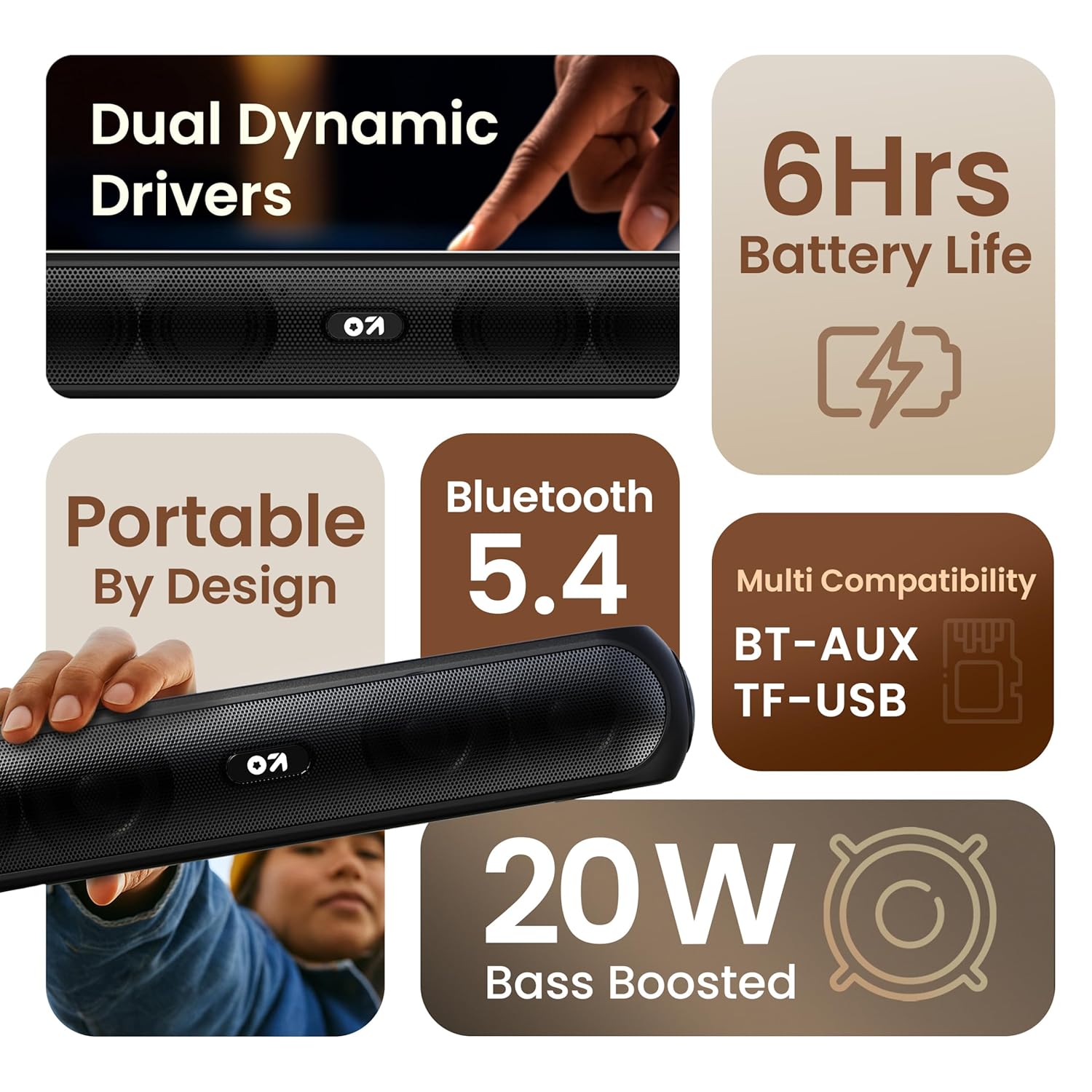
Imatge 3.1: acabatview of the speaker's main features.
3.2 Controls i ports
Familiarize yourself with the control buttons and input ports on your speaker.
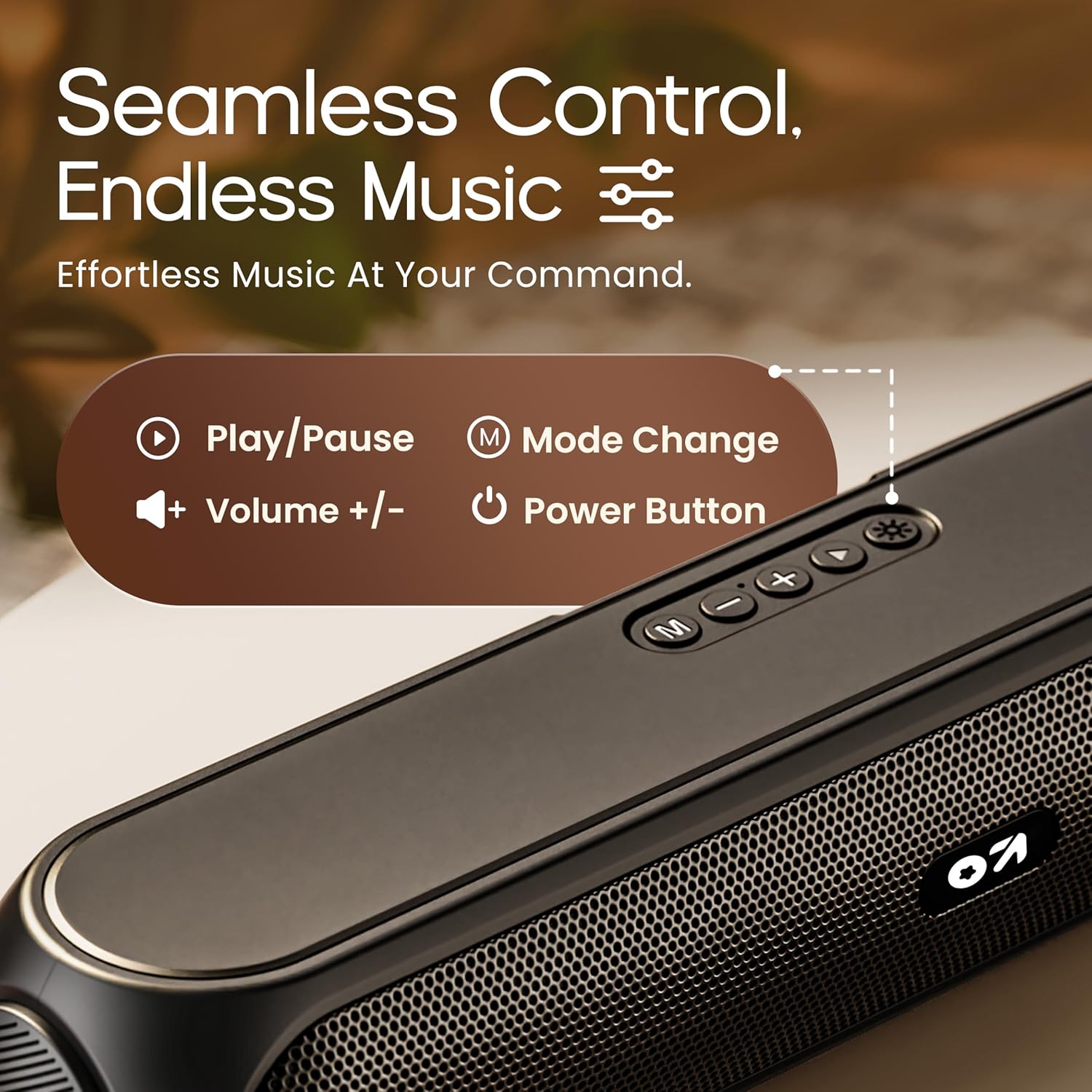
Image 3.2: Top control panel with Play/Pause, Volume, Mode, and Power buttons.
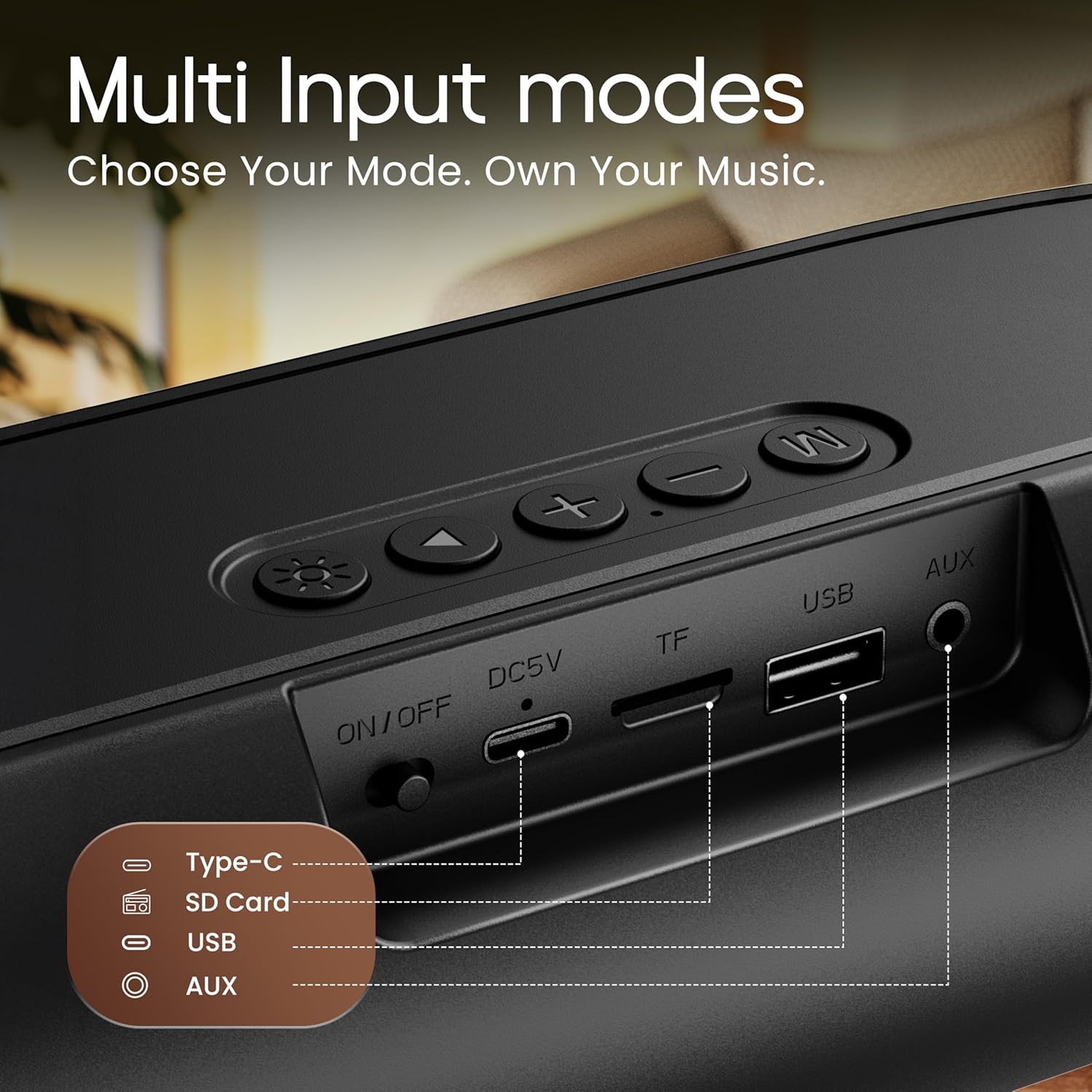
Image 3.3: Rear input panel showing Type-C, TF Card, USB, and AUX ports, along with the ON/OFF switch.
- Botó d'encesa: Press and hold to power on/off. Short press to change LED light modes (if applicable).
- Botó de mode (M): Premeu breument per canviar entre els modes Bluetooth, AUX, targeta TF i USB.
- Botó Reproduir/Pausa: Premeu breument per reproduir o pausar l'àudio.
- Puja el volum (+): Premeu curt per augmentar el volum. Premeu llargament per passar a la següent pista.
- Baixar el volum (-): Premeu curt per baixar el volum. Premeu llargament per anar a la pista anterior.
- Port de tipus C: Per carregar l'altaveu.
- Ranura per a targetes TF: Insert a TF (MicroSD) card for direct audio playback.
- Port USB: Insert a USB drive for direct audio playback.
- Port AUX: Connecteu dispositius d'àudio externs mitjançant un cable d'àudio de 3.5 mm.
- Interruptor ON / OFF: Interruptor principal d'alimentació del dispositiu.
4. Configuració
4.1 Càrrega de l'altaveu
Before first use, fully charge the speaker. Use the provided Type-C charging cable.
- Connect the Type-C end of the charging cable to the speaker's Type-C port.
- Connect the USB-A end of the charging cable to a 5V USB power adapter (not included) or a computer's USB port.
- El llum indicador de càrrega s'il·luminarà. S'apagarà o canviarà de color un cop estigui completament carregat.
Una càrrega completa sol trigar aproximadament de 2 a 3 hores i proporciona fins a 6 hores de reproducció.
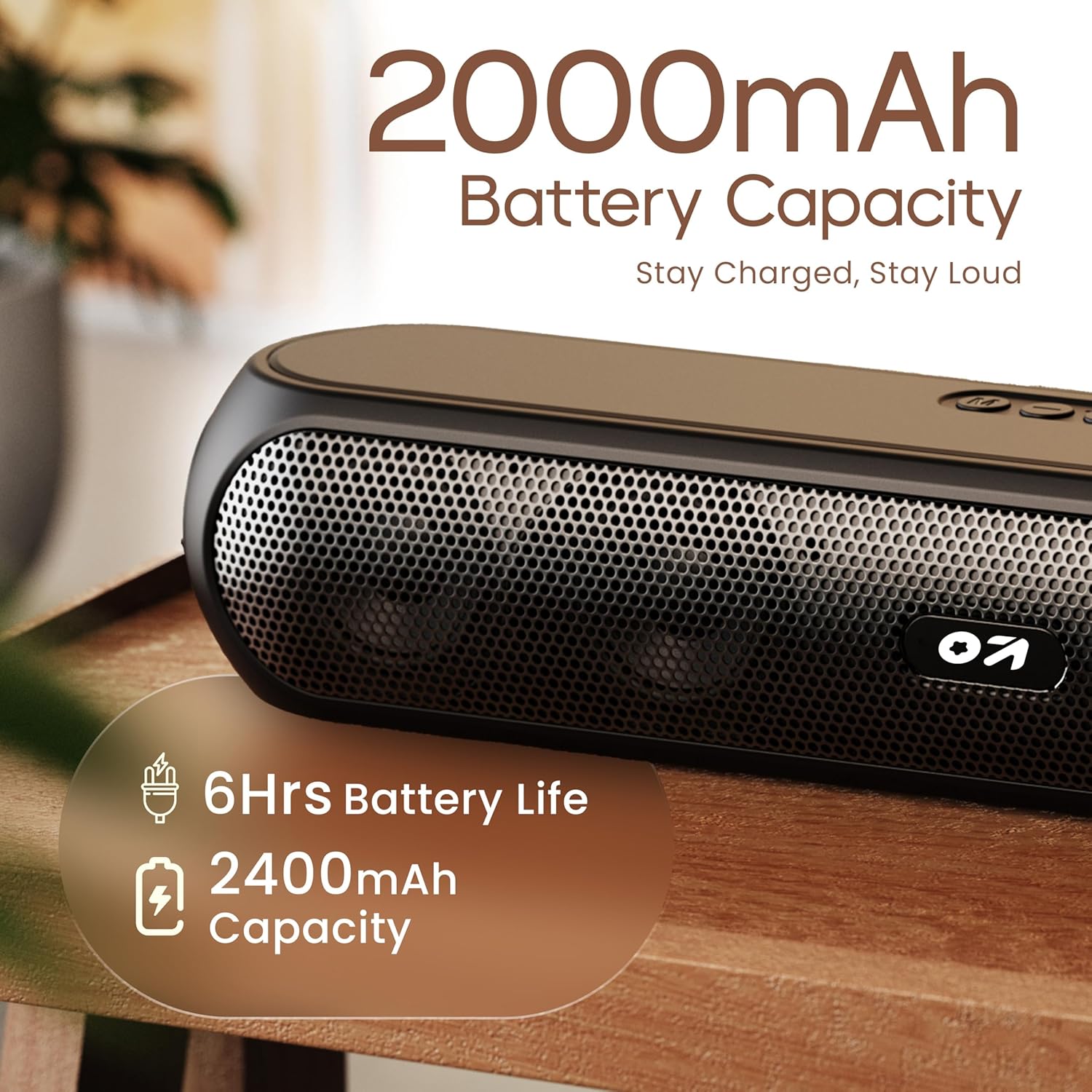
Image 4.1: Battery capacity and estimated playtime.
4.2 Encès/Apagat
- To power on, slide the ON/OFF switch to the 'ON' position, then press and hold the Power button on the top panel until the indicator light turns on.
- Per apagar-lo, premeu i manteniu premut el botó d'engegada fins que l'indicador lluminós s'apagui.
4.3 Vinculació Bluetooth
After powering on, the speaker will automatically enter Bluetooth pairing mode if no other device is connected. The Bluetooth indicator will flash.
- Ensure the speaker is powered on and in Bluetooth mode (indicator flashing).
- Al dispositiu (telèfon intel·ligent, tauleta, ordinador portàtil), activeu el Bluetooth i cerqueu els dispositius disponibles.
- Select "GOBOULT Bassbox X20" from the list of devices.
- Once connected, the speaker will emit a confirmation sound, and the Bluetooth indicator will stop flashing and remain solid.
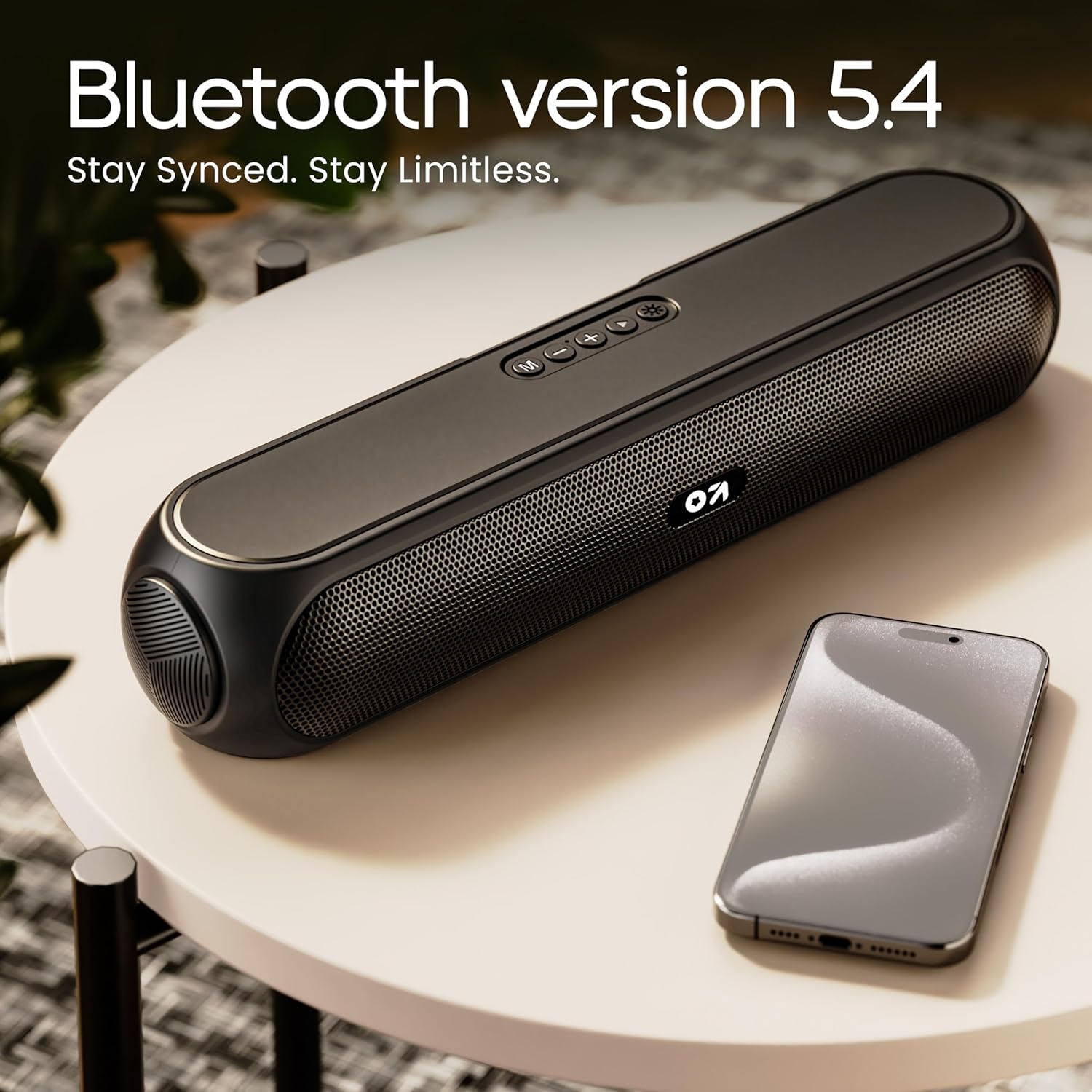
Image 4.2: Bluetooth 5.4 connectivity for seamless pairing.
4.4 Emparellatge estèreo sense fil veritable (TWS)
The TWS function allows you to connect two GOBOULT Bassbox X20 speakers for a stereo sound experience.
- Ensure both Bassbox X20 speakers are powered on and not connected to any Bluetooth device.
- On one speaker (this will be the primary speaker), double-press the Mode (M) button. It will emit a sound indicating it's searching for another TWS speaker.
- The second speaker will automatically connect to the primary speaker. Once connected, both speakers will emit a confirmation sound.
- Now, connect your device to the primary speaker via Bluetooth as described in Section 4.3. Audio will play in stereo through both speakers.
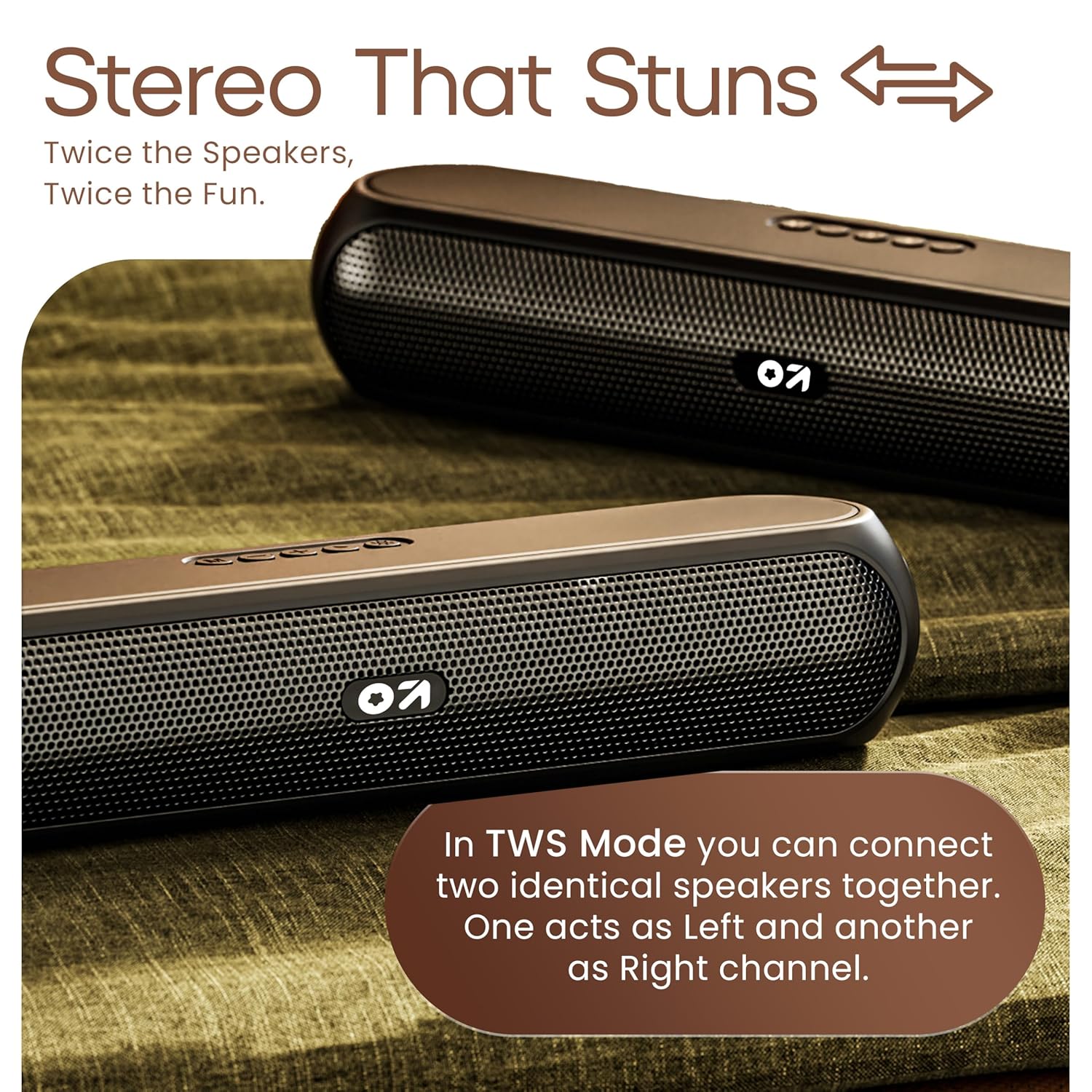
Image 4.3: TWS mode for connecting two speakers.
5. Funcionament
5.1 Canvi de modes
Premeu el botó Mode (M) button to cycle through available input modes: Bluetooth, AUX, TF Card, and USB.
5.2 Mode Bluetooth
After successful pairing (Section 4.3), you can stream audio wirelessly from your connected device. Use the speaker's volume controls or your device's volume controls to adjust the sound level.
5.3 Mode AUX
- Connecteu un extrem d'un cable d'àudio de 3.5 mm (no inclòs) al port AUX de l'altaveu.
- Connecteu l'altre extrem a la presa de sortida d'àudio del vostre dispositiu extern (per exemple, reproductor MP3, ordinador).
- Premeu el botó Mode (M) button until the speaker enters AUX mode.
- Controla la reproducció i el volum des del dispositiu extern o des dels controls de l'altaveu.
Targeta TF 5.4 / Mode USB
- Insert a TF (MicroSD) card or a USB drive containing audio files into the respective port on the speaker.
- The speaker will automatically switch to TF Card or USB mode and begin playing audio. If not, press the Mode (M) botó per seleccionar el mode correcte.
- Use the speaker's controls to play/pause, skip tracks, and adjust volume.
6. Manteniment
- Keep the speaker away from water, moisture, and extreme temperatures. While water-resistant, it is not waterproof.
- Netegeu l'altaveu amb un drap suau i sec. No utilitzeu productes de neteja abrasius ni dissolvents.
- Eviteu deixar caure o sotmetre l'altaveu a forts impactes.
- Quan no l'utilitzeu durant períodes prolongats, guardeu l'altaveu en un lloc fresc i sec i carregueu-lo periòdicament per mantenir la bateria en bon estat.
7. Solució De Problemes
| Problema | Causa possible | Solució |
|---|---|---|
| L'altaveu no s'encén. | Low battery. Main power switch off. | Charge the speaker. Ensure the ON/OFF switch is in the 'ON' position. |
| No es pot emparellar per Bluetooth. | Speaker not in pairing mode. Device Bluetooth off. Too far from speaker. | Ensure speaker is in Bluetooth pairing mode (flashing indicator). Enable Bluetooth on your device. Move device closer to speaker (within 10 meters). |
| Sense so. | Volume too low. Incorrect mode selected. Cable not connected properly (AUX). | Increase volume on speaker and device. Press 'M' button to select correct input mode. Reconnect AUX cable securely. |
| L'emparellament TWS falla. | Speakers already connected to other devices. | Disconnect both speakers from any Bluetooth devices before attempting TWS pairing. Ensure both speakers are Bassbox X20 models. |
8. Especificacions
| Característica | Detall |
|---|---|
| Nom del model | Bassbox X20 |
| Tipus d'altaveu | Altaveu Bluetooth portàtil |
| Potència de sortida | 20 watts |
| Versió Bluetooth | 5.4 |
| Interval Bluetooth | Fins a 10 metres (33 peus) |
| Opcions de connectivitat | Bluetooth, Auxiliary (3.5mm), USB, TF Card |
| Tipus de bateria | Polímer de liti |
| Durada de la bateria | Fins a 6 hores (amb un 70% de volum) |
| Port de càrrega | Type-C (DC5V) |
| Dimensions del producte | 89P x 38A x 68H mil·límetres |
| Pes de l'article | 655 grams |
| Nivell de resistència a l'aigua | Water Resistant (not waterproof) |
| Components inclosos | X20 Soundbar, User Manual, Warranty Card, Charging Cable |
9. Garantia i Suport
The GOBOULT Bassbox X20 Bluetooth Speaker comes with a 1 anys de garantia del fabricant des de la data de compra. Aquesta garantia cobreix els defectes de fabricació i la mà d'obra en condicions d'ús normal.
For warranty claims, technical support, or any inquiries, please refer to the contact information provided on your warranty card or visit the official GOBOULT weblloc.
Si us plau, conserveu el rebut de compra com a comprovant de compra a efectes de garantia.


