1. Introducció
This manual provides essential information for the proper use and maintenance of your HOTWAV R9 Ultra 5G Rugged Tablet. Please read it thoroughly before operating the device to ensure optimal performance and longevity. The HOTWAV R9 Ultra is designed for durability and high performance, featuring 5G connectivity, a large display, and robust construction.
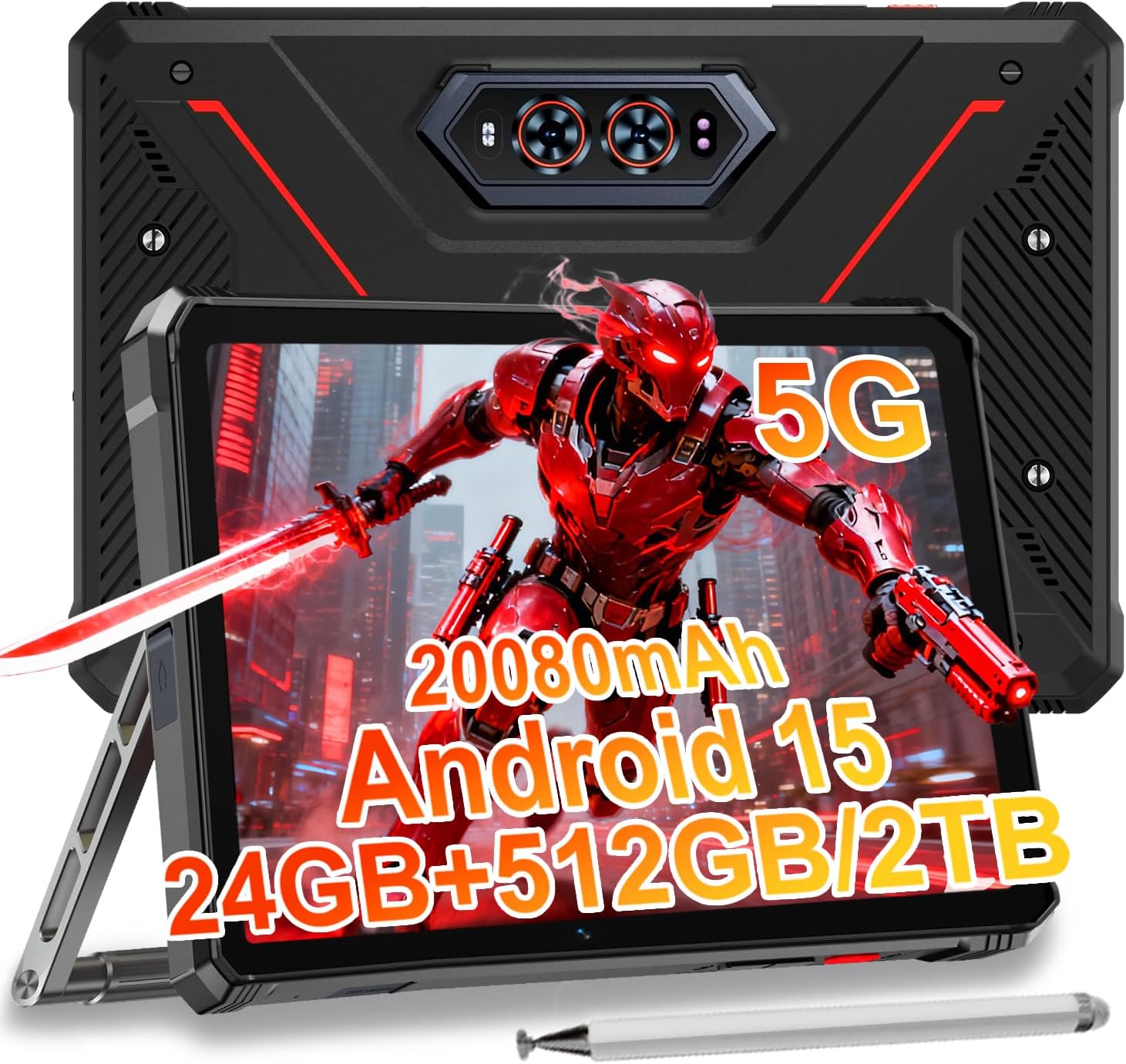
Image 1.1: The HOTWAV R9 Ultra 5G Rugged Tablet with its included stylus and stand.
2. Què hi ha a la caixa
Verifiqueu que hi hagi tots els elements en desembalar-los:
- 1 x R9 Ultra Tablet
- 1 x manual d'instruccions
- 1 x Tablet Protective Film (pre-installed or separate)
- 1 x Tablet Charger Accessory
- 1 x Tablet Stand + Strap + Electronic Pen
3. Dispositiu acabatview
Familiaritzeu-vos amb els components físics de la vostra tauleta.
3.1 Components físics
- Visualització: 11-inch FHD+ 2K screen.
- Càmera frontal: 16MP per a videotrucades i selfies.
- Càmeres posteriors: 64MP main camera, 20MP night vision camera.
- Ports: USB-C charging/data port, Dual SIM/MicroSD card slot.
- Botons: Power button, Volume up/down buttons.
- Ponents: Altaveus estèreo integrats.
- Campla llum: Integrated high-performance light on the rear.

Imatge 3.1: posterior view of the tablet highlighting the camera system and integrated campla llum.
4. Configuració
4.1 Instal·lació de la targeta SIM i la MicroSD
- Localitza la ranura per a la targeta SIM/MicroSD al lateral de la tauleta.
- Feu servir l'eina d'expulsió de la SIM proporcionada per obrir la safata.
- Carefully place your Nano-SIM cards (up to two) and/or a MicroSD card (up to 2TB) into the tray, ensuring correct orientation.
- Insert the tray back into the tablet until it clicks into place.
Important Notice Before Purchase: HOTWAV rugged tablets are not compatible with AT&T, Cricket, or Verizon networks. They fully support T-Mobile, Mint, Boost, and Google Fi. Verify your carrier compatibility to ensure seamless connectivity.
4.2 Initial Power On and Android 15 Setup
- Press and hold the Power button until the HOTWAV logo appears.
- Seguiu les instruccions que apareixen a la pantalla per completar la configuració inicial, inclosa la selecció d'idioma, la connexió Wi-Fi, l'inici de sessió al compte de Google i la configuració de seguretat.
- The tablet runs on Android 15, offering enhanced features and security.

Imatge 4.1: acabatview of the Android 15 operating system interface.
5. Funcionament de la tauleta
5.1 Navegació bàsica
- Gestos tàctils: Fes servir tocs, lliscaments i pessigues per interactuar amb la pantalla.
- Pantalla d'inici: Access apps and widgets.
- Notificacions: Feu lliscar el dit cap avall des de la part superior de la pantalla fins a view notificacions i configuracions ràpides.
5.2 Connectivitat
- Xarxa 5G: Insert a compatible 5G SIM card for high-speed mobile data.
- Wi-Fi 5: Connecteu-vos a xarxes sense fil per accedir a Internet.
- Bluetooth 5.0: Pair with Bluetooth devices such as headphones or speakers.
- GPS: Utilize multi-system navigation (Beidou, GPS, Galileo, Glonass) and a geomagnetic sensor for accurate positioning.

Image 5.1: The tablet's GPS functionality in use for navigation.
5.3 Ús de la càmera
The tablet features a versatile camera system:
- Càmera principal de 64MP: Per a fotos d'alta resolució.
- Càmera de visió nocturna de 20MP: For clear images in low-light conditions.
- Càmera frontal de 16MP: For video calls and self-portraits.
Camera modes include Night Mode, Pro Mode, Panorama Mode, and Underwater Mode for diverse shooting scenarios.

Image 5.2: Demonstrating the tablet's underwater and night vision camera capabilities.
5.4 Gestió de la bateria
The tablet is equipped with a 20080mAh battery for extended use.
- Càrrega: Use the included 20W fast charger for efficient power replenishment.
- Càrrega inversa OTG: The tablet can act as a power bank to charge other devices.

Image 5.3: Visual representation of the 20080mAh battery and 20W fast charging.
5.5 Stylus Usage
The included stylus allows for precise interaction with the screen, ideal for drawing, note-taking, or navigating with gloves on.

Image 5.4: The stylus pen, designed for precise input.
5.6 Característiques especials
- Campla llum: Activate the rear camping light for illumination in dark environments.
- IA de Bessons: Utilize Gemini AI for advanced reasoning, creative solutions, and deeper conversations.
- Mode guant: The display supports operation while wearing gloves.
- Identificació facial: Unlock your tablet using facial recognition.
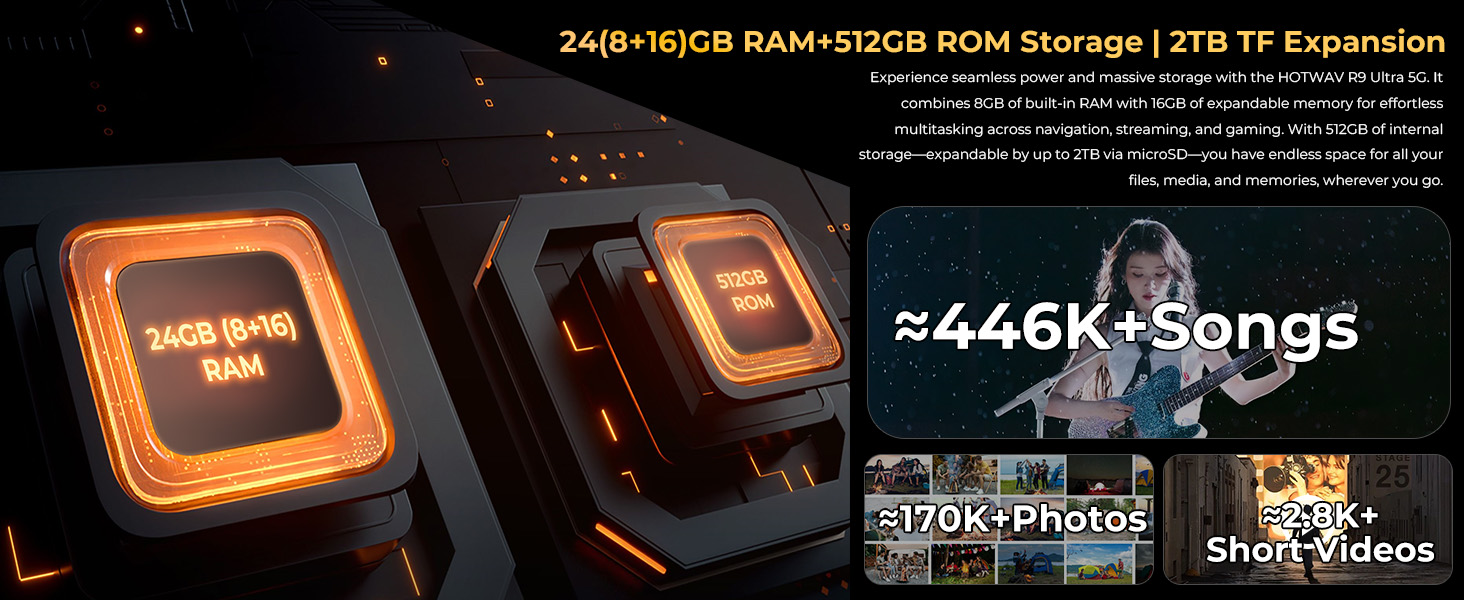
Image 5.5: The tablet's integrated camping light providing illumination.
5.7 Característiques de durabilitat
The HOTWAV R9 Ultra is built to withstand challenging conditions:
- IP68 & IP69K Rated: Fully dust-tight and protected against high-pressure, high-temperature water jets.
- Certificació MIL-STD-810H: Meets military standards for shock and drop resistance.
- Vidre Corning Gorilla 3: Provides enhanced screen protection against scratches and impacts.

Image 5.6: The tablet's robust design, highlighting its resistance to drops, water, and dust.
6. Manteniment
6.1 Neteja
To clean your tablet, use a soft, lint-free cloth. For stubborn dirt, slightly dampRenta el drap amb aigua. Evita utilitzar productes químics agressius o materials abrasius.
6.2 Actualitzacions de programari
Regularly check for and install software updates to ensure your tablet has the latest features, security patches, and performance improvements. Navigate to Configuració > Sistema > Actualització del sistema per comprovar si hi ha actualitzacions disponibles.
6.3 Gestió d'emmagatzematge
Periòdicament review your tablet's storage. Delete unnecessary files, desinstal·leu les aplicacions no utilitzades i transferiu suports multimèdia grans files to external storage or cloud services to maintain optimal performance. The tablet supports up to 2TB of expandable storage via MicroSD.
7. Solució De Problemes
Si teniu problemes amb la tauleta, consulteu les solucions habituals següents:
- La tauleta no s'encén: Assegureu-vos que la bateria estigui carregada. Connecteu la tauleta al carregador i espereu uns minuts abans d'intentar encendre-la de nou.
- Rendiment lent: Close unused applications, clear cache, or restart the tablet. Check for available software updates.
- Connectivity issues (Wi-Fi/5G): Toggle Wi-Fi or mobile data off and on. Restart your router for Wi-Fi issues. Verify SIM card installation and carrier compatibility for 5G issues.
- La pantalla no respon: Feu un reinici forçat mantenint premut el botó d'engegada durant aproximadament 10-15 segons.
- Les aplicacions es bloquegen: Esborra la memòria cau i les dades de l'aplicació Configuració > Aplicacions, or reinstall the app.
Per a problemes persistents, contacteu amb l'atenció al client.
8. Especificacions
| Característica | Especificació |
|---|---|
| Marca | HOTWAV |
| Nom del model | R9 Ultra |
| Sistema operatiu | Android 15 |
| Mida de la pantalla | 11 polzades |
| Resolució de pantalla | 1200 x 1920 Pixels (2K FHD+) |
| Marca del processador | Unisoc |
| Coprocessador gràfic | Mali-G57 MC2 |
| RAM | 24 GB (8 GB físic + 16 GB virtual) |
| Emmagatzematge intern | 512 GB |
| Emmagatzematge ampliable | Fins a 2 TB via MicroSD |
| posterior WebResolució de la càmera | 64 MP (Main) + 20 MP (Nightvision) |
| Davant WebResolució de la càmera | 16 MP |
| Capacitat de la bateria | 20080 mAh |
| Carregant | Càrrega ràpida de 20 W, càrrega inversa OTG |
| Classificacions de durabilitat | IP68, IP69K, MIL-STD-810H |
| Connectivitat | 5G, Wi-Fi 5, Bluetooth 5.0, GPS (Beidou, Galileo, Glonass) |
| Pes de l'article | 2.64 lliures |
| Dimensions del producte | 10.6 x 7.1 x 0.7 polzades |
9. Garantia i Suport
9.1 Informació de la garantia
The HOTWAV R9 Ultra comes with a comprehensive 2-year hardware warranty. This warranty covers manufacturing defects and ensures the reliability of your device. Please retain your proof of purchase for warranty claims.
9.2 Atenció al client
For technical assistance, troubleshooting, or warranty inquiries, please contact HOTWAV customer support. Support options typically include:
- Assistència en línia les 24 hores del dia
- Suport tècnic de per vida
Refer to the official HOTWAV weblloc web o la documentació de compra per obtenir dades de contacte específiques.

Image 9.1: Representation of HOTWAV's customer support services.


