Introducció
This manual provides detailed instructions for the installation, operation, and maintenance of your Baseus S1 Lite Solar Security Camera System. Please read this manual thoroughly before using the product to ensure proper function and safety.
The Baseus S1 Lite is a wireless outdoor security camera system featuring 2K resolution, solar power, color night vision, and AI human detection. It is designed for continuous outdoor surveillance without monthly fees.
Contingut del paquet
Verifiqueu que tots els elements siguin presents al vostre paquet:
- Baseus S1 Lite Solar Security Camera(s)
- Kit de muntatge (cargols, ancoratges de paret)
- USB Charging Cable (for initial charge, if needed)
- Manual d'instruccions (aquest document)

Image: Four Baseus S1 Lite Solar Security Cameras, showing the solar panel on top and the camera lens and spotlight on the front.
Especificacions
| Nom del model | S1 Lite |
| Número de model | S00042 |
| Resolució de vídeo | 2K (2304 píxels) |
| Viewangle ing | 135 graus |
| Gamma de visió nocturna | Fins a 6 metres (20 peus) |
| Font d'alimentació | Solar Powered (5,200mAh battery) |
| Connectivitat | Sense fil (Wi-Fi) |
| Resistència a la intempèrie | IP67 (impermeable) |
| Temperatura de funcionament | -20 °C a 50 °C (-4 °F a 122 °F) |
| Opcions d'emmagatzematge | Targeta Micro SD (fins a 512 GB) |
| Dimensions | 3 x 4 x 7 polzades |
| Pes | 14.1 unces |
Guia de configuració
1. Initial Charging (Optional)
While the camera is solar-powered, it is recommended to fully charge the battery via the USB port before the first use, especially if installing in an area with limited initial sunlight.
2. Instal·lació de l'aplicació i creació de compte
- Download the "Baseus Security" app from your smartphone's app store (iOS or Android).
- Obriu l'aplicació i seguiu les instruccions a la pantalla per crear un compte i iniciar sessió.
3. Vinculació de càmeres
- A l'aplicació, toca la icona "+" per afegir un dispositiu nou.
- Select the Baseus S1 Lite camera model.
- Power on the camera. The camera will enter pairing mode (indicated by a specific LED light pattern).
- Follow the app's instructions to connect the camera to your 2.4GHz Wi-Fi network. Ensure your phone is connected to the same Wi-Fi network during setup.
- Scan the QR code displayed on your phone with the camera lens if prompted.
- Once paired, you can name your camera and configure initial settings.
4. Muntatge de la càmera
The Baseus S1 Lite is designed for outdoor wall mounting. Choose a location that provides optimal sunlight exposure for the solar panel and a clear view de la zona que voleu controlar.

Image: A Baseus S1 Lite camera mounted on an exterior wall, illustrating its solar charging capability from sunlight.
- Seleccioneu una ubicació: Ensure the chosen spot receives at least 2.25 hours of direct sunlight daily for continuous power. The camera should be mounted at a height that provides a good viewing angle and is difficult to tampeh amb.
- Marqueu els forats de perforació: Use the mounting bracket as a template to mark the positions for drilling.
- Forats: Drill pilot holes at the marked positions. Insert wall anchors if mounting into masonry or stucco.
- Suport segur: Fixeu el suport de muntatge a la paret amb els cargols proporcionats.
- Connecta la càmera: Securely attach the camera to the mounting bracket. Adjust the camera angle to cover the desired surveillance area.

Image: A man installing a Baseus S1 Lite camera on an outdoor wall, demonstrating the ease of wireless setup.
The camera's IP67 rating ensures it is waterproof and can withstand harsh weather conditions from -20°C to 50°C (-4°F to 122°F), providing year-round durability.
Instruccions de funcionament
Viu View i Enregistrament
- Feed en directe: Obriu l'aplicació Baseus Security i seleccioneu la càmera per view the live feed. The camera provides clear 2K resolution and a wide 135° field of view.
- Enregistrament manual: Tap the record button in the live view interface to manually start or stop recording.
- Reproducció: Accés gravat footage from the app's playback section. Footage is stored on the microSD card (if installed).

Image: A split image comparing 1080P and 2K resolution, highlighting the crystal-clear detail of the Baseus S1 Lite's 2K output.

Image: An illustration demonstrating the ultra-wide 135° field of view of the Baseus S1 Lite camera, covering a broad outdoor area.
Detecció de moviment i alertes
The camera features Smart AI Human Detection to minimize false alerts.
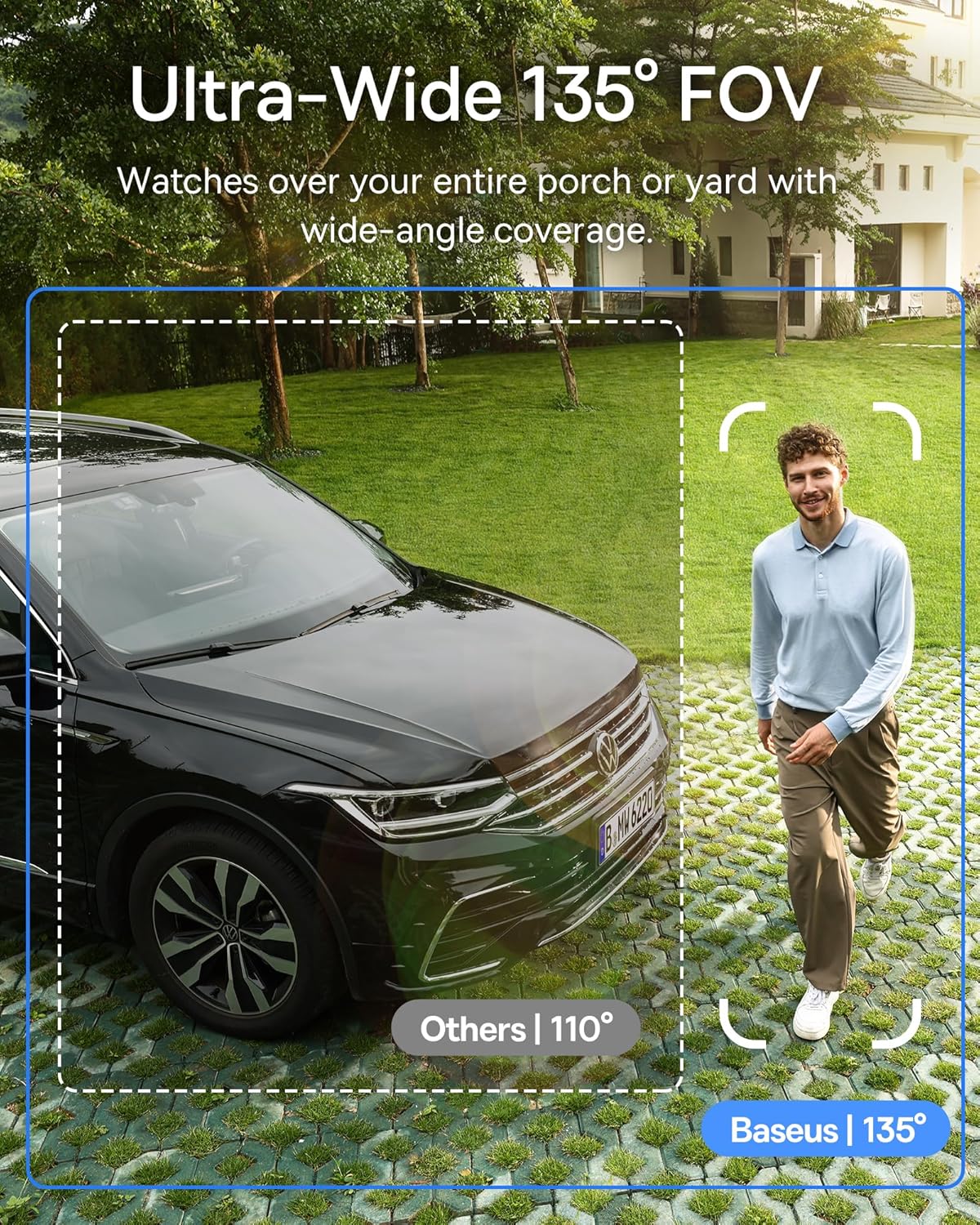
Image: A smartphone displaying a motion detection alert from the Baseus S1 Lite camera, showing a person walking on a path.
- Activa la detecció de moviment: In the app settings for your camera, enable motion detection.
- Zones d'activitat personalitzades: Defineix àrees específiques dins de la càmera view where motion detection should be active. This helps reduce irrelevant alerts.
- Ignora les zones: Set up areas to be ignored for motion detection, such as public sidewalks.
- Alertes: Receive instant push notifications on your smartphone when motion is detected in an active zone.
Night Vision and Spotlight
The camera provides full-color night vision up to 6 meters (20 feet) using an integrated 100lm spotlight.
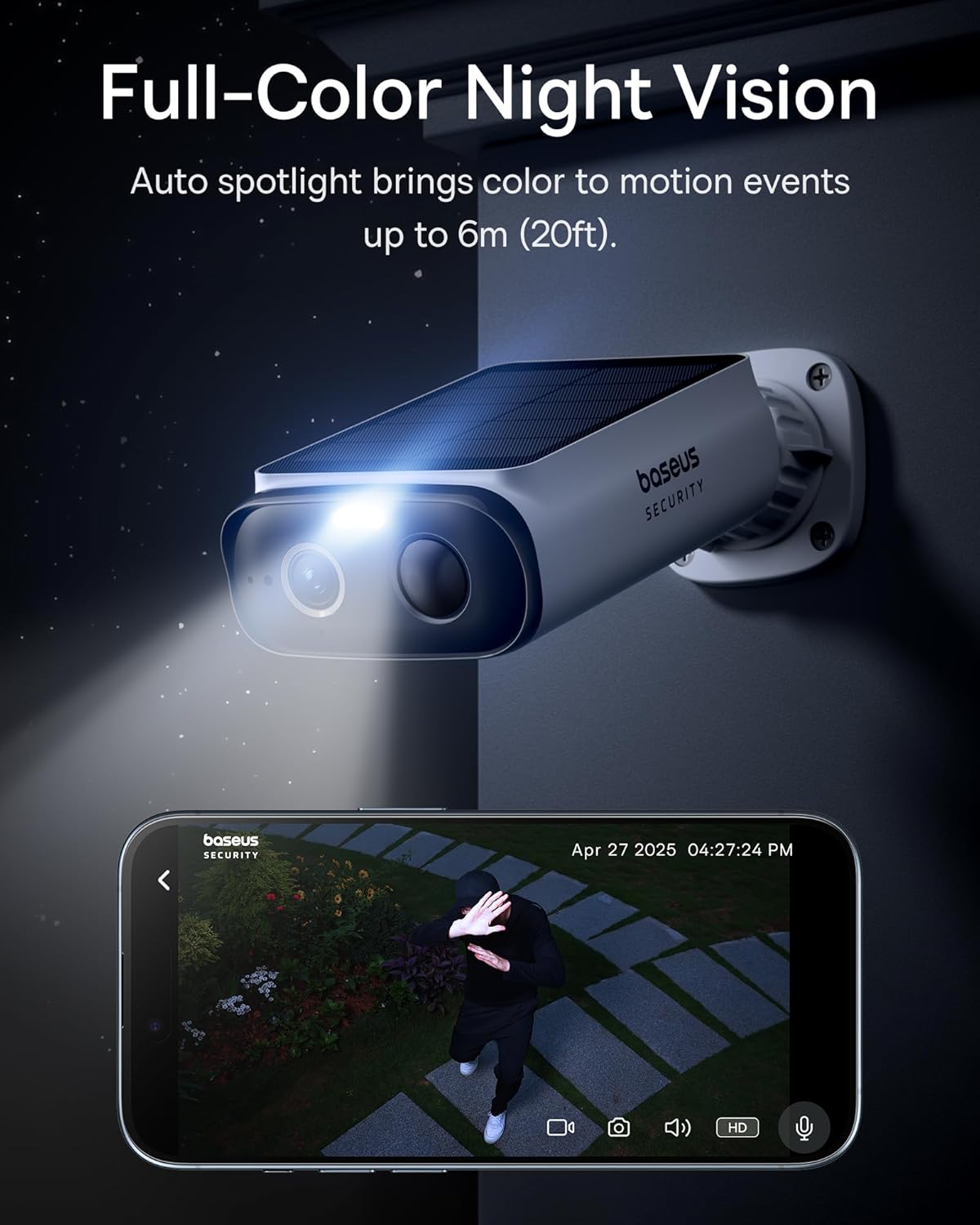
Image: A Baseus S1 Lite camera with its spotlight illuminated at night, capturing a person in full color, demonstrating its color night vision capability.
- The spotlight automatically activates upon motion detection in low-light conditions to provide color night vision.
- Settings for night vision mode (e.g., auto, always on, always off) can be adjusted in the app.
Àudio bidireccional
Use the built-in microphone and speaker for two-way communication.
- En directe view, toca la icona del micròfon per parlar a través de la càmera.
- Tap the speaker icon to hear audio from the camera's location.
Integració de la llar intel·ligent
The Baseus S1 Lite is compatible with Amazon Alexa and Google Home.
- Follow the instructions in your Alexa or Google Home app to link your Baseus Security account and discover devices.
- Un cop enllaçat, podeu utilitzar ordres de veu per a view your camera feed on compatible smart displays.
Manteniment
- Netegeu el panell solar: Netegeu periòdicament el panell solar amb un drap suau iamp cloth to ensure maximum charging efficiency. Dust, dirt, or debris can reduce its effectiveness.
- Netegeu la lent: Gently clean the camera lens with a microfiber cloth to maintain clear image quality. Avoid abrasive materials.
- Actualitzacions de firmware: Check the Baseus Security app regularly for firmware updates. Keeping your camera's firmware updated ensures optimal performance and security.
- Salut de la bateria: Monitor the battery level in the app. While solar-powered, prolonged periods of low sunlight may require manual charging via the USB port.
- Targeta MicroSD: If using a microSD card for local storage, ensure it is functioning correctly. Periodically review i gestionar els foo emmagatzematstage.
Resolució de problemes
La càmera no es connecta a la Wi-Fi
- Assegureu-vos que la vostra xarxa Wi-Fi sigui de 2.4 GHz. La càmera no admet Wi-Fi de 5 GHz.
- Verifiqueu que la contrasenya del Wi-Fi sigui correcta.
- Move the camera closer to your Wi-Fi router during setup to ensure a strong signal.
- Restart your router and the camera, then attempt pairing again.
Poor Image Quality
- Clean the camera lens for any smudges or dirt.
- Assegureu-vos que no hi hagi obstacles en el camp de la càmera view.
- Check your Wi-Fi signal strength. A weak signal can affect streaming quality.
Battery Not Charging / Low Battery
- Ensure the solar panel is clean and free from obstructions (e.g., leaves, snow).
- Verify the camera is installed in a location that receives adequate direct sunlight (at least 2.25 hours daily).
- If sunlight is consistently insufficient, manually charge the camera using the USB cable.
- Les temperatures extremes poden afectar el rendiment de la bateria.
False Motion Alerts
- Ajusta la sensibilitat de detecció de moviment a l'aplicació.
- Refine custom activity zones to exclude areas with frequent non-human movement (e.g., trees swaying, passing cars).
- Ensure "Ignore Zones" are properly configured for public areas.
No Audio / Poor Audio Quality
- Check the volume settings on your smartphone and within the app.
- Ensure the microphone and speaker on the camera are not obstructed.
- Verifiqueu la connectivitat de la xarxa.
Garantia i Suport
The Baseus S1 Lite Solar Security Camera System comes with a 2 any de garantia des de la data de compra.
Baseus also provides suport tècnic de per vida per aquest producte.
For warranty claims, technical assistance, or further inquiries, please contact Baseus customer support through their official website or the contact information provided in the Baseus Security app.
Si us plau, conserveu el comprovant de compra per validar la garantia.


