Introducció
This manual provides comprehensive instructions for the INPHIC Tri-Mode Wireless Mouse, Model B0FQCFSHPQ. It covers setup, operation, maintenance, and troubleshooting to ensure optimal performance and user experience. Please read this manual thoroughly before using the product.
Producte acabatview
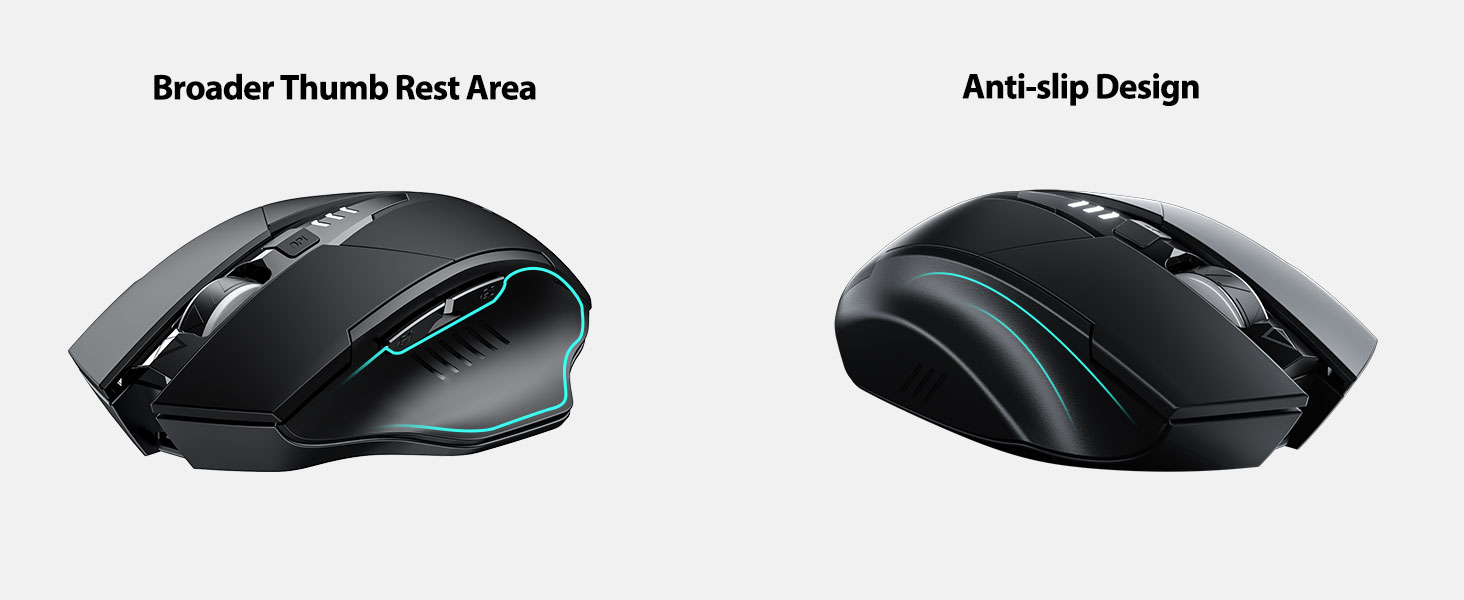
The INPHIC Tri-Mode Wireless Mouse offers versatile connectivity options (Bluetooth 5.0, Bluetooth 4.0, and 2.4G USB) and an ergonomic design for comfortable use. Key features include a visible battery indicator, silent click buttons, and adjustable DPI settings.
Contingut del paquet
- INPHIC Tri-Mode Wireless Mouse
- USB Receiver (stored in the mouse)
- Cable de càrrega USB-C
- Manual d'usuari (aquest document)
Components del ratolí

- Botons de clic esquerre/dret: Funcionament silenciós.
- Roda de desplaçament: Per a desplaçament vertical.
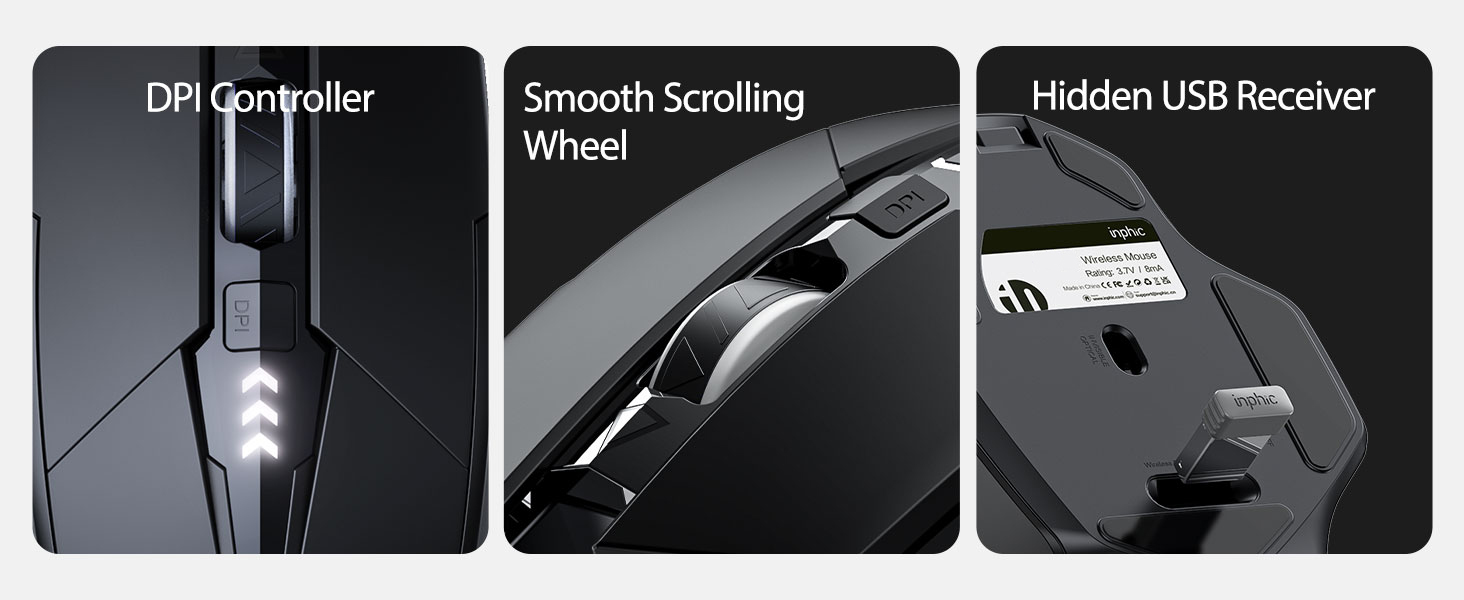
- Botó DPI: Adjusts cursor speed (800/1200/1600/2000/2400 DPI).
- Forward/Backward Buttons (Side): For navigation in web navegadors o file exploradors.
- Indicador de bateria: LED lights on top display remaining battery level.
- Connection Type Switch (Bottom): Toggles between 2.4G USB, Bluetooth 4.0, and Bluetooth 5.0 modes.
- Power Switch (Bottom): Interruptor ON / OFF.
- USB Receiver Slot (Bottom): Emmagatzema el receptor USB de 2.4 G.
- Charging Port (Front): Port USB-C per recarregar la bateria interna.
Configuració
Càrrega inicial
Before first use, fully charge the mouse for approximately 1 hour. Connect the USB-C charging cable to the mouse's charging port and to a USB power source (e.g., computer USB port, USB wall adapter).

Connexió del ratolí
The mouse supports three connection modes: 2.4G USB, Bluetooth 4.0, and Bluetooth 5.0. Use the switch on the bottom of the mouse to select your desired mode.
Connexió USB 2.4G
- Locate the USB receiver stored in the slot on the bottom of the mouse.
- Connecteu el receptor USB a un port USB disponible de l'ordinador.
- Switch the connection mode on the bottom of the mouse to "2.4G".
- Turn on the mouse using the power switch. The mouse should connect automatically.
Bluetooth Connection (BT 4.0 / BT 5.0)
- Switch the connection mode on the bottom of the mouse to "BT 4.0" or "BT 5.0".
- Enceneu el ratolí amb l'interruptor d'encesa.
- On your device (laptop, tablet, etc.), open Bluetooth settings.
- Cerca new Bluetooth devices. The mouse should appear as "INPHIC Mouse" or similar.
- Seleccioneu el ratolí per emparellar-lo.
- Un cop emparellat, el ratolí està llest per al seu ús.
Nota: Bluetooth 5.0 is compatible with Windows 8/10 (not Windows 7 or XP), Android, and Mac OS systems. iOS systems (iPad and iPhone) require iOS 14 or later for Bluetooth 5.0 compatibility.
Instruccions de funcionament
Encès/Apagat
Use the ON/OFF switch located on the bottom of the mouse to power the device. To conserve battery, turn off the mouse when not in use for extended periods.
Canvi de modes de connexió
The mode switch button on the bottom of the mouse allows you to cycle between 2.4G USB, Bluetooth 4.0, and Bluetooth 5.0 connections. This enables seamless switching between multiple paired devices.

Ajust de DPI (velocitat del cursor)
Press the DPI button located on the top of the mouse, below the scroll wheel, to cycle through 5 adjustable DPI levels: 800, 1200, 1600, 2000, and 2400. This allows you to customize cursor sensitivity to your preference.

Indicador de bateria
The mouse features a visible battery indicator on its top surface. LED lights illuminate to show the remaining battery power, providing a clear visual cue for when recharging is needed.

Mode de repòs automàtic
To conserve power, the mouse will automatically enter sleep mode after 5 minutes of inactivity. To wake the mouse, simply click any button.
Manteniment
Neteja
Wipe the mouse with a soft, dry cloth. For stubborn dirt, a slightly damp es pot fer servir un drap, assegurant-se que no entri humitat als components interns. Eviteu productes químics agressius o netejadors abrasius.
Cura de la bateria
- Recharge the mouse when the battery indicator shows low power.
- Eviteu descarregar completament la bateria amb freqüència per allargar-ne la vida útil.
- Guardeu el ratolí en un lloc fresc i sec quan no l'utilitzeu durant períodes prolongats.
Resolució de problemes
| Problema | Causa possible | Solució |
|---|---|---|
| El ratolí no respon |
|
|
| El moviment del cursor és erràtic o lent |
|
|
| Problemes de connexió Bluetooth |
|
|
Especificacions
| Característica | Detall |
|---|---|
| Model | B0FQCFSHPQ |
| Tecnologia de connectivitat | Bluetooth 5.0 / Bluetooth 4.0 / 2.4G USB Wireless |
| Nivells de DPI | 800 / 1200 / 1600 / 2000 / 2400 (Ajustable) |
| Botons | 6 (Esquerra, Dreta, Roda de desplaçament, DPI, Endavant, Enrere) |
| Tipus de bateria | Rechargeable (400mAh built-in) |
| Port de càrrega | USB-C |
| Distància d'operació | Fins a 10 metres (33 peus) |
| Dimensions del producte | 4.7 x 3.1 x 0.04 polzades |
| Pes de l'article | 3.36 unces |
| Compatibilitat | Windows 7/8/10/XP, Vista, Mac OS. Bluetooth 5.0: Windows 8/10, Android, Mac OS, iOS 14+ (iPad/iPhone). 2.4G USB: Any USB-enabled device. |

Garantia i Suport
INPHIC products are designed for reliability and performance. For warranty information and technical support, please refer to the official INPHIC weblloc web o contacteu directament amb el seu servei d'atenció al client.
- Fabricant: INPHIC
- Venedor: YingFeiTe (on Amazon)
- Política de devolució: Refer to Amazon's current return policy.
- Contacte d'assistència: Per obtenir ajuda, visiteu el INPHIC Store on Amazon o el responsable del fabricant weblloc.
Informació important de seguretat
- No exposeu el ratolí a temperatures o humitat extremes.
- Eviteu deixar caure o sotmetre el ratolí a forts impactes.
- Do not attempt to disassemble or repair the mouse yourself. This may void the warranty.
- Mantenir fora de l'abast dels nens.
Vídeo del producte
Descripció del vídeo: An official product video from INPHIC demonstrating the features and usage of the INPHIC Bluetooth Mouse. It shows the mouse being unboxed, its various components, connection methods, and ergonomic design in action.


