
1. Introducció
Welcome to the user manual for your Apple AirPods Pro 3 Wireless Earbuds. This guide provides detailed instructions on how to set up, operate, maintain, and troubleshoot your new earbuds. The AirPods Pro 3 offer advanced audio technology, including Active Noise Cancellation, Spatial Audio, and innovative health and communication features.
Característiques clau
- World's Best In-Ear Active Noise Cancellation: Significantly reduces unwanted ambient noise for an immersive listening experience.
- Breakthrough Audio Performance: Delivers breathtaking, three-dimensional audio with transformed bass, detailed clarity, and vivid vocals.
- Heart Rate Sensing: Built-in sensors track heart rate and calories burned for various workout types, integrating with iPhone health features.
- Traducció en directe: Communicate across language barriers with real-time translation capabilities, powered by Apple Intelligence.
- Durada de la bateria ampliada: Up to 8 hours of listening time with Active Noise Cancellation, and up to 10 hours in Transparency mode with the Hearing Aid feature.
- Secure In-Ear Fit: All-new ear tips in five sizes (XXS, XS, S, M, L) ensure a personalized and secure fit for optimal audio performance.
- Hearing Health: Features include a home hearing test, Hearing Aid functionality with automatic Conversation Boost, and active Hearing Protection.
- Personalized Listening: Next-generation Adaptive EQ customizes sound based on your ear geometry and fit.
- Magical Experience: Seamless automatic switching between Apple devices and Audio Sharing for shared listening.
2. Què hi ha a la caixa
Upon unboxing your Apple AirPods Pro 3, please ensure all components are present:
- AirPods Pro 3 Earbuds (Left and Right)
- Funda de càrrega MagSafe (USB-C) amb altaveu i corretja de seguretat
- Silicone ear tips (five sizes: XXS, XS, S, M, L)
- Note: A USB-C Charge Cable or power adapter is not included. You can use any compatible USB-C charging cable or power adapter. New Apple charging cables and power adapters are available for purchase separately.
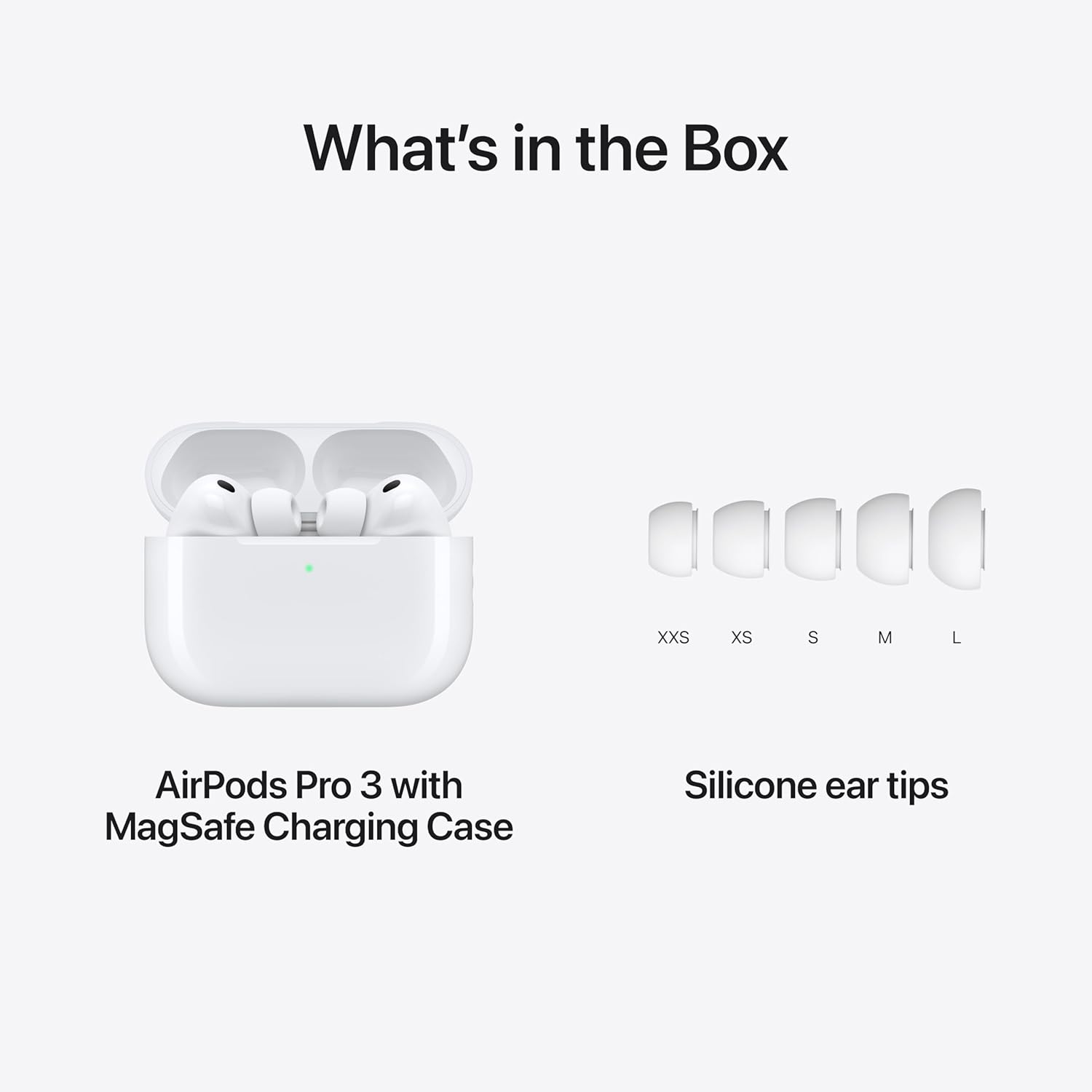
Image: The AirPods Pro 3 MagSafe Charging Case with earbuds inside, alongside five distinct pairs of silicone ear tips labeled XXS, XS, S, M, and L, illustrating the complete package contents.
3. Configuració
3.1. Charging Your AirPods Pro 3
Before first use, it is recommended to fully charge your AirPods Pro 3 and their MagSafe Charging Case.
- Place both AirPods into the charging case.
- Connect the USB-C end of a compatible charging cable to the port on the bottom of the MagSafe Charging Case.
- Connect the other end of the cable to a USB-C power adapter (sold separately) or a compatible USB-C port on a computer.
- The status light on the front of the case will indicate charging status. A green light indicates a full charge, while amber indicates less than a full charge.
- The MagSafe Charging Case also supports wireless charging. Place the case on a MagSafe compatible charger or a Qi-certified charging mat with the status light facing up.
3.2. Pairing with Your Apple Device
AirPods Pro 3 offer seamless pairing with Apple devices.
- Ensure your Apple device (iPhone, iPad, Mac) has Bluetooth enabled and is running the latest operating system.
- Obre la tapa de l'estoig de càrrega dels AirPods Pro 3 amb els AirPods a dins i acosta'l al dispositiu Apple.
- Apareixerà una animació de configuració a la pantalla del dispositiu. Segueix les instruccions que apareixen a la pantalla per connectar-te.
- Once connected, your AirPods Pro 3 will automatically switch between your iCloud-connected devices.
3.3. Fitting Ear Tips
Proper ear tip fit is crucial for optimal sound quality and Active Noise Cancellation.
- Your AirPods Pro 3 come with five sizes of silicone ear tips: XXS, XS, S, M, and L.
- Gently pull off the currently attached ear tip from the AirPod.
- Select a new ear tip size and align it with the oval-shaped connector on the AirPod. Press firmly until it clicks into place.
- Use the Ear Tip Fit Test feature on your iPhone (Settings > Bluetooth > AirPods Pro > Ear Tip Fit Test) to determine the best fit for your ears.
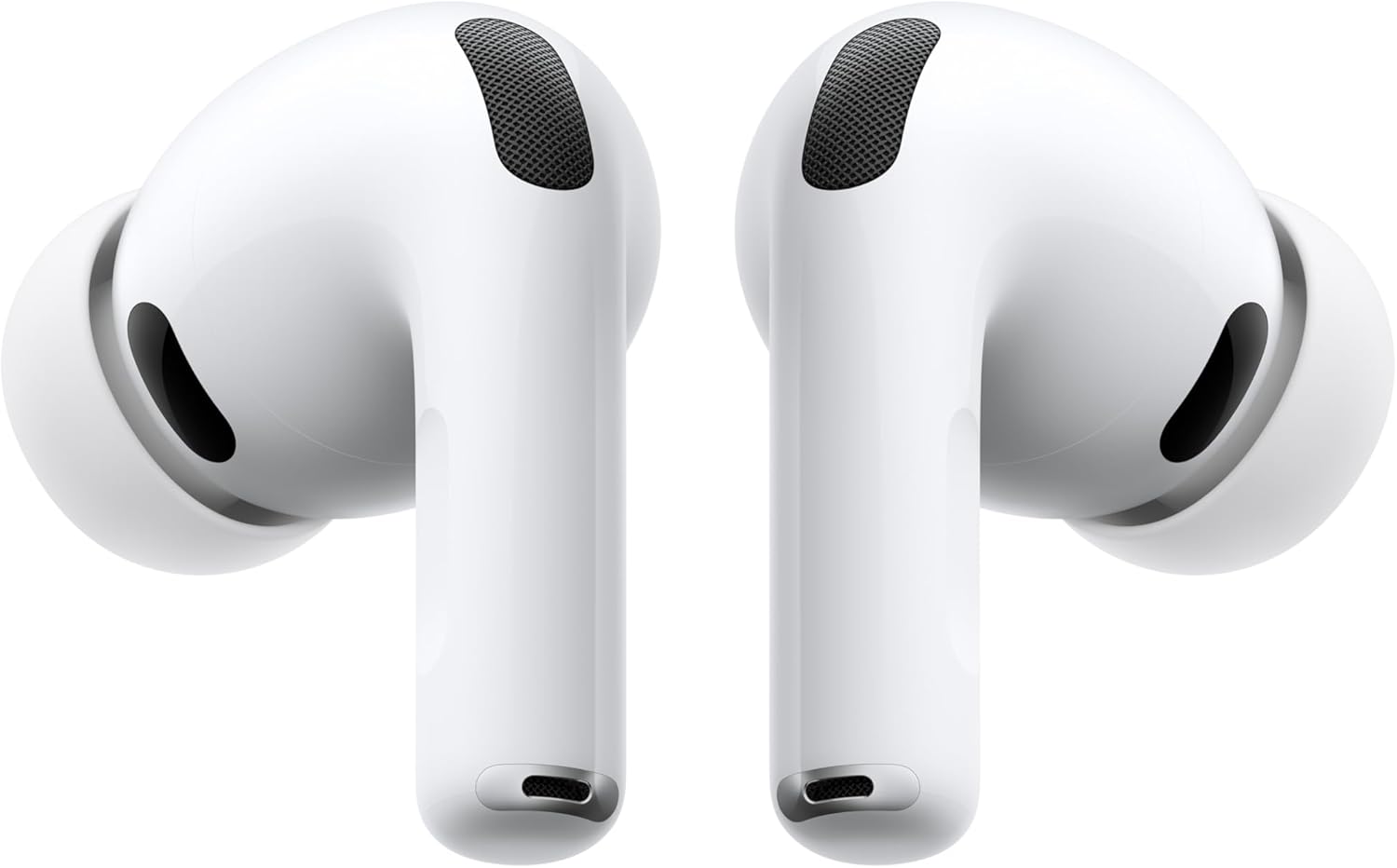
Imatge: Una cara frontal view of two white Apple AirPods Pro 3 earbuds, highlighting their sleek design and the black mesh speaker grilles.
4. Instruccions de funcionament
4.1. Cancel·lació activa de soroll i mode de transparència
AirPods Pro 3 offer two primary listening modes:
- Cancel·lació activa del soroll (ANC): Blocks out external sounds, allowing for an immersive audio experience.
- Mode de transparència: Et permet escoltar el teu entorn mentre gaudeixes de l'àudio, útil per a la consciència en entorns concorreguts.
How to switch modes:
- On AirPods: Press and hold the force sensor on the stem of either AirPod. You will hear a chime indicating the mode change.
- A l'iPhone/iPad: Go to Control Center, press and hold the volume slider, then tap the Noise Control icon to select ANC, Transparency, or Off.

Image: A single white AirPod Pro 3 earbud positioned centrally, surrounded by vibrant, abstract sound wave patterns, emphasizing its Active Noise Cancellation capability.
4.2. Controls
The force sensor on the stem of each AirPod allows for various controls:
- Premeu una vegada: Reproduir/Pausa l'àudio, Respondre una trucada.
- Premeu dues vegades: Saltar endavant.
- Premeu tres vegades: Saltar enrere.
- Mantén premut: Switch between Active Noise Cancellation and Transparency Mode (customizable in Settings).
- Swipe up or down on the stem: Ajustar el volum.
-
Documents relacionats - MFHP4LL/A

Guia d'inici ràpid de la cancel·lació activa del soroll dels Apple AirPods
Una guia concisa per utilitzar els Apple AirPods amb cancel·lació activa de soroll. Aprèn a canviar els modes d'escolta, connectar-te a dispositius i explorar funcions d'àudio com ara el control de soroll, la sensibilització a les converses i l'àudio espacial.
Apple AirPods amb cancel·lació activa de soroll: configuració, característiques i guia de seguretat
Una guia completa per configurar, utilitzar i comprendre les funcions dels Apple AirPods amb cancel·lació activa de soroll, que inclou informació essencial de seguretat, detalls de la garantia i compliment normatiu.
Guia de l'usuari i informació de seguretat dels Apple AirPods Pro
Guia concisa en HTML per als Apple AirPods Pro, que inclou avisos de seguretat, instruccions d'ús, funcions, càrrega, compliment normatiu i informació sobre la garantia.
Apple AirPods Max User Guide and Compliance Information
Official user guide and regulatory compliance information for Apple AirPods Max headphones, covering setup, features, and safety standards.
Guia de l'usuari, característiques, seguretat i garantia dels Apple AirPods Pro
Una guia completa dels Apple AirPods Pro, que cobreix la configuració, les funcions clau com la cancel·lació de soroll i l'àudio espacial, informació important de seguretat, responsabilitat mediambiental, compliment normatiu i detalls de la garantia.
Manual d'usuari dels Apple AirPods: Funcions, configuració i controls
Guia completa dels Apple AirPods, que tracta la configuració, la càrrega, funcions com ara l'àudio espacial i el control de soroll, i com trobar el dispositiu. Informació procedent de la documentació oficial d'Apple.