Introducció
This manual provides essential information for the safe and effective use of your Apple Watch Ultra 3. Please read it thoroughly before using the device.

Image: The Apple Watch Ultra 3, featuring a natural titanium case and an anchor blue ocean band, displaying a watch face with time, depth, and satellite communication indicators.
Què hi ha a la caixa
En desembalar, comproveu que hi hagi tots els components:
- Apple Watch Ultra 3 GPS + Cellular 49mm Natural Titanium Case
- Anchor Blue Ocean Band
- Cable de carregador ràpid magnètic a USB-C per a Apple Watch (1 m)
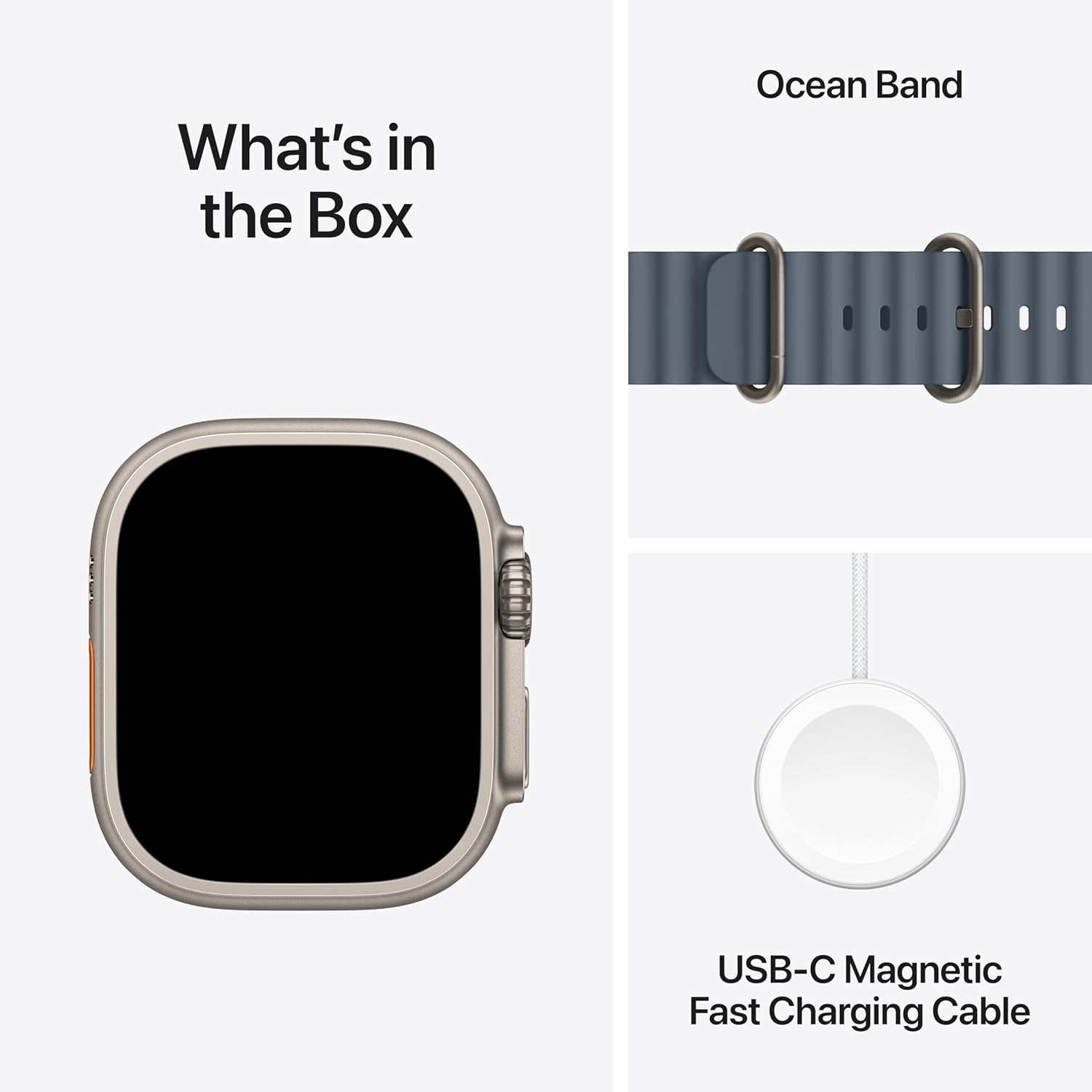
Image: A visual representation of the Apple Watch Ultra 3 box contents, including the watch, the Ocean Band, and the USB-C Magnetic Fast Charging Cable.
Configuració
1. Fixació de la banda
Align the band with the slots on the watch case and slide it in until you hear a click. Ensure both ends of the band are securely fastened. If you encounter resistance, do not force it; re-align and try again. A secure fit is crucial for accurate sensor readings.
2. Càrrega inicial
Before first use, fully charge your Apple Watch Ultra 3. Connect the magnetic fast charger to a USB-C power adapter (sold separately) and place the back of the watch on the magnetic charger. The watch will display a charging indicator.
3. Emparellament amb iPhone
The Apple Watch Ultra 3 requires an iPhone Xs or later, running iOS 18 or later, for initial setup and full functionality.
- Turn on your Apple Watch by pressing and holding the Side button until the Apple logo appears.
- Bring your iPhone near your Apple Watch. A pairing screen will appear on your iPhone.
- Tap "Continue" and follow the on-screen instructions to pair your watch. You may be prompted to scan an animation on the watch face with your iPhone camera.
- Set up cellular service during this process if desired.
Funcionament
Controls i navegació
- Corona digital: Gira per desplaçar-te, fer zoom o ajustar els valors. Prem una vegada per anar a l'esfera del rellotge o a la llista d'aplicacions. Prem dues vegades per canviar entre les aplicacions utilitzades recentment. Mantén premut per a Siri.
- Botó lateral: Press once to open the Dock (recently used apps). Press and hold to access Emergency SOS, Medical ID, and Power Off options.
- Botó d'acció: (Customizable) By default, this button can be configured to start a workout, mark a Compass Waypoint, start a Backtrack, begin a dive, or turn on the flashlight. Customize its function in the Watch app on your iPhone.

Image: Key features of the Apple Watch Ultra 3, highlighting multiday battery life, Emergency SOS via satellite, durable sapphire crystal display, and the customizable Action button.
Característiques de visualització
The Always-On Retina display provides continuous visibility of your watch face and information. It features wide-angle OLEDs and LTPO3 technology for up to 3000 nits peak brightness. Night Mode is available for specific Apple Watch Ultra faces (Modular Ultra, Wayfinder, Orienteering) to reduce glare in low-light conditions.
Connectivitat
- GPS + Mòbil: The integrated GPS and cellular capabilities allow for independent use without your iPhone for calls, messages, streaming, and location tracking.
- Satellite Communications: In areas without cellular or Wi-Fi, the built-in satellite communication feature enables texting emergency services.

Image: A user wearing the Apple Watch Ultra 3, demonstrating its satellite communication feature to stay connected in remote areas.
Seguiment de salut i forma física
The Apple Watch Ultra 3 offers advanced health and fitness monitoring:
- Freqüència cardíaca: Monitor your heart rate with the third-generation optical heart sensor. Receive notifications for high, low, or irregular heart rhythms.
- Aplicació d'ECG: Take an electrocardiogram directly from your wrist to record your heart's electrical activity.
- Blood Oxygen App: Mesura els teus nivells de saturació d'oxigen a la sang.
- Sensor de temperatura: Provides temperature sensing capabilities for advanced health insights, including retrospective ovulation estimates.
- Seguiment del son: Monitor sleep stages and receive a sleep score.
- Workout Companion: Utilize precision dual-frequency GPS, Pacer, Heart Rate Zones, Custom Workouts, and running power metrics for various activities including running, cycling, swimming, hiking, and more.
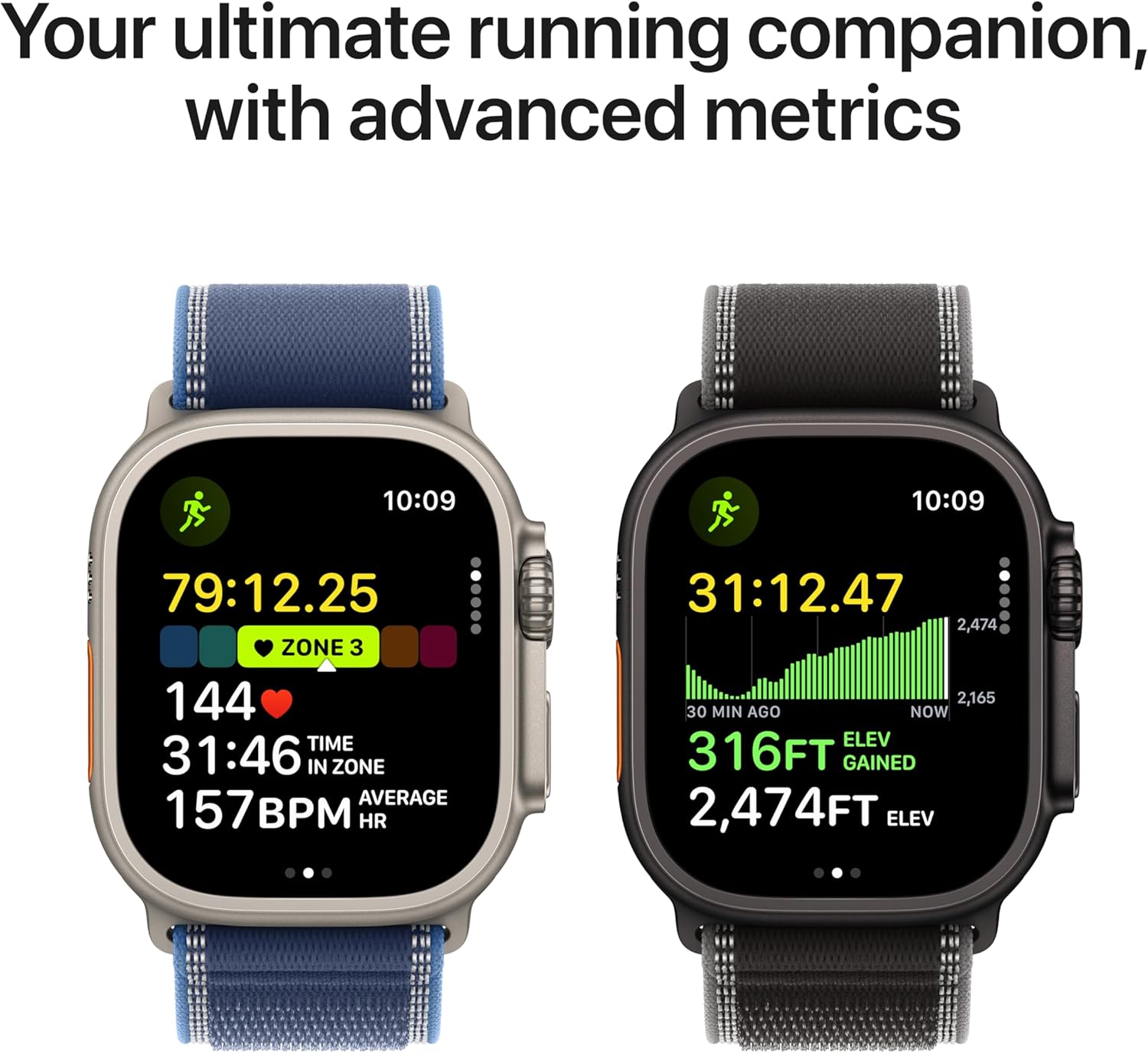
Image: The Apple Watch Ultra 3 displaying advanced running metrics, including heart rate, zone, elevation gained, and distance, serving as an ultimate running companion.
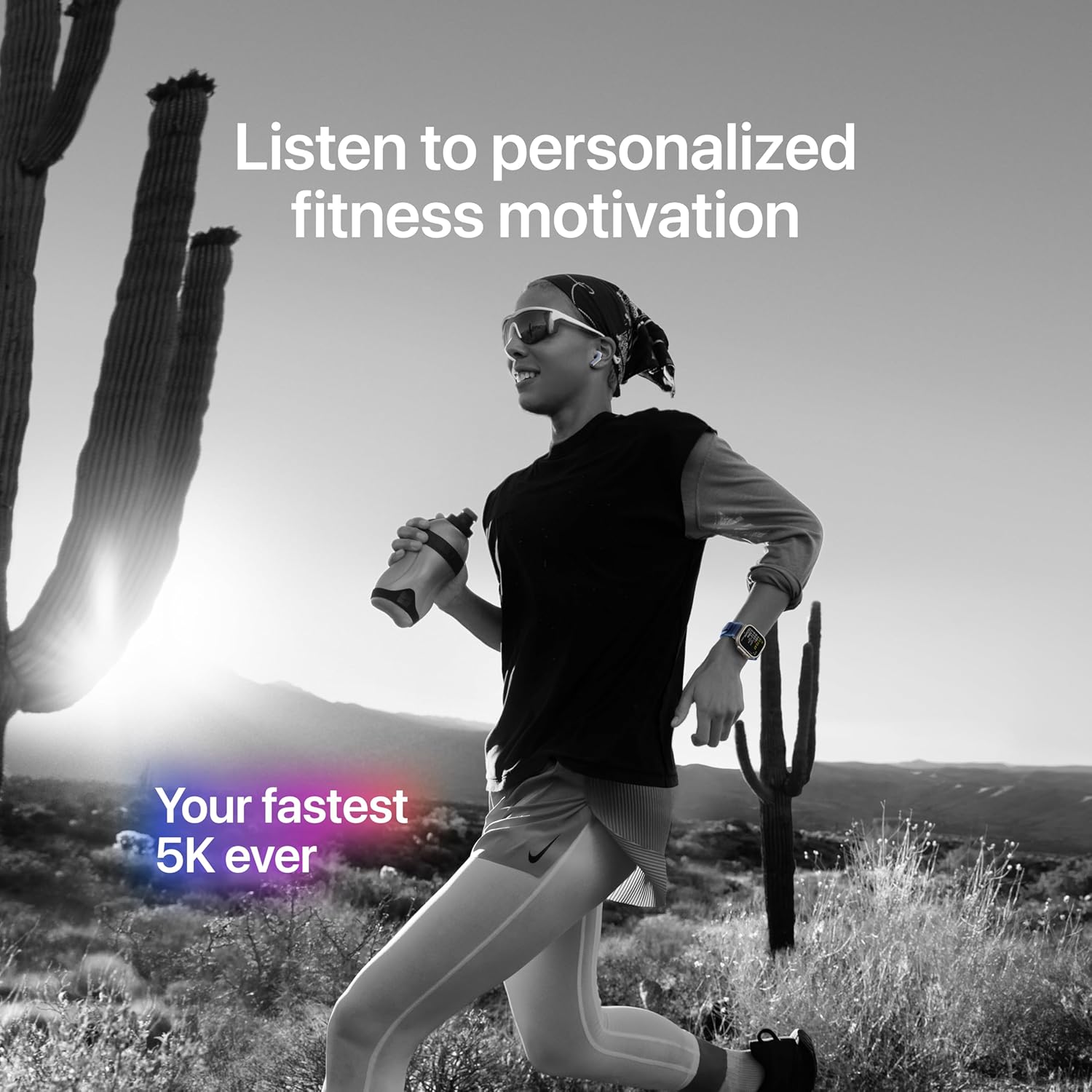
Image: A person running outdoors, wearing the Apple Watch Ultra 3, illustrating its use for personalized fitness motivation and tracking.
Característiques de seguretat
- SOS d'emergència: Press and hold the Side button to quickly call emergency services.
- Detecció de xocs: The watch can detect a severe car crash and automatically connect you to emergency services.
- Detecció de caigudes: If a hard fall is detected, the watch can initiate an emergency call if you are unresponsive.
- Sirena: Activate a loud siren to attract attention in an emergency.
Manteniment
Neteja
Regularly clean your Apple Watch Ultra 3 to maintain its appearance and functionality. Use a soft, lint-free cloth. If necessary, slightly dampen the cloth with fresh water. Avoid using abrasive materials, harsh chemicals, or compressed air.
Resistència a l'aigua
The Apple Watch Ultra 3 is water resistant to 100 meters under ISO standard 22810:2010. It is suitable for recreational scuba diving to 40 meters and high-speed water sports. After exposure to chlorinated water, salt water, or muddy environments, rinse the watch with fresh water and dry it thoroughly.
Cura de la bateria
To optimize battery longevity, avoid extreme temperatures. While the watch supports fast charging, prolonged exposure to high temperatures during charging can degrade battery health over time. For extended storage, charge the watch to approximately 50% and store it in a cool, dry place.
Resolució de problemes
El rellotge no s'encén ni respon
- Ensure the watch is charged. Place it on the magnetic charger for at least 30 minutes.
- Perform a force restart: Press and hold both the Side button and the Digital Crown for at least 10 seconds, until you see the Apple logo.
Band Installation Difficulty
If the band does not slide in smoothly, ensure it is correctly oriented and aligned with the watch case slots. Do not force the band. If issues persist, inspect the band and watch case for any obstructions or damage.
Inaccurate Sensor Readings
- Ensure the watch is worn snugly on your wrist, but not uncomfortably tight.
- Clean the back of the watch and your wrist to remove any debris or sweat that might interfere with sensor contact.
- Ensure your personal information (height, weight, age, gender) is accurate in the Health app on your iPhone.
Cellular Connectivity Issues
- Verify that your cellular plan for Apple Watch is active with your carrier.
- Check cellular signal strength on your watch.
- Ensure your iPhone is nearby or connected to Wi-Fi if you are not using cellular independently.
- Restart both your Apple Watch and iPhone.
Especificacions
| Característica | Detall |
|---|---|
| Número de model | MEWH4LW/A |
| Material de la caixa | Titani grau 5 |
| Dimensions (A x A x P) | 49 mm x 44 mm x 14.4 mm |
| Pes de la caixa | 61.4 g |
| Mostra | Always-On Retina, Flat sapphire crystal, Up to 3000 nits peak brightness |
| Xip | S10 with 64-bit dual-core processor, 4-core Apple Neural Engine |
| Emmagatzematge | 64 GB |
| Resistència a l'aigua | 100m (ISO 22810:2010), EN13319 recreational scuba diving to 40m |
| Resistència a la pols | IP6X (IEC 60529) |
| Connectivitat | GPS, GNSS, Galileo, BeiDou, LTE, UMTS, Wi-Fi 4 (802.11n), Bluetooth 5.3, Second-generation Ultra Wideband chip |
| Sensors | Electrical heart sensor, Optical heart sensor (3rd gen), Blood oxygen sensor, Temperature sensor, Depth gauge, Water temperature sensor, Compass, Altimeter, Accelerometer, Gyroscope, Ambient light sensor |
| Durada de la bateria | Up to 42 hours (normal use), Up to 72 hours (Low Power Mode) |
| Compatibilitat | iPhone Xs o posterior amb iOS 18 o posterior |
Garantia i Suport
For detailed warranty information, please refer to the official Apple warranty documentation included with your product or visit the official Apple support website. Apple provides technical support and service for its products.
Per obtenir més ajuda, visiteu el Pàgina d'assistència de l'Apple Watch o contacta directament amb el suport tècnic d'Apple.


