1. Acabatview
The ASRock A620AM-X Micro-ATX Motherboard provides a robust and cost-effective foundation for AMD's AM5 platform. Designed to support Ryzen 9000, 8000, and 7000 series processors, it offers essential features for modern computing, including DDR5 memory support, PCIe 4.0 connectivity, and 2.5G LAN. Its micro-ATX form factor makes it suitable for compact builds while delivering reliable performance for various applications.
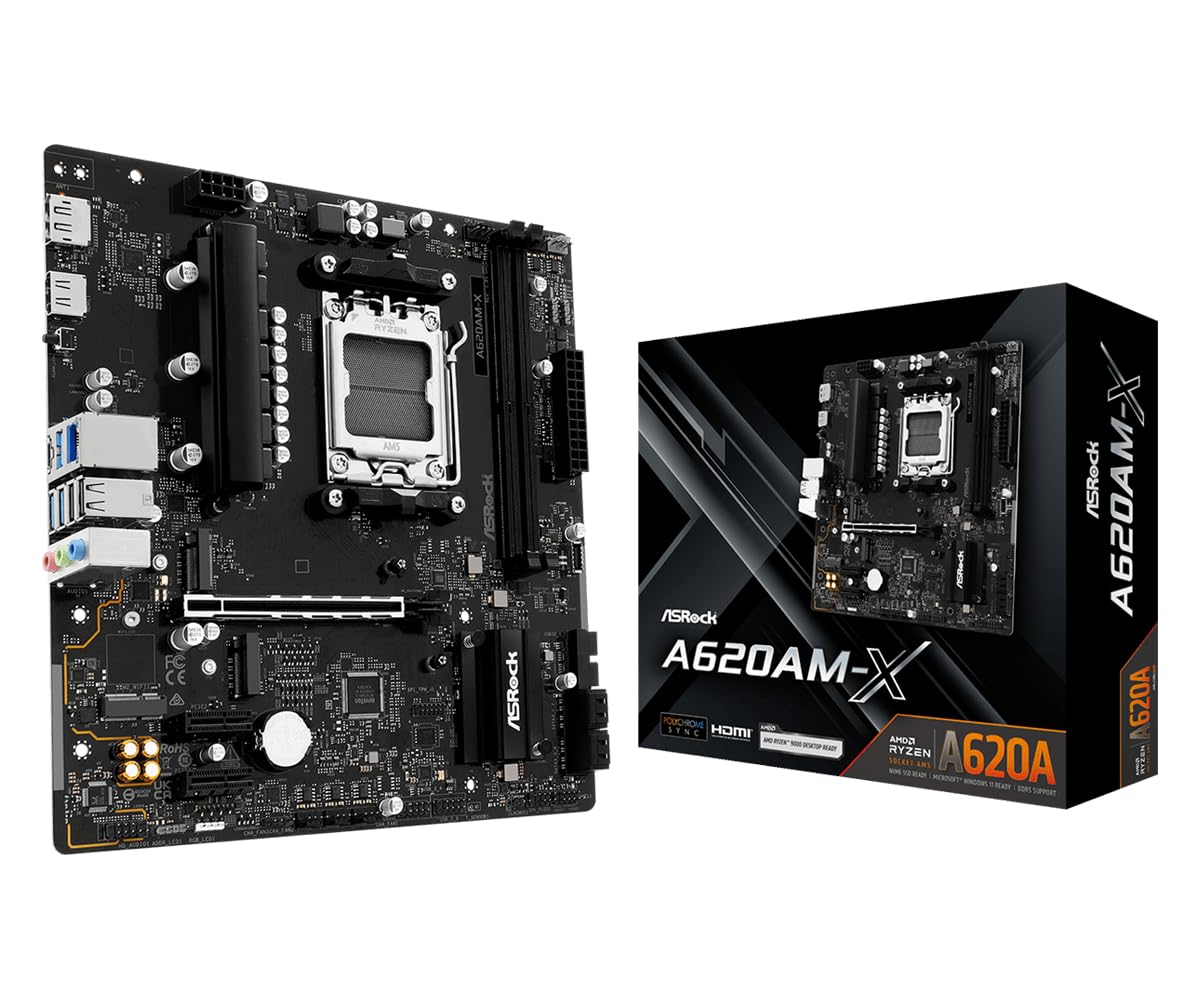
Figura 1: De dalt a baix view of the ASRock A620AM-X Micro-ATX Motherboard, showcasinel seu disseny compacte i els seus components clau.
2. Configuració i instal·lació
2.1 Motherboard Dimensions and Form Factor
The ASRock A620AM-X is a Micro-ATX motherboard, measuring 8.9 inches by 9.6 inches. Ensure your PC case supports this form factor for proper installation.
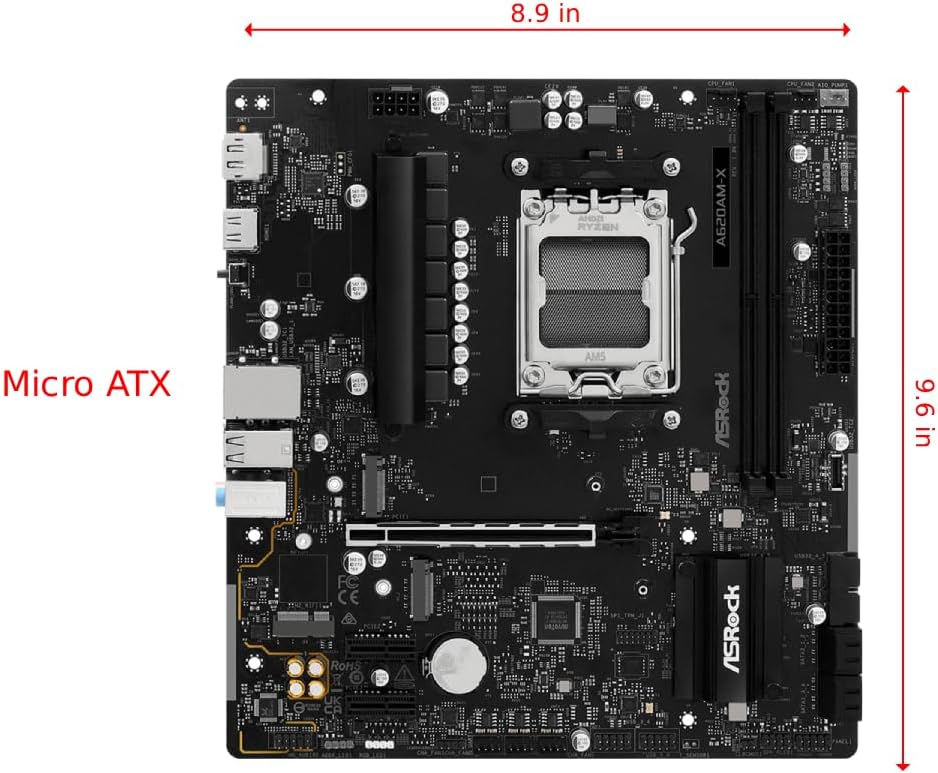
Figure 2: ASRock A620AM-X Micro-ATX Motherboard with dimensions indicated (8.9 inches width, 9.6 inches length).
2.2 Instal·lació de components
This motherboard features an AMD AM5 socket, supporting Ryzen 9000/8000/7000 series processors. It includes two DDR5 DIMM slots for dual-channel memory configurations and a PCIe Gen4 x16 slot for a graphics card. Two Hyper M.2 (PCIe Gen4x4) slots and four SATA3 ports provide flexible storage options.
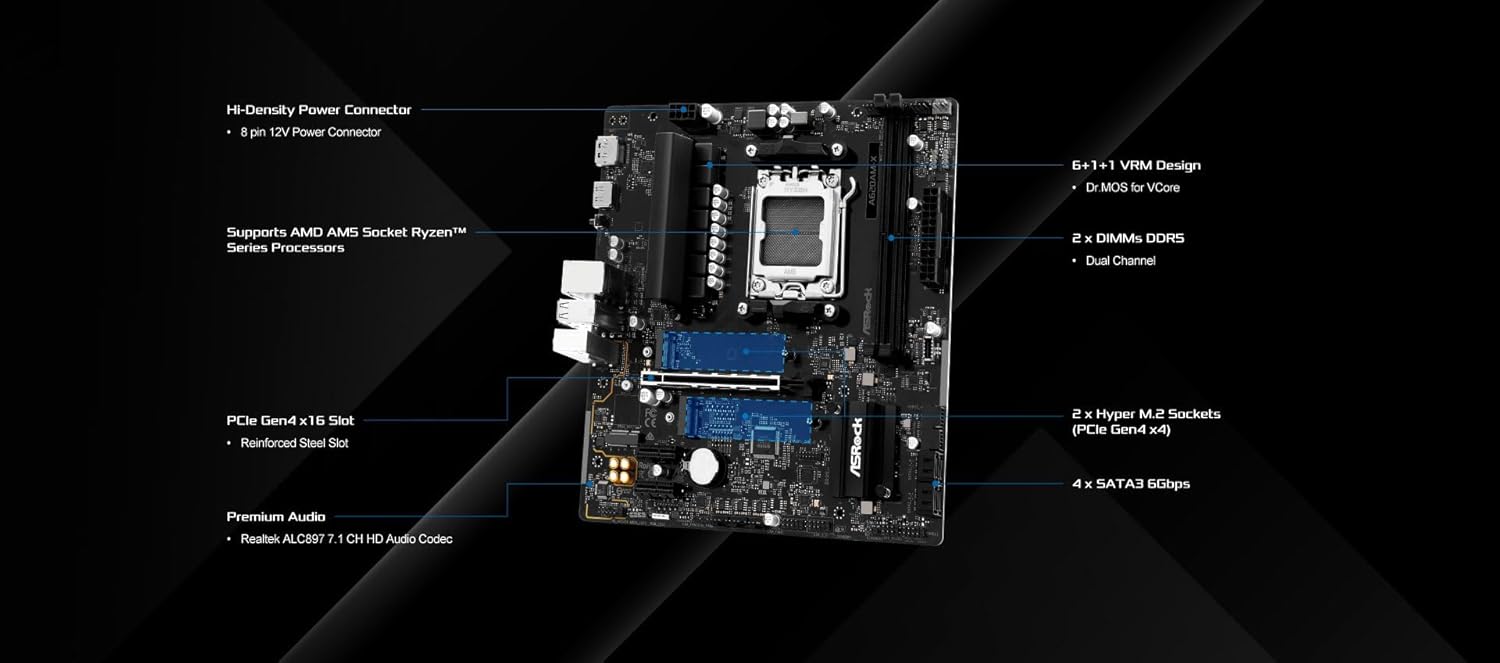
Figura 3: Detallada view of the ASRock A620AM-X motherboard highlighting the 6+1+1 VRM design, 2 DDR5 DIMM slots, PCIe Gen4 x16 slot, 2 Hyper M.2 sockets, and 4 SATA3 ports.
2.3 Power and Fan Connections
Connect the 24-pin ATX power connector and the 8-pin 12V power connector to the motherboard. Utilize the CPU fan connector, AIO pump fan connector, and three chassis fan connectors for optimal cooling. The board also includes headers for RGB and Addressable LED lighting.
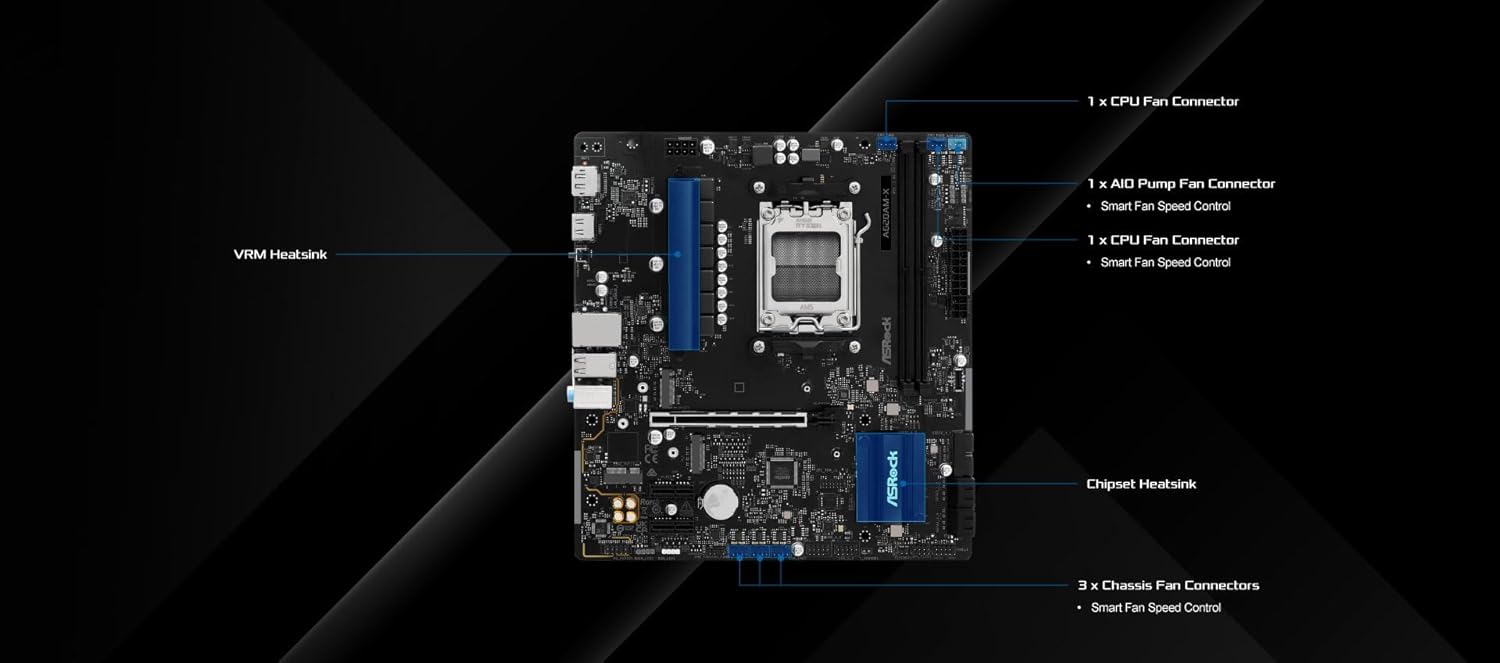
Figura 4: Mésview of the ASRock A620AM-X motherboard showing the locations of CPU fan connectors, AIO pump fan connector, chassis fan connectors, VRM heatsink, and chipset heatsink.
2.4 Panell d'E/S posterior
The rear I/O panel provides comprehensive connectivity, including HDMI and DisplayPort outputs for integrated graphics, a Realtek 2.5G LAN port, multiple USB 3.2 Gen1 Type-A and Type-C ports, and audio jacks. A BIOS Flashback button is also present for convenient firmware updates.
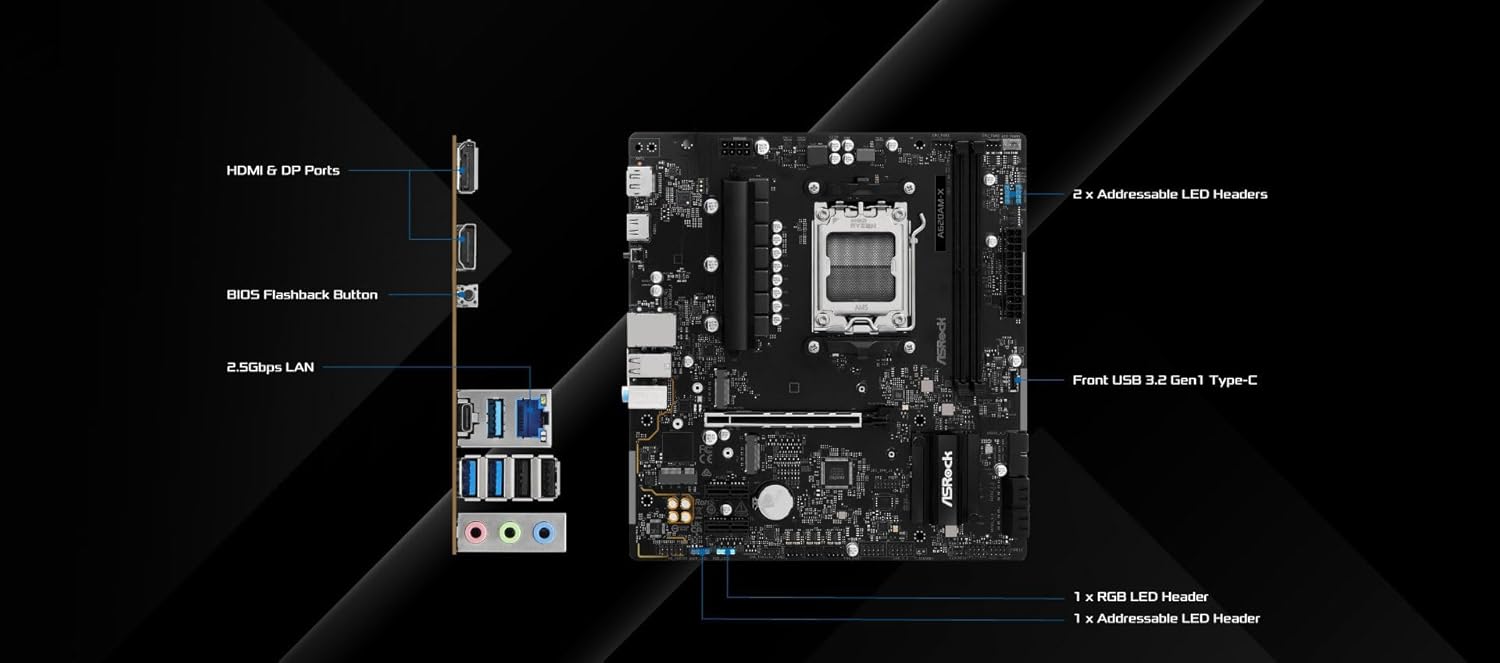
Figure 5: Diagram of the ASRock A620AM-X motherboard's rear I/O panel, detailing HDMI & DP ports, BIOS Flashback button, 2.5Gbps LAN, Front USB 3.2 Gen1 Type-C, and various LED headers.
3. Instruccions de funcionament
3.1 Engegada i arrencada inicial
After all components are securely installed and connected, power on your system. The motherboard will perform a Power-On Self-Test (POST). Access the UEFI BIOS by pressing the 'Delete' or 'F2' key during POST to configure system settings, boot order, and enable memory profiles (e.g., EXPO).
3.2 Integrated Graphics Support
For compatible AMD Ryzen processors with integrated graphics, the motherboard supports video output via HDMI and DisplayPort. This allows for system operation without a dedicated graphics card, ideal for productivity or entry-level gaming.
3.3 High-Speed Networking
The integrated Realtek 2.5G LAN provides high-speed wired network connectivity, ensuring low latency and fast data transfer for online gaming, streaming, and large file transferències.
4. Manteniment
4.1 BIOS Updates (BIOS Flashback)
The ASRock A620AM-X supports BIOS Flashback, allowing you to update the BIOS without a CPU, RAM, or graphics card installed. This feature is crucial for ensuring compatibility with newer processors or resolving system stability issues.
Video 1: Official ASRock tutorial demonstrating the process of updating the motherboard BIOS using the BIOS Flashback feature. This video guides users through preparing a USB drive, downloading the BIOS file, and initiating the update process.
4.2 Atenció general
To ensure the longevity and optimal performance of your motherboard, keep your PC case clean and free of dust. Regularly check fan connections and ensure proper airflow. Avoid exposing the motherboard to extreme temperatures or humidity.
5. Solució De Problemes
5.1 System Does Not Power On
- Verify all power connections (24-pin ATX, 8-pin 12V CPU) are securely seated.
- Assegureu-vos que la font d'alimentació estigui connectada i que funcioni correctament.
- Comproveu les connexions del panell frontal (botó d'engegada, botó de reinici) a la placa base.
5.2 Sense sortida de pantalla
- Confirm that your monitor is connected to the correct display output (either integrated graphics or a dedicated graphics card).
- Reseat your graphics card and memory modules.
- Si feu servir gràfics integrats, assegureu-vos que la CPU els admeti.
5.3 Instability or Crashes
- Ensure all drivers are up to date, especially chipset and graphics drivers.
- Check memory modules for proper installation and compatibility. Consider running memory diagnostic tools.
- Monitor CPU and chipset temperatures to prevent overheating.
6. Especificacions
| Característica | Detall |
|---|---|
| Marca | ASRock |
| Nom del model | A620AM-X |
| Socket de CPU | Presa AM5 |
| Processadors compatibles | AMD Ryzen 9000/8000/7000 Series |
| Tipus de xipset | AMD A620A |
| Tecnologia de memòria RAM | DDR5 |
| Mida màxima de la memòria RAM | 128 GB |
| Velocitat de rellotge de memòria | 8000 MHz (OC) |
| PCIe tragamonedas | 1 x PCIe Gen4 x16 |
| M.2 Ranures | 2 x Hyper M.2 (PCIe Gen4x4) |
| Ports SATA | 4 x SATA3 6Gbps |
| LAN | LAN Realtek 2.5G |
| Ports USB | Front & Rear USB 3.2 Gen1 Type-C, multiple USB 3.2 Gen1 & USB 2.0 |
| Sortides de visualització | HDMI, DisplayPort |
| Funció BIOS | BIOS Flashback Support |
| Factor de forma | Micro-ATX |
| Pes de l'article | 2.25 lliures |
| Dimensions del paquet | 11.69 x 10.63 x 2.4 polzades |
| Data de primera disponibilitat | 13 de setembre de 2025 |
7. Garantia i Suport
For any product questions or assistance, please contact ASRock USA directly through Amazon. Refer to your purchase documentation for specific warranty terms and conditions.
Video 2: Official ASRock USA video showcasing the AMD B850 Series Motherboards, highlighting key features and design elements relevant to the AM5 platform.
Video 3: Product demonstration video from Amazon Product Imaging, providing a visual overview of the motherboard's features and physical characteristics.


