1. Introducció
This manual provides detailed instructions for the setup, operation, and maintenance of your adorcam T4 Cellular Trail Camera with Solar. This device is designed for outdoor wildlife monitoring and security, offering 2K live video streaming, 4G LTE connectivity, night vision, and motion detection capabilities.

Image 1: adorcam T4 Cellular Trail Camera with Solar. This image shows the main unit of the trail camera with its integrated solar panel.
2. Què hi ha a la caixa
Your adorcam T4 Cellular Trail Camera package includes the following items:
- Trail Camera: The main unit with integrated solar panel.
- Manual d'instruccions: Aquest document.
- Cable de càrrega: For initial charging or supplementary power.
- Cargol de muntatge: Per a una instal·lació segura.
- Panell d'energia solar: Integrated with the camera for continuous power.
- Corretja: For temporary mounting to trees or poles.
- Suports de muntatge: For permanent installation of the camera and solar panel.
- Pinces: To assist with SIM/SD card handling.
- Tornavís: Per a la instal·lació.
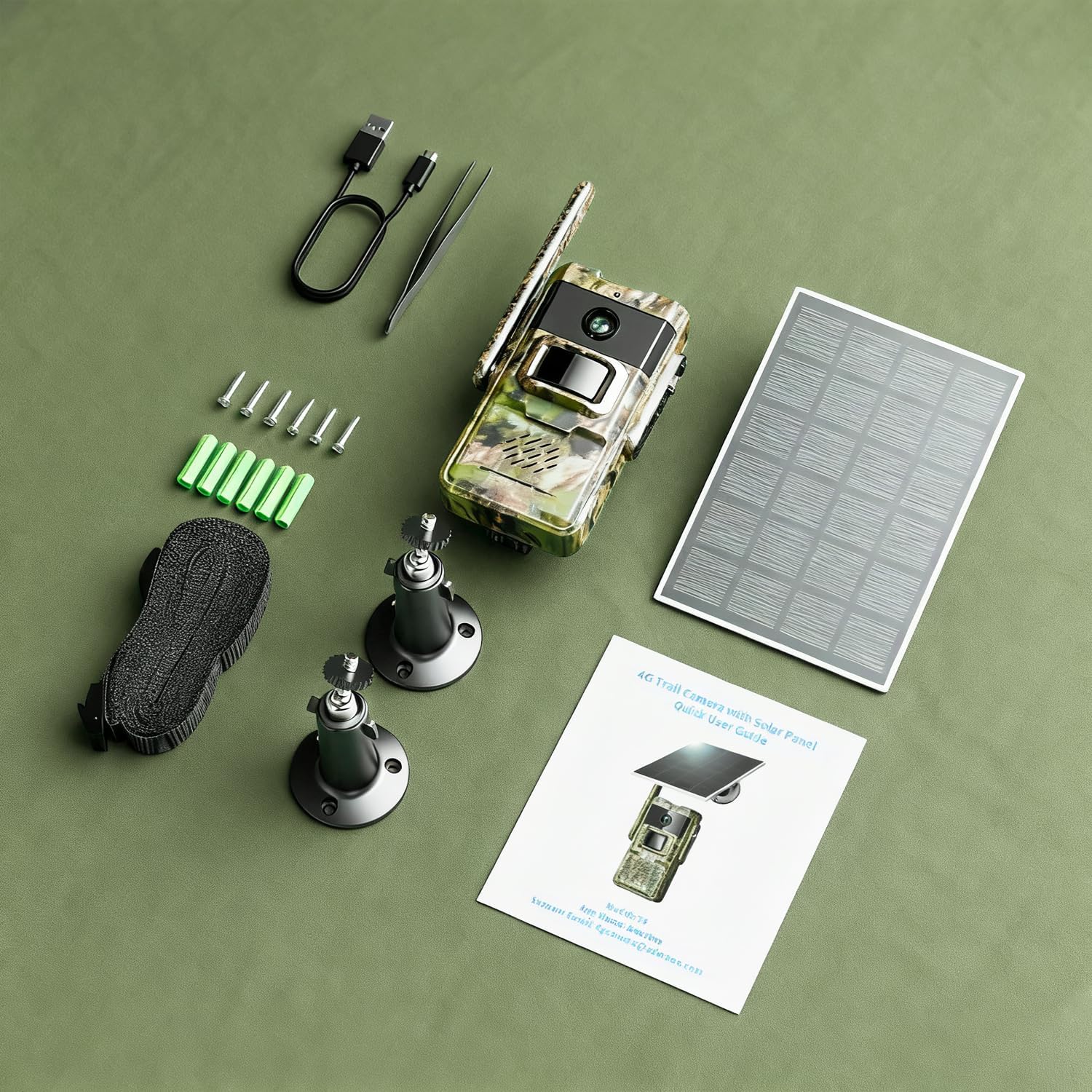
Image 2: All components included in the adorcam T4 Trail Camera package. This image displays the trail camera, solar panel, mounting accessories, charging cable, and user manual.
3. Configuració
3.1 Càrrega inicial
Before first use, fully charge the camera's built-in 7800mAh lithium battery using the provided charging cable. The solar panel will maintain the charge during operation.
3.2 Instal·lació de la targeta SIM i la targeta SD
The camera comes with a built-in, non-detachable 4G SIM card. This SIM card is pre-configured for use within the U.S. with Verizon, T-Mobile, and AT&T networks. It includes a 7-day 100 MB free trial upon 4G connection. Data plans can be renewed via the Adorbee App.
For local storage, insert a micro SD card (max 256GB, not included) into the designated slot. Format the SD card via the Adorbee App before initial use.

Imatge 3: Detall view of the camera's internal compartment, showing the SIM card slot and SD card slot.
3.3 Instal·lació física
The camera can be mounted using the included strap for temporary placement or mounting brackets for a more permanent setup. Ensure the solar panel faces direct sunlight for optimal charging.
Steps for Mounting:
- Attach the camera to a tree or pole using the provided strap, ensuring it is securely fastened.
- Alternatively, use the mounting brackets and screws for a permanent installation.
- Position the solar panel to maximize sun exposure.
- Connect the solar panel to the camera using the integrated cable.
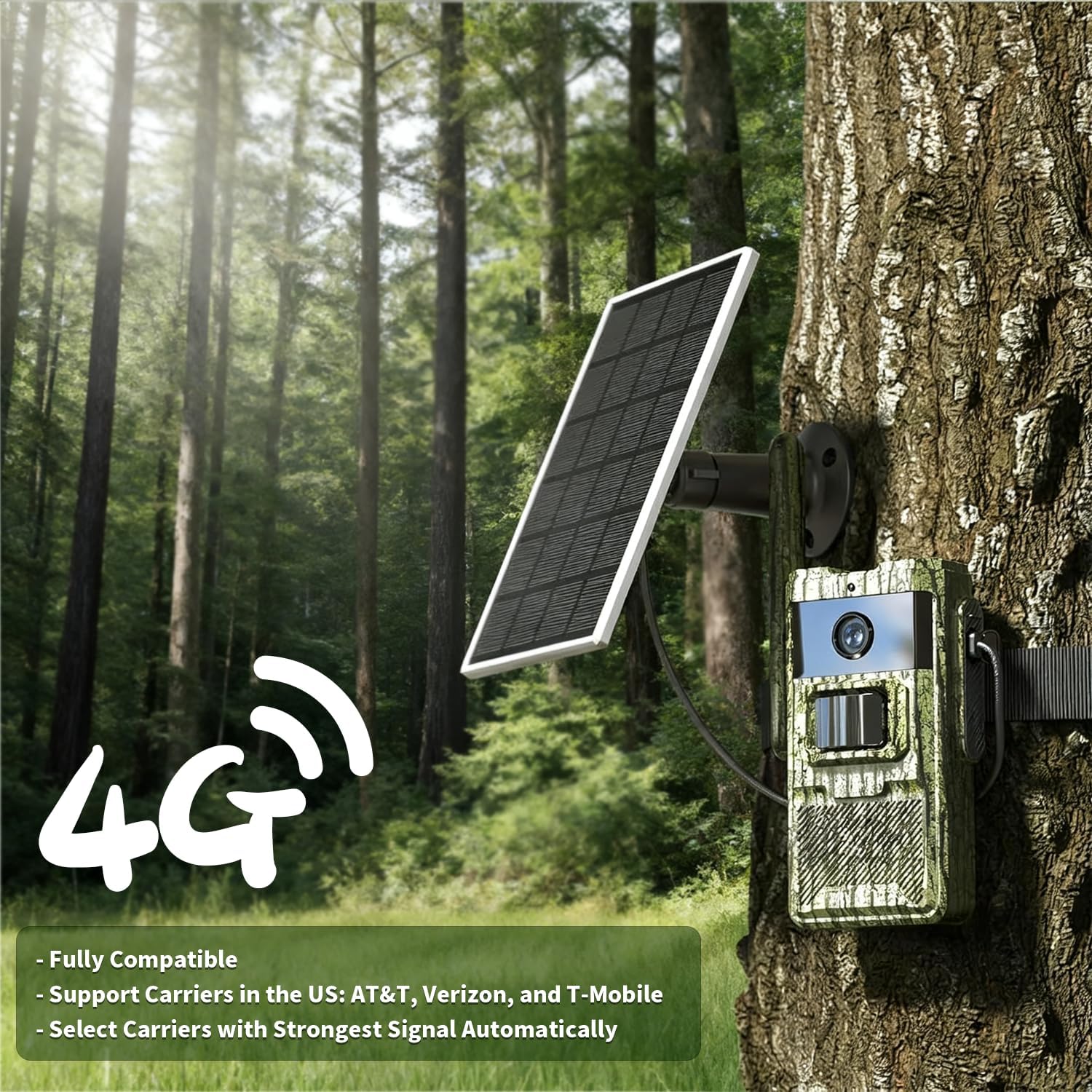
Image 4: The adorcam T4 Trail Camera mounted on a tree, demonstrating its outdoor placement and solar panel orientation.
3.4 App Setup (Adorbee App)
Download the free Adorbee App from your smartphone's app store. Follow the in-app instructions to connect your camera. This typically involves scanning a QR code on the camera and powering on the device. The blue LED will light up after approximately 1 minute, indicating readiness for connection.
Through the app, you can monitor live feeds, receive real-time alerts, manage data plans, and access stored footage.

Image 5: Screenshot of the Adorbee App displaying a 2K live video feed and real-time motion alerts.
Video 1: Product Introduction - XG-11 Hunting Camera. This video provides an overview of the camera's features and basic setup.
Video 2: Connecting the Solar Panel. This video demonstrates the process of connecting the solar panel to the trail camera.
4. Instruccions de funcionament
4.1 Live Streaming and Remote Access
Utilize the Adorbee App to access live 2K video feeds from your camera at any time, from any location with 4G coverage. This allows for real-time monitoring of wildlife or property.
4.2 Motion Detection and Night Vision
The camera features a PIR sensor with a 0.2s ultra-fast trigger speed, ensuring quick capture of subjects. Invisible infrared lights provide clear night vision without startling animals. Real-time alerts are sent to your phone via the app when motion is detected.
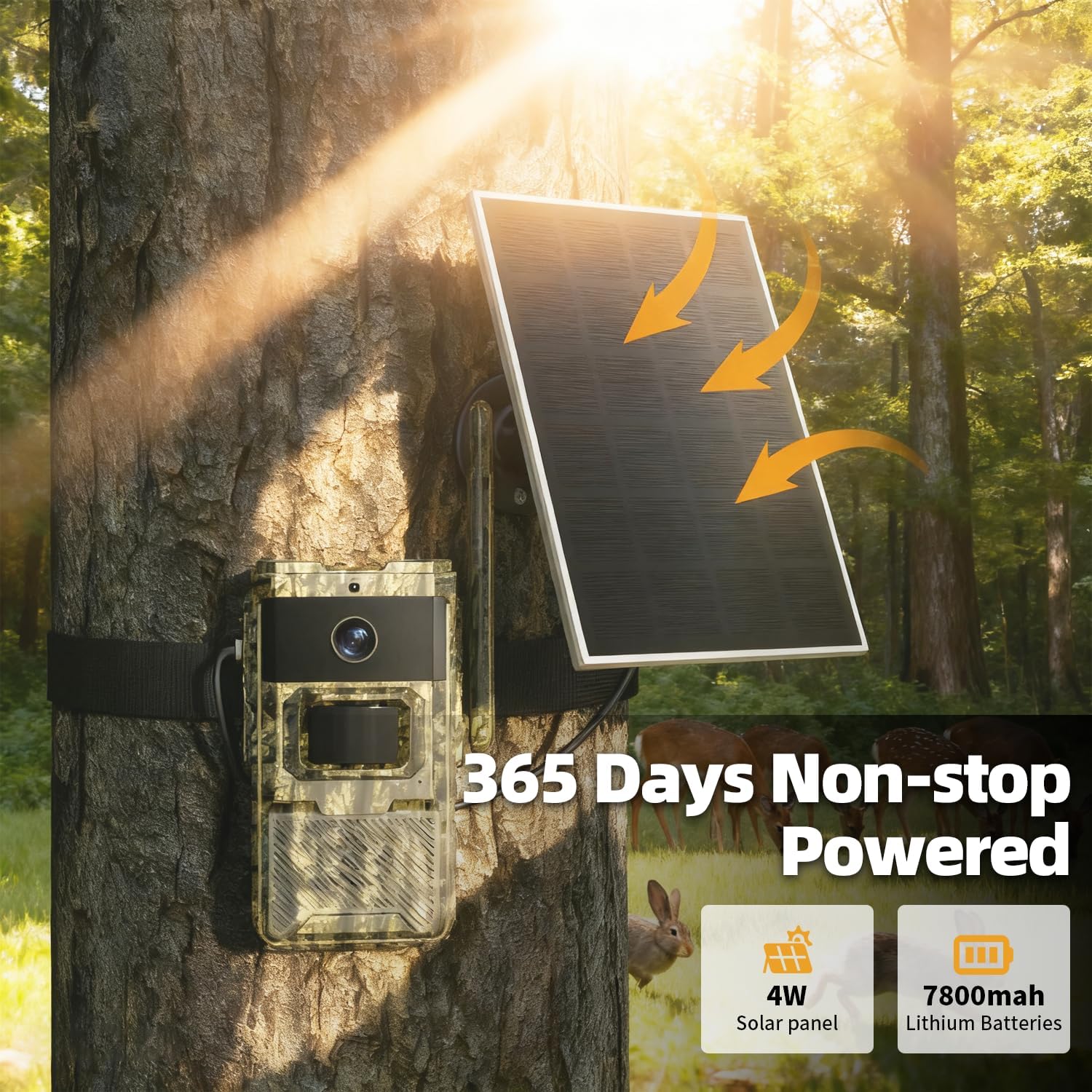
Image 6: Comparison of daytime and night vision capabilities of the adorcam T4 Trail Camera, highlighting the clarity of infrared night vision.

Image 7: Illustration of the camera's 0.2-second fast trigger speed, capturing fast-moving subjects effectively.
4.3 Opcions d'emmagatzematge
Captured photos and videos can be stored on a local TF card (up to 256GB) or via cloud storage (30-day trial available). You can choose the option that best suits your needs.
5. Manteniment
To ensure optimal performance and longevity of your adorcam T4 Trail Camera, follow these maintenance guidelines:
- Gestió d'energia: The integrated solar panel provides continuous power. Ensure it is clean and free from obstructions to maximize charging efficiency. The 7800mAh rechargeable battery minimizes the need for frequent battery swaps.
- Resistència a la intempèrie: The camera is IP66 waterproof and dustproof, designed to withstand various outdoor conditions. However, avoid submerging the device in water.
- PIR Sensor Care: Keep the PIR sensor away from direct sunlight to prevent false alarms. Regularly check for any debris or obstructions that might interfere with its function.
- Neteja de lents: Gently clean the camera lens with a soft, dry cloth to ensure clear image quality.
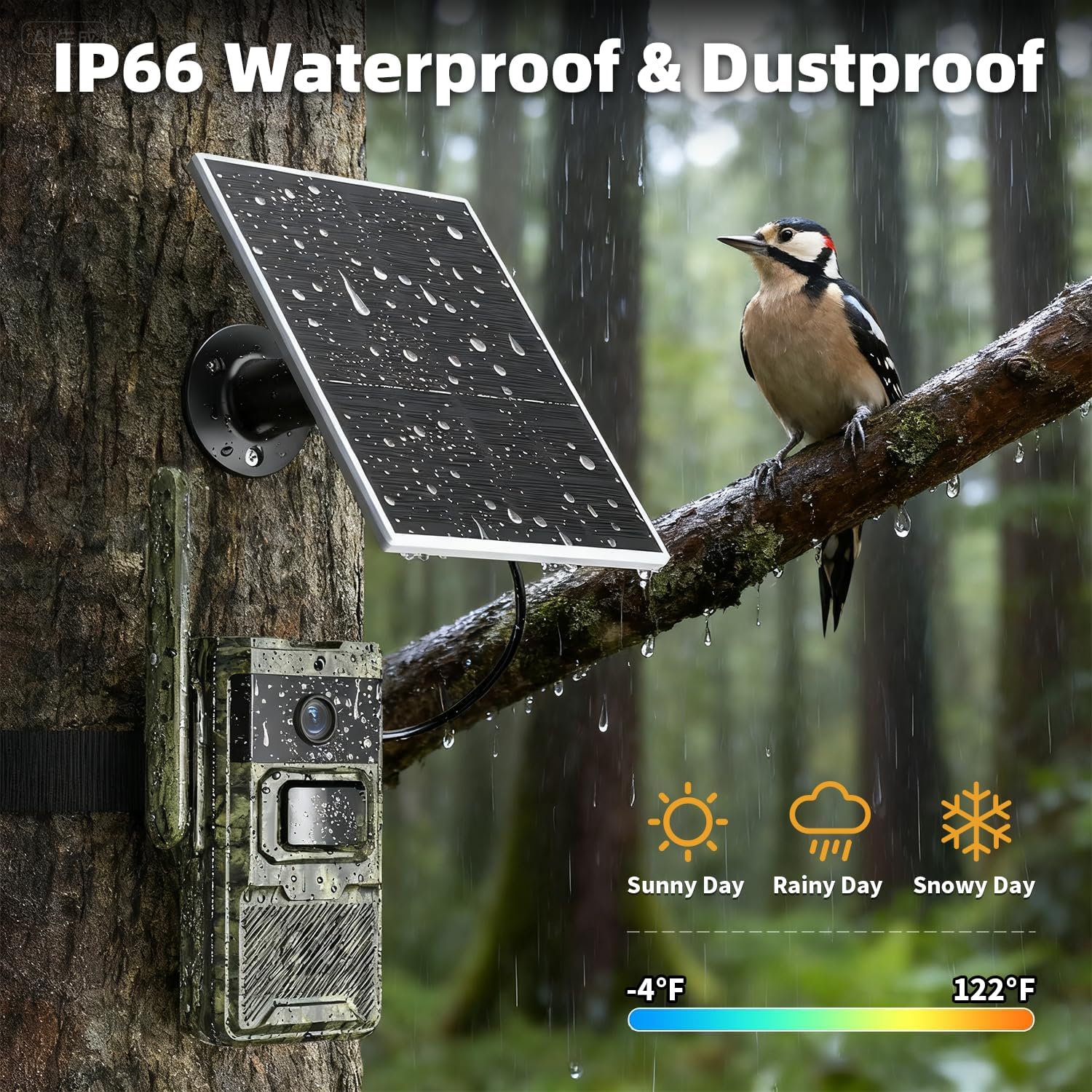
Image 8: The camera demonstrating its IP66 waterproof and dustproof capabilities in various weather conditions.
6. Solució De Problemes
If you encounter issues with your adorcam T4 Trail Camera, consider the following:
- No 4G Signal/Connectivity Issues: Ensure the camera is placed in an area with adequate cellular signal. The built-in SIM card automatically detects the strongest signal from compatible carriers (Verizon, T-Mobile, AT&T). Check your data plan status via the Adorbee App.
- Alertes de moviment falses: Verify that the PIR sensor is not exposed to direct sunlight or rapidly moving objects (e.g., swaying branches) that could trigger false alarms.
- Targeta SD no reconeguda: Ensure the TF card is correctly inserted and formatted via the Adorbee App. The camera supports up to 256GB.
- Drenatge de la bateria: While the solar panel provides continuous power, extreme weather or prolonged periods without sunlight may affect battery life. Ensure the solar panel is clean and optimally positioned.
- Funcionalitat de l'aplicació: Ensure your Adorbee App is updated to the latest version. If issues persist, try restarting the app or the camera.
7. Especificacions
| Característica | Especificació |
|---|---|
| Nom del model | T4 |
| Marca | adorcam |
| Tecnologia de connectivitat | 4G LTE Cellular Network |
| Resolució de captura de vídeo | 1296p (2K) |
| Font d'alimentació | Solar Powered, 7800mAh Rechargeable Lithium Battery |
| Velocitat màxima d'obturació | 0.2 segons |
| Visió nocturna | Yes (No-Glow Infrared) |
| Nivell de resistència a l'aigua | Impermeable IP66 |
| Opcions d'emmagatzematge | TF Card (max 256GB), Cloud Storage |
| Dispositius compatibles | Smartphone (Adorbee App) |
| Dimensions de l'article L x W x H | 6 x 3 x 2 polzades |
| Pes de l'article | 1.17 lliures |
8. Garantia i Suport
For any questions or support regarding your adorcam T4 Cellular Trail Camera, please refer to the contact information provided in your product packaging or within the Adorbee App. The manufacturer, Adorcam, is committed to providing satisfactory customer service.
Please note the 7-day 100 MB free trial for the built-in SIM card and the 30-day trial for cloud storage. Ensure to subscribe to a data plan promptly to maintain cellular functionality.


