1. Introducció
Gràcies per la compraasing the LG 43 inch UHD AI UA73 4K Smart TV. This television combines stunning 4K Ultra High Definition visuals with advanced Artificial Intelligence features and the intuitive webOS25 platform. Enjoy vibrant colors, sharp details, and smart functionalities including AI-powered search and voice control. This manual provides essential information for setting up, operating, and maintaining your new television.
2. Informació de seguretat
Llegiu atentament totes les instruccions de seguretat abans d'utilitzar el televisor. Conserveu aquest manual per a futures consultes.
2.1 Seguretat elèctrica
- No sobrecarregueu els endolls de paret ni els cables d'extensió.
- Assegureu-vos que el cable d'alimentació estigui ben connectat al televisor i a la presa de corrent.
- No toqueu l'endoll amb les mans mullades.
2.2 Col·locació
- Col·loqueu el televisor sobre una superfície estable i plana o munteu-lo de manera segura a una paret amb un suport VESA compatible.
- Assegureu-vos que hi hagi una ventilació adequada al voltant del televisor per evitar el sobreescalfament.
- Mantingueu el televisor allunyat de la llum solar directa, de fonts de calor i de la humitat.
2.3 Neteja
- Desconnecteu el televisor abans de netejar-lo.
- Use a soft, dry cloth to clean the screen and exterior. Do not use liquid cleaners or sprays directly on the TV.
3. Contingut del paquet
Verifiqueu que tots els elements siguin presents a la caixa:
- LG 43 inch UHD AI 4K Smart TV (Model 43UA73006LA)
- AI Magic Remote Control
- Cable d'alimentació
- Suport de TV (2 peces) i cargols
- User Manual and Regulatory Information
- Piles per a comandament a distància (AA x 2)
4. Configuració
4.1 Desembalatge i instal·lació del suport
- Carefully remove the TV from its packaging. It is recommended to have two people for this step.
- Col·loqueu la pantalla del televisor amb la pantalla cap avall sobre una superfície suau i plana per evitar que es faci malbé.
- Attach the stand pieces to the TV using the provided screws, ensuring they are securely fastened. Refer to the diagram in the quick setup guide for specific screw locations.
- Alternatively, if wall-mounting, follow the instructions provided with your VESA-compatible wall mount kit.
4.2 Connexió de perifèrics
Connect external devices such as Blu-ray players, game consoles, or soundbars to the appropriate ports on the back of the TV.
- Ports HDMI: Per a vídeo i àudio d'alta definició.
- Ports USB: Per connectar dispositius d'emmagatzematge USB.
- Entrada d'antena/cable: Per connectar una antena o un cable de televisió.
- Sortida d'àudio digital òptica: Per connectar-lo a una barra de so o a un receptor d'àudio.
4.3 Engegada inicial i connexió de xarxa
- Connecteu el cable d'alimentació al televisor i després a una presa de corrent.
- Premeu el botó d'engegada del comandament a distància o del televisor.
- Follow the on-screen instructions for the initial setup wizard. This will guide you through language selection, time zone, and network connection.
- Select your Wi-Fi network and enter the password, or connect an Ethernet cable for a wired connection.
5. Funcionament
5.1 AI Magic Remote Control
The AI Magic Remote allows for intuitive control of your TV, including point-and-click navigation and voice commands.
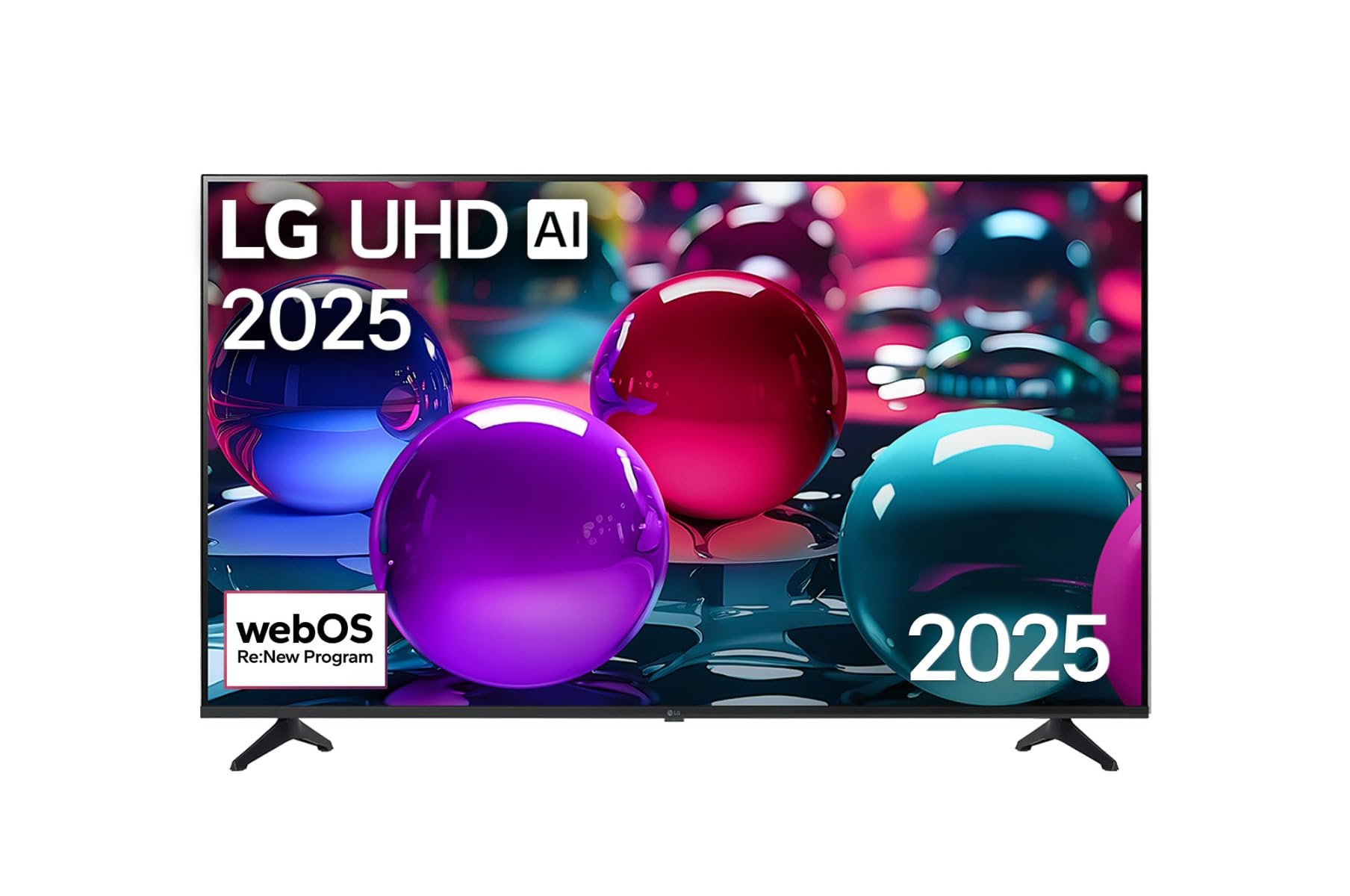
This image displays the LG 43 inch UHD AI 4K Smart TV, highlighting its webOS Re:New Program and Artificial Intelligence features. The accompanying AI Magic Remote is shown with a speech bubble indicating 'Just speak!', emphasizing its voice control capabilities.
- Botó d'encesa: Encén o apaga el televisor.
- Scroll Wheel/OK Button: Navega pels menús i confirma les seleccions.
- Botó de comandament per veu: Press and hold to activate AI Search, AI Chatbot, or AI Concierge. Speak your command into the remote.
- Botó d'inici: Accedeix al webPantalla d'inici del sistema operatiu.
- Botó enrere: Torna a la pantalla anterior.
- Pujar/baixar el volum: Ajusta el volum.
- Canal amunt/avall: Canvi de canals.
5.2 webOS Interface
El webOS Home screen provides quick access to apps, inputs, and settings. Use the Magic Remote to point and click on desired options or navigate with the directional buttons.
- App Launcher: Customize and access your favorite streaming services and applications.
- Selector d'entrada: Switch between HDMI inputs, USB, or live TV.
- Configuració: Ajusta la imatge, el so, la xarxa i la configuració general del televisor.
5.3 Característiques de la IA
Leverage the power of AI for enhanced TV experience:
- Cerca AI: Use voice commands to find content, information, or apps quickly.
- Chatbot d'IA: Interact with the TV for assistance or information.
- Conserge d'IA: Receive personalized content recommendations and smart home integration.
6. Manteniment
6.1 Neteja del televisor
Per mantenir l'aspecte i el rendiment del televisor:
- Desendolla sempre el televisor abans de netejar-lo.
- Feu servir un drap suau i sense borrissol per netejar suaument la pantalla. Per a marques difícils, fregueu lleugerament.ampNetegeu el drap amb aigua i eixugueu-lo immediatament.
- Clean the TV frame and stand with a soft, dry cloth.
- Do not use abrasive cleaners, alcohol, benzene, or thinners, as these can damage the screen or finish.
6.2 Actualitzacions de programari
Your LG Smart TV periodically receives software updates to improve performance and add new features. Ensure your TV is connected to the internet to receive these updates automatically. You can also manually check for updates in the TV's settings menu.
7. Solució De Problemes
Si teniu problemes amb el televisor, consulteu les solucions habituals següents:
| Problema | Possible solució |
|---|---|
| Sense poder | Check if the power cord is securely plugged in. Try a different power outlet. |
| No hi ha imatge, però hi ha so | Assegureu-vos que heu seleccionat la font d'entrada correcta. Comproveu les connexions dels cables als dispositius externs. |
| No hi ha so, però hi ha imatge | Check volume levels and mute settings. Verify audio output settings in the TV menu. |
| El comandament a distància no funciona | Replace batteries. Ensure there are no obstructions between the remote and the TV. Re-pair the Magic Remote if necessary (refer to TV settings). |
| No es pot connectar a la Wi-Fi | Reinicieu el router i el mòdem. Comproveu la contrasenya del Wi-Fi. Assegureu-vos que el televisor estigui dins de l'abast del router. |
| Problemes de qualitat d'imatge (per exemple, borrosa, distorsionada) | Check the resolution of the input source. Adjust picture settings in the TV menu. |
If the problem persists, please contact LG customer support.
8. Especificacions
| Característica | Detall |
|---|---|
| Marca | LG |
| Nom del model | 43UA73006LA |
| Mida de la pantalla | 43 polzades |
| Tecnologia de visualització | LED |
| Resolució | 4K UHD (3840 x 2160) |
| Relació d'aspecte | 16:9 |
| Sistema operatiu | webOS25 |
| Característiques especials | AI Processor, AI Magic Remote, HDR10, Sleep Timer |
| Color | Negre |
| Pes de l'article | 6.8 quilograms (14.96 lliures) |
| Dimensions del producte | 37.68 x 37.68 x 21.97 polzades |
| Data de primera disponibilitat | 28 de novembre de 2025 |
9. Garantia i assistència
9.1 Garantia del producte
Your LG 43 inch UHD AI UA73 4K Smart TV is covered by a limited manufacturer's warranty. Please refer to the warranty card included in your package for specific terms, conditions, and duration of coverage. Keep your proof of purchase for warranty claims.
9.2 Atenció al client
Per a assistència tècnica, resolució de problemes més enllà d'aquest manual o servei de garantia, poseu-vos en contacte amb el servei d'atenció al client de LG:
- Weblloc: Visita el suport oficial de LG website for FAQs, downloads, and service requests.
- Telèfon: Refer to your warranty card or LG's official weblloc per als números de contacte regionals.