1. Introducció
El rastrejador d'aire QCOQ Tag is a portable locator device designed to help you keep track of your important belongings. Utilizing the Apple Find My network, this smart tag provides global tracking capabilities, sound alerts, and anti-loss functions. It is compatible exclusively with iOS devices.

Imatge: Frontal view of the QCOQ Air Tracker Tag, espectacleasing its compact design, along with included lanyard and keyring accessories.
2. Contingut del paquet
- 1 rastrejadors d'aire QCOQ Tag
- 1 x cordó
- 1 x Clauer
- 1 x Manual d'usuari

Image: Visual representation of the items included in the QCOQ Air Tracker Tag 1-pack box.
3. Producte acabatview
El rastrejador d'aire QCOQ Tag integrates seamlessly with the Apple Find My network, offering a robust solution for preventing loss and quickly locating your valuables. Key features include:
- Seguiment mundial: Leverage the global Apple Find My network.
- 100dB Sound Alert: Locate nearby items with a loud audible signal.
- Bateria reemplaçable: CR2032 battery with up to 1 year lifespan.
- Left-Behind Reminders: Receive notifications when you leave an item behind.
- Mode perdut: Enable secure contact information for anonymous return.
- Protecció de privadesa: All communications are encrypted and anonymous.
- Disseny compacte i lleuger: Easy to attach to various items.
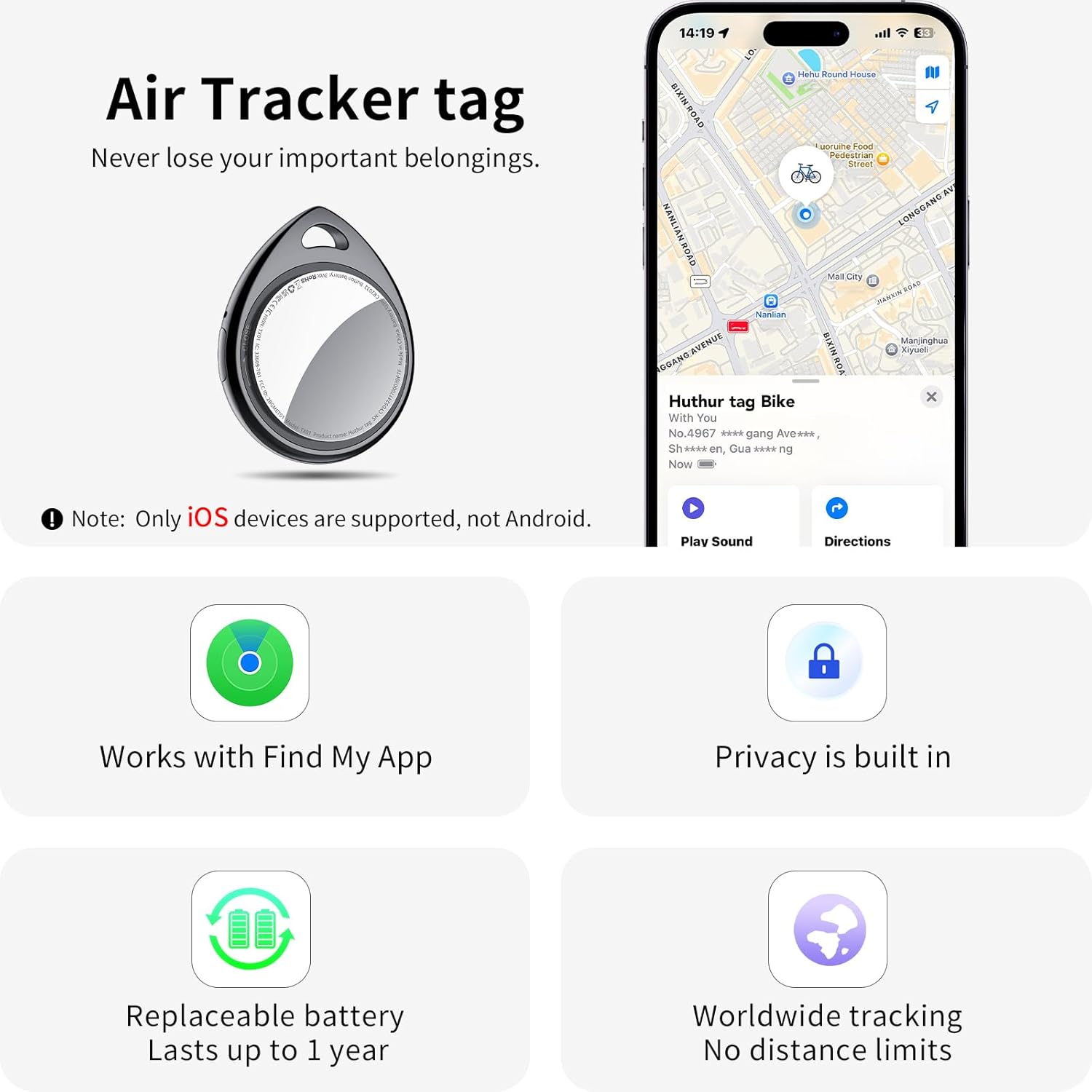
Imatge: Més deview of the Air Tracker Tag's main features, including compatibility with Apple Find My, built-in privacy, replaceable battery, and worldwide tracking capabilities.
4. Instruccions de configuració
- Activa el Tag: Upon receiving the Air Tracker Tag, remove any protective tabs or films. Locate the small button on the side of the tag. Press and hold this button for approximately 2 seconds until you hear a confirmation tone, indicating activation.
- Obre l'aplicació Cercar la meva d'Apple: On your iOS device (iPhone, iPad, Mac, Apple Watch), open the "Find My" application. Ensure Bluetooth and network functions are enabled on your device.
- Afegeix un element nou: In the "Find My" app, navigate to the "Items" tab. Tap the "+" icon and select "Add Other Item" or "Add AirTag" (depending on your iOS version).
- Maridatge: Your device will begin searching for nearby compatible items. When "Huthur tag" appears, tap "Connect".
- Anomena el teu Tag: Segueix les instruccions que apareixen a la pantalla per anomenar el teu Air Tracker Tag (e.g., "Keys," "Luggage," "Backpack"). You can also assign an emoji for easy identification.
- Confirmeu l'activació: Once named, confirm the connection. Your QCOQ Air Tracker Tag is now linked to your Apple ID and ready for tracking.

Image: Visual instructions for activating the tag and pairing it with the Apple Find My app on an iOS device.
5. Instruccions de funcionament
5.1 Finding Items Nearby (Sound Alert)
Quan el vostre rastrejador d'aire Tag is within Bluetooth range (approximately 200 feet or 60 meters), you can make it play a loud 100dB sound to help you locate it. Open the "Find My" app, select your tag, and tap "Play Sound."

Image: Demonstrates using the "Play Sound" feature in the Find My app to locate a nearby Air Tracker Tag with a loud beep.
5.2 Finding Items Far Away (Map Tracking)
If your item is out of Bluetooth range, the Apple Find My network, composed of millions of Apple devices worldwide, will anonymously detect your tag's location and securely relay it to your "Find My" app. You can view its last known location on a map and get directions to it.

Image: Illustrates tracking a lost item using the Apple Find My map, showing directions to the tagla ubicació de.
5.3 Recordatoris de deixades enrere
Enable "Notify When Left Behind" in the "Find My" app. If you leave your Air Tracker Tag behind, your iOS device will receive a notification with its last detected location, helping you retrieve it promptly.
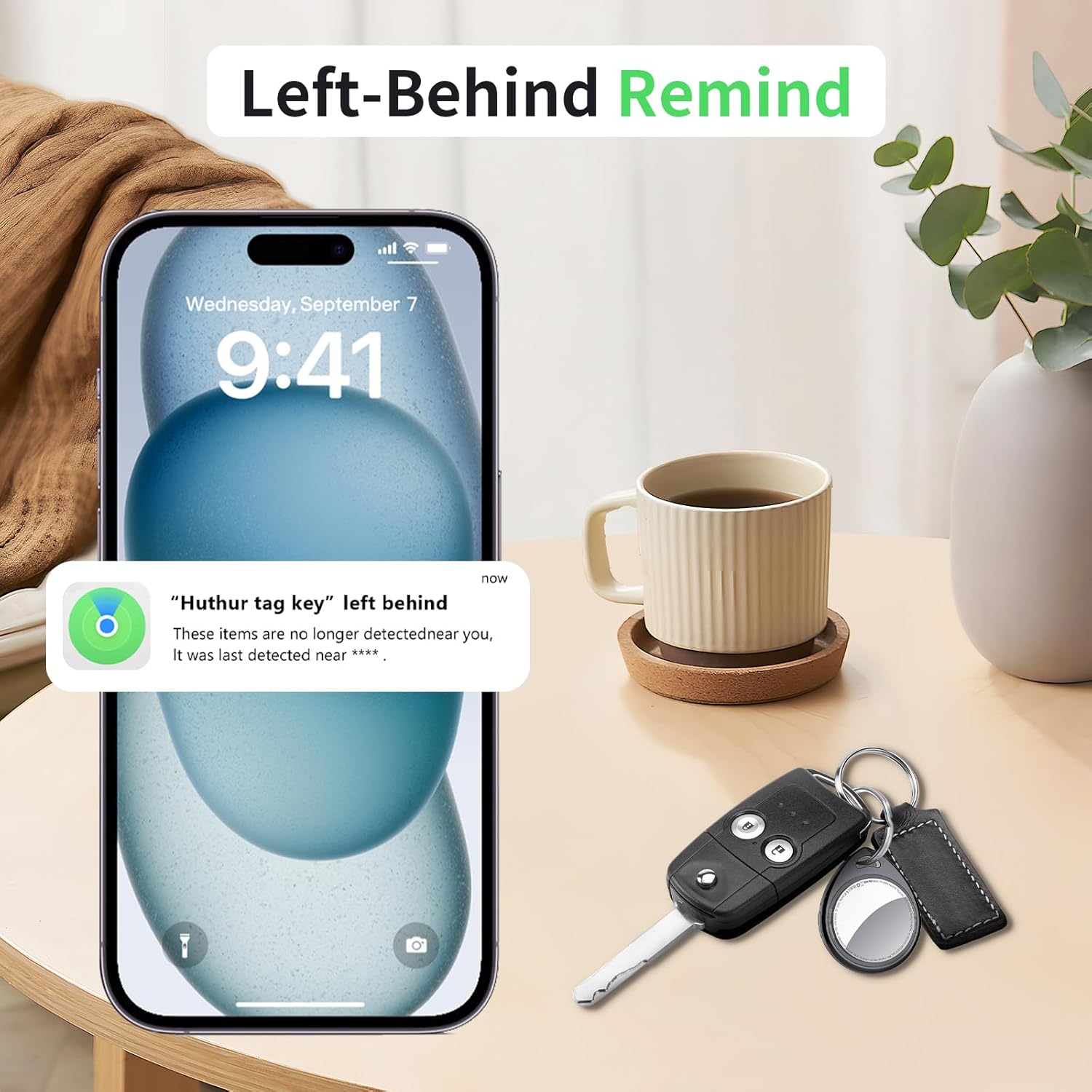
Image: An iPhone screen showing a 'Left Behind' notification, indicating the tracker has been separated from the user.
5.4 Mode perdut
If your item is truly lost, activate "Lost Mode" in the "Find My" app. You can enter a contact phone number or email address. If another Apple user finds your tag, they can use their device to view your contact information and help return your item, all while maintaining your privacy.

Image: A sequence of iPhone screens demonstrating how to activate Lost Mode and securely display contact information for a found item.
5.5 Sharing with Contacts
You can share the location of your Air Tracker Tag with up to 5 trusted contacts through the "Find My" app, allowing multiple individuals to help track important shared items.
5.6 Privacitat i seguretat
El rastrejador d'aire QCOQ Tag is MFi-certified, ensuring all location data is encrypted and anonymous. Your tracking records are never stored on the tag itself, and even the manufacturer cannot access them. An anti-tracking feature is built-in to warn you if someone attempts to track you with an unknown tag.

Image: A graphic highlighting the privacy and security features of the Air Tracker Tag, showing a shield protecting the device.
6. Manteniment
6.1 Substitució de la bateria
The Air Tracker Tag uses a replaceable CR2032 coin cell battery. The tag will proactively alert you when the battery is low. To replace the battery:
- Turn the stainless steel battery cover counter-clockwise to remove it.
- Inseriu una nova bateria CR2032 amb el costat positiu (+) cap amunt.
- Align the battery cover and press it gently.
- Rotate the battery cover clockwise to tighten it securely.

Image: A four-step visual guide demonstrating the process of replacing the CR2032 battery in the Air Tracker Tag.
6.2 Durada de la bateria
A new CR2032 battery provides up to 1 year of battery life, depending on usage.
7. Solució De Problemes
- Tag not connecting: Assegureu-vos el tag is activated (press and hold the side button for 2 seconds). Check that Bluetooth and network access are enabled on your iOS device. Make sure the tag is within range during initial pairing.
- Sound alert not playing: Verifiqueu el tag is within Bluetooth range of your iOS device. Check the battery level of the tag in the "Find My" app.
- Ubicació incorrecta: Location accuracy depends on the density of Apple devices in the area. In remote locations, updates may be less frequent. Ensure your iOS device has a stable internet connection.
- Battery low notification: Replace the CR2032 battery as soon as possible to ensure continuous tracking.
8. Especificacions
| Característica | Detall |
|---|---|
| Model | TX01 |
| Dimensions | 1.26 x 1.52 x 0.35 polzades (32.1 x 38.6 x 9 mm) |
| Pes de l'article | 1.13 unces (aprox. 7.8 g) |
| Tipus de bateria | CR2032 (substituïble) |
| Durada de la bateria | Fins a 1 any |
| Nivell de so | 100 dB |
| Connectivitat | Bluetooth 5.3 |
| Dispositius compatibles | iPhone, iPad, Mac, Apple Watch (iOS 14.5 or higher) |
| Material | Plàstic |

Image: The Air Tracker Tag held in a hand, illustrating its compact and lightweight nature (7.8g).

Image: Detailed diagram displaying the dimensions of the Air Tracker Tag in millimeters and inches.
9. Informació de seguretat
- Keep the device out of reach of small children due to small parts (battery).
- Do not attempt to disassemble or modify the device beyond battery replacement.
- Eliminar les bateries segons la normativa local.
- Eviteu les temperatures extremes i la llum solar directa.
10. Garantia i assistència
QCOQ products are designed for reliability. For any support inquiries or warranty information, please refer to the contact details provided in your product packaging or visit the official QCOQ weblloc web. Si us plau, conserveu el comprovant de compra per a reclamacions de garantia.


