1. Introducció
Thank you for choosing the Garvee 61-Key Weighted Electronic Keyboard Piano. This manual provides essential information for setting up, operating, and maintaining your new instrument. Please read it thoroughly to ensure optimal performance and longevity of your keyboard.

Figure 1: Garvee 61-Key Weighted Electronic Keyboard Piano
2. Què s'inclou
Verifiqueu que tots els elements que s'enumeren a continuació siguin presents al vostre paquet:
- 1x Garvee 61-Key Weighted Electronic Keyboard Piano
- 1x Music Rest/Holder
- 1x X-Stand
- 1x Stool
- 1x micròfon
- Auriculars 1x
- 1x Note Stickers
- 1x Power Adapter/Charger
- 1x Sustain Pedal

Figura 2: Accessoris inclosos
3. Instruccions de configuració
- Assemble the X-Stand: Unfold the X-stand and adjust it to your desired height. Ensure it is stable on a flat surface.
- Col·loca el teclat: Carefully place the Garvee keyboard onto the assembled X-stand, ensuring it sits securely on the rubberized supports.
- Fixeu el pentagrama: Insert the music rest into the designated slots on the top panel of the keyboard.
- Connectar l'alimentació: Plug the power adapter into the DC 12V input port on the rear of the keyboard, then plug the adapter into a wall outlet. Alternatively, for portable use, install 6x AA batteries (not included) into the battery compartment on the underside of the keyboard.
- Connect Sustain Pedal: Plug the sustain pedal into the 'PEDAL' jack on the rear of the keyboard.
- Connecteu els auriculars: For private practice, plug the headphones into the 'PHONES' jack on the rear of the keyboard.
- Connecta el micròfon: Plug the microphone into the 'MIC IN' jack on the rear of the keyboard.
- Apply Note Stickers: If desired, apply the provided note stickers to the keys to aid in learning.
Video 1: Garvee Keyboard Setup and Comparison. This video demonstrates the unfolding and setup of the Garvee keyboard, highlighting its sturdy design and key features.
4. Instruccions de funcionament
4.1. Engegada/Apagada i Volum
- Potència: Premeu el botó PODER button to turn the keyboard ON or OFF.
- Volum: Utilitza el VOLUM knob or buttons to adjust the master volume.
4.2. Selecting Tones, Rhythms, and Demos
- Tons: The keyboard features 128 tones. Use the TO buttons and number pad to select different instrument sounds. The LCD display will show the selected tone.
- Ritmes: Choose from 128 rhythms using the RITME buttons and number pad. Adjust tempo with the TEMPO botons.
- Cançons de demostració: Play pre-recorded demo songs using the DEMO botons.
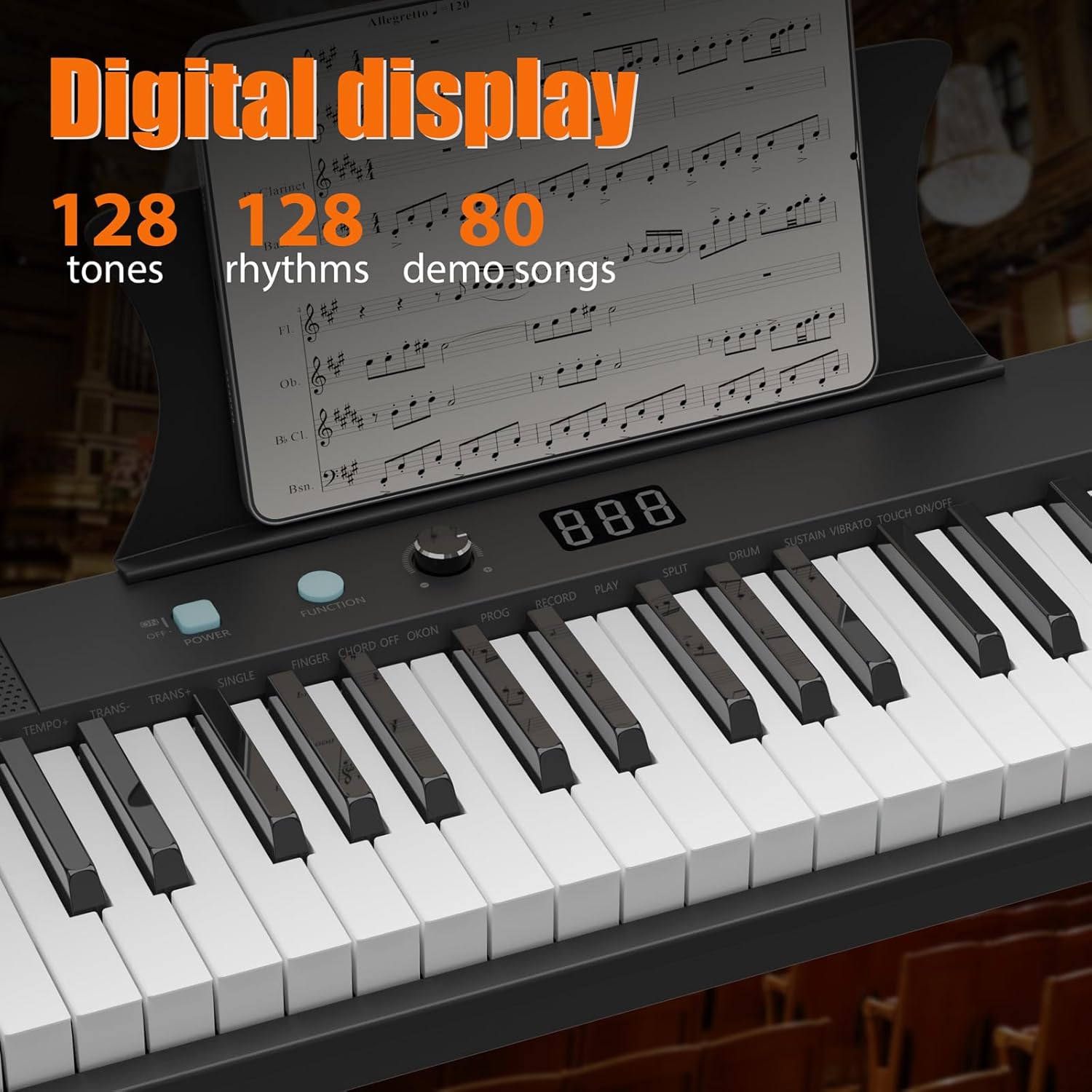
Figure 3: Digital Display and Controls
4.3. Teaching Modes
The keyboard includes teaching modes to assist beginners:
- Mode de seguiment: The keyboard waits for you to play the correct note before proceeding.
- One Key Mode: Play any key to advance through the melody of a demo song.
4.4. Gravació i reproducció
Utilitza el REGISTRAR button to record your performance and the JUGAR botó per a la reproducció.
4.5. Connexions externes
The keyboard supports various external connections:
- USB: Connect to a computer for MIDI functionality.
- AUX IN: Connect external audio devices to play along with your favorite music.
- SORTIDA AUXILIAR: Connect to external speakers or ampaixecadors.

Figura 4: Ports de connectivitat
Video 2: 61-Key Portable Keyboard Features. This video showcases the various functions and controls of a 61-key portable keyboard, including tone selection, rhythm, and demo modes.
5. Característiques clau
- 61 Weighted Keys: Provides a realistic piano playing experience with keys that respond to touch velocity.
- Disseny portàtil: Lleuger i compacte, cosa que facilita el transport i l'emmagatzematge.
- Pantalla LCD: Clear display for easy navigation and selection of tones, rhythms, and settings.
- Doble font d'alimentació: Operates via AC adapter or batteries for versatile use at home or on the go.
- Altaveus integrats: Delivers clear and rich audio for practice and performance.
- Comprehensive Starter Kit: Includes essential accessories like a stand, stool, headphones, microphone, and sustain pedal.

Figura 5: Dimensions del producte
6. Manteniment
- Neteja: Use a soft, dry cloth to clean the keyboard surface. Avoid using abrasive cleaners or solvents.
- Emmagatzematge: Store the keyboard in a cool, dry place away from direct sunlight and extreme temperatures. If storing for an extended period, remove batteries to prevent leakage.
- Substitució de la bateria: When using batteries, replace all batteries simultaneously with new ones of the same type (AA). Do not mix old and new batteries or different types of batteries.
7. Solució De Problemes
| Problema | Causa possible | Solució |
|---|---|---|
| Sense so | Volume too low; Headphones connected; Power issue | Increase volume; Disconnect headphones; Check power adapter/batteries |
| Les claus no responen | Keyboard not powered on; Function mode active | Ensure power is on; Check active function modes (e.g., teaching mode) |
| So distorsionat | Volume too high; External device issue | Lower volume; Check connections to external devices |
8. Especificacions
| Característica | Detall |
|---|---|
| Nombre de claus | 61 |
| Tipus de clau | Weighted, Velocity-sensitive |
| Dimensions (L x A x A) | 40.35" x 11.22" x 4.72" |
| Pes de l'article | 8.82 lliures |
| Tons | 128 |
| Ritmes | 128 |
| Cançons de demostració | 60 |
| Connectivitat | 3.5mm Jack (Headphones, AUX IN, MIC IN), USB |
| Font d'alimentació | DC 12V Adapter or 6x AA Batteries |
| Material del cos | Plàstic |
| Número de model | 0QQTRWT6 |
| UPC | 199641941961 |
9. Garantia i assistència
For warranty information and customer support, please refer to the documentation included with your product or visit the official Garvee weblloc web. Conserveu el rebut de compra com a comprovant de compra per a qualsevol reclamació de garantia.
Assistència en línia: Per a recursos addicionals i preguntes freqüents, visiteu Botiga Garvee a Amazon.


