1. Introducció
Thank you for choosing the wansview F1 Smart Bird Feeder with Camera. This manual provides essential information for the proper setup, operation, and maintenance of your new device. This innovative bird feeder combines traditional bird feeding with advanced smart technology, allowing you to observe and interact with wild birds from your smartphone.
Els wansview F1 features a 2K live video camera, AI bird species identification, instant alerts, and solar power for continuous operation. Enjoy a captivating birdwatching experience right from your home.
2. Contingut del paquet
Si us plau, verifiqueu que tots els articles que s'enumeren a continuació s'inclouen al vostre paquet. Si falta algun article o hi ha algun malmès, poseu-vos en contacte amb el servei d'atenció al client.
- Bird Feeder Camera Unit (1)
- Solar Panel (1)
- Jelly Box & Suet Feeder & Honey Feeder Kit (1 set)
- Mounting Kit (includes screws, anchors, strap for tree/pole/wall mounting) (1 set)
- Guia d'usuari (1)
- Cable de càrrega USB (1)
- Antena (1)
- Bird Perch (1)
Video: Unboxing and installation of the smart bird feeder. This video demonstrates the contents of the package and initial assembly steps.
3. Producte acabatview
Els wansview F1 bird feeder is designed for outdoor use, featuring a durable, weatherproof construction and a solar-powered camera system. Key components include:
- Càmera HD 2K: Captures clear video and images of visiting birds.
- Panell solar: Provides continuous power to the camera's rechargeable battery.
- Identificació d'ocells amb IA: Recognizes thousands of bird species (requires subscription).
- Visió nocturna en color: Allows for vibrant bird observation even in low light.
- Motion Detection & Instant Alerts: Notifies you when birds visit.
- Múltiples opcions d'alimentació: Includes attachments for seeds, jelly, suet, and honey.
- Disseny resistent a la intempèrie (IP65): Ensures durability against rain, snow, and humidity.
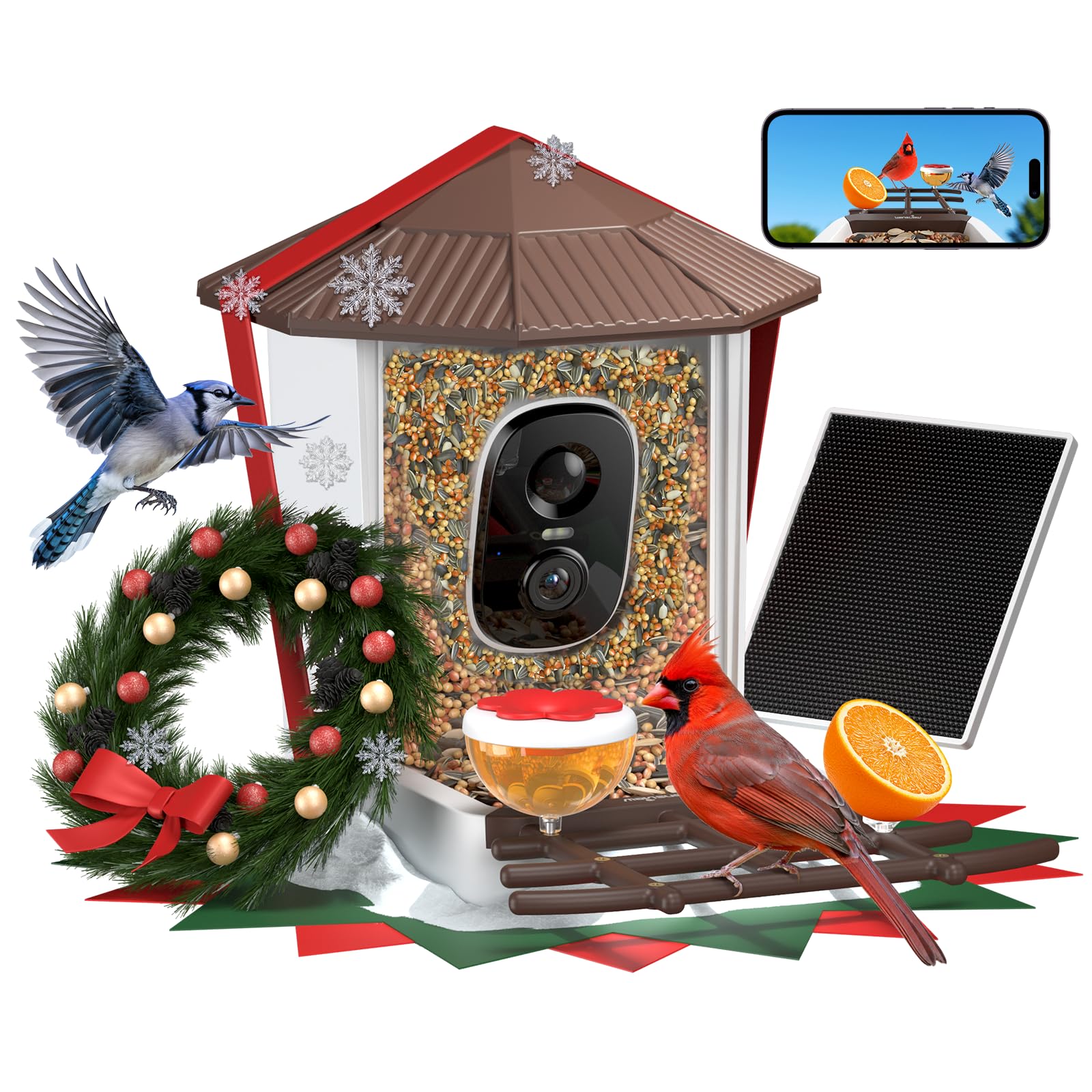
Image: The wansview F1 Smart Bird Feeder, showcasing its integrated camera, solar panel, and various feeding attachments.
4. Configuració
4.1. Muntatge
- Desempaquetar components: Traieu amb cura tots els articles de l'embalatge.
- Instal·lar antena: Screw the antenna into the designated port on the back of the bird feeder unit.
- Attach Bird Perch: Securely attach the bird perch to the front base of the feeder.
- Add Optional Feeders: Attach the jelly box, suet feeder, or honey feeder to the available slots on the perch as desired.
- Connecteu el panell solar: Plug the solar panel cable into the charging port on the bird feeder unit. Ensure the connection is firm.

Image: Visual guide for assembling the bird feeder components, including the antenna, perch, and optional feeders.
4.2. Instal·lació
Els wansview F1 offers flexible mounting options:
- Muntatge a l'arbre: Use the provided strap to secure the feeder to a tree trunk.
- Muntatge de pal: Attach the feeder to a pole using the appropriate mounting hardware.
- Muntatge en paret: Secure the feeder to a wall using screws and anchors.
Ensure the solar panel is positioned to receive maximum direct sunlight throughout the day for optimal charging. Place the feeder in an area where birds frequently visit and within range of your 2.4G Wi-Fi network.

Image: Different installation methods for the wansview F1 bird feeder, showing tree, pole, and wall mounting.
4.3. App Setup & Wi-Fi Connection
- Descarrega l'aplicació: Cerca "wansview Cloud" in your smartphone's app store (iOS or Android) and download it.
- Crea un compte: Follow the in-app instructions to create a new user account.
- Encendre la càmera: Ensure the camera is charged and powered on.
- Afegeix un dispositiu: In the app, select "Add Device" and choose "Battery Camera" or the appropriate device type.
- Vincular mitjançant Bluetooth: The app will guide you to pair the camera via Bluetooth.
- Connect to 2.4G Wi-Fi: Select your 2.4G Wi-Fi network and enter the password. The camera only supports 2.4G Wi-Fi.
- Connection Succeeded: Once connected, you can name your device and start live viewing.

Image: Step-by-step guide for setting up the wansview Cloud app and connecting the bird feeder camera to your 2.4G Wi-Fi network.
5. Instruccions de funcionament
5.1. En directe View & 2K Video
Access the wansview Cloud app to view a live 2K HD video stream from your bird feeder. This allows you to watch birds in real-time, observing every detail in vibrant clarity.

Image: A smartphone displaying the 2K HD live video feed from the wansview F1 bird feeder, showing a bird in clear detail.
5.2. Motion Detection & Instant Alerts
The feeder is equipped with motion detection. When a bird is detected, you will receive instant notifications on your phone, often accompanied by an HD snapshot of the visitor. This feature ensures you never miss a bird's visit.

Image: A smartphone screen showing an instant notification for a bird detection at the feeder, with a clear snapshot.
5.3. Identificació d'aus per IA
With an active wansview AI Bird Plan subscription, the camera can identify thousands of bird species. The app will provide detailed information about each identified bird, turning your backyard into an educational wildlife observation area.

Image: An illustration demonstrating the AI bird identification feature, highlighting an Oriole and a Blue Jay with their species names.
5.4. Recording & Storage
The camera supports local storage via a TF card (up to 128GB, not included) and offers a 30-day trial for a cloud subscription plan. All detected motion events are recorded, allowing you to review and save your favorite bird moments.

Image: A visual representation of the storage options, including TF card support and cloud storage, for saving bird feeder recordings.
5.5. Visió nocturna en color
Equipped with 2 LED lights, the wansview F1 provides vibrant color night vision, allowing you to observe birds in full color even in dark conditions, unlike traditional infrared black and white views.

Image: A side-by-side comparison showing the clear, colorful view of an Oriole at night with the wansview F1's color night vision, versus a traditional black and white IR view.
6. Manteniment
6.1. Refilling Birdseed
To refill the birdseed, simply lift the roof of the feeder and pour in your desired birdseed. The transparent design allows you to easily monitor seed levels.

Image: A three-step illustration demonstrating how to easily refill the bird feeder: clip, fill, and close the roof.
6.2. Neteja
Regular cleaning of the bird feeder is recommended to prevent the spread of disease among birds. Disassemble the feeder components and wash them with warm, soapy water. Rinse thoroughly and allow to dry completely before refilling and reassembling.
6.3. Protecció contra la intempèrie
The IP65 weatherproof design protects the feeder from rain, snow, and humidity. Ensure all seals are properly closed after maintenance to maintain its weather resistance.
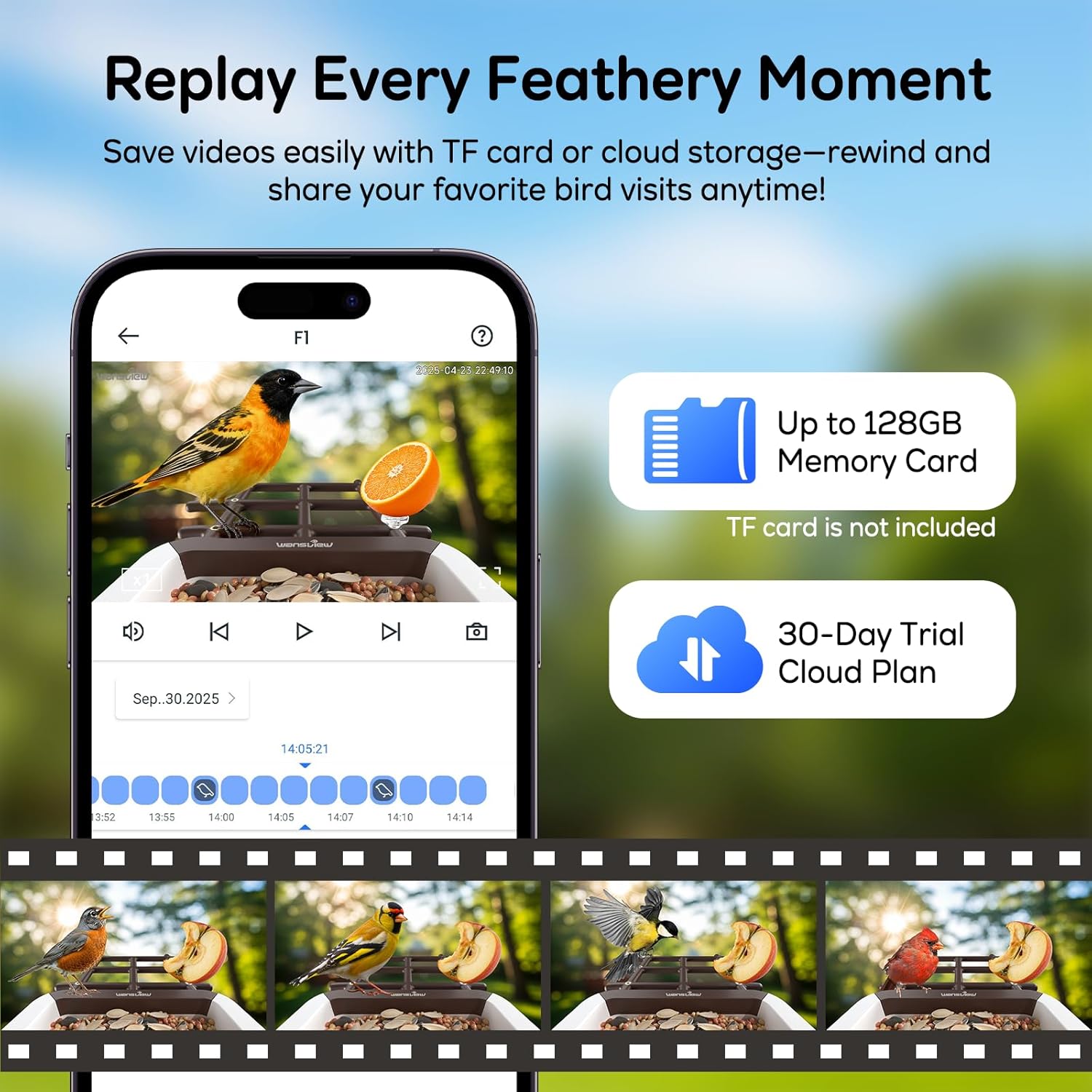
Image: The wansview F1 bird feeder shown outdoors in the rain, highlighting its IP65 weatherproof construction.
7. Solució De Problemes
| Problema | Causa possible | Solució |
|---|---|---|
| La càmera no es connecta a la Wi-Fi | Incorrect Wi-Fi password; out of 2.4G Wi-Fi range; camera not in pairing mode. | Verify password, move feeder closer to router, ensure camera is in pairing mode (refer to app instructions). Ensure your router supports 2.4G Wi-Fi. |
| La bateria no es carrega | Insufficient sunlight on solar panel; faulty solar panel connection; extreme weather. | Relocate solar panel to an area with more direct sunlight, check cable connection, bring indoors for USB charging if necessary. |
| Sense alertes de moviment | Motion detection sensitivity too low; app notifications disabled; camera offline. | Adjust motion sensitivity in app settings, enable app notifications, check camera's Wi-Fi connection. |
| Poca qualitat de vídeo | Dirty camera lens; poor Wi-Fi signal; low light conditions. | Clean camera lens gently, improve Wi-Fi signal strength, ensure adequate lighting or rely on color night vision. |
8. Especificacions
- Marca: volview
- Model: F1
- Resolució de la càmera: 2K HD
- Font d'alimentació: Solar Powered (with rechargeable Lithium Ion batteries included)
- Connectivitat: 2.4G Wi-Fi Only
- Característiques especials: AI Identify Birds, Built-In Camera, Easy-Refill Top, Instant Notifications, Color Night Vision
- Material: Acrilonitril butadiè estirè (ABS), policarbonat (PC)
- Tipus de muntatge: Tree Mount, Pole Mount, Wall Mount
- Dimensions del producte: 12.65 cm de llargada x 7.4 cm d'amplada x 9.05 cm d'alçada
- Pes de l'article: 3.7 lliures
- Capacitat: 1.25 Liters (seed)
- Resistència a la intempèrie: Impermeable IP65
9. Garantia i assistència
Els wansview F1 Smart Bird Feeder with Camera comes with a standard manufacturer's warranty. For detailed warranty information, product support, or to purchase accessories, please visit the official wansview weblloc web o contacteu directament amb el servei d'atenció al client. Conserveu el rebut de compra per a reclamacions de garantia.
For further assistance, please refer to the contact information provided in your product packaging or on the wansview oficial weblloc.