Introducció
This manual provides essential instructions for setting up, operating, and maintaining your Vamvo Mini Projector VF240. Please read this manual thoroughly before using the projector to ensure safe and optimal performance.
Què hi ha a la caixa
- Vamvo Mini Projector VF240
- Adaptador
- Cable HDMI
- Remot
- Manual d'usuari
- Targeta de garantia
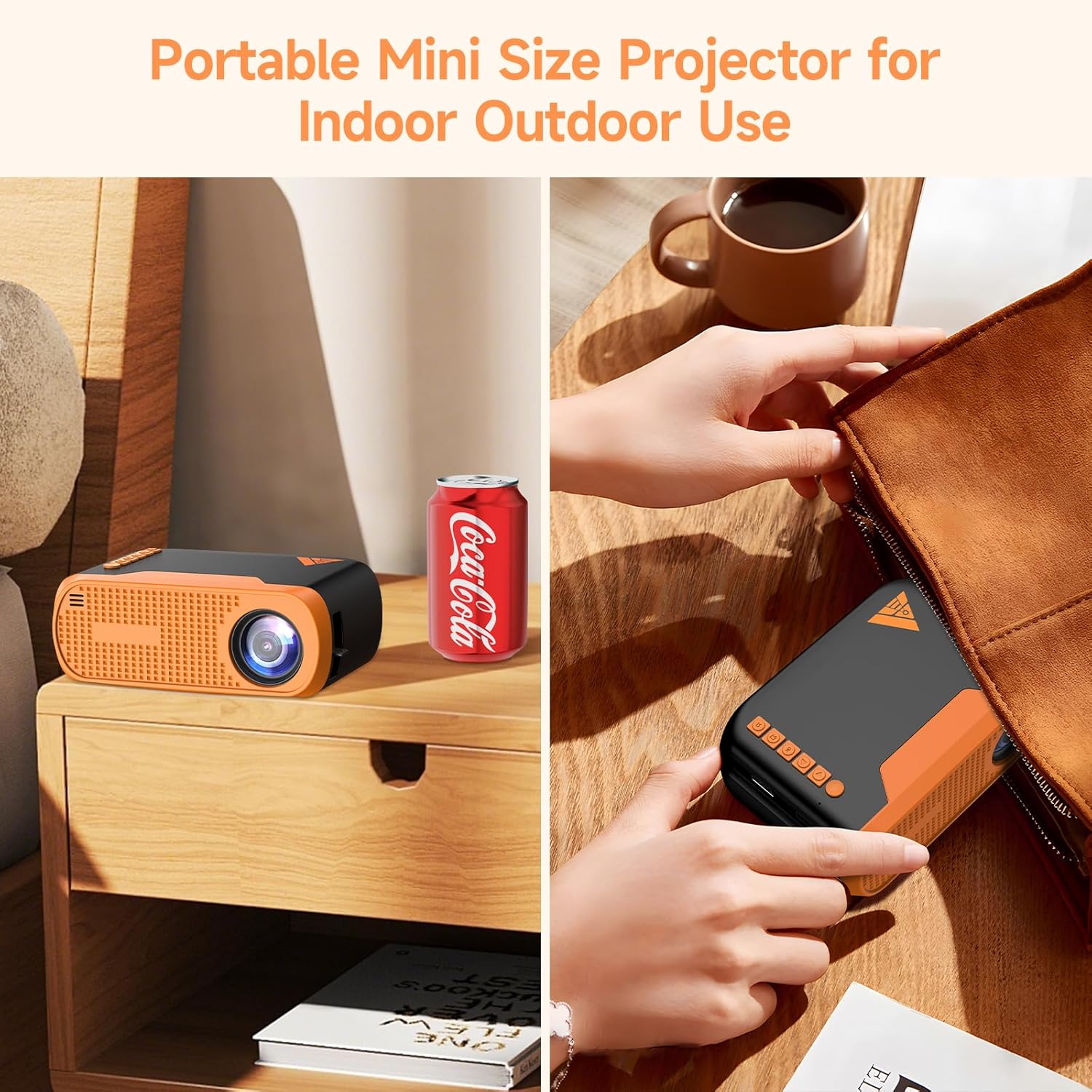
Image: The Vamvo Mini Projector is compact and portable, ideal for indoor and outdoor use.
Configuració
1. Connexió d'alimentació
Connect the provided AC adapter to the projector's DC IN port and then plug it into a power outlet. The projector can also be powered via a Type-C cable (not included) for increased portability.

Image: Powering the Vamvo Mini Projector using either the AC adapter or a Type-C cable. Do not use both simultaneously.
2. Placement and Screen Adjustment
Place the projector on a stable surface. For optimal viewing, position the projector between 3.3 feet (60 inches screen) and 13 feet (170 inches screen) from the projection surface. Adjust the focus and keystone correction manually using the controls on the projector to achieve a clear, rectangular image.
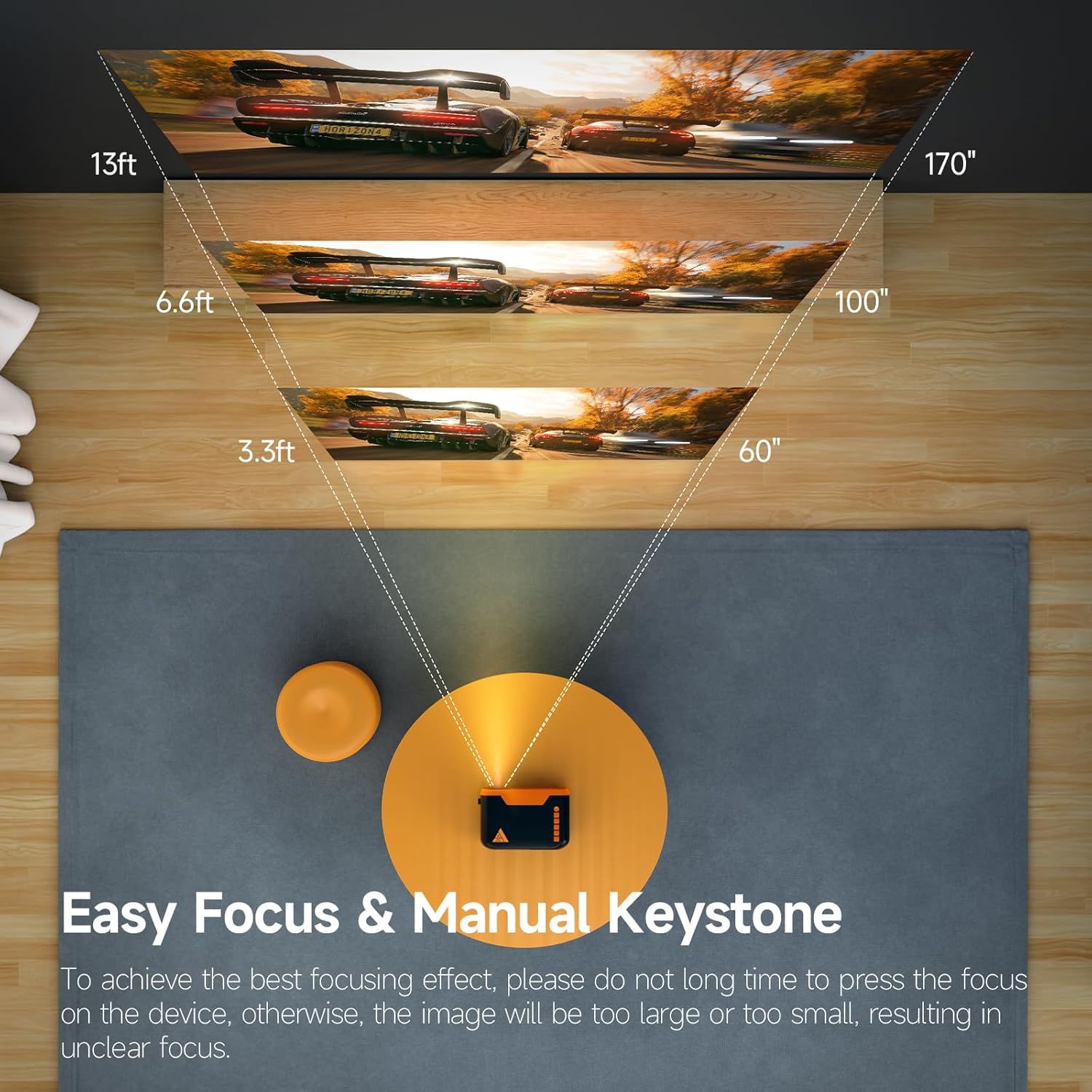
Image: Recommended projection distances for screen sizes from 60 to 170 inches.

Image: Manual focus and keystone adjustment controls on the projector.
The projector supports various installation methods: table placement, tripod installation, or ceiling mount.

Image: Different installation options for the projector.
Funcionament
1. Encendre/apagar
Premeu el botó d'engegada del projector o del comandament a distància per encendre o apagar el dispositiu.
2. Navegació
Use the directional buttons (up, down, left, right) and the OK button on the projector's top panel or the remote control to navigate through the menu and select options. The top panel also includes a dedicated power button and a back button.
3. Selecció de la font d'entrada
Select the desired input source (HDMI, USB, Screen Mirroring) from the projector's menu.
Connectivitat
1. Connexions amb cable
The projector features HDMI, USB, and Micro USB ports for connecting various devices such as laptops, gaming consoles (PS4, PS5), TV sticks, DVD players, and smartphones/tablets (with appropriate adapters). An earphone port is also available for wired audio output.
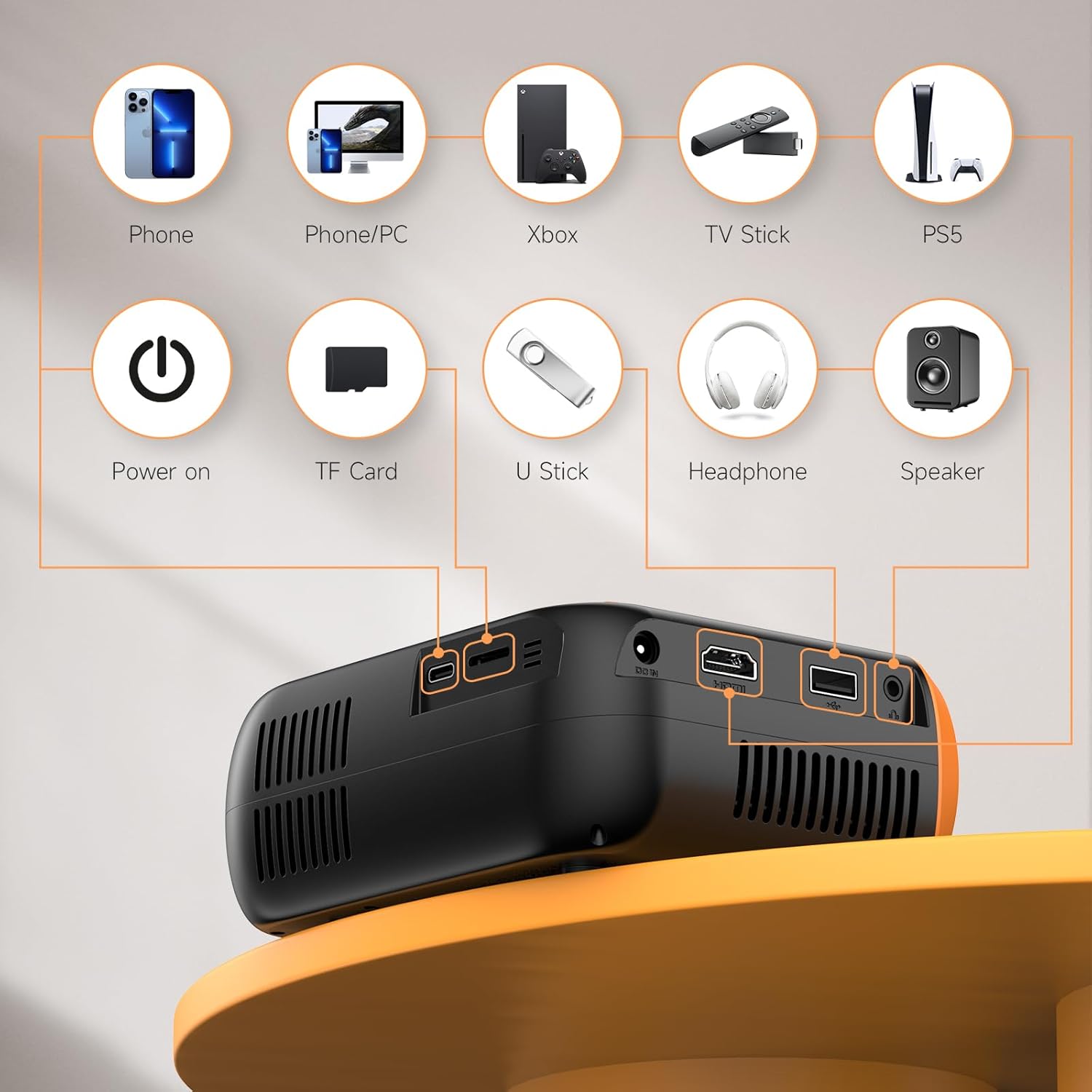
Imatge: Més deview of the projector's input and output ports for wired connections.
2. Reflex de pantalla sense fil (WiFi)
The projector supports WiFi screen mirroring for Android and iOS devices. Connect your phone or tablet to the projector wirelessly to display content. Note that due to copyright restrictions, some streaming services like Netflix and Disney+ may not support wireless mirroring.

Image: Wireless screen mirroring setup with a smartphone and the projector.
3. Àudio Bluetooth
Utilize Bluetooth 5.0 technology to connect external Bluetooth speakers or headphones for enhanced audio. The built-in Hi-Fi stereo speakers provide clear sound, but external audio devices can offer a richer experience.

Image: Connecting the projector to external Bluetooth speakers for improved sound.
Manteniment
1. Neteja de la lent
Gently wipe the projector lens with a soft, lint-free cloth. Avoid using abrasive cleaners or excessive force, as this can damage the lens coating.
2. Eliminació de pols
Regularly clean the ventilation openings to prevent dust buildup, which can affect performance and lead to overheating. Use a soft brush or compressed air.
3. Emmagatzematge
When not in use, store the projector in a cool, dry place away from direct sunlight and extreme temperatures. Use the original packaging or a protective case to prevent damage.
Resolució de problemes
No Image or Blurry Image
- Assegureu-vos que el cable d'alimentació estigui ben connectat.
- Adjust the focus ring on the projector until the image is clear.
- Verify the keystone correction is properly set to ensure a rectangular image.
- Check the input source selection to match your connected device.
Sense so
- Augmenta el volum tant del projector com del dispositiu connectat.
- Si feu servir altaveus externs, assegureu-vos que estiguin connectats i encesos correctament.
- Check Bluetooth connection for external audio devices.
Wireless Mirroring Issues
- Ensure both the projector and your device are connected to the same WiFi network.
- Reinicieu tant el projector com el dispositiu.
- Some apps (e.g., Netflix, Disney+) do not support wireless mirroring due to copyright protection.
Especificacions
| Marca | Vamvo |
| Número de model | VF240 |
| Resolució de visualització | 1920 x 1080 (1080P natiu) |
| Tecnologia de connectivitat | Bluetooth 5.0, WiFi, HDMI, USB, Micro USB |
| Mida de projecció recomanada | 60 - 130 inches (Supports up to 200 inches) |
| Pes de l'article | 1.57 lliures |
| Dimensions del paquet | 7.91 x 7.13 x 3.43 polzades |
| Característica especial | Altaveus incorporats |
| Entrada de potència | AC Adapter, Type-C |
Garantia i suport
Vamvo provides comprehensive customer support for the VF240 Mini Projector:
- Atenció al client 24/7: Assistance is available around the clock for any inquiries or issues.
- Garantia de devolució de 30 dies: If you are not satisfied with your purchase, you can return it within 30 days for a full refund.
- Garantia de reparació de 2 anys: The projector is covered by a 2-year warranty for repairs.
- Suport tècnic de tota la vida: Receive ongoing technical assistance for the lifespan of your product.
For support, please refer to the contact information provided on your Warranty Card or visit the official Vamvo weblloc.


