1. Introducció
This manual provides detailed instructions for the installation, operation, and maintenance of your Inefala Android 15 Car Radio. This multimedia system is designed to enhance your driving experience with advanced features such as wireless CarPlay, Android Auto, GPS navigation, Bluetooth connectivity, and a 7-inch touchscreen display. Please read this manual thoroughly before installation and use to ensure proper functionality and safety.
2. Contingut del paquet
Verifiqueu que tots els elements que s'enumeren a continuació s'inclouen al vostre paquet:
- 1 x Car Multimedia Player
- 1 x cable d'alimentació
- 1 cable d'entrada/sortida RCA
- 2 x cables USB
- 1 x CAN Bus Cable + RCA Cable
- 1 x Antena GPS
- 1 x 4G Module
- 1 x Cable d'entrada de la càmera posterior
- 1 x Manual d'usuari
- 1 micròfon de 3.5 mm
- 1 adaptador d'antena
- 1 x Reversing Camera

3. Compatibilitat
This Inefala Android 15 Car Radio is specifically designed for the following vehicle models:
- Toyota Corolla E120 (2000-2006)
- Toyota Corolla E130 (2004-2007)
- BYD F3 (2006-2013)
- Toyota Corolla Altis E120 (2000-2006)
Abans de la compraasing and installation, please carefully verify your vehicle's model, year, and the shape of your center console to ensure compatibility. If you are unsure, contact customer support with your vehicle details for assistance.


4. Configuració i instal·lació
4.1 Instal·lació general
Installation of the car radio requires basic automotive electrical knowledge. If you are not confident in performing the installation yourself, it is highly recommended to seek professional assistance to avoid damage to the unit or your vehicle.
- Desconnecta la bateria: Abans d'arrencar, desconnecteu el terminal negatiu de la bateria del vehicle per evitar curtcircuits.
- Eliminar la unitat antiga: Traieu amb cura la ràdio del cotxe i el revestiment del tauler de control.
- Connecteu l'arnès de cablejat: Connect the provided power cable and other necessary wiring harnesses to the car radio and your vehicle's wiring. Ensure all connections are secure.
- Instal·lació de l'antena GPS: Munteu l'antena GPS en un lloc amb llum clara view del cel, normalment al tauler de control o sota el parabrisa.
- Funcionalitat de prova: Before fully reassembling the dashboard, reconnect the battery and test the basic functions of the car radio (power, sound, radio, touchscreen).
- Unitat segura: Once tested, secure the car radio into the dashboard and reassemble all trim pieces.
4.2 Reversing Camera Wiring
The included reversing camera provides enhanced safety during parking maneuvers. Follow these steps for proper wiring:
- Connect the camera's video output cable (yellow RCA) to the "CAM IN" input on the car radio.
- Connect the camera's power cable (red wire) to the vehicle's reverse light power supply. This ensures the camera activates when reverse gear is engaged.
- Connect the camera's ground wire (black wire) to a suitable ground point on the vehicle chassis.
- Ensure the white plug from the camera input cable is connected to the car radio for proper Bluetooth and WiFi signal reception.

5. Instruccions de funcionament
5.1 Android 15 System
The car radio operates on Android 15, providing a familiar and intuitive user interface. With 4GB RAM and 64GB storage, it ensures smooth performance for applications and media. The 7-inch InCell touchscreen offers responsive control and vibrant visuals.
5.2 CarPlay sense fil i Android Auto
Connect your smartphone wirelessly to access CarPlay (for iOS devices) or Android Auto (for Android devices). This allows seamless integration of navigation, music, calls, and messaging apps directly on the car radio display, enhancing convenience and safety.

5.3 Navegació GPS
The built-in GPS module provides accurate navigation. You can use both online and offline maps for reliable guidance, even in areas without network coverage. The system supports real-time traffic updates when connected to the internet.
5.4 Connectivitat Wi-Fi
Connect the car radio to the internet via a WiFi hotspot from your smartphone or a dedicated car WiFi device. This enables online streaming, web browsing, and easy download of additional applications from the app store.

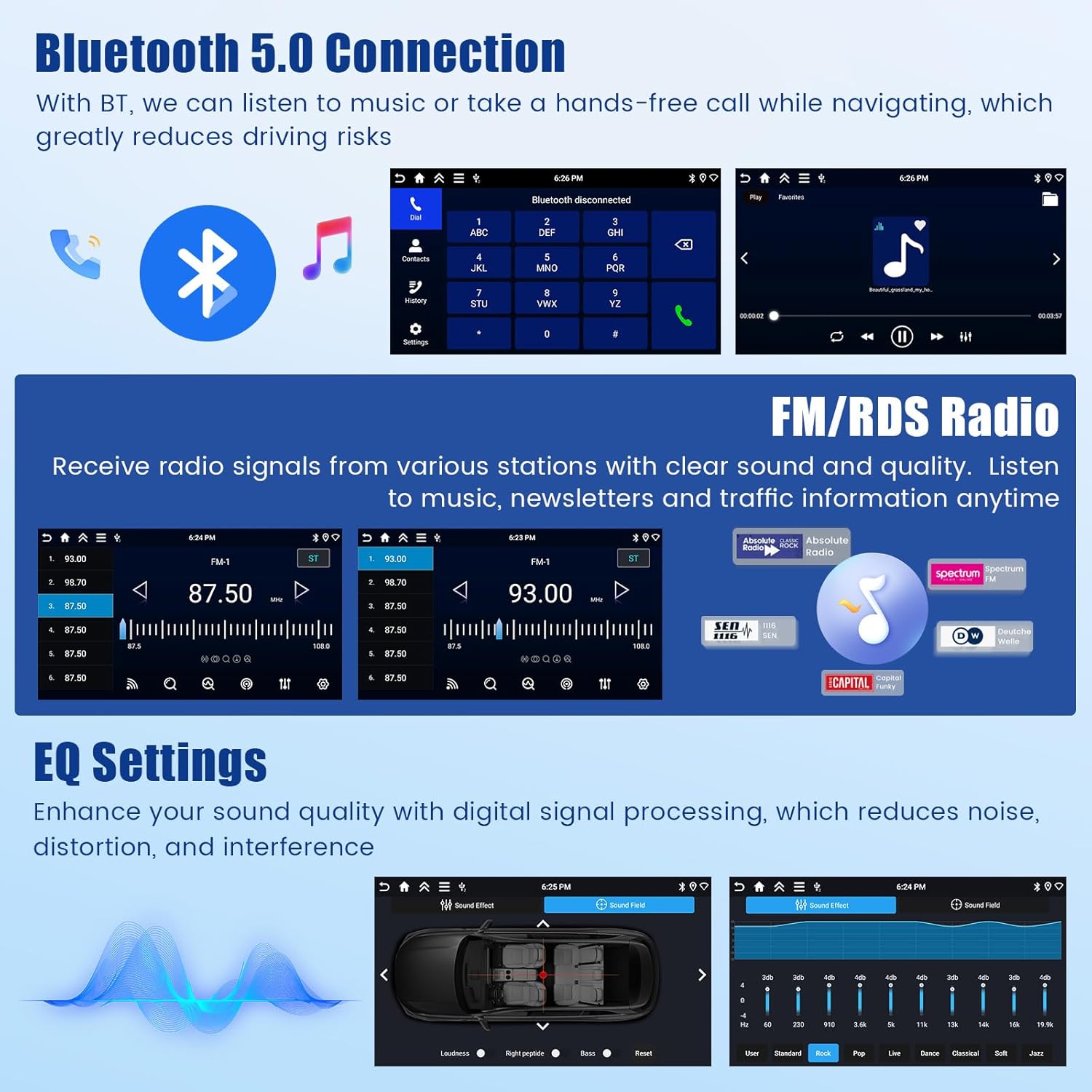
5.5 Bluetooth 5.0
The integrated Bluetooth 5.0 module allows for hands-free calling and wireless music streaming from your paired smartphone. This feature significantly reduces driving distractions.
Ràdio 5.6 FM/RDS
Enjoy your favorite FM radio stations with clear reception. The RDS (Radio Data System) function displays station information, song titles, and traffic announcements where available.
5.7 Configuració de l'equalitzador
Customize your audio experience with the built-in Equalizer (EQ) settings. Adjust various frequency bands to optimize sound quality, reduce distortion, and match your personal preferences.

5.8 Control del volant (SWC)
The car radio supports your vehicle's existing steering wheel controls. This allows you to manage volume, change tracks, answer calls, and access other functions without taking your hands off the wheel, providing a safer and more convenient driving experience. Ensure proper wiring and configuration during installation.

5.9 Backup Camera Display
When the vehicle is shifted into reverse gear, the car radio automatically displays the feed from the connected reversing camera. This provides a clear view of the area behind your vehicle, making reversing maneuvers easier and safer.
Pantalla dividida 5.10
The split-screen function allows you to run two applications simultaneously on the display. For example, you can have navigation open on one side and music playback on the other, enhancing multitasking capabilities.

6. Manteniment
To ensure the longevity and optimal performance of your Inefala Car Radio, follow these maintenance guidelines:
- Neteja de la pantalla: Utilitzeu un drap suau i sense pelusa lleugerament dampened with water or a screen cleaner specifically designed for electronic displays. Avoid abrasive materials or harsh chemicals.
- Actualitzacions de programari: Periodically check for available software updates through the system settings. Updates can improve performance, add new features, and fix bugs.
- Eviteu temperatures extremes: No exposeu la unitat a temperatures extremes de calor o fred durant períodes prolongats, ja que això pot afectar els seus components electrònics.
- Protegir de la humitat: Keep the unit dry and away from liquids. In case of accidental spills, immediately power off the unit and allow it to dry completely before use.
- Connexions de cable: Comproveu periòdicament totes les connexions dels cables per assegurar-vos que estiguin ben fixades i que no presentin corrosió.
7. Solució De Problemes
If you encounter any issues with your car radio, refer to the following troubleshooting tips:
| Problema | Causa possible | Solució |
|---|---|---|
| Sense poder | Connexió d'alimentació fluixa, fusible fundit, problema amb la bateria del vehicle. | Comproveu les connexions del cable d'alimentació. Inspeccioneu els fusibles del vehicle. Assegureu-vos que la bateria del vehicle estigui carregada. |
| Sense so | Volum massa baix, silenci activat, problema de cablejat de l'altaveu, font d'àudio incorrecta. | Increase volume. Check if mute is active. Verify speaker wiring. Select correct audio source. |
| El GPS no funciona | Poor GPS signal, outdated maps, GPS antenna not connected. | Assegureu-vos que l'antena GPS tingui un cel clar view. Update maps. Check GPS antenna connection. |
| Problemes de connexió Bluetooth | Dispositiu no detectable, emparellament incorrecte, interferències. | Ensure Bluetooth is enabled on both devices. Re-pair devices. Move away from other wireless devices. |
| La pantalla tàctil no respon | System freeze, dirty screen, software issue. | Restart the unit. Clean the screen. If issue persists, perform a factory reset (refer to advanced settings). |
| Reversing Camera Not Displaying | Camera wiring issue, reverse gear not detected, camera malfunction. | Check camera power and video connections. Ensure reverse gear signal is correctly wired. |
If these solutions do not resolve the issue, please contact Inefala customer support for further assistance.
8. Especificacions
Key technical specifications for the Inefala Android 15 Car Radio:
- Marca: Inefala
- Model: Inefala-A4399H6-EU60
- Sistema operatiu: Android 15
- RAM: 4 GB
- Emmagatzematge: 64 GB
- Mida de la pantalla: 7 polzades
- Resolució de visualització: 1280*720P (In-cell Touch Screen)
- Connectivitat: Bluetooth 5.0, WiFi, 4G Module
- Característiques especials: Wireless Apple CarPlay, Android Auto, GPS Navigation, RDS, FM Radio, Steering Wheel Control (SWC), Backup Camera Input, Split Screen Display, EQ Settings
- Mode de sortida d'àudio: estèreo
- Configuració del canal de so envoltant de l'altaveu: 4
- Dimensions del producte: 6.2 x 21.5 x 11.2 cm (2.44 x 8.46 x 4.41 polzades)
- Pes del producte: 1.07 kg (2.36 lliures)
- Dispositius compatibles: Smartphone

9. Garantia i Suport
Inefala provides comprehensive customer support for its products. If you have any questions, require technical assistance, or need to address any quality issues, please follow these steps:
- Contact Seller: Navigate to the product page on Amazon.es. Click on the seller name, typically "Inefala EU".
- Send a Message: On the seller's page, look for an option to contact the seller or send a message. Provide details of your issue and your order number for prompt assistance.
Inefala is committed to providing 24/7 technical assistance and guarantees to resolve any quality problems within 24 months from the date of purchase.


