1. Producte acabatview
The House of Marley Positive Vibration Rebel Wireless ANC Headphones are designed to provide an immersive audio experience with adaptive noise cancelling technology. Crafted from sustainable materials, these over-ear headphones offer extended playtime and comfortable wear.

Image 1.1: House of Marley Positive Vibration Rebel Wireless ANC Headphones, Cream.
Característiques principals:
- Cancel·lació adaptativa del soroll: Intelligently blocks distractions for an immersive listening experience.
- Rich Balanced Sound: Precision-tuned 40mm drivers deliver full-spectrum audio.
- Durada de la bateria ampliada: Up to 130 hours of playtime (75 hours with ANC activated).
- Materials sostenibles: Constructed with FSC certified wood and recycled aluminum.
- Portable Comfort: Soft memory foam cushions, adjustable headband, foldable design, and IPX5 water resistance.
- Bluetooth 5.4: Ensures smooth and stable wireless connectivity.
2. Configuració
2.1 Què hi ha a la caixa
- Positive Vibration Rebel Wireless ANC Headphones
- Cable de càrrega USB-C
- Cable d'àudio AUX de 3.5 mm
- Guia d'inici ràpid (consulteu aquest manual per obtenir instruccions detallades)
2.2 Càrrega dels auriculars
- Locate the USB-C charging port on the headphones.
- Connect the provided USB-C cable to the headphones and the other end to a USB power source (e.g., wall adapter, computer USB port).
- The LED indicator on the headphones will show charging status. Refer to the LED indicator section for details.
- A full charge provides up to 130 hours of playtime (75 hours with ANC). A quick 15-minute charge can provide approximately 4 hours of playtime.
2.3 Vinculació Bluetooth
- Assegureu-vos que els auriculars estiguin apagats.
- Premeu i manteniu premut el botó d'engegada fins que l'indicador LED parpellegi en blau i vermell, cosa que indica el mode d'emparellament.
- Al dispositiu (telèfon intel·ligent, ordinador portàtil, tauleta), activeu el Bluetooth i cerqueu els dispositius disponibles.
- Select "Positive Vibration Rebel" from the list of devices.
- Un cop connectat, l'indicador LED es tornarà blau continu.
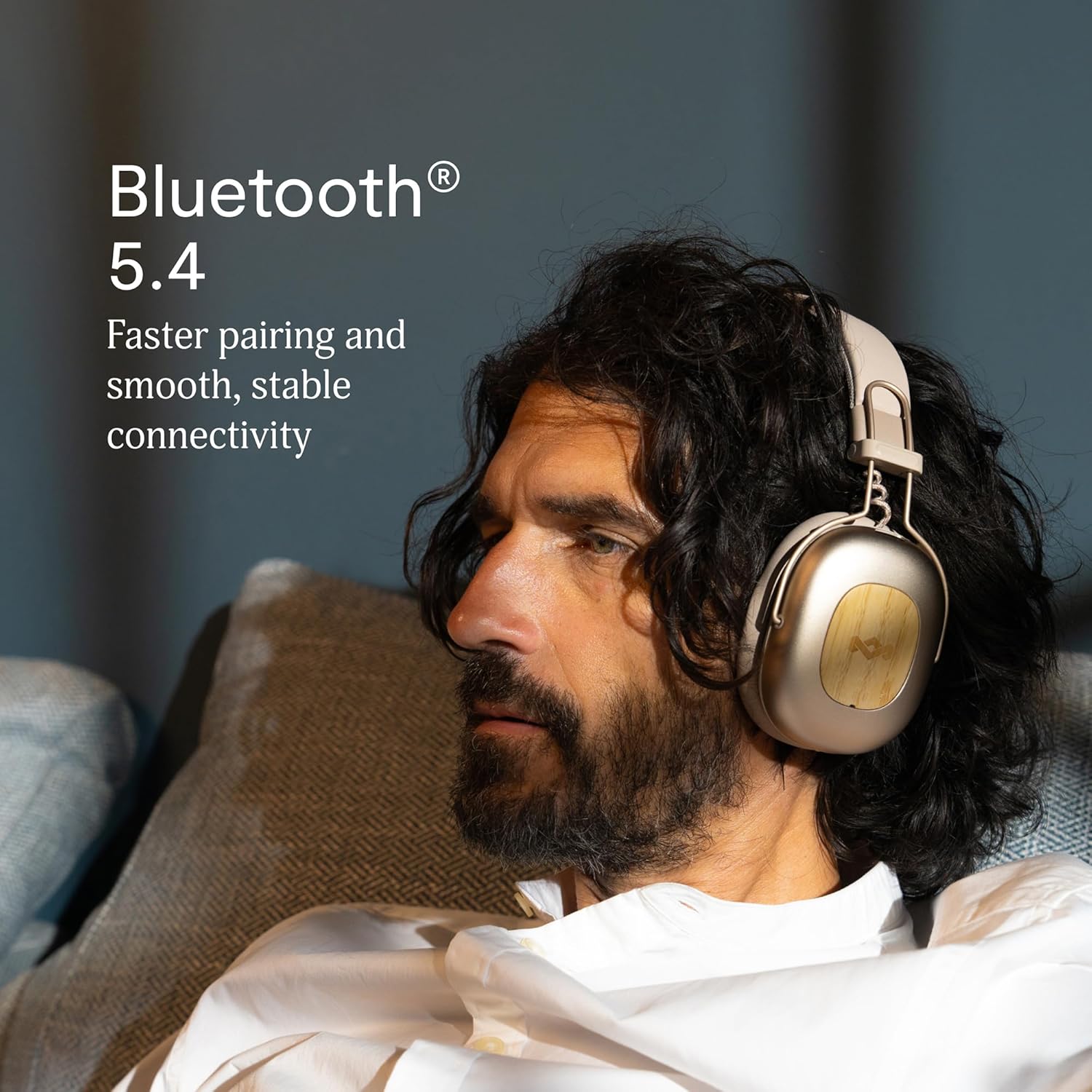
Image 2.1: Bluetooth 5.4 connectivity for stable pairing.
2.4 Ajust de l'ajust
The headphones feature an adjustable headband and soft memory foam ear cushions for comfortable wear. Adjust the headband to ensure the earcups sit comfortably over your ears, creating a good seal for optimal sound and noise cancelling performance.

Image 2.2: Ergonomic design for all-day comfort.
3. Instruccions de funcionament
3.1 Encès/Apagat
- Encès: Press and hold the Power button for 2-3 seconds until the LED indicator lights up.
- Apagar: Press and hold the Power button for 3-4 seconds until the LED indicator turns off.
3.2 Reproducció de música
- Reproduir/pausa: Premeu el botó multifunció una vegada.
- Pista següent: Premeu i manteniu premut el botó de pujar el volum durant 2 segons.
- Pista anterior: Premeu i manteniu premut el botó per baixar el volum durant 2 segons.
- Pujar el volum: Premeu breument el botó de pujar el volum.
- Baixar el volum: Premeu breument el botó per baixar el volum.
3.3 Gestió de trucades
- Respondre/Finalitzar la trucada: Premeu el botó multifunció una vegada.
- Rebutja la trucada: Manteniu premut el botó multifunció durant 2 segons.
3.4 Adaptive Noise Cancelling (ANC)
The headphones feature Adaptive Noise Cancelling to reduce ambient noise. There are typically multiple modes:
- ANC activat: Blocks out most external noise.
- Ambient Mode (Transparency): Et permet escoltar el teu entorn mentre escoltes àudio.
- ANC apagat: Standard listening without noise cancelling.
Press the ANC button (usually located on one of the earcups) to cycle through the available ANC modes.

Image 3.1: Adaptive Noise Cancelling for distraction-free listening.
3.5 Connexió per cable
For a wired connection, use the provided 3.5mm AUX audio cable. Plug one end into the headphone's 3.5mm port and the other end into your audio device. Note that some features like ANC may still function, but power is drawn from the headphone's battery.
4. Manteniment
4.1 Neteja
- Gently wipe the headphones with a soft, dry, lint-free cloth.
- No utilitzeu productes químics aggressivs, dissolvents de neteja o detergents forts.
- Eviteu que entri humitat a cap obertura.
4.2 Emmagatzematge
When not in use, store the headphones in a cool, dry place, away from extreme temperatures and direct sunlight. The foldable design allows for compact storage.
4.3 Cura de la bateria
- Eviteu descarregar completament la bateria amb freqüència.
- Charge the headphones regularly, even if not used for extended periods, to maintain battery health.
- Do not attempt to replace the battery yourself. Contact customer support if battery issues arise.
4.4 Resistència a l'aigua (IPX5)
The headphones are rated IPX5 water resistant, meaning they can withstand a sustained, low-pressure water jet spray. This makes them suitable for light rain or sweaty workouts. However, they are not designed for submersion in water. Do not expose them to heavy rain or immerse them in any liquid.
5. Solució De Problemes
5.1 Sense poder
- Assegureu-vos que els auriculars estiguin carregats. Connecteu-los a una font d'alimentació amb el cable USB-C.
- Press and hold the Power button for the specified duration to turn them on.
5.2 No es pot emparellar amb el dispositiu
- Assegureu-vos que els auriculars estiguin en mode d'emparellament (el LED parpelleja en blau i vermell).
- Make sure Bluetooth is enabled on your device and it is within range (typically 10 meters).
- Oblida't del dispositiu de la configuració de Bluetooth i intenta emparellar-lo de nou.
- Reinicieu els auriculars i el dispositiu.
5.3 Sense so o volum baix
- Comproveu els nivells de volum tant dels auriculars com del dispositiu connectat.
- Ensure the headphones are properly connected via Bluetooth or the 3.5mm AUX cable.
- If using a wired connection, ensure the cable is fully inserted into both ports.
- Prova de reproduir àudio des d'una font o aplicació diferent.
5.4 Adaptive Noise Cancelling Not Working Effectively
- Ensure ANC is activated by pressing the ANC button.
- Comprova que els auriculars formin un bon segellat al voltant de les orelles. Ajusta l'ajust si cal.
- ANC is most effective against low-frequency, constant noise. It may not completely eliminate sudden or high-frequency sounds.
6. Especificacions
| Característica | Detall |
|---|---|
| Nom del model | Positive Vibration Rebel |
| Número de model de l'article | EM-JH152 |
| Tecnologia de connectivitat | Sense fil (Bluetooth) |
| Versió Bluetooth | 5.4 |
| Tipus de controlador d'àudio | Controlador dinàmic (40 mm) |
| Funcions de control de soroll | Cancel·lació adaptativa del soroll |
| Durada de la bateria | Up to 130 Hours (75 Hours with ANC) |
| Temps de càrrega | 15 minuts per a 4 hores de reproducció (càrrega ràpida) |
| Nivell de resistència a l'aigua | IPX5 |
| Material | Aluminum, Wood (FSC certified), REWIND™ Fabric |
| Col·locació de l'orella | Sobre l'orella |
| Dispositius compatibles | Telèfons intel·ligents, ordinadors portàtils, tauletes, altaveus intel·ligents |
| Dimensions del producte | 8.13 x 3.75 x 8.36 polzades |
| Pes de l'article | 1.14 lliures |
| UPC | 846885011874 |
7. Garantia i Suport
7.1 Informació de la garantia
House of Marley products typically come with a limited warranty. For specific details regarding the warranty period and terms for your Positive Vibration Rebel Wireless ANC Headphones, please refer to the warranty card included with your product or visit the official House of Marley weblloc web. Conserveu el comprovant de compra per a reclamacions de garantia.
7.2 Atenció al client
If you encounter any issues not covered in this manual or require further assistance, please contact House of Marley customer support. You can usually find contact information (phone, email, or support portal) on the official House of Marley weblloc:


