Introducció
This manual provides detailed instructions for the proper use, setup, and maintenance of your Trevi EAR 100 AID Wireless Headphones. Please read this manual carefully before using the product to ensure optimal performance and longevity.
Contingut del paquet
Verifiqueu que tots els elements siguin presents al paquet:
- Trevi EAR 100 AID Wireless Headphones (Left and Right Earbuds)
- Charging Case with Touch Display
- Cable de càrrega USB-C
- 2 Pairs of Ear Tips (various sizes)
- Manual d'usuari (aquest document)
Producte acabatview
Familiarize yourself with the components of your Trevi EAR 100 AID headphones.
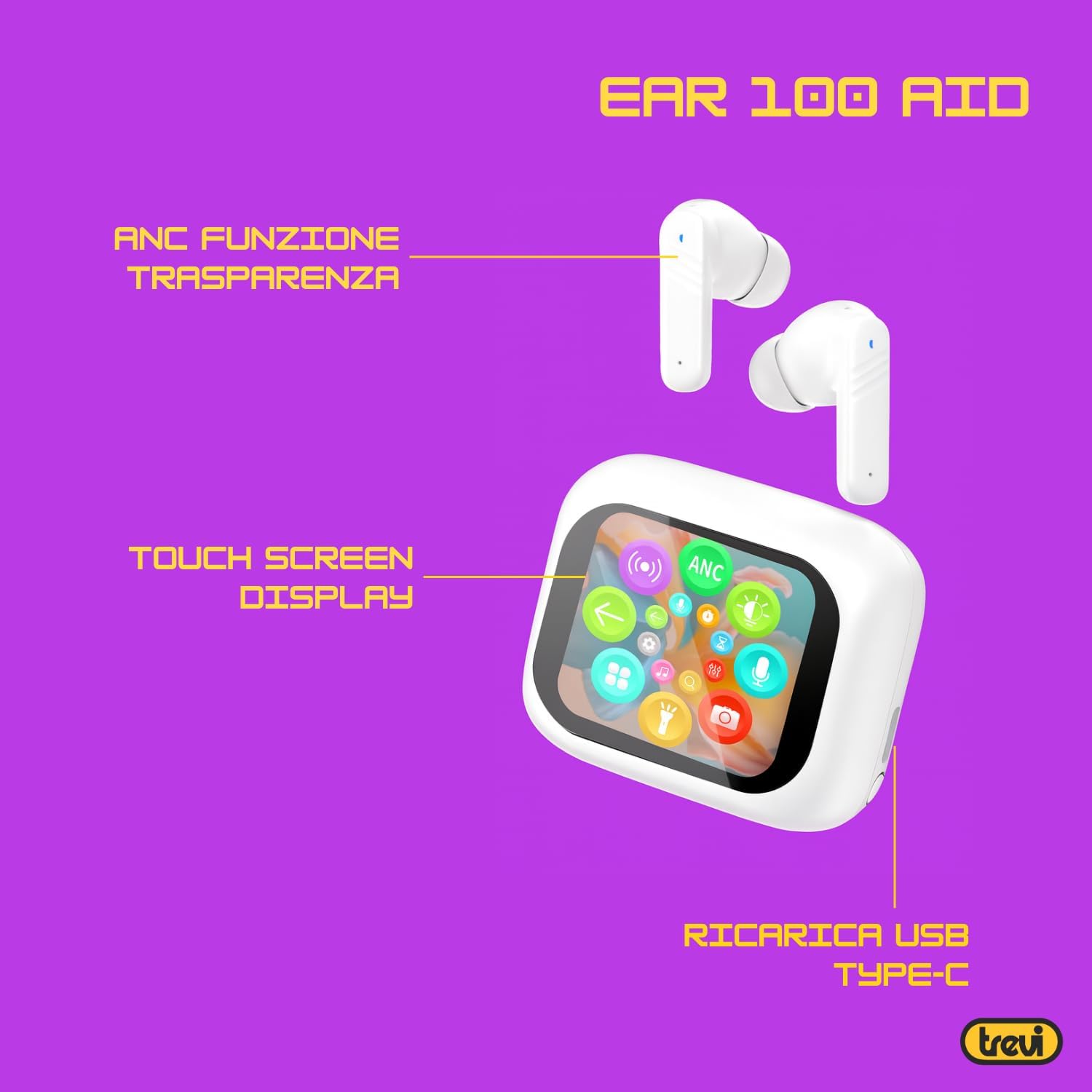
Image: Trevi EAR 100 AID Wireless Headphones and Charging Case. This image shows the earbuds and the charging case from a front-facing perspective.

Imatge: Lateral view of Trevi EAR 100 AID Wireless Headphones and Charging Case. This image provides a profile view of the earbuds and their charging case.
Imatge: Enrere view of Trevi EAR 100 AID Wireless Headphones and Charging Case. This image displays the rear aspect of the earbuds and their charging case.

Imatge: Més deview of Trevi EAR 100 AID features. This graphic highlights the Active Noise Cancellation (ANC) and Transparency function, the Touch Screen Display on the charging case, and the USB-C charging port.
Configuració
1. Càrrega dels auriculars i l'estoig
Abans del primer ús, carregueu completament els auriculars i l'estoig de càrrega.
- Col·loqueu els auriculars a la caixa de càrrega.
- Connecteu el cable de càrrega USB-C al port de càrrega de la funda i a una font d'alimentació.
- The display on the charging case will indicate the charging status.
- A full charge provides up to 5 hours of earbud autonomy, extendable with the charging case.

Image: Smart Charging Case with Rapid Charging. This image shows the open charging case with earbuds inside, emphasizing its quick charging capability via USB Type-C. A QR code for the AI COOL app download is also visible.
2. Vinculació amb un dispositiu
- Assegureu-vos que els auriculars estiguin a l'estoig de càrrega i que l'estoig estigui obert.
- Al dispositiu (telèfon intel·ligent, tauleta, etc.), activeu el Bluetooth.
- Cerca "Trevi EAR 100 AID" in the list of available Bluetooth devices.
- Select it to pair. A voice prompt will confirm successful connection.
- The headphones use Wireless V5.4 technology for a fast and reliable connection.
3. AI COOL App Installation
For AI simultaneous translation and advanced features, download the AI COOL app.
- Scan the QR code found on the charging case or in the product packaging.
- Alternativament, visiteu https://www.xuanjiai.cn/app/download per descarregar l'aplicació.
- Follow the on-screen instructions to install and set up the app.
Instruccions de funcionament
1. Posar-se els auriculars
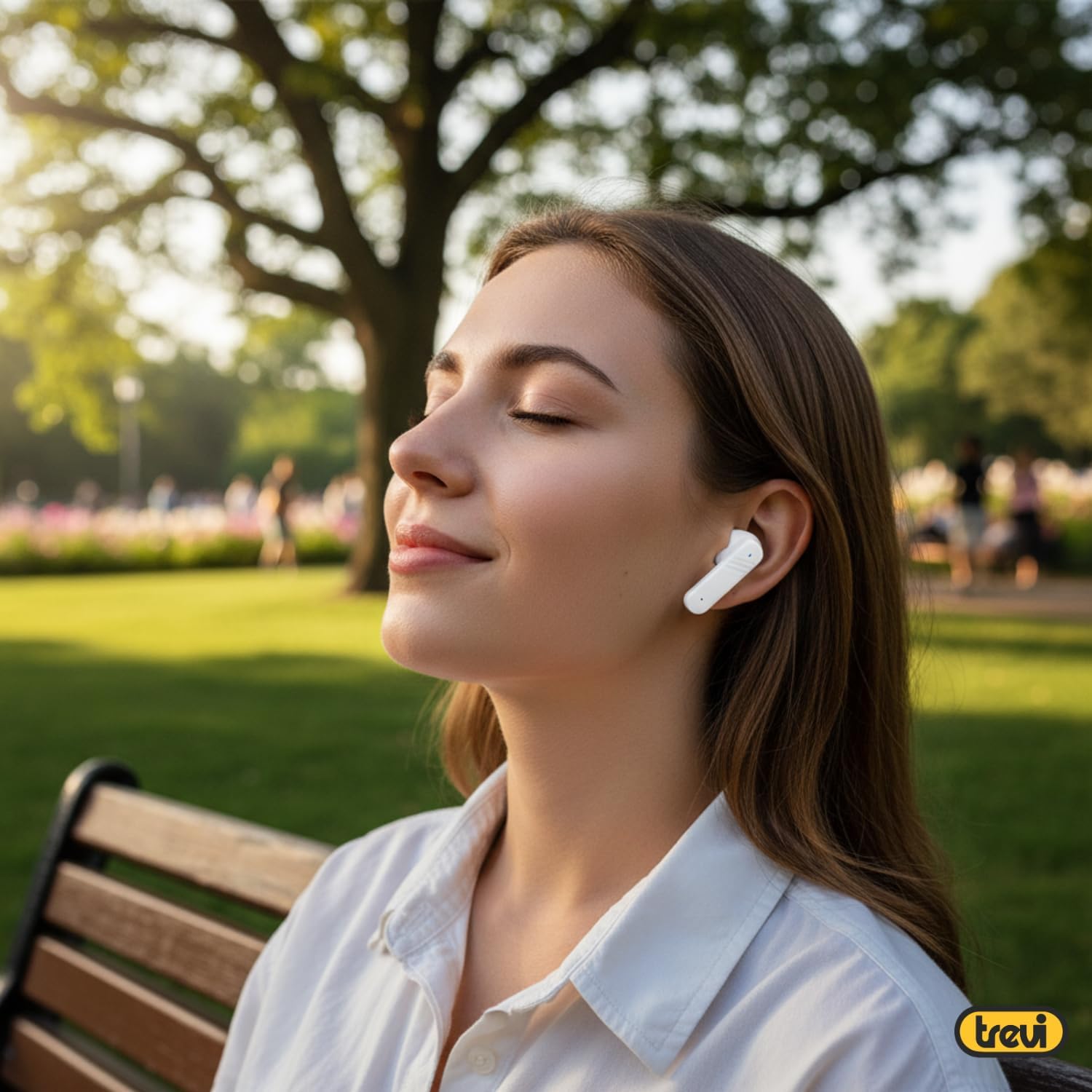
Select the appropriate ear tips for a comfortable and secure fit. Insert the earbuds gently into your ears and adjust them until they feel snug.

Image: A woman wearing Trevi EAR 100 AID earbuds comfortably while relaxing in a park. This illustrates the in-ear fit and comfort of the headphones.
2. Touch Controls on Charging Case Display
The charging case features a touch display for smart controls.
- Reproducció de música: Control play, pause, skip tracks directly from the display.
- Gestió de trucades: Respondre, finalitzar o rebutjar trucades.
- Modes d'àudio: Canvia entre els modes ANC, Transparència i Normal.
- Equalitzador (EQ): Ajusta el so professionalfiles.
- Troba auriculars: Use this function to locate misplaced earbuds.

Image: Trevi EAR 100 AID charging case with color LED touch screen. The screen displays various functions such as call answering, music playback, and other smart controls.

Image: Customizable screen options for the Trevi EAR 100 AID charging case. This image shows four dynamic and one static high-quality display options that can be changed at any time.
3. Cancel·lació activa de soroll (ANC) i mode de transparència
The headphones offer two distinct audio modes for different environments:
- Cancel·lació activa del soroll (ANC): Eliminates external noise, providing a quiet listening experience. This mode is ideal for travel or noisy environments, reducing external noise by up to 35 dB with an effectiveness of up to 99.44%.
- Mode de transparència: Allows you to hear your surroundings while still enjoying your audio. This is useful for situations where you need to be aware of your environment, such as walking in a city or listening to announcements.
Switch between these modes using the touch controls on the charging case or through the connected app.

Image: A person using Trevi EAR 100 AID earbuds on an airplane, demonstrating the deep active noise reduction (ANC) feature. The image highlights the intelligent external noise cancellation up to 35 dB.
4. AI Simultaneous Translation
Utilize the AI COOL app for real-time language translation.
- Ensure the AI COOL app is installed and connected to your headphones.
- Open the app and select the desired translation mode (e.g., conversation mode, interpreter mode).
- Speak into your device's microphone or the earbud's microphone, and the translation will be provided in real-time through the earbuds.
- This feature is designed for seamless communication across language barriers during travel, work, or multilingual conversations.
5. Clear Calls with ENC Technology
The headphones feature Environmental Noise Cancellation (ENC) technology for clear voice calls.
- ENC reduces background noise during calls, making your voice clearer to the person on the other end.
- This technology is optimized for crowded environments, ensuring conversations are clear and free from interference.

Image: A man making a phone call using Trevi EAR 100 AID earbuds. This image illustrates the ENC (Environmental Noise Cancellation) technology for clear calls, optimized for crowded environments.
Manteniment
- Neteja: Netegeu regularment els auriculars i l'estoig de càrrega amb un drap suau, sec i sense borrissol. No utilitzeu netejadors abrasius ni dissolvents.
- Consells per a les orelles: Traieu i netegeu les puntes de les orelles amb aigua i sabó suau i, a continuació, eixugueu-les bé abans de tornar-les a col·locar.
- Emmagatzematge: Quan no els utilitzeu, guardeu els auriculars a la seva funda de càrrega per protegir-los de la pols i els danys.
- Cura de la bateria: Per allargar la vida útil de la bateria, eviteu descarregar-la completament amb freqüència. Carregueu el dispositiu regularment, fins i tot si no l'utilitzeu durant períodes prolongats.
Resolució de problemes
| Problema | Possible solució |
|---|---|
| Els auriculars no s'encenen. | Ensure the charging case and earbuds are fully charged. Place earbuds in the case and close it, then open again. |
| No es pot emparellar amb el dispositiu. | Make sure Bluetooth is enabled on your device. Ensure earbuds are in pairing mode (usually by opening the case). Forget the device from your Bluetooth list and try pairing again. |
| Sense so o amb un volum baix. | Check volume levels on both your device and the headphones. Ensure earbuds are properly seated in your ears. Reconnect the Bluetooth connection. |
| AI Translation not working. | Verify the AI COOL app is installed, updated, and properly connected to the headphones. Check your internet connection for translation services. |
| Problemes de càrrega. | Check the USB-C cable and power adapter. Ensure the charging contacts on the earbuds and case are clean and free of debris. |
Especificacions
| Característica | Detall |
|---|---|
| Marca | Trevi |
| Nom del model | EAR 100 AID |
| Color | Blanc |
| Col·locació de l'orella | A l'orella |
| Factor de forma | A l'orella |
| Control de soroll | Cancel·lació activa de soroll (ANC) |
| Conector d'auriculars | No Jack (Wireless) |
| Tecnologia de connectivitat | Sense fil |
| Tecnologia de comunicació sense fils | Bluetooth V5.4 |
| Components inclosos | 2 Ear Tips, Cable, User Manual |
| Durada de la bateria (auriculars) | Up to 5 hours (extendable with charging case) |
| ANC Effectiveness | Up to 35 dB reduction, 99.44% shielding effectiveness |
Garantia i Suport
For warranty information and technical support, please refer to the official Trevi weblloc web o poseu-vos en contacte amb el servei d'atenció al client. Conserveu el comprovant de compra per a reclamacions de garantia.
Per obtenir més ajuda, visiteu el Trevi Store on Amazon.


