1. Introducció i finalview
This manual provides comprehensive instructions for the installation, operation, and maintenance of your XTRONS QTB8060CC Autoradio GPS system. Please read this manual thoroughly before using the device to ensure proper functionality and to maximize your user experience. Keep this manual for future reference.
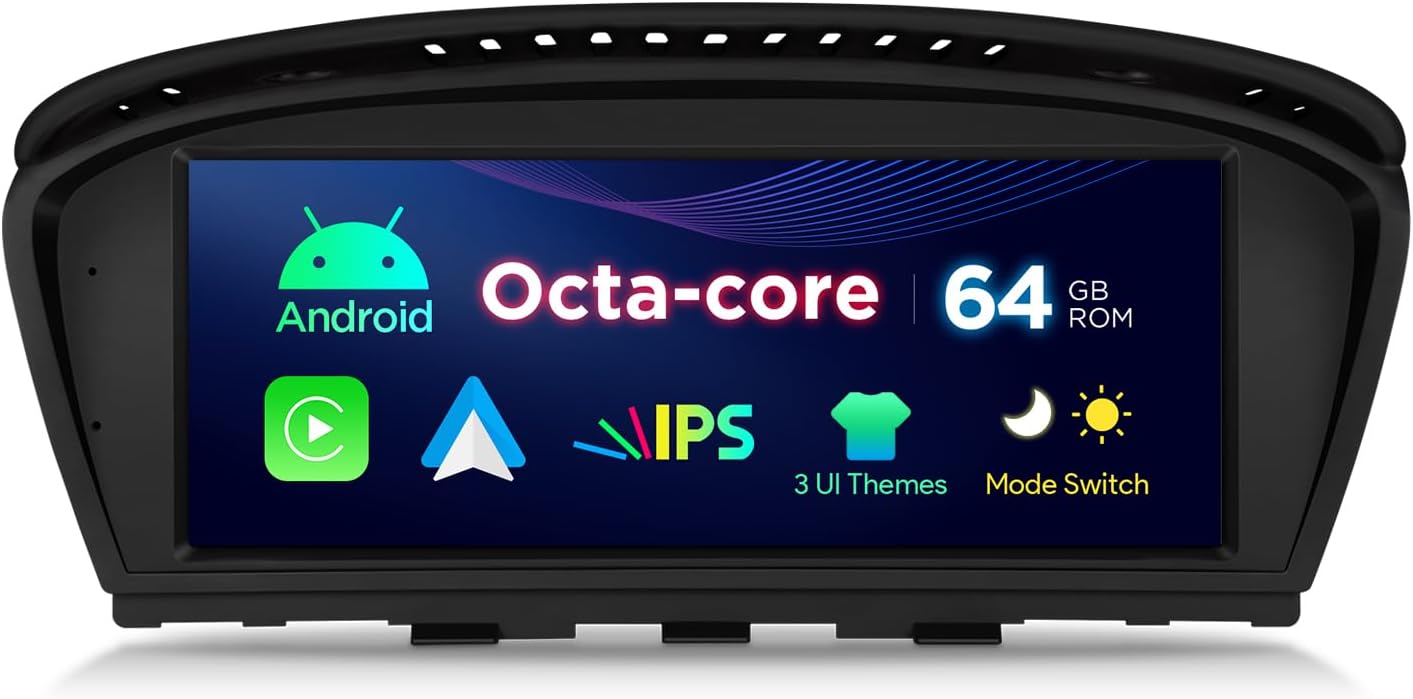
Imatge 1.1: Davant view of the XTRONS QTB8060CC Autoradio, highlighting its key features such as Android operating system, Octa-core processor, 64GB ROM, IPS display, multiple UI themes, and a mode switch function.
2. Característiques del producte
- Visualització: 8.8-inch HD IPS Touchscreen.
- Sistema operatiu: Android 14.
- Processador: Octa-core.
- Memòria: 2GB RAM, 64GB ROM.
- Connectivitat: Dual Wi-Fi, Bluetooth 5.0, USB support (up to 2 x 64GB).
- Navegació: Integrated GPS navigator.
- Integració del telèfon intel·ligent: Built-in Apple CarPlay and Android Auto.
- Mirall: Mirror Screen functionality.
- Integració de vehicles: Supports original steering wheel controls and Canbus.
- Compatibilitat d'àudio: Compatible with Harman Kardon sound systems.
- Original System Retention: Retains original vehicle board information, radio, and CD functions.
- Interfície d'usuari: Suport de menú multilingüe.
3. Compatibilitat
The XTRONS QTB8060CC is specifically designed for the following BMW models:
- BMW 3 Series: E90, E91, E92, E93 (Model years 2005-2008)
- BMW 5 Series: E60, E61, E63, E64 (Model years 2005-2008)
Important: This unit is compatible only with vehicles equipped with the Sistema CCC and an existing Entrada AUX. Please verify your vehicle's system before installation.

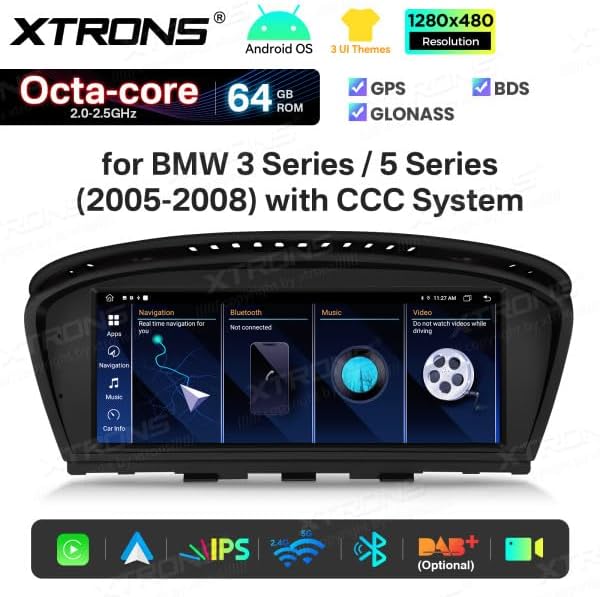
Imatge 3.1: The XTRONS QTB8060CC unit integrated into a BMW dashboard, demonstrating its fit and the visual appearance of the 8.8-inch display.
4. Contingut del paquet
En desempaquetar, assegureu-vos que hi hagi tots els elements següents:
- XTRONS QTB8060CC Head Unit
- Arnès de cables d'alimentació
- Antena GPS
- Cables USB
- Cable AUX
- Micròfon extern
- Manual d'usuari
- Guia d'instal·lació
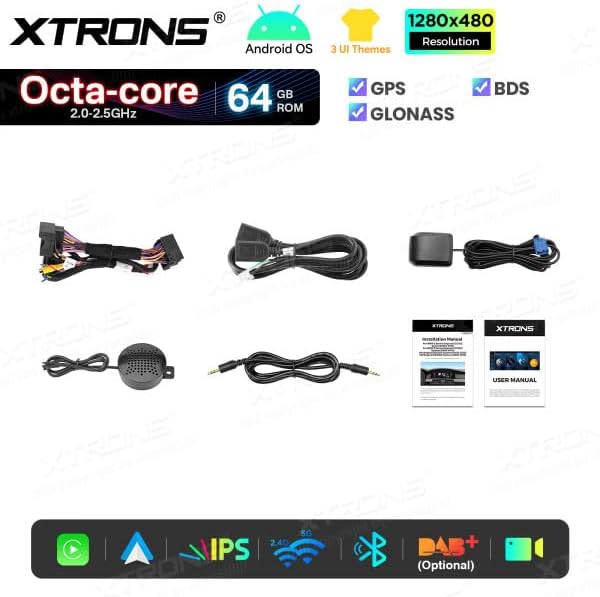
Imatge 4.1: A visual representation of the complete package contents for the XTRONS QTB8060CC, including the main unit and all accompanying accessories and documentation.
5. Configuració i instal·lació
Installation of the XTRONS QTB8060CC requires technical knowledge and familiarity with automotive electrical systems. It is highly recommended to have the unit installed by a qualified professional.
5.1 Comprovacions prèvies a la instal·lació
- Ensure your vehicle is compatible (BMW 3/5 Series 2005-2008 with CCC system and AUX input).
- Disconnect the vehicle's battery before starting any installation work.
- Verifiqueu que tot el contingut del paquet estigui present i no estigui danyat.
5.2 Passos d'instal·lació (directrius generals)
- Carefully remove the original head unit or display from your BMW dashboard. Refer to your vehicle's service manual for specific removal procedures.
- Connect the provided wiring harness to the vehicle's existing connectors. Ensure all connections are secure.
- Connect the GPS antenna and route it to a location with a clear view of the sky (e.g., dashboard, A-pillar).
- Connect the USB cables and AUX cable, routing them to desired access points (e.g., glove compartment, center console).
- Connect the external microphone for hands-free calling. Position it near the driver for optimal voice pickup.
- Carefully mount the XTRONS QTB8060CC unit into the dashboard opening.
- Torneu a connectar la bateria del vehicle.
- Power on the unit and perform initial setup and testing.
For detailed, step-by-step installation instructions, please refer to the dedicated Installation Guide included in your package.
6. Instruccions de funcionament
The XTRONS QTB8060CC operates on an Android system, offering a user-friendly interface similar to a tablet or smartphone. Key functions include navigation, multimedia playback, Bluetooth connectivity, and smartphone integration.
6.1 Funcionament bàsic
- Encès/apagat: The unit typically powers on with the vehicle's ignition. A long press on the power button (if available) can manually turn it off or on.
- Pantalla tàctil: Navegueu per la interfície tocant, lliscant i pinçant a la pantalla IPS de 8.8 polzades.
- Control de volum: Use the vehicle's steering wheel controls or the on-screen volume slider.
- Pantalla d'inici: Access various applications and settings from the main home screen.
6.2 Navegació
The integrated GPS system allows for precise navigation. You can use pre-installed maps or download additional navigation apps from the Google Play Store.
Imatge 6.1: The unit's display showing a navigation application in use, providing real-time route guidance and map details.
6.3 Reproducció multimèdia
Reprodueix àudio i vídeo files from USB drives, Bluetooth streaming, or online sources via Wi-Fi.
6.4 Connectivitat Bluetooth
Pair your smartphone via Bluetooth 5.0 for hands-free calling and audio streaming.
- Aneu a Configuració > Bluetooth.
- Activeu el Bluetooth al vostre telèfon intel·ligent i cerqueu els dispositius disponibles.
- Select "XTRONS QTB8060CC" from the list and confirm pairing.
6.5 Apple CarPlay i Android Auto
Connect your compatible smartphone via USB or wirelessly (if supported by your phone and the unit) to access Apple CarPlay or Android Auto. This allows for safe and convenient use of phone features like navigation, music, messages, and calls directly on the unit's display.

Imatge 6.2: The Apple CarPlay interface displayed on the unit, showing common applications for communication, navigation, and entertainment.

Imatge 6.3: The Android Auto interface on the unit, featuring essential apps for navigation, communication, and media playback.
6.6 Comandaments al volant
The unit integrates with your vehicle's original steering wheel controls, allowing you to manage audio, calls, and other functions without taking your hands off the wheel.
7. Manteniment
To ensure the longevity and optimal performance of your XTRONS QTB8060CC, follow these maintenance guidelines:
- Neteja de la pantalla: Feu servir un drap suau i sense borrissol per netejar suaument la pantalla tàctil. Per a taques difícils, fregueu lleugeramentampNetegeu el drap amb aigua o un netejador de pantalles. Eviteu productes químics agressius o materials abrasius.
- Actualitzacions de programari: Periodically check for software updates via the unit's settings or the XTRONS official website. Keeping the software updated ensures optimal performance, security, and access to new features.
- Condicions ambientals: Eviteu exposar la unitat a temperatures extremes, a la llum solar directa durant períodes prolongats o a una humitat excessiva.
- Connexions de cable: Comproveu periòdicament totes les connexions dels cables per assegurar-vos que estiguin ben fixades i que no estiguin danyats.
8. Solució De Problemes
If you encounter issues with your XTRONS QTB8060CC, refer to the following common troubleshooting steps:
- Sense energia:
- Comproveu totes les connexions del cable d'alimentació.
- Verify the vehicle's fuse related to the radio/multimedia system.
- Assegureu-vos que la bateria del vehicle estigui correctament connectada i carregada.
- Sense so:
- Check volume levels on the unit and your vehicle.
- Assegureu-vos que s'ha seleccionat la font d'àudio correcta.
- Verifiqueu les connexions dels altaveus.
- For BMW CCC systems, ensure the AUX input is correctly activated and selected in the original iDrive menu.
- Pèrdua de senyal GPS:
- Assegureu-vos que l'antena GPS estigui connectada correctament i que tingui una visió clara view del cel.
- Moveu el vehicle a una zona oberta allunyada d'edificis alts o vegetació densa.
- Problemes de vinculació de Bluetooth:
- Ensure Bluetooth is enabled on both the unit and your smartphone.
- Suprimeix els emparellaments anteriors en tots dos dispositius i intenta emparellar-los de nou.
- Restart both the unit and your smartphone.
- Pantalla tàctil que no respon:
- Reinicieu la unitat.
- Assegureu-vos que la pantalla estigui neta i lliure de residus.
- Sistema lent/congelació:
- Tanca les aplicacions de fons innecessàries.
- Realitzeu un reinici del sistema.
- Consider a factory reset (note: this will erase all user data and settings).
If the problem persists after attempting these steps, please contact XTRONS customer support for further assistance.
9. Especificacions
| Característica | Especificació |
|---|---|
| Marca | XTRONS |
| Número de model | QTB8060CC |
| Color | Negre |
| Sistema operatiu | Android 14 |
| Mida de la pantalla | 8.8 polzades |
| Tipus de visualització | HD IPS Touchscreen |
| Processador | Octa-core |
| RAM | 2 GB |
| ROM | 64 GB |
| Tecnologia de connectivitat | Bluetooth 5.0, USB, Dual Wi-Fi |
| Característiques especials | Android Auto, Apple CarPlay, GPS Navigation, Mirror Screen |
| Dispositius compatibles | Smartphone |
| Potència de sortida | 180 watts |
| Mètode de control | Toca |

Imatge 9.1: Dimensional diagram of the XTRONS QTB8060CC unit, providing key measurements for installation planning.
10. Garantia i Suport
Information regarding specific warranty terms and conditions for the XTRONS QTB8060CC is not available in this document. Please refer to the warranty card included with your product or visit the official XTRONS weblloc per obtenir informació detallada sobre la garantia.
For technical support, troubleshooting assistance, or inquiries about spare parts, please contact XTRONS customer service through their official channels. Contact information can typically be found on the XTRONS weblloc o a l'embalatge del producte.


