Introducció
The ONIKUMA X22 Wired Gaming Headset is designed to provide an immersive audio experience for gamers. It features dynamic RGB lighting, a comfortable design, and a clear communication microphone. This manual provides essential information for the proper setup, operation, maintenance, and troubleshooting of your headset.
Característiques principals:
- Stunning RGB lighting effects to enhance the gaming atmosphere.
- 50mm dynamic drivers deliver impressive stereo sound.
- Features a 360-degree omnidirectional microphone with active noise reduction for clear sound.
- Convenient inline controls for RGB lighting, microphone mute, and volume adjustment.
- Designed with an adjustable suspended headband and well-ventilated ear cups for comfortable wear.
Instruccions de configuració
Follow these steps to set up your ONIKUMA X22 Gaming Headset:
- Connecteu el cable d'àudio: Plug the 3.5mm audio jack of the headset into the corresponding audio port on your gaming device (PC, console controller, etc.). Ensure the connection is secure.
- Connect the USB Cable (for RGB Lighting): Plug the USB-A connector into an available USB port on your device. This connection powers the RGB lighting feature. The headset will function for audio and microphone without the USB connection, but RGB lighting requires it.
- Ajustar la diadema: Place the headset on your head and adjust the suspended headband for a comfortable fit. The headband is designed to adapt to various head sizes.
- Posició del micròfon: Adjust the flexible microphone boom to position the microphone near your mouth for optimal voice pickup. Ensure it is not obstructing your vision.
- Initial Sound Check: Play some audio or initiate a voice chat to confirm sound output and microphone input are working correctly. Adjust system volume settings as needed.
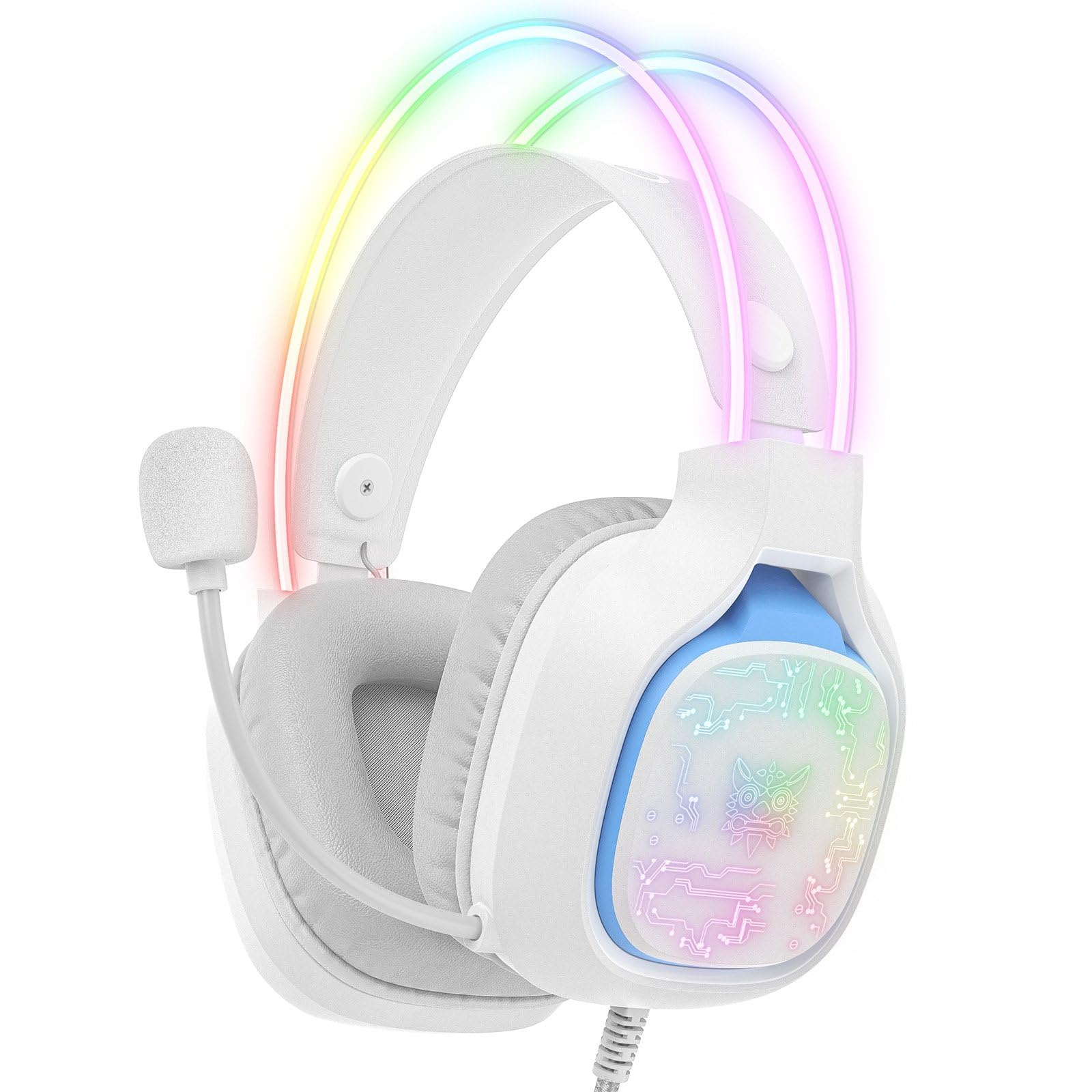
Image: The ONIKUMA X22 Gaming Headset with its 3.5mm audio jack and USB connector, ready for connection to a gaming device. The adjustable headband and microphone are visible.
Instruccions de funcionament
The ONIKUMA X22 features convenient inline controls for easy management during use:
- Control de volum: Locate the volume roller on the inline control unit. Roll it up to increase volume and down to decrease volume.
- Silència del micròfon: A switch on the inline control unit allows you to quickly mute or unmute the microphone. Slide the switch to the 'Mute' position to disable the microphone, and to the 'Unmute' position to enable it.
- Control d'il·luminació RGB: If connected via USB, the RGB lighting will activate automatically. Some models may include a button on the inline control to cycle through lighting modes or turn the RGB off/on. Refer to the specific product packaging for detailed RGB control options if available.
For optimal performance, ensure your device's audio settings are configured to use the ONIKUMA X22 as the default playback and recording device.
Manteniment
Proper maintenance ensures the longevity and performance of your headset:
- Neteja: Feu servir un drap suau i sec per netejar els auriculars i la diadema. Per a la brutícia persistent, netegeu lleugerament.amp cloth with mild soap can be used, but ensure no liquid enters the speaker grilles or microphone. Do not use harsh chemicals or abrasive cleaners.
- Emmagatzematge: Quan no els utilitzeu, guardeu els auriculars en un lloc net i sec, allunyat de la llum solar directa i de temperatures extremes. Eviteu col·locar objectes pesats a sobre dels auriculars.
- Cura del cable: Avoid sharp bends or excessive pulling on the cables. Always grasp the plug, not the cable, when disconnecting.
- Ear Cup Replacement: If the ear cushions become worn, they may be replaceable. Check the manufacturer's website or contact support for replacement parts.
Resolució de problemes
Si teniu problemes amb els auriculars, consulteu les solucions habituals següents:
- Sense so:
- Ensure the 3.5mm audio jack is fully inserted into the device's audio port.
- Check the inline volume control and increase the volume.
- Verify your device's system volume is not muted or set too low.
- Confirm the headset is selected as the default audio output device in your operating system's sound settings.
- Prova els auriculars en un altre dispositiu per descartar un problema específic del dispositiu.
- El micròfon no funciona:
- Ensure the microphone mute switch on the inline control is in the 'Unmute' position.
- Check that the microphone is properly positioned near your mouth.
- Verify the headset microphone is selected as the default input device in your operating system's sound settings and communication applications.
- Adjust the microphone input level in your device's sound settings.
- Test the microphone on another device.
- La il·luminació RGB no funciona:
- Ensure the USB-A connector is securely plugged into a powered USB port.
- Prova amb un port USB diferent.
- If there is an RGB control button on the inline unit, press it to cycle through modes or activate the lighting.
- Ajust incòmode:
- Adjust the suspended headband to find the most comfortable position.
- Ensure the ear cups are fully covering your ears without excessive pressure.
Especificacions
| Característica | Detall |
|---|---|
| Número de model | X22 |
| Diàmetre del conductor | 50 mm |
| Interval de freqüència | 20 Hz - 20 kHz |
| Tipus de micròfon | 360-degree Omnidirectional with Active Noise Reduction |
| Connectivitat | 3.5mm Audio Jack + USB-A (for RGB) |
| Longitud del cable | 1.8 metres |
| Pes | 364 grams |
| Dimensions d'enviament | 23.5 x 19.4 x 11.4 cm |
| Data de llançament | 26 de setembre de 2025 |
Informació de la garantia
The ONIKUMA X22 Gaming Headset is covered by a standard manufacturer's warranty. The duration and terms of the warranty may vary by region and retailer. Please retain your proof of purchase for warranty claims. For specific details regarding your warranty coverage, refer to the documentation included with your product or visit the official ONIKUMA weblloc.
Atenció al client
For technical assistance, product inquiries, or customer service, please contact ONIKUMA customer support. You can typically find contact information, including email addresses, phone numbers, or support portals, on the official ONIKUMA website. Please have your product model (X22) and purchase details ready when contacting support.
Oficial Weblloc: www.onikuma.net (Nota: Això és un marcador de posició) URL. Refer to your product packaging for the correct official weblloc.)