1. Producte acabatview
The ZTE G5 Ultra MC8512 is an advanced 5G-A and Wi-Fi 7 router designed to provide high-speed internet connectivity. It features MLO multifrequency aggregation technology for peak rates up to 19000 Mbps, supporting seamless high-resolution video conferencing and data transmissions. The device includes independent high-performance antennas with a maximum gain of 13 dBi and 2.5G dual network ports with intelligent WAN/LAN adjustment.
Equipped with a 4-core 4nm 5G high-speed chip operating at 2.2GHz, the router ensures stable operation and high-speed functions. It supports NFC one-touch network connection for easy Wi-Fi access without a password and can connect up to 384 devices simultaneously. The router offers flexible internet access with support for both SIM cards and wired broadband, including seamless switching and backup functions.
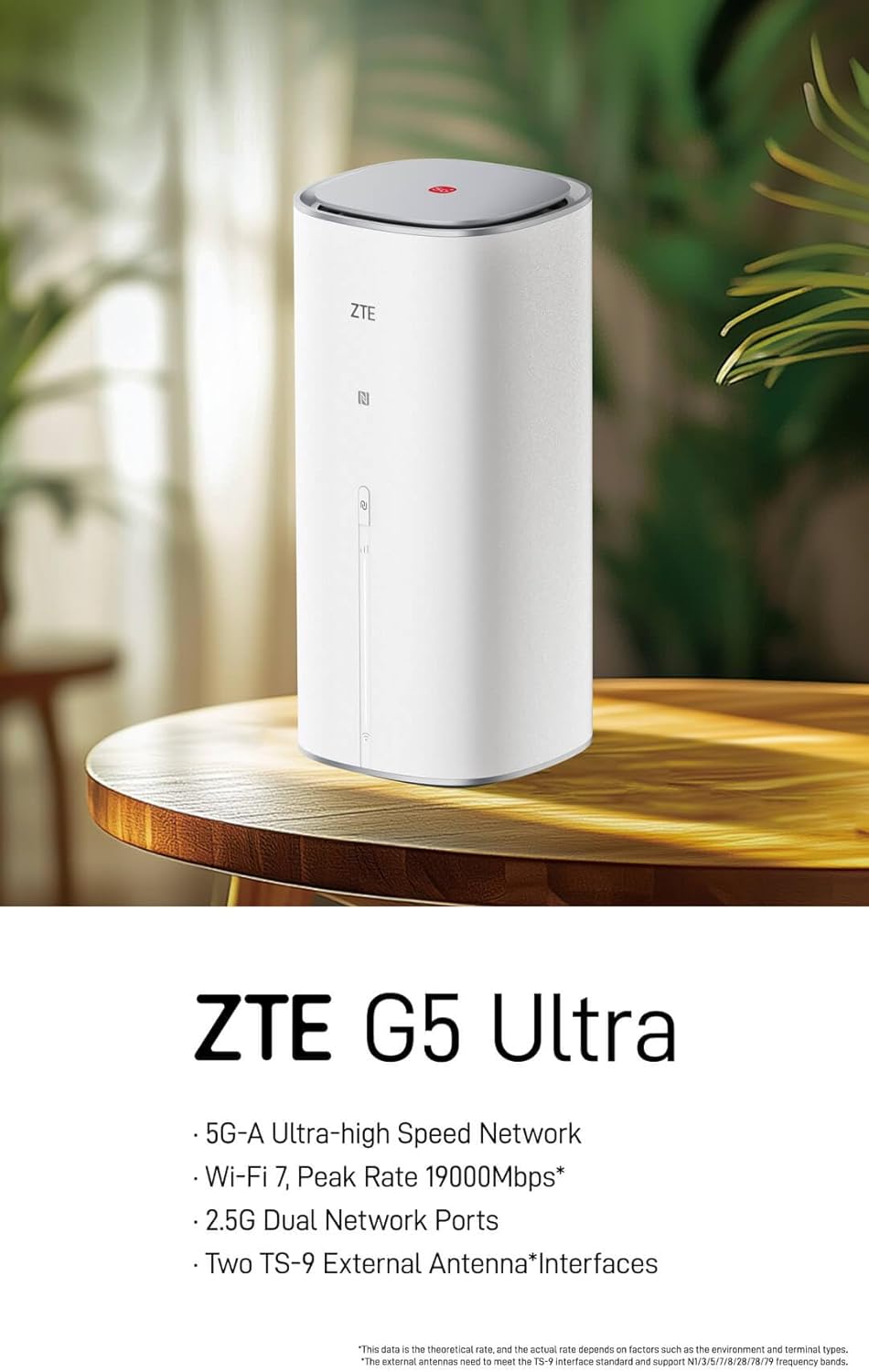
Figure 1: ZTE G5 Ultra MC8512 5G-A WiFi 7 Router, front view. This image shows the ZTE G5 Ultra MC8512 router, a cylindrical white device with the ZTE logo and indicator lights on the front. It highlights its 5G-A, Wi-Fi 7, 2.5G Dual Network Ports, and TS-9 External Antenna Interfaces capabilities.
2. Contingut del paquet
Abans de continuar amb la configuració, comproveu que tots els elements siguin presents al paquet:
- ZTE G5 Ultra MC8512 Router
- Adaptador d'alimentació
- Manual d’inici ràpid
Note: External TS-9 antennas may be sold separately or included depending on the specific product variant.
3. Instruccions de configuració
3.1. Disseny i ports del dispositiu

Figure 2: Rear panel of ZTE G5 Ultra MC8512 router. This image displays the rear panel of the ZTE G5 Ultra MC8512 router, detailing the various ports including USB, Phone, LAN, and WAN/LAN connections.
Familiarize yourself with the ports on the rear of the device:
- Port d'alimentació: Es connecta a l'adaptador de corrent.
- Ranura per a targeta SIM: For inserting a 5G SIM card.
- WAN/LAN Ports (2.5G): For connecting to wired broadband or local network devices. These ports intelligently adjust between WAN and LAN functions.
- TS-9 Antenna Interfaces: Two ports for connecting optional external TS-9 antennas to enhance signal reception.
- Port USB: For future use or specific functionalities.
- Port del telèfon: For voice services if supported by your SIM card and service provider.
3.2. Instal·lació inicial
- Insereix la targeta SIM: Locate the SIM card slot. Gently insert your 5G SIM card into the slot until it clicks into place. Ensure the SIM card is oriented correctly as indicated on the device.
- Connectar l'alimentació: Connect the provided power adapter to the router's power port and then plug the adapter into a power outlet. The router will power on automatically.
- Optional: Connect External Antennas: If using external TS-9 antennas, connect them to the two TS-9 interfaces on the router.
- Optional: Wired Broadband Connection: If using wired broadband, connect an Ethernet cable from your modem or wall jack to one of the WAN/LAN ports on the router.
- Col·locació: Place the router in a central location, away from obstructions and other electronic devices that may cause interference, to ensure optimal Wi-Fi signal coverage.
3.3. Configuració Inicial
- Connecta't a Wi-Fi: On your computer or mobile device, search for the Wi-Fi network name (SSID) printed on the label at the bottom of the router. Connect to this network using the default Wi-Fi password (also on the label).
- Accés Web Interfície: Obre a web navegador i introduïu l'adreça IP predeterminada (p. ex.,
192.168.1.1or192.168.0.1) into the address bar. The exact IP address can be found on the router's label or in the Quick Start Manual. - Inici de sessió: Enter the default username and password (typically
adminfor both, or as specified on the label). It is highly recommended to change the default login credentials for security purposes during the first login. - Segueix l'Auxiliar de configuració: El del router web interface may guide you through an initial setup wizard to configure basic settings such as internet connection type (5G or wired), Wi-Fi name, and password.
4. Funcionament del router
4.1. Indicadors LED
The router features LED indicators on its front panel to display its status:
- LED d'alimentació: Indicates power status. (e.g., Solid White: On; Off: No power)
- 5G/Internet LED: Indicates internet connection status. (e.g., Solid Blue: Connected to 5G network; Solid Green: Connected to wired broadband; Blinking: Connecting; Red: No service/Error)
- LED Wi-Fi: Indicates Wi-Fi status. (e.g., Solid White: Wi-Fi active; Blinking: Data transfer; Off: Wi-Fi disabled)
4.2. Dispositius de connexió
- Connexió Wi-Fi: Cerca your Wi-Fi network (SSID) on your device and enter the password. The router supports Wi-Fi 7 for high-speed wireless connections.
- Connexió NFC d'un sol toc: For NFC-enabled devices, gently touch the device to the NFC touch area on the router to automatically connect to the Wi-Fi network without entering a password.
- Connexió Ethernet: Connect devices like computers, gaming consoles, or smart TVs to the router's LAN ports using Ethernet cables for a stable wired connection.
4.3. Gestió de xarxa
Accedir al router web interfície (tal com es descriu a la secció 3.3) per gestionar la configuració avançada:
- Configuració de Wi-Fi: Canvieu l'SSID, la contrasenya, el tipus de seguretat i activeu/desactiveu les xarxes d'invitats.
- Configuració d'Internet: Configure 5G APN settings, manage wired broadband connection, and set up failover between 5G and wired broadband.
- Gestió de dispositius: View connected devices, set parental controls, and manage bandwidth.
- Configuració del sistema: Update firmware, change login password, and view registres del sistema.
5. Manteniment
- Actualitzacions de firmware: Comproveu i instal·leu regularment si hi ha actualitzacions de firmware a través del router. web interfície. Les actualitzacions de firmware poden millorar el rendiment, afegir noves funcions i augmentar la seguretat.
- Neteja: Keep the router clean and free from dust. Use a soft, dry cloth to wipe the exterior. Do not use liquid cleaners or aerosols. Ensure ventilation openings are not blocked.
- Col·locació òptima: Ensure the router is placed in an open area, away from walls, large metal objects, and other devices that emit radio frequencies (e.g., microwaves, cordless phones) to minimize interference and maximize Wi-Fi coverage.
- Reiniciant: Si teniu problemes de xarxa, proveu de reiniciar el router desendollant l'adaptador de corrent, esperant 10 segons i tornant-lo a connectar.
6. Solució De Problemes
| Problema | Causa possible | Solució |
|---|---|---|
| Sense connexió a Internet |
|
|
| Velocitat d'Internet lenta |
|
|
| Desconnexions de Wi-Fi |
|
|
| NFC One-Touch Not Working |
|
|
| Router Requires Login After Power Cut |
|
|
7. Especificacions tècniques
| Característica | Especificació |
|---|---|
| Marca | ZTE |
| Nom del model | MC8512 |
| Tecnologia de xarxes | 5G-A |
| Estàndard sense fils | Wi-Fi 7 (802.11be) |
| Velocitat màxima de descàrrega | 4.29 Gbps (5G-A) |
| Max Wi-Fi Rate | 19000 Mbps (MLO) |
| Processador | 4-core 4nm, 2.2GHz main frequency |
| Ports de xarxa | 2 x 2.5G WAN/LAN intelligent adjustment ports |
| Tipus d'antena | Independent high-performance (up to 13 dBi gain), 2 x TS-9 external antenna interfaces |
| Suport del dispositiu | Fins a 384 dispositius alhora |
| Característiques especials | NFC One-Touch, Dual SIM/Wired Broadband Support, Tri-Band Frequency |
| Dispositius compatibles | WiFi Devices |
| Sistema operatiu | ZyNOS |
| Dimensions del paquet | 29 x 18 x 11.6 cm |
| Pes de l'article | 1.46 kg |
8. Garantia i Suport
For detailed warranty information, please refer to the warranty card included with your product package. Warranty terms and conditions may vary by region and retailer.
If you encounter any issues that cannot be resolved using the troubleshooting guide, or require further assistance, please contact ZTE customer support. You can typically find support contact information on the official ZTE weblloc web o a la documentació del producte.
For the latest support resources, FAQs, and contact details, please visit the official ZTE weblloc: www.zte.com.cn/global/


