1. Introducció
This manual provides instructions for the UnionSine 1TB Ultra Slim Portable External Hard Drive, Model HDD2510. This device offers expanded storage and fast data transfer for various compatible systems. Please read this manual thoroughly before using the product to ensure proper operation and longevity.

Image 1.1: UnionSine 1TB Ultra Slim Portable External Hard Drive.
2. Què hi ha a la caixa
Upon unpacking your UnionSine External Hard Drive, please ensure all items listed below are present and in good condition:
- 1 x UnionSine Portable Hard Drive (HDD2510)
- 1 x cable USB 3.0
- 1 x Manual d'usuari (aquest document)
3. Configuració
The UnionSine Portable External Hard Drive is designed for plug-and-play functionality, requiring no software installation for basic use.
3.1 Connecting the Hard Drive
- Locate the USB 3.0 cable provided in the box.
- Connect the smaller end of the USB 3.0 cable to the port on the UnionSine Portable Hard Drive.
- Connect the larger end of the USB 3.0 cable to an available USB 3.0 or USB 2.0 port on your computer, laptop, gaming console, or other compatible device.
- El vostre sistema operatiu hauria de reconèixer automàticament el dispositiu.

Image 3.1: Connecting the hard drive to a laptop, highlighting broad compatibility.
3.2 Initial Recognition and Formatting (if necessary)
The drive comes pre-formatted with EXFAT for broad compatibility. If your device does not recognize the drive upon plugging it in, or if you wish to optimize it for a specific operating system, you may need to re-format it. Refer to Section 5.1 for detailed formatting instructions.
Vídeo 3.1: Un overview of the portable external hard drive and its USB 3.0 connectivity.
4. Instruccions de funcionament
4.1 Transferència de dades
Per transferir files, simply drag and drop them to and from the external hard drive icon that appears in your computer's file explorer (Windows) or Finder (Mac). The drive supports ultra-fast data transfer speeds:
- Theoretical Read Speed: Up to 125MB/s
- Theoretical Write Speed: Up to 103MB/s
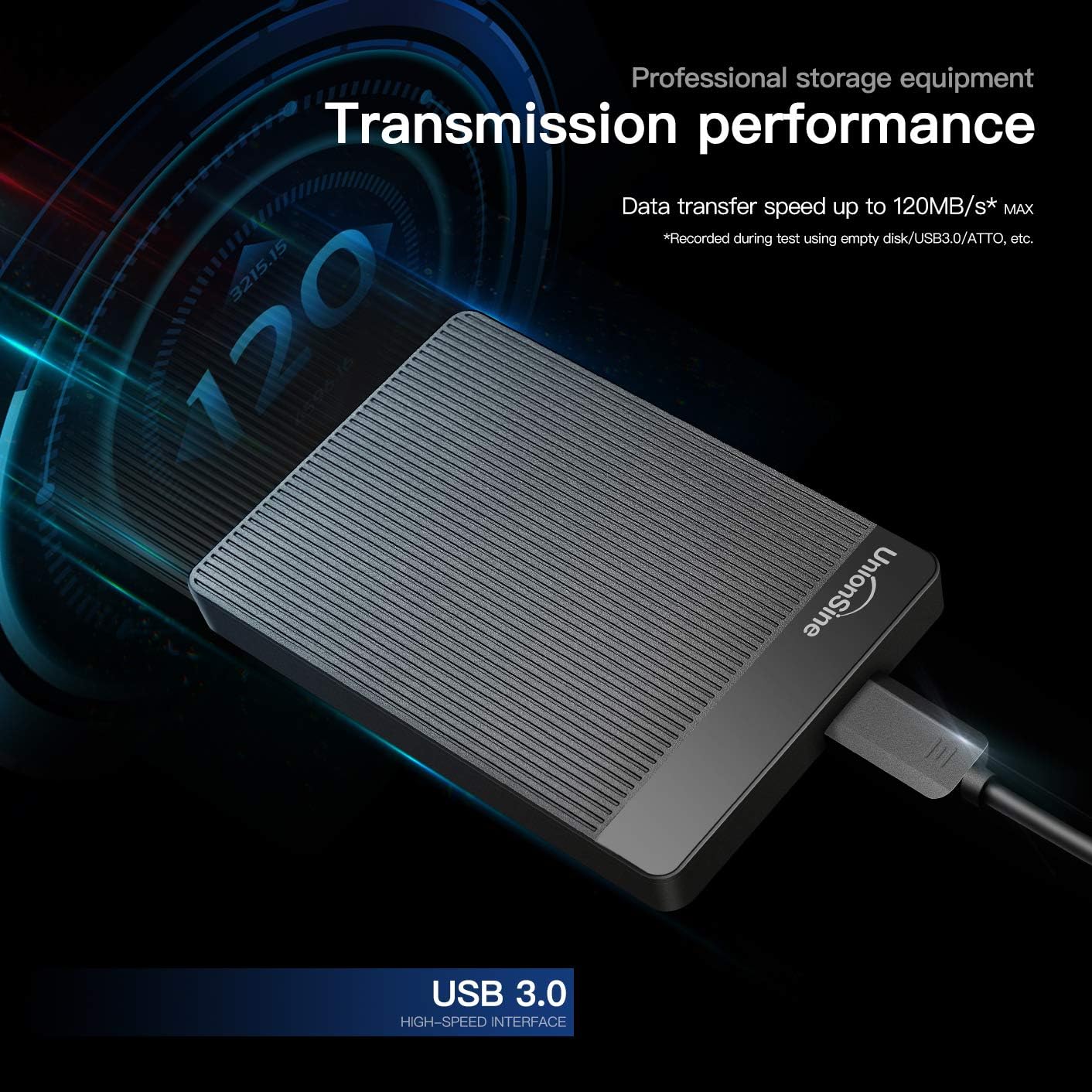
Image 4.1: Illustration of the hard drive's high-speed data transfer capabilities.
4.2 Eliminació segura
Always safely eject the hard drive from your operating system before physically disconnecting it to prevent data corruption. For Windows, right-click the drive icon and select "Eject." For Mac, drag the drive icon to the Trash or click the Eject button next to the drive in Finder.
Vídeo 4.2: Una vista de 360 graus view of the external hard drive, demonstrating its compact design.
5. Compatibility and Formatting
5.1 Supported Systems and Formats
The UnionSine Portable Hard Drive is compatible with a wide range of operating systems and devices. The default format is EXFAT. If re-formatting is required, please refer to the table below for recommended formats:
| Sistema | Suport de format |
|---|---|
| Windows 7/8/10 | FAT / FAT32 / NTFS / EXFAT |
| Linux | EXT2 / EXT3 / EXT4 |
| Mac OS X | APFS / EXFAT |
| Android | FAT32 / NTFS |
| Xbox one | NTFS / FAT32 / Xbox |
| PS4 | FAT32 / EXFAT |
| TV | FAT32 / NTFS |
Nota important:
Some Xbox and PS devices require storage capacity greater than 250GB. For these devices, please purchase a 320GB or above capacity drive to avoid unrecognized storage issues.
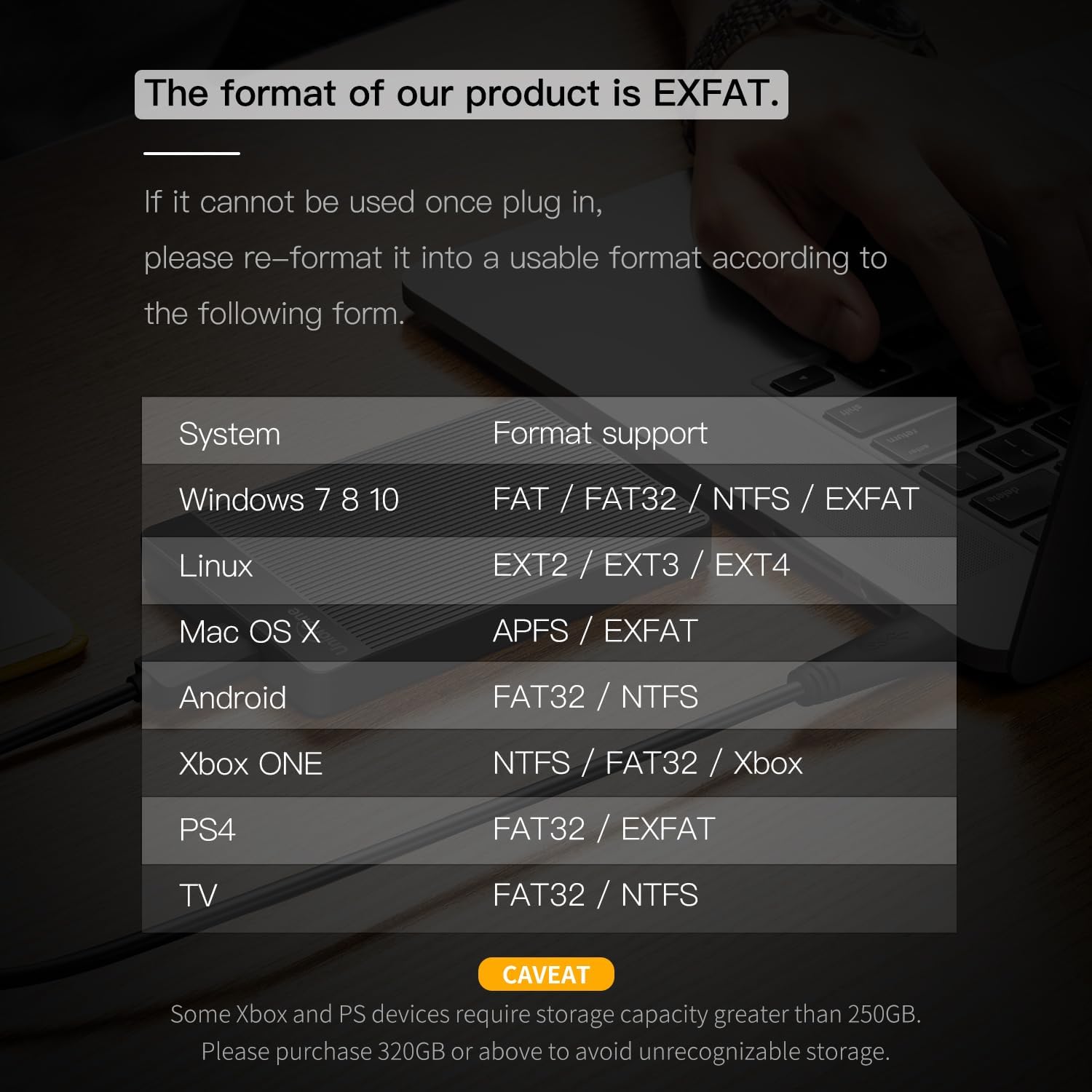
Image 5.1: Compatibility and format support table for the hard drive.
6. Manteniment
To ensure optimal performance and longevity of your UnionSine Portable Hard Drive, consider the following maintenance tips:
- Dissipació de calor: The drive features a striped non-slip design and an internal aluminum foil protective layer to aid in heat dissipation. Ensure the drive is placed on a stable surface with adequate airflow during prolonged use to maintain stable and fast transmission.
- Funcionament silenciós: The motherboard utilizes a JMicron 578 noise-free solution. If you notice unusual noises, ensure the drive is on a flat, stable surface and not obstructed.
- Cura del cable: Use the provided high-quality USB 3.0 cable. The cable includes a spiral wire mesh protective film and an aluminum foil layer to prevent electromagnetic interference. Avoid bending or twisting the cable excessively.
- Protecció física: The rounded corners of the shell are designed for comfortable handling. Avoid dropping the drive or subjecting it to strong impacts, as this can damage the internal mechanical components.

Image 6.1: The hard drive's design features for quiet operation and heat dissipation.

Image 6.2: The high-quality USB 3.0 cable for reliable connection.
7. Solució De Problemes
If you encounter issues with your UnionSine Portable Hard Drive, please refer to the following common troubleshooting steps:
- Unitat no reconeguda:
- Ensure the USB cable is securely connected to both the hard drive and your device's USB port.
- Prova de connectar la unitat a un port USB diferent del dispositiu.
- Try connecting the drive to a different computer or device to rule out a port issue.
- Check your device's Disk Management (Windows) or Disk Utility (Mac) to see if the drive is detected but unformatted or requires initialization. Refer to Section 5.1 for formatting guidance.
- Transferència lenta de dades:
- Ensure you are using a USB 3.0 port on your device for optimal speeds. USB 2.0 ports will result in slower transfers.
- Eviteu executar diverses aplicacions que consumeixen moltes dades durant la transferència.
- Check the integrity of the USB cable; a damaged cable can affect performance.
- La unitat es desconnecta aleatòriament:
- Ensure the USB connection is stable and not loose.
- Check power management settings on your computer, as some settings may power down USB devices to save energy.
- Corrupció de dades:
- Always safely eject the drive before disconnecting it (refer to Section 4.2).
- Run a disk check utility on your operating system to scan and repair potential errors.
8. Especificacions
Key technical specifications for the UnionSine 1TB Ultra Slim Portable External Hard Drive (Model HDD2510):
| Característica | Detall |
|---|---|
| Número de model | HDD2510 |
| Capacitat d'emmagatzematge digital | 1 TB |
| Interfície de disc dur | Sèrie ATA-600 |
| Tecnologia de connectivitat | USB 3.0 (compatible enrere amb USB 2.0) |
| Factor de forma del disc dur | 2.5 polzades |
| Descripció del disc dur | Disc dur mecànic |
| Velocitat de rotació del disc dur | 5400 RPM |
| Dispositius compatibles | Desktop, Gaming Console (PS4, Xbox One, Xbox 360), Laptop, Television |
| Pes de l'article | 7.8 unces |
| Dimensions del producte (LxWxH) | 4.56 x 0.5 x 3.15 polzades |
| Color | Negre |
| Característica especial | Portable, Ultra Slim Design, Quiet Operation, Heat Dissipation |
9. Garantia i Suport
UnionSine stands behind the quality of its products.
- Garantia del fabricant: This product comes with a three-year manufacturer's warranty. Please retain your proof of purchase for warranty claims.
- Suport tècnic: Free technical support services are available. For assistance, please refer to the contact information provided with your product packaging or visit the official UnionSine weblloc.

